Free shipping from 300,-
Guaranteed 15 days not satisfied, money-back guarantee
Ordered before 12 AM, Shipped today
26142 reviews

How do you take a screenshot on your laptop?
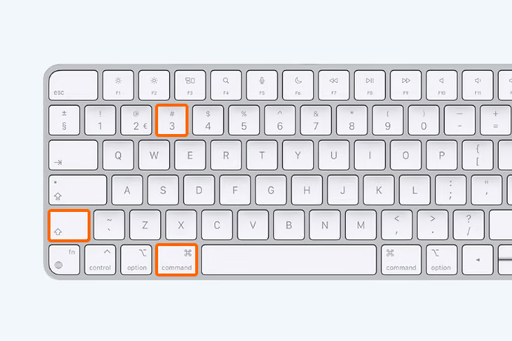
take a screenshot on a MacBook

How to take a screenshot on a Macbook?

Taking a screenshot on a Macbook is a piece of cake. Simply press 'Shift + Command + 3' to take a screenshot of your entire screen. If you prefer to capture a specific part of your screen, use 'Shift + Command + 4'. This combination changes your cursor into a crosshair, allowing you to select an area to take a screenshot. These simple steps show you how to take a screenshot on a Macbook without any fuss.


View our MacBooks
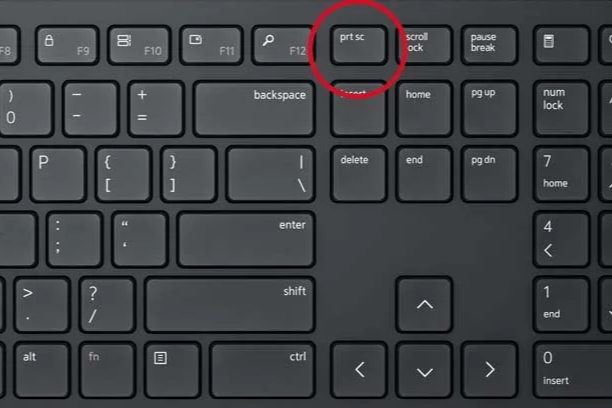
take a screenshot on Windows

How to take a screenshot in Windows?

Taking a screenshot in Windows is very simple. Just press the 'Print Screen' (PrtScn) key on your keyboard. This will immediately take a screenshot of your entire screen. Do you want to take a screenshot of a specific active window? Then use the combination 'Alt + Print Screen'. For more control over your screenshots, you can use the built-in Windows Snipping Tool. This program allows you to take a screenshot of a selected part of your screen.


View our Windows laptops
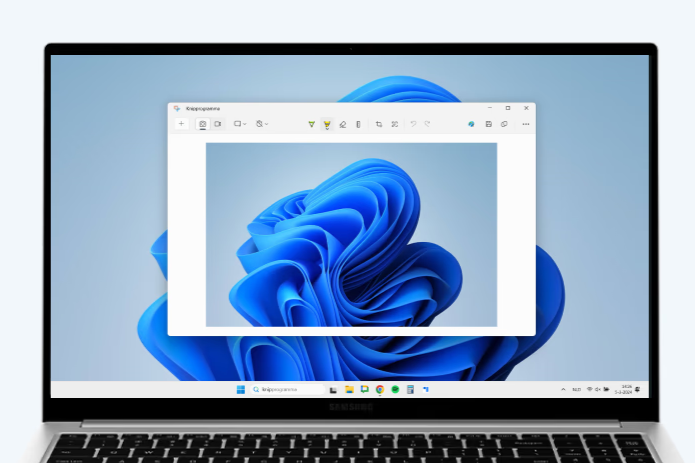
Windows Snipping Tool

Taking a screenshot with the Windows Snipping Tool

The Windows Snipping Tool is a powerful tool for anyone who wants to take detailed screenshots. To take a screenshot, open the Snipping Tool and click 'New'. Select the area you want to capture and save the screenshot. This is especially useful for creating screenshots for presentations or reports. The Windows Snipping Tool makes it easy to take and edit screenshots, so you always have the perfect image for your purposes.


Top 10 deals banner

LOOKING FOR THE BEST DEALS?

Check out our current offer!

View the deals
Top 10 deals banner

LOOKING FOR THE BEST DEALS?

Check out our current offer!

View the deals

Browse our extensive laptop collection
Black Friday 20% Discount
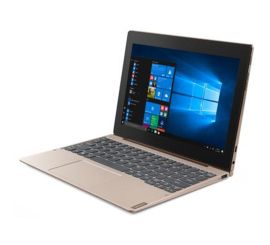
Lenovo IdeaPad D330-10IGM - Intel Celeron N4000 - 10 inch - Touch - 4GB RAM - 64GB SSD - Windows 11 Home
Condition:
Click for more information.

Lenovo IdeaPad D330-10IGM

Intel Celeron-9th Generation - 10 inch - Touch - 4GB RAM - 64GB SSD - Win 11 Home
Old Price £68.07 £54.45 £45,-
Black Friday 20% Discount
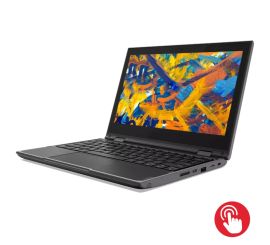
Lenovo 300e G2 - Intel Pentium N5000 - 11 inch - Touch - 4GB RAM - 64GB SSD - Windows 11 Home
Condition:
Click for more information.

Lenovo 300e G2

Intel Pentium-9th Generation - 11 inch - Touch - 4GB RAM - 64GB SSD - Win 11 Home
Old Price £68.07 £54.45 £45,-
Black Friday 20% Discount
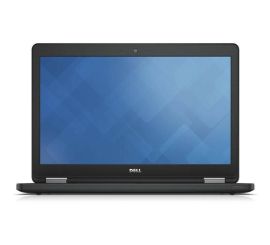
Dell Latitude E5550 - Intel Core i5 4th Generation - 15 inch - 8GB RAM - 256GB SSD - Windows 11 Home
Condition:
Click for more information.

Dell Latitude E5550

Intel Core i5-4th Generation - 15 inch - 8GB RAM - 256GB SSD - Win 11 Home
Old Price £124.62 £99.69 £82.39
Black Friday 20% Discount
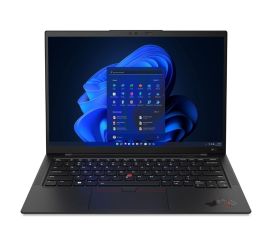
Lenovo ThinkPad X1 Carbon G10 - Intel Core i7 12th Generation - 14 inch - 32GB RAM - 256GB SSD - GPU - Windows 11 Home
Condition:
Click for more information.

Lenovo ThinkPad X1 Carbon G10

Intel Core i7-12th Generation - 14 inch - 32GB RAM - 256GB SSD - Win 11 Home
Old Price £1,297.47 £1,037.97 £857.83
Black Friday 20% Discount
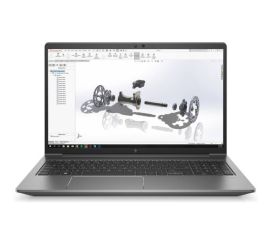
HP ZBook Create G7 - Intel Core i7 10th Generation - 15 inch - 16GB RAM - 256GB SSD - GPU - Windows 11 Home
Condition:
Click for more information.

HP ZBook Create G7

Intel Core i7-10th Generation - 15 inch - 16GB RAM - 256GB SSD - Win 11 Home
Old Price £549.77 £439.82 £363.49
Black Friday 20% Discount
Dell Latitude 3190 - Intel Pentium N5030 - 11 inch - Touch - 8GB RAM - 256GB SSD - Windows 11 Home
Condition:
Click for more information.

Dell Latitude 3190

Intel Pentium-9th Generation - 11 inch - Touch - 8GB RAM - 256GB SSD - Win 11 Home
Old Price £135.09 £108.07 £89.31
.