My Windows keyboard is outputting incorrect characters.
My keyboard is acting strange, how do I fix this?
If your keyboard is acting strangely, such as displaying incorrect characters or not responding at all, there may be several causes. First, check the keyboard settings on your laptop or computer, as an incorrect layout is often the culprit. Switch the layout using keyboard shortcuts like Shift + Alt to see if this solves the problem. For an Apple keyboard, you can check the settings in macOS by going to 'System Preferences' and then 'Keyboard'. Physical problems with the keyboard, such as dirt or damage, can also be the cause. Check if all keys are functioning correctly and clean the keyboard if necessary. If all these steps do not solve the problem, it may be advisable to consider a new QWERTY keyboard, AZERTY keyboard or Apple keyboard, depending on your preference and use. At Remarkt you will find a wide range of refurbished keyboards that have been carefully tested and are of high quality.

What should you do if your keyboard displays incorrect characters?
If your keyboard is displaying incorrect characters, this can be very frustrating. This can occur with both QWERTY and AZERTY keyboards. Sometimes a keyboard acts strangely due to incorrect settings. First check the keyboard settings on your laptop or computer. The problem can also occur with an Apple keyboard. The keyboard may display incorrect characters due to an incorrect layout or configuration. Here's what you can do if your keyboard isn't working as it should.
Keyboards & Mice
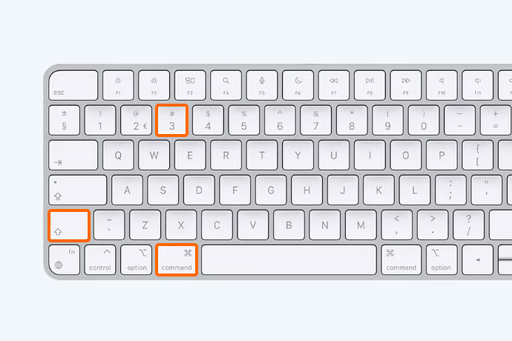
Switch the layout via keyboard shortcuts
A common cause of keyboard problems is an unintentional change in the keyboard layout. You can easily switch the layout via keyboard shortcuts. This can be useful if your keyboard settings have changed and the keyboard is displaying incorrect characters. Try the keyboard shortcuts Shift + Alt to switch between QWERTY and AZERTY layouts. If this doesn't work, you can manually adjust the keyboard settings via the control panel of your laptop or computer.
Buy refurbished


Buy new Keyboards & Mice