
What does "Preparing Windows, do not turn off the computer" mean?

What does 'Preparing Windows' mean?
The message "Preparing Windows, do not turn off your computer" appears when your computer is installing or configuring updates. This process usually takes place during startup or shutdown. Windows performs these preparations to ensure that all updates are installed correctly and your system remains up-to-date. It is important not to turn off the computer during this process, as this can lead to incomplete installations or system errors.
Buy Refurbished PC

How long does the 'Preparing Windows' process take?
The 'Preparing Windows' process can vary in duration, depending on the size of the updates and the speed of your computer. In most cases, this takes a few minutes. However, it can sometimes take longer, especially if there are many updates or if your computer is slower. If the process seems to be stuck and takes a very long time, you can consider leaving the computer on for a while longer, as it usually completes eventually.

How do you solve problems while updating Windows?
If you notice that the 'Preparing Windows' process is taking too long or is stuck, you can try a few steps to solve the problem. First, you can give your computer some more time to complete the updates, especially if large system updates are being installed. If the message persists for hours, you can force a restart by holding down the power button. Then restart your computer and check if the updates are complete. If the problem persists, you can try starting Windows in safe mode and installing the updates manually.
PC Advice


Buy Windows PCs
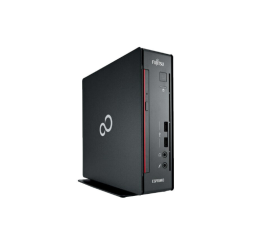
Fujitsu Esprimo Q556 USFF
Fujitsu Esprimo Q556 USFF