
How do you fix a blue screen in Windows?
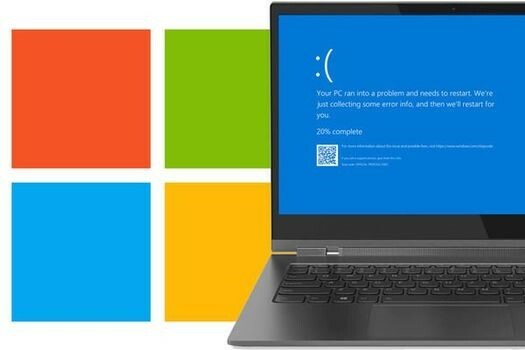
What is a blue screen?
A blue screen, also known as the "blue screen of death" (BSOD), is a critical error message in Windows that occurs when the system encounters a serious problem. The blue screen can occur in both Windows 10 and Windows 11 and is often caused by hardware problems, incompatible drivers, or software errors. If you see a blue screen, it means that Windows must shut itself down to prevent further damage. This can be quite frustrating, especially if you're in the middle of important work, but luckily there are ways to solve this problem.
Buy Windows PCs

When do you get a blue screen of death?
A blue screen of death usually appears when your PC is malfunctioning due to problems with hardware, drivers, or sometimes due to a conflict with new software. Common causes are faulty RAM, a failing hard drive, or incompatible drivers that disrupt communication between Windows and the hardware. In Windows 10 and Windows 11, a blue screen can also occur after a major update, especially if certain system settings conflict with new features. It is important to look up the error code that appears on the screen, as this can give clues about what exactly is wrong.

How to solve a blue screen
To solve a blue screen, there are several steps you can take. First, you can restart your system in safe mode, so you can check if a recently installed driver or application is the cause. Remove recent updates or reinstall drivers to see if the problem is solved. It is also wise to check your hard drive and RAM for errors. For Windows 10 and Windows 11, you can use built-in utilities such as the "Windows Memory Diagnostic" and "Check Disk" to test your hardware. If you still experience a blue screen of death after these steps, it may be necessary to reinstall Windows to completely resolve the problem.
Desktop advice page


Buy a refurbished desktop
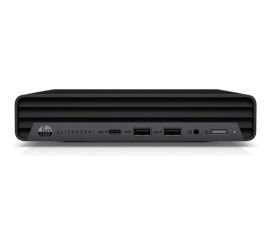
HP EliteDesk 800 G6 USFF
HP EliteDesk 800 G6 USFF
HP EliteDesk 800 G6 USFF
HP EliteDesk 800 G6 USFF
HP EliteDesk 800 G6 USFF
