Free shipping from 300,-
Guaranteed 15 days not satisfied, money-back guarantee
Ordered before 12 AM, Shipped today
25951 reviews

Tagged with 'Refurbished'

5 Essential Tips & Tricks for Optimal Use of your MacBook

5 Essential Tips & Tricks for Optimal Use of your MacBook

5 Essential Tips & Tricks for Optimal Use of your MacBook

Discover these 5 essential tips and tricks that will help you make the most out of your MacBook. From handy keyboard shortcuts to advanced system settings, our guide will help you optimize your user experience. For more information and to explore our range of MacBooks, visit our Apple page.

Here's an overview:

Your MacBook Basics: A Quick Start

As a new MacBook user, it's helpful to start with the fundamental aspects of your device. This quick start guide will help you get started using your MacBook quickly and efficiently.

  • Understanding MacOS: MacOS is the operating system of your MacBook. It is recommended that you familiarize yourself with basic functionality, such as finding files in Finder, using the dock, and setting system preferences.

  • The Trackpad: The MacBook has a multi-touch trackpad that supports various gestures. Learn how to click, scroll, drag and zoom to increase your productivity.

  • Keyboard Shortcuts: Familiarize yourself with useful keyboard shortcuts. Command+C and Command+V for copying and pasting are essential, but so are others like Command+Tab for quickly switching between applications and Command+Space for opening Spotlight.

  • Apple ID and iCloud: Set up your Apple ID and use iCloud to store documents and sync data between your Apple devices.

  • Software updates: Keep your system safe and up to date by checking for software updates regularly. You will find this option in the system preferences under ‘Software Update’.

  • Make backups: Use Time Machine or another backup solution to make regular copies of your important files. This way you prevent data loss in the event of unexpected problems.

  • Power settings: Optimize your battery life by adjusting the power settings. This can be done by going to System Preferences > Power management and adjust the settings to your use.

By mastering these basics, you'll lay a solid foundation for using your new MacBook. From here you can explore further and personalize your experience.

Optimizing Your Battery Life: Power Management Tips

Managing a MacBook's battery life is critical to maximizing productivity, especially when away from a power source. Below are some essential energy management tips.

  • Check the Power Settings: Go to System Preferences > Energy Saver and adjust sleep and screen brightness settings. For optimal energy savings, set the screen brightness as low as is comfortable and set the computer to quickly go to sleep when not in use.

  • Manage Running Applications: Apps running in the background can quickly drain your battery. Use the Activity Monitor to identify apps that consume a lot of energy and close the unnecessary ones.

  • Reduce Animations and Graphic Effects: Some graphic effects, such as transparency and motion, may affect battery performance. Disable this via System Preferences > Accessibility > Screen.

  • Update your Software: Regularly updating your macOS and applications can help optimize battery life. New updates often include improvements for power management.

  • Use Energy Efficient Applications: Some applications are designed to use less energy. Prefer these apps when possible.

  • Calibrate the Battery: If the device still has a removable battery, it is useful to calibrate it regularly for more accurate battery indications.

By applying the above tips and regularly paying attention to how the MacBook is used, one can significantly optimize battery life and get the most out of the device. Consistently monitoring and adjusting energy consumption ensures longer-term and efficient use of the MacBook.

Managing Your Desktop and Windows: Efficiency in Usage

Working efficiently on a MacBook requires an organized desktop and streamlined window management. Users can increase their productivity by applying the following methods:

  1. Mission Control: A simple three- or four-finger swipe up on the trackpad activates Mission Control. This provides an overview of all open windows, desktop spaces and full-screen apps. One can also use the F3 key.

  2. Spaces: Spaces are virtual desktops that can be used to group apps and windows by task or project. By going to Mission Control and moving the mouse to the top right corner, you can easily add a new Space.

  3. Split View: To use two apps side by side without distraction from other windows, press and hold the green maximize button of a window and choose the option to move the window to the left - or right side of the screen.

  4. Hot Corners: In ‘System Preferences’ > 'Mission Control' you can set active corners (‘Hot Corners’). By moving the cursor to one of the corners of the screen, one quickly activates a preset action, such as Mission Control, Launchpad or screen saver.

  5. App Exposé: Viewing all open windows specifically for one app is quick with App Exposé by swiping down on the trackpad with three fingers or using Control + down arrow key.

  6. App Exposé /p>

  7. Keyboard Shortcuts: Learning keyboard shortcuts for managing windows, such as Command + ~ (switch between windows of the same app) or Command + M (minimize the current window) can improve the significantly increase efficiency.

  8. Organize your desktop: A tidy desktop ensures a clear working environment. Regularly move files to folders and use stacks (‘Stacks’) by right clicking on the desktop and ‘Use stacks’ keeps the desktop clear.

Users who adopt these practices will find their workflow runs smoother, productivity increases, and their overall experience with their MacBook improves.

Keyboard Shortcuts and Trackpad Gestures: Speed and Productivity

Using a MacBook efficiently often goes hand in hand with mastering keyboard shortcuts and trackpad gestures. These can significantly speed up the user experience and improve productivity.

  1. Keyboard shortcuts for everyday use:

    • Command + C: Copy
    • Command + V: Paste
    • Command + Z: Undo
    • Command + Shift + 3: Take screenshot of the entire screen
    • Command + Shift + 4: Take screenshot of a selected area
    • Command + Tab: Quickly switch between open applications
  2. Navigation and File Management:

    • Command + N: Open new Finder window
    • Command + W: Close the current window
    • Command + F: Search documents or web pages
    • Command + Space: Open Spotlight search
  3. Trackpad gestures:

    • Swipe up or down with two fingers to scroll
    • Two-finger pinch to zoom in or out
    • Swipe up with three or four fingers to open Mission Control, which provides an overview of all open windows and desktops
    • Swipe left or right with three or four fingers to switch between full-screen apps

Remember that many of these shortcuts and gestures can be customized in System Preferences, under the 'Keyboard' and 'Trackpad' sections. By setting this up in a personal way, interaction with your MacBook can become even more intuitive and efficient.

Frequent practice and use of these shortcuts and gestures will almost certainly lead to increased productivity and smoother interaction with macOS.

Using Mission Control and Spaces: Multi-Tasking Ease

Mission Control and Spaces on a MacBook give users an intuitive way to multitask and increase productivity. These features allow them to organize workspaces and switch between different tasks efficiently.

Mission Control

Mission Control provides an overview of all open windows, desktops and full-screen apps.

  • Activate Mission Control by swiping up on the trackpad with three fingers or pressing the F3 key (or Control + Up Arrow).
  • Manage Windows: Users can move and rearrange windows to their preference.
  • Create and Delete Desktops: Drag windows to the top of the screen to create a new desktop Space or use the ‘X’ to delete a desktop.

Spaces

Spaces are virtual desktops that can help users group applications and projects by theme or usage.

  • Navigate between Spaces: Use four fingers to swipe horizontally on the trackpad or use Control + Left/Right Arrow.
  • Assign Apps to Spaces: Right-click an app in the Dock, choose ‘Options’ and then ‘Assign to’. This allows the app to be pinned to a specific Space or to all Spaces.
  • Full Screen and Split View: Full screen apps become their own Space. For Split View, click and hold a window's green button and drag it to the left or right side of the screen.

Using Mission Control and Spaces efficiently can significantly improve the way people work, by making it easier to switch between various projects and applications without losing the overview. This creates a streamlined and organized digital environment, which is essential for an effective multitasking experience.

Storage and File Management: Free up and Organize Space

To get the most out of a MacBook, it is essential that users carefully manage their storage space and files. Here are some crucial tips to free up space and organize files:

  1. Inventory files and programs: Find out which files and programs are taking up the most space. This can be done easily with the ‘About this Mac > Storage > Management’. Then put away unnecessary items.

  2. Utilize iCloud: Enable iCloud Photo Library and iCloud Drive to keep documents and photos safe. This moves files from the MacBook to the cloud, saving local storage space.

  3. Optimize Storage: macOS includes a built-in ‘Optimize Storage’ which automatically frees up space by removing rarely watched movies and TV shows from iTunes and email attachments that have already been downloaded.

  4. Empty the trash regularly: Don't forget to empty the trash after deleting files, because only then will the space actually be freed up.

  5. Manage duplicate and large files: Use tools like Gemini 2 to find and remove duplicate files, and manually search for large files that may no longer be needed.

  6. Use external storage: Consider using external hard drives or SSDs for archiving older files that are not needed on a daily basis but still need to be kept.

  7. Maintenance regularly: Plan a weekly or monthly routine for cleaning and organizing your files to continue working efficiently and maintaining productivity.

By following these steps, MacBook users can rid their digital workspace of unnecessary clutter and create an organized and efficient storage environment.

Adjust Security and Privacy Settings

To ensure that your MacBook is optimally protected against online threats and unwanted access, it is necessary to check and, if necessary, adjust the security and privacy settings. Follow these steps to keep your digital environment safe and private:

  1. Encryption with FileVault:

    • Go to System Preferences > Security and privacy.
    • Choose the FileVault tab and click the padlock to make changes.
    • Enable FileVault to encrypt the data on your Mac.
  2. Enable firewall:

    • Within the same Security and Privacy section you will find the Firewall tab.
    • Unlock the padlock and enable the firewall for extra protection against unauthorized access.
  3. App Download Preferences:

    • In System Preferences > Security and privacy, go to the General tab.
    • Set which types of apps can be installed on your Mac, or choose only apps from the Mac App Store for maximum security.
  4. Privacy settings:

    • Control which applications have access to your location, contacts, and other personal data.
    • Go to the Privacy tab and choose the relevant category to manage permissions.
  5. Password and authentication settings:

    • Use strong, unique passwords for your user account and Apple ID.
    • Enable two-factor authentication for an extra layer of security when logging in.

Updating these settings regularly ensures that your MacBook is well protected against various threats. Take the time to familiarize yourself with these settings and adjust them to your personal situation. This not only guarantees your privacy, but also your peace of mind when using your MacBook.

How to Personalize the Dock and Menubar For Quick Access

Personalizing the Dock and Menu Bar on a MacBook allows you to access frequently used applications and features more quickly. Here are some steps to achieve this:

  1. Customize the Dock

    • Go to System Preferences > Dock & Menu bar.
    • Here you can adjust the size of the Dock, enlarge it when you hover over it with the mouse cursor (magnification), and also change its position on the screen.
    • To add applications, simply drag the icon of the desired app to the Dock.
    • You can delete it by dragging the icon from the Dock until you see ‘Delete’ sees.
  2. Adjust minimize options

    • In the same preference panel you can choose the ‘Genie effect’ or the ‘Scale effect’ when minimizing windows.
  3. Automatically hide or show

    • The Dock can be hidden automatically. Activate this feature via the ‘Automatically hide and show the Dock’ in System Preferences.
  4. Recent applications

    • You can set the Dock to show recently opened applications.
  5. Customize menu bar

    • Go to System Preferences > Dock & Menu bar > Menu bar.
    • Here you can set which system icons and which status indicators you want to show or hide in the menu bar.
    • Drag icons anywhere within the menu bar until they vibrate to rearrange them.

By personalizing your Dock and Menu Bar, you can significantly improve your productivity and user experience on a MacBook. It allows you to access essential tools and apps with fewer clicks, helping you work more efficiently.

Installing Apps: What You Need to Know

Installing applications on your MacBook is an essential skill for getting the most out of your device. Here are some important things to look out for:

  • Use the Mac App Store: For security and convenience, the Mac App Store is the best place to download apps. All apps have been checked by Apple for malicious software.
  • Check compatibility: Make sure the app is compatible with your current macOS version. Compatibility information can usually be found in the app's description on the Mac App Store or on the developer's website.
  • Mind your Apple ID: To install apps from the Mac App Store, you need an Apple ID. Make sure you're signed in with your Apple ID before attempting to install any apps.
  • Threshold Management: If you try to install software outside of the Mac App Store, you may encounter security warnings. In System Preferences under Security and Privacy you can indicate which software is allowed.

To download and install apps from outside the Mac App Store:

  1. Download the app from the developer's official website.
  2. Double-click the downloaded file (often a .dmg or .pkg file).
  3. Follow the installation instructions.
  4. Drag the app to the ‘Applications’ folder if necessary.
  5. Eject and delete the montage image when installation is complete.
  • Regular updates: Keeping apps up to date is crucial for security and functionality. Enable automatic updates in the Mac App Store or check the developer's website regularly for updates.
  • Manage your space: Consider the size of the app and how much space you have on your MacBook. Large apps can affect your system's performance, so manage what you install and keep an eye on your storage space.

By following these tips, you can ensure that your MacBook remains free of unsafe software and functions optimally.

Advanced Tips: Automator and Terminal Commands

For those who want to get the most out of their MacBook, Automator and Terminal offer a world of possibilities. These tools allow the user to go beyond the default settings and run custom workflows and commands for more efficient use of the system.

With Automator you can:

  • Automate Tasks: Users can automate repetitive tasks such as renaming files or converting documents.
  • Creating Workflows: Complex tasks can be simplified by putting together a series of tasks into a workflow.
  • Using Scripts: For more complex automation, you can use AppleScript or JavaScript within Automator.

Some useful Terminal Commands are:

  1. Request system information: system_profiler provides a detailed report of the hardware and software.
  2. Free up disk space: Commands such as sudo tmutil disablelocal disables local Time Machine snapshots and can free up space.
  3. Diagnose network problems: ping or traceroute can help diagnose network problems.

Using the power of Automator and Terminal can save time and significantly increase productivity. However, it is important to remember that an incorrect command in Terminal can lead to serious problems. Users are advised to make backups before executing complex commands and to familiarize themselves with the function of a command before executing it.

Understand and Adjust System Preferences

MacBook users can tailor their experience by adjusting system preferences. This functionality, found under the Apple menu, provides access to a variety of settings that affect the functionality and ease of use of the MacBook.

  • Accessibility Options: The ‘Accessibility’ is essential for users who need customizations like voiceover, zoom, closed captioning and more to improve their interaction with the MacBook.
  • Energy Management: Under ‘Energy Saving’ users can adjust settings to optimize battery life, for example by activating sleep mode after a period of inactivity or adjusting the screen brightness.
  • Network preferences: Connection to the Internet and other networks can be configured via the ‘Network’ panel. Here one can manage Wi-Fi settings, Bluetooth connections and VPN configurations.
  • Desktop & Screen Saver: Customizing wallpapers and screen savers is possible in this panel, allowing users to customize their visual environment to personal preference.

Setting these aspects up correctly ensures a more efficient workflow and personal experience. For more complex features, such as creating specific user accounts or parental controls, ‘Users and Groups’ extensive options.

The advice is to periodically browse the system preferences and make adjustments as part of maintaining the MacBook. This ensures that the machine continues to meet the changing needs of the user and deliver optimal performance.

Backing Up Data with Time Machine

Regularly backing up data on a MacBook is crucial to prevent important files from being lost. Apple's Time Machine is an intuitive tool that simplifies data backup. Below are steps and tips for getting the most out of Time Machine:

Preparation:

  • Make sure you have an external hard drive large enough to hold the backups.
  • Connect the external hard drive to your MacBook.
  • Open Time Machine by going to System Preferences > Time Machine to go.

Set up backup:

  1. Click ‘Select Disk…’ and choose the external hard drive you want to use as a backup drive.
  2. Switch ‘Time Machine’ if not already activated.
  3. You can optionally ‘Backup while on battery’ uncheck to save battery life.

Backup process:

  • Time Machine automatically creates hourly backups for the past 24 hours.
  • In addition, daily backups from the past month are kept.
  • For each month, a weekly backup is kept until the disk is full.

Tips for effective use:

  • Check regularly whether Time Machine is working correctly by going to ‘Options’ and 'Show Time Machine Status in the Menu Bar' to check.
  • Consider excluding from the backup files that are not necessary to backup, such as temporary files or movies already stored in another location.
  • Make sure your backup drive is connected regularly and kept up to date.
  • Consider encrypting your backups to prevent anyone else from gaining access to your data.

Following these steps and tips will ensure that your data is safe and easy to recover in the event of a problem with your MacBook.

Troubleshooting: What to Do for Common Problems

When you encounter common problems with your MacBook, it is important to take a calm and systematic approach to finding a solution. Here are some steps you can take:

Slow Performance

If your MacBook seems slow, try:

  • Delete unnecessary files and applications to free up storage space.
  • Use ‘Activity Monitor’ to check which processes are using a lot of system resources and close them if necessary.

Not Working Hardware

If keyboard or trackpad is not responding:

  • Reset the System Management Controller (SMC) according to Apple's instructions.
  • Check for updates to macOS that may fix the problem.

Software Crashes

For frequently crashing programs:

  • Check for updates for the relevant software.
  • Uninstall and reinstall the application.

Battery problems

When the battery drains quickly or does not charge:

  • Check the battery condition in ‘System Information’.
  • Reset the SMC if the battery status is “replace soon” or “replace now” indicates.

Network problems

With an unstable internet connection:

  • Turn Wi-Fi off and on again.
  • Update to the latest version of macOS which may include networking improvements.

If these steps do not resolve the issue, we recommend that you consult Apple Support or a certified repair technician for further investigation. Following these troubleshooting steps can resolve common issues and optimize the functionality of your MacBook.

Keeping your MacBook Clean: Maintenance and Care

A MacBook requires regular maintenance to continue functioning optimally. Dust, dirt and fingerprints can affect performance and shorten the life of the device. Follow these guidelines to keep your MacBook clean and well maintained:

External Cleaning:

  • Screen cleaning: Use a soft, lint-free cloth, preferably microfiber, to gently wipe the screen. If necessary, lightly dampen the cloth with water or a special screen cleaner.
  • Keyboard and housing: Remove crumbs and dust from the keyboard with compressed air. A soft cloth is sufficient for the housing.
  • Ports and openings: Clean these carefully with a dry toothbrush or compressed air to remove dust deposits.

Internal Care:

  • Software updates: Regularly updating the software ensures smooth operation and improves security.
  • Battery maintenance: Avoid complete battery discharge and try to operate at varied charge levels to optimize battery life.
  • Storage management: Keep the hard drive free of unnecessary files and use optimization tools to maintain storage performance.

General Tips:

  • Do not use your MacBook in an environment with a lot of dust or moisture.
  • Avoid eating or drinking near your MacBook to prevent spills.
  • Take care of the power adapter by coiling it correctly and avoiding excessive bending of the cables.

A regular and careful cleaning routine will extend the life of your MacBook and ensure a pleasant working experience. Please respect these maintenance guidelines for best results.
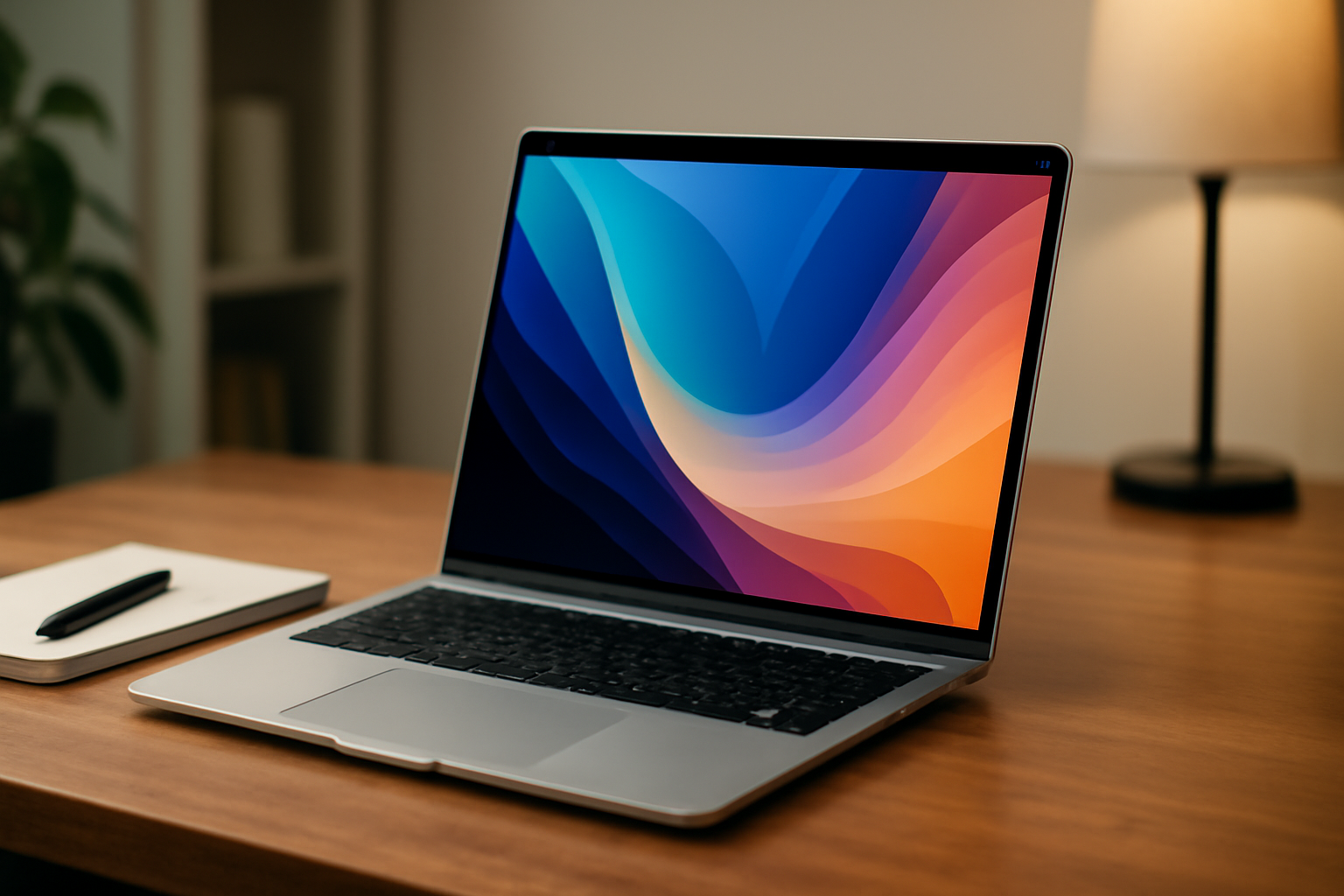
How to choose the perfect laptop: A comprehensive buying guide

How-to-choose-the-perfect-laptop: A comprehensive buying-guide

How to choose the perfect laptop: A comprehensive buying guide

Discover our comprehensive guide to choosing the perfect laptop that meets all your needs. From technical specifications to design and price criteria, we help you make the best purchasing decision. Explore our selection on our laptops page to find your ideal device.

Here's an overview:

Introduction to laptop-choice

The search for the perfect laptop can feel like navigating a labyrinth of technologies, specifications and brands. This part of the buying guide is intended as a starting point for both novice and experienced users entering the laptop market. After all, choosing the ideal laptop is no easy task: it requires a balance between budget, performance and personal needs.

Before you delve into the depths of processing power, graphics capabilities or screen diagonals, it is crucial to determine how you will use the laptop. Are you a student in need of a portable and affordable device, or a professional whose work requires graphics-intensive software? These are the types of questions you should ask yourself:

  • What is the main purpose of the laptop?
  • Which operating system do you prefer?
  • How important is battery life to you?
  • Which screen size best suits your activities?
  • Do you have a preference for certain brands?

Also consider other specific wishes, such as a lightweight design for mobility or a robust construction for sustainability. It is wise to make an overview of the tasks you want to perform with the laptop and the associated requirements. This way you can search specifically for laptops that fit your profile and budget.

This introduction enables you to start your search with a well-founded framework. It prevents you from getting lost in details that may not be relevant to your situation and guides you to an informed decision. In the following sections, we'll cover specific aspects of laptops in detail, from processor performance to keyboard quality.

Understand your needs: What will you use the laptop for?

When choosing the perfect laptop, it is crucial to first carefully determine what you will use the device for. This will help you select a laptop that not only fits your budget, but also has the specs that suit your personal or professional needs.

  • Everyday Tasks: For those who mainly need web browsing, emailing and office applications, a laptop with basic specifications is sufficient. A dual-core processor and 4 GB of RAM should be sufficient.
  • Students: Students often need a portable, lightweight laptop with enough battery life to last an entire school day. Depending on the course of study, requirements may vary from basic to more advanced graphic design or engineering software specifications.
  • Business Use: Mobility, security and reliability are crucial for business laptops. Look for laptops with a solid-state drive (SSD), enough RAM, and powerful processors to make multitasking easier.
  • Graphic Design and Video Editing: These tasks require high-end graphics cards, higher screen resolutions and significantly more RAM and processing power, also known as workstations.
  • Gaming: Gaming requires laptops that are comparable in performance to desktops. This includes powerful graphics cards, high-speed processors and a cooling system to prevent overheating.
  • Programming: Programmers may need laptops with specific operating systems, powerful processors and enough memory to run various development environments and virtual machines smoothly.

It is also important to think about future requirements. A laptop with the ability to upgrade components such as memory and storage can extend its lifespan and support future needs. So when understanding your needs, think not only about the present, but also about what you will need from your laptop in the long term.

Operating systems disentangled: Windows, MacOS, or Chrome OS?

When looking for the perfect laptop, it is essential to understand the operating system (OS) as it is fundamental to your user experience. In general, three operating systems dominate the market: Microsoft's Windows, Apple's MacOS, and Google's Chrome OS. Each system has specific characteristics and is suitable for different types of users.

  • Windows: The most versatile operating system, Windows, is compatible with a wide range of laptops from different brands. It is known for its flexibility and functionality. Windows 10 and newer Windows 11 provide a familiar environment for personal and business use, with the widest software variety and compatibility with most hardware.

  • MacOS: MacOS, exclusive to Apple's MacBooks, is known for its streamlined user interface and powerful performance, especially in creative software such as graphic design and video editing programs. The synergy between MacOS and other Apple products can be of great added value for users already in the Apple ecosystem.

  • Chrome OS: Chrome OS, found on Chromebooks, is a lightweight system designed primarily for web-based use and cloud storage. Ideal for basic tasks such as browsing, emailing and word processing, this system benefits from high security and long battery life. However, Chrome OS is less suitable for heavy graphic tasks and software that requires more computing power.

Each OS has its own unique benefits and challenges. When making a choice, consider what software you will use, whether you have specific hardware needs, and how the operating system compares to other devices you may already own. Accurately matching your needs to the OS's capabilities will result in a more satisfying experience with your new laptop.

Processor and performance: What do you really need?

When buying a laptop, the processor is an essential component that determines its overall speed and performance. But what kind of processor do you need for your use?

  • Basic use: For simple tasks such as web browsing, Office applications and streaming videos, an Intel Core i3 or AMD Ryzen 3 processor is often sufficient. These offer a good balance between performance and energy efficiency.

  • Average use: If, in addition to basic work, you also edit photos or play lighter games, an Intel Core i5 or AMD Ryzen 5 processor is recommended. These processors offer more power, making them more suitable for multitasking and more demanding applications.

  • Intensive use: For video editing, 3D modeling or playing heavy games, a high-end processor such as the Intel Core i7 or AMD Ryzen 7 is necessary. These powerful processors can handle complex tasks and provide a smooth experience.

  • Professional use: For highly specialized professions such as data analysts or software developers, you can even consider an Intel Core i9 or AMD Ryzen 9 processor. These top-class processors provide the best performance for the most demanding tasks.

However, keep in mind that a more powerful processor also consumes more power, which can affect battery life. It also causes more heat production, resulting in the need for better cooling, which can make the laptop heavier and thicker. In addition, the price of the laptop increases as the processor becomes more powerful.

In short, consider what tasks you will be performing with the laptop and choose the processor that suits your needs without unnecessary extra costs for unused performance. This ensures the best balance between cost, performance and portability.

RAM and storage options: How much is enough for you?

When choosing the right amount of RAM and storage for a laptop, you need to consider your usage patterns.

  • Light tasks: For basic uses such as web browsing, office applications and email, 4GB of RAM is often sufficient, but 8GB gives more breathing room.
  • Multitasking and media: If you often use multiple applications simultaneously or are involved in photo and video editing, 16GB RAM is recommended.
  • Heavy applications: For intensive use and specialized tasks such as 3D modeling or data analysis, 32GB of RAM or more would be ideal.

In terms of storage, there are two main options: HDD and SSD.

  • HDD (Hard Disk Drive): Offers more storage capacity at a lower price. Capacities range from 500GB to 2TB or more, suitable if you store many large files.
  • SSD (Solid State Drive): Is much faster than HDD resulting in shorter boot times and faster data transfer. Available sizes range from 128GB to 2TB. A 256GB or 512GB SSD is a good middle ground for most users.

Some laptops offer a combination of both, with the operating system and programs on an SSD for speed, and an HDD used for storage.

It's also important to keep future use in mind, as upgrading storage or RAM after purchase isn't always possible with laptops. So, if you expect your needs to increase, opt for more memory and storage space.

Screen size and quality: Resolution, panel type and size

When choosing the perfect laptop, it is crucial to pay attention to the screen size and quality. These factors not only affect the viewing experience, but also the portability of the device.

  • Resolution: A higher screen resolution means more pixels and therefore a sharper image. Standard laptops often come with 1366x768 pixels, but for better sharpness, choose Full HD (1920x1080), Quad HD (2560x1440) or even 4K (3840x2160).

  • Panel type: The two most common panel types are IPS (In-Plane Switching) and TN (Twisted Nematic). IPS panels are known for their wide viewing angles and better color reproduction, while TN panels are often more responsive, making them suitable for gaming.

  • Size: Screen size is measured diagonally in inches. A smaller screen size (11-13 inches) is ideal for mobility, while a larger screen (15-17 inches) usually provides a better entertainment experience. Keep in mind that a larger screen often results in a heavier and less portable laptop.

When considering screen size and quality, the need for touchscreen should also be considered. This may affect the resolution and brightness of the display. Touchscreens are useful for interactive tasks, but can be more reflective and energy intensive.

Balancing screen resolution, panel type, and size according to personal preference and usage scenario is essential. Someone who does graphic design will prefer a higher resolution and IPS panel, while a gamer may find benefits in a fast TN panel with high refresh rates. For everyday use and studies, a middle ground may be the most cost-efficient choice.

Graphics cards explained: Integrated vs. committed

When choosing the perfect laptop, understanding the difference between integrated and dedicated graphics cards is essential. Graphics cards (GPUs) are responsible for rendering images, video and animations on the screen. These can be divided into two main categories:

  1. Integrated graphics cards:

    • Integrated GPUs are built into the processor (CPU) and share memory with the CPU.
    • They are energy efficient, resulting in a longer battery life.
    • Suitable for everyday tasks such as web browsing, office applications and video playback.
    • Not ideal for intensive graphics applications such as video editing, advanced photo editing or modern games.
  2. Dedicated graphics cards:

    • Dedicated GPUs are separate hardware units with their own video memory, so there is no impact on system memory.
    • They provide better performance for graphics-intensive tasks.
    • Recommended for gamers, graphic design professionals, and video editors.
    • Causes higher energy consumption and may result in shorter battery life.

Choosing between a laptop with an integrated or dedicated graphics card largely depends on personal needs and the type of tasks you want to perform. For users who prioritize mobility and battery life, an integrated graphics card may suffice. However, for those who need to perform heavier graphics tasks, opting for a dedicated graphics card could be the better option. Considerations regarding cost, performance needs, and energy consumption play an important role in this decision.

Battery life and mobility: Always on-the-go or mostly at a desk?

When choosing a new laptop, the balance between battery life and mobility is essential, depending on your lifestyle and work needs. For those who work primarily at a desk, battery life isn't always the primary concern. In this case, one may make compromises in battery life in favor of more powerful hardware or other specifications.

On the other hand, if you're often on the road and don't have guaranteed access to a power source, long battery life is crucial. Look for laptops with a battery life of at least 8 hours; some models even last more than 15 hours. It is also advisable to check online reviews to determine realistic battery performance, as manufacturers' quoted times are often optimistic.

UL

  • Users who primarily need a laptop for short periods of time can opt for models that place less emphasis on battery life.
  • Professionals who are often on the road, such as consultants or salespeople, should choose a laptop with a longer battery life and fast charging options.
  • Students and freelancers who work in coffee bars or libraries will also benefit from a laptop that does not have to be constantly charged.
  • Creative professionals such as photographers and video editors may need a powerful laptop but also need to be able to work on location without worrying about battery life.

When considering mobility, also consider the weight and size of the laptop. Lighter laptops are often more expensive, but they are easier to carry. For those who rarely move their laptop, a heavier model with more features may be a better choice.

Ports and connectivity: USB, HDMI, and more

When choosing a laptop, it is essential to pay attention to the available ports and connectivity options as these determine its interfacing with other devices.

  • USB Ports: Modern laptops often come with a mix of USB 2.0 and USB 3.0 ports; Nowadays, USB Type-C ports are increasingly seen supporting faster data transfer and charging.
  • HDMI: An HDMI port is essential for connecting an external monitor or projector. Check whether the laptop has an HDMI connection, especially if you give presentations or use multiple screens.
  • Thunderbolt 3 or 4: This is a type of USB-C port that supports very high data speeds and connecting multiple devices through a single port.
  • SD card reader: Useful for photographers or videographers who want to quickly transfer footage from an SD card to their laptop.
  • Audio jack: A 3.5mm headphone jack is common, but some thin and light laptops are ditching this in favor of Bluetooth connectivity.
  • Network Ports: An Ethernet port can be useful for direct Internet connections, but is less common today due to the prevalence of Wi-Fi.
  • Wireless connectivity: Next generation Wi-Fi (e.g. Wi-Fi 6) and Bluetooth are essential for wireless connectivity.

One consideration is the type and number of ports you need based on your work or lifestyle. For example, if you often give presentations, make sure you have an HDMI or DisplayPort. Or if you have peripherals that require Thunderbolt, such as high-speed storage devices, check to see if this port is available on your laptop. Adapter docks can provide a solution for laptops with limited ports, but this can come at the expense of added cost and portability. Therefore, carefully consider your ports and connectivity needs to ensure that the laptop you choose meets all requirements.

Build quality and brand reputation: How important is sustainability to you?

When selecting a new laptop, build quality and brand reputation are essential considerations associated with durability. These factors often determine the longevity and reliability of the laptop, and can affect the total cost of ownership over time.

  • Build Quality: Laptops with superior build quality are often more robust and better able to withstand daily wear and tear. Look for laptops with chassis made of high-quality materials, such as aluminum or magnesium alloy, and look for hinges and connectors.

    • Premium materials: These provide better protection against physical damage.
    • Sturdy hinges: Essential for repeated opening and closing of the laptop.
    • High-quality connections: Durable ports minimize the chance of failure during frequent use.
  • Brand Reputation: Choose a brand with a good reputation for building durable and reliable laptops. Read online reviews and customer ratings to get an idea of the long-term user experience.

    • Customer service: Brands with good customer service can extend the life of a laptop through effective support and repair services.
    • Warranty: An extended warranty is a sign that the brand is confident in the durability of their products.
    • Innovation in sustainability: Brands that invest in eco-friendly technologies and recycling programs demonstrate a commitment to sustainability.

Sustainability is therefore not just a matter of environmental considerations; it is also about the reliability and longevity of the laptop, which can ultimately result in economic savings. Buyers who value sustainability will therefore not only make a more environmentally responsible choice, but also a wise investment for the long term.

Additional features: Touchscreen, 2-in-1s and keyboard backlight

When selecting the perfect laptop, additional features such as a touchscreen, the ability to use the laptop as a tablet (2-in-1s), and keyboard lighting are often decisive factors for consumers.

  • Touchscreen: A touchscreen provides an intuitive way to interact with the laptop, which can be especially useful for creative professionals or users accustomed to tablets and smartphones. It allows users to draw, write or give directions directly on the screen, which can improve productivity and user experience.

  • 2-in-1 Laptops: The 2-in-1 laptop is a hybrid between a traditional laptop and a tablet. These devices have a hinge that can rotate 360 degrees, allowing you to use the laptop in different positions. This is ideal for presentations, media viewing, or if you want to save space in your work area.

  • Keyboard lighting: For someone who often works in less lit environments, keyboard lighting is a must. The backlit keyboard makes it possible to type accurately in the dark without external light sources. Moreover, it adds an aesthetically pleasing look to the laptop.

It is important to think about how you will use the laptop and which functions can make your daily work easier. For example, consider a touchscreen or 2-in-1 laptop if you do a lot of graphic work or give presentations. If you often work at night or in dark locations, investing in a laptop with a keyboard backlight can significantly increase productivity and comfort.

Price ranges and your budget: Finding the best value

When purchasing a laptop, it is crucial to find a balance between price and quality. Different price ranges offer various options and qualities. Here are guidelines for what to expect within different budgets:

  • Entry-level models (up to €500): Suitable for basic tasks such as surfing the Internet, emailing and word processing. These laptops often have less powerful hardware and more limited specifications.

  • Mid-range (€500 to €1000): More versatile with better processors, more memory and storage space. Laptops in this price range are often suitable for entry-level photo and video editing and light gaming.

  • Premium segment (from €1000): Here you will find high-end laptops that are powerful enough for intensive tasks such as gaming, video editing and demanding software. These also often have a higher-quality screen and build quality.

When determining your budget you must take into account:

  1. Future needs: Is the laptop for long term use? Consider a model that can grow with any future requirements.

  2. Specific Software Requirements: Some software requires minimum specifications. Make sure the laptop complies with this.

  3. Additional costs: Consider accessories such as a laptop bag, external keyboard or mouse, and any extension of warranty or software licenses.

Weigh features against total cost to find the best value for your money. It is not just about the lowest price, but about the purchase that best meets your specific needs for a reasonable price.

Warranty and customer service: What to expect after purchasing

When purchasing a new laptop, it is important to pay as much attention to the warranty and service conditions as to the specifications of the device itself. A robust warranty can be an indication of the quality of the product and the manufacturer's confidence in its equipment. Customer service is essential to a satisfying post-purchase experience if you have any questions or problems with your laptop.

  • Type of warranty: Many laptops come with a limited warranty that often covers manufacturing defects for a period of one to three years. Some manufacturers offer extensions to this warranty at an additional cost, which may be worthwhile on more expensive models.

  • International warranty: If you travel a lot, it may be useful to check whether the warranty is valid internationally. This means that you can get repairs or service even if you are not in the country where you purchased the laptop.

  • Remote support: Customer service that is easily accessible by phone or chat can save a lot of headaches. Manufacturers offering 24⁄7 support ensures that you can get help at any time.

  • Network service point: In case of hardware problems, it is important that there are service points nearby where you can go for repairs. An extensive network of recognized service points is a plus.

  • Dead Pixel Policy: Some companies have a specific policy regarding dead pixels on the laptop screen. Please check this policy as a small number of dead pixels are often not covered by the standard warranty.

  • Data recovery and backup services: In the event of a defect, data recovery can be an expensive affair. Some manufacturers offer special services where your data is protected or can even be recovered if lost.

If in doubt, it is always wise to contact the manufacturer's customer service before making the purchase. This gives you a clear idea of what you can expect in terms of support after purchasing your laptop. This not only gives you peace of mind, but also helps you extend the life of your device.

Essential accessories for your new laptop

When purchasing a new laptop, it is essential to also think about the accessories that can improve your experience and protect your equipment. Here's a list of essential laptop accessories you should consider:

  • Laptop bag or sleeve: Protection is crucial. Choose a well-padded bag or a sturdy sleeve to protect your laptop from bumps and scratches during transport.
  • Mouse: An external mouse can be more ergonomic than the touchpad, especially for extended use.
  • Keyboard: If you type a lot, consider an external keyboard for more comfort.
  • Laptop stand: A laptop stand raises the screen and can help with better posture and reduce neck pain.
  • External hard drive: For extra storage or backups, an external hard drive is essential, especially if you work with large files.
  • USB hub: If your laptop does not have enough ports, a USB hub offers a solution to connect multiple devices.
  • Cable lock: Security against theft is important, especially if you often work in public areas.
  • Screen protector: Protect the screen against scratches and fingerprints with a screen protector.
  • Cleaning kit: Keep your screen and keyboard clean and hygienic with special cleaning wipes or sprays.
  • Privacy filter screen: Protect your data from prying eyes with a privacy filter.

These accessories are an additional investment, but they increase ease of use and ensure the protection of your new laptop. Careful selection of quality accessories can significantly extend the life of your laptop and increase your productivity.

Closure: Make your decision with confidence

There is a lot to consider when choosing the perfect laptop. The amount of information and variety of choices can be overwhelming. But with the right preparation and knowledge, anyone can make an informed decision. It is important to consider all the information collected and weigh it against personal needs and budget.

  • Carefully review the specifications and features and match them with the intended use.
  • Consider the reliability of the brands and read user reviews to see how the laptops perform in everyday use.
  • Take into account the total costs, including extras such as warranty, accessories and software.

Once the choice has been narrowed down, it is important to make the decision with confidence. The laptop market continues to develop, and a choice today may be outdated tomorrow. That is why it is crucial to find a balance between what is available now and what remains valuable in the long term.

Trust the selection process and the thoroughness of the research. With a thorough understanding of what is in the market and what is personally important, one can make a decision that is satisfying not only now, but also in the future.

Stand behind the decision you made and be prepared to enjoy the newly purchased technology, knowing that it has been chosen with care and knowledge.

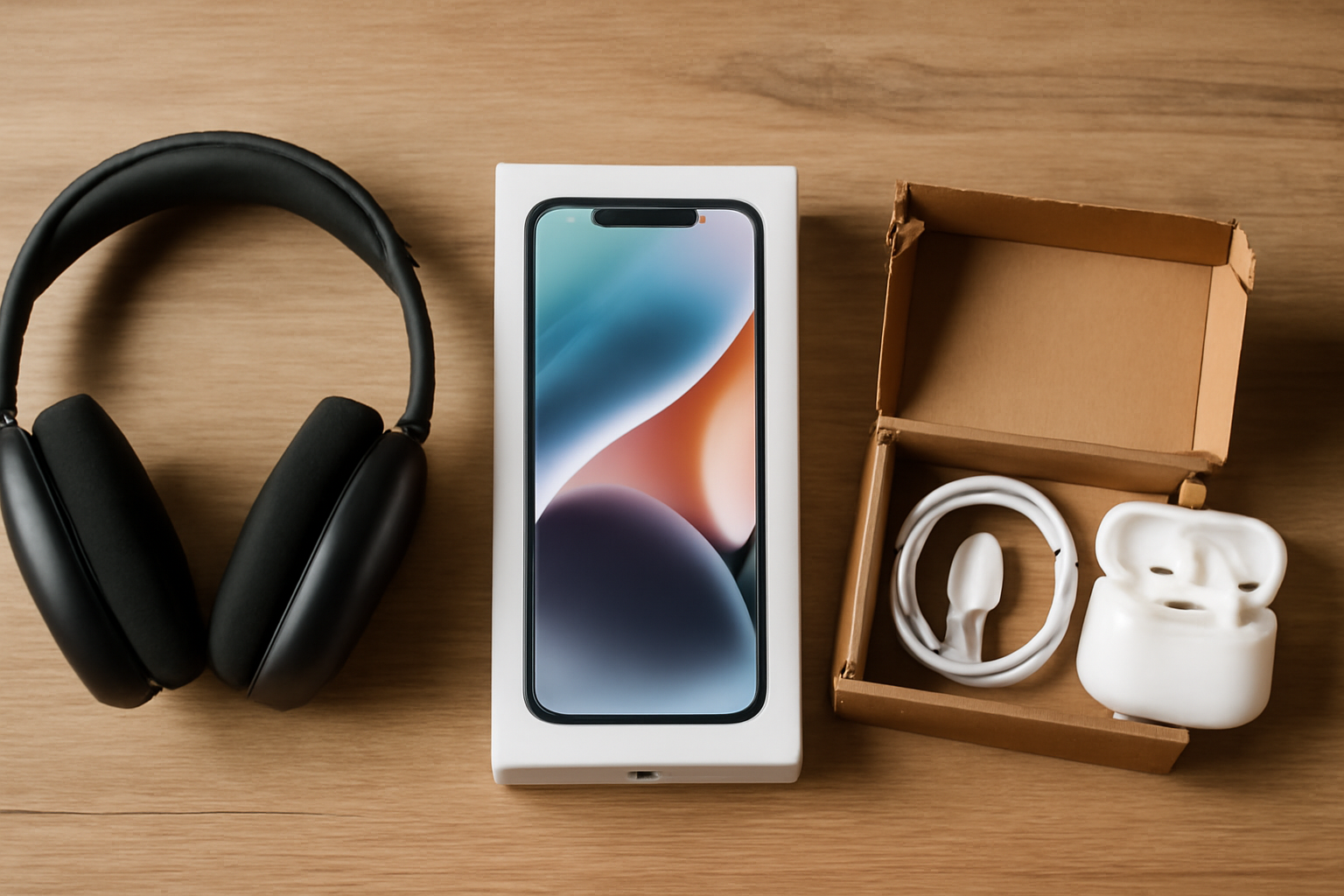
Refurbished Electronics Accessories: The Best Deals for Quality and Price

The Benefits of Refurbished Accessories for Your Tech Gadgets

Refurbished Electronics Accessories: The Best Deals for Quality and Price

Enhance your refurbished electronics with top-quality accessories! Whether you need a new charger, a protective case, or a wireless mouse, accessories are crucial to getting the most out of your devices. Looking to expand your laptop with additional storage or a faster charger? Explore our extensive range of accessories for laptops, including adapters, docking stations, and more, for a seamless user experience. Discover our selection today and upgrade your electronic setup! Click here for our collection of laptops or Apple.

Here's an overview:

Introduction to Refurbished Accessories

In the dynamic world of technology, gadgets such as smartphones, tablets and laptops have inevitably become part of everyday life. With this constant need for technological resources, there is a growing market for accessories that complement and enhance these devices. However, the costs for brand new accessories can be significant and are not always an option for budget-conscious consumers.

This is where renovated accessories come into play. These products have previously been used but have been returned to the manufacturer or a certified repair facility where they have been tested, repaired and restored to a condition equivalent to new. This includes a wide range of products, including headphones, chargers, camera bags, and more.

The advantages of choosing renovated accessories are diverse:

  • Cost savings: Refurbished accessories are often significantly cheaper than their newer counterparts.
  • Environmentally friendly: By choosing refurbished, you support the circular economy and help reduce e-waste.
  • Quality Guarantees: Many refurbished products come with guarantees comparable to new products.
  • Access to Older Models: Sometimes the only way to obtain accessories compatible with older technology is through the refurbished market.

The market for refurbished accessories is growing, offering consumers an economically and environmentally responsible alternative to following the latest technological trends. In the next sections of this article, we will delve deeper into the benefits of refurbished accessories for your tech gadgets.

Economic Benefits of Refurbished Accessories

Choosing refurbished tech gadget accessories can deliver substantial economic benefits, both for individual consumers and the broader economy.

  • Cost savings: Refurbished accessories are often significantly cheaper than their brand new counterparts. Consumers can save up to 50% on the purchase price, leaving them more money for other expenses or investments.

  • Value retention: In many cases, refurbished accessories have a similar quality to new products. This means they retain their value over time, an important consideration for those looking to sell or trade-in their devices and accessories down the road.

  • Beneficial for Business: Small businesses and startups looking to limit their expenses can benefit significantly from the lower cost of refurbished accessories.

  • Economic Stimulus: The refurbished accessories market creates jobs and business opportunities through the need for specialist refurbishment companies and their sales.

  • Sustainable economy: By extending the lifespan of products, the demand for new raw materials decreases, which can lead to a reduction in pressure on natural resources and the environment, thus facilitating the transition towards a circular economy.

By choosing refurbished accessories, consumers encourage a more sustainable consumption pattern that can transform the economy and lead to a more responsible and balanced economic system.

Environmentally-consciously choosing refurbished accessories

In today's society, the focus on sustainability has become increasingly important. Consumers are more aware of the environmental impact of their purchases and are looking for ways to reduce their carbon footprint. Refurbished accessories for tech gadgets allow users to utilize technology in an environmentally friendly way.

  • Reuse prevents waste: By choosing refurbished accessories, the amount of electronic waste is reduced. Electronic components often contain harmful substances that can harm the environment if improperly processed.
  • Less energy consumption: The production of new technological accessories requires significant amounts of energy. Refurbished accessories do not require new production, saving the energy normally used.
  • Resource Conservation: The extraction of the materials needed for tech accessories, including rare metals, has deep environmental footprints. By renovating existing accessories, the demand for new materials is reduced.
  • Longer product lifespan: Refurbished accessories are often products that only had minor damage or were considered ‘overstock’ are considered. These items are repaired and tested under strict supervision, giving them a second life and extending the lifespan of products.

For consumers who care about sustainability, refurbished accessories offer an excellent opportunity to make environmentally conscious choices without sacrificing quality and functionality. By choosing renovated, you can actively contribute to a circular economy and the well-being of our planet.

Quality assurances and certifications of refurbished accessories

When choosing remanufactured accessories, a common concern is the quality and reliability of these products. Fortunately, many reputable suppliers of refurbished accessories offer quality guarantees and the products are often subjected to strict testing protocols before being sold. Below are some certifications and safeguards that can help consumers make an informed choice.

  • ISO Certifications: ISO standards, such as ISO 9001 for quality management systems, indicate that the supplier meets internationally recognized quality standards in their production and renovation processes.
  • Certified Refurbished: This label means that the product has been tested, cleaned, repaired (if necessary) and approved by the manufacturer or a certified third party.
  • Warranty on Refurbished Products: Many providers provide a limited warranty, which can range from a few months to a year or more, providing consumers with additional peace of mind.
  • Technical Inspection: Skilled technicians inspect products at more than 100 points to ensure every part is functioning properly.
  • Transparency in the Renovation Process: Clear information about which components have been replaced or repaired, which contributes to the reliability of the product.
  • Customer Service and Support: A dedicated team ready to address any questions or concerns after the purchase.

By choosing accessories with these guarantees and certifications, consumers can have confidence in the quality of their purchase while contributing to more sustainable consumption.

Compatibility and Performance: Same as New?

When consumers consider purchasing refurbished accessories for their technology devices, the question often arises whether these products can compete with new products in terms of compatibility and performance. The answer to this can be surprisingly positive.

Refurbished accessories offered by reliable suppliers often undergo rigorous testing procedures to ensure they function properly. The standards used for the overhaul of these products ensure that:

  • Compatibility with the intended tech gadgets is guaranteed. It is carefully checked whether the software and hardware of the overhauled accessory correspond to the original specifications.
  • Performance is up to standard. This means that the remanufactured accessories can provide equivalent or even improved performance compared to newly purchased accessories, especially if upgrades or improvements have been made during the remanufacturing process.

Nevertheless, it is important that consumers focus on products from reputable remanufacturing companies. These companies not only maintain high remanufacturing standards but also offer a warranty on their products, providing additional peace of mind. Some specific benefits are:

  • Reduced chance of compatibility issues through thorough testing.
  • Frequently updates or replaces worn parts with newer, more efficient components.

In addition, reconditioned accessories are often offered with support and customer service that is as competent as that provided when purchasing new products. All this makes it possible that reconditioned accessories are in many cases “equal to new” can be, not only in terms of functionality but also in terms of user satisfaction.

How Refurbished Accessories Contribute to Sustainability

In our contemporary society, sustainability plays an increasingly prominent role. Renovated accessories form an important link in this. When consumers choose to reuse products, the lifespan of these items is significantly extended. This has several benefits for the environment:

  • Less Waste Generation: Each refurbished accessory sold replaces the purchase of a new product, thereby reducing the amount of waste ending up in landfills.
  • Energy savings: Producing new technological gadgets and accessories requires a significant amount of energy. By choosing renovated products, the demand for new production is reduced and therefore also the overall energy consumption.
  • Conservation of Resources: Refurbished accessories reduce the need to mine and process new materials, contributing to the conservation of precious resources.
  • Reduction of Greenhouse Gases: The production of new accessories often involves greenhouse gas emissions. By producing fewer new items, these emissions are reduced.
  • Stimulating Circular Economy: Renovating and reusing products promotes the circular economy, where products are recycled and reused instead of thrown away.

By focusing on renovated accessories, both consumers and producers show responsibility and awareness of the environment. It is a concrete step towards a more sustainable future in which we reduce our dependence on new resources and minimize our waste. This not only saves limited natural resources, but also reduces negative environmental impacts.

Availability and Variety in Refurbished Accessories

The range of refurbished accessories for technological gadgets has increased significantly in recent years. Manufacturers and specialty companies have recognized the value of recovering and reintroducing products that would otherwise be considered waste. This has led to a diverse and accessible range for consumers looking for sustainable and cost-effective options.

  • Availability in the Market: Refurbished accessories are easily available through various channels. They can be found on manufacturers' websites, in online marketplaces, and at retailers specializing in durable electronics. The increase in availability means that customers no longer have limited choices but can choose from a broad spectrum of products.

  • Variety of Products: The variety of refurbished accessories is as rich as the new products. Whether it's chargers, headphones, portable batteries or smart watch bands, there is a repaired product for every need. Some refurbished accessories may even include improvements over their original design, making them more attractive to consumers.

  • Quality Standards: Although these products are not new, they meet strict quality standards. Refurbished accessories are thoroughly tested and overhauled to ensure they function like new. This gives customers the certainty that they are purchasing a reliable product.

The combination of availability and variety allows consumers to make sustainable choices without sacrificing the functionality or modernity of their technological accessories. This not only offers benefits for the environment, but also for the consumer's wallet.

Warranties and Returns Policy on Refurbished Products

When purchasing refurbished accessories for tech gadgets, it is crucial to pay attention to the warranty and return policies. Terms vary significantly between sellers and may impact purchase satisfaction.

Guarantees

The warranty on renovated products can vary from no warranty to a full manufacturer's warranty. In general:

  • Manufacturer's Warranty: Some reputed renovators offer a similar warranty as on new products.
  • Limited Warranty: A limited warranty is often offered, which covers any manufacturing defects or problems that may arise in the short term.
  • Warranty duration: The duration of the warranty usually ranges from 30 days to 1 year depending on the seller and the product.
  • Warranty Terms: Always read the fine print to know what the warranty covers and what actions it excludes.

Return policy

A flexible return policy is important when purchasing refurbished items. Here are some aspects that consumers should pay attention to:

  • Return period: The standard return period is often between 14 and 30 days.
  • Condition of the product: Returns are usually only possible if the product is in the same condition as when it was received.
  • Restocking fee: Some sellers charge a ‘restocking fee’ will be charged for returned products.
  • Returns process: It is advisable to check the returns process in advance, such as whether the seller offers a free return label.

Carefully considering warranty and return policies when purchasing refurbished accessories can prevent future inconveniences and provide greater peace of mind. It is an important step that should not be overlooked.

Refurbished Accessories: Myths and Misconceptions Debunked

Refurbished accessories for tech gadgets are surrounded by prejudices and misconceptions. It's time to separate the facts from fiction.

  • Myth 1: Renovated Equals Damaged Many people think that refurbished accessories have previously been damaged and are therefore inferior to new products. In reality, many refurbished items are returned due to cosmetic defects or packaging damage, not functional defects.

  • Myth 2: Refurbished Products Are Less Reliable There is a belief that refurbished accessories have a higher risk of failure. Yet these products have been rigorously tested and inspected, with worn or defective parts replaced, often making them just as reliable as new items.

  • Myth 3: No Warranty or Customer Service A common misconception is that when you buy a refurbished product, you give up benefits such as warranty periods and customer service. However, this is incorrect; many refurbished accessories come with a warranty and offer full customer service.

  • Myth 4: Always Outdated Models Many consumers assume that all refurbished products are outdated models. Although some refurbished accessories are from earlier models, there are also many recent models available that are just as modern and up to date as the latest product versions.

Dispelling these misconceptions can boost the acceptance and popularity of reconditioned tech accessories, allowing consumers to enjoy high-quality products at a fraction of the price.

What To Pay Attention To When Purchasing Refurbished Accessories

When choosing refurbished accessories for technology devices, there are several factors that consumers should pay attention to to ensure a good purchase:

  • Reputable Supplier: Only buy from reliable and recognized sellers known for their quality refurbishment process. Check reviews and customer feedback to have confidence in the supplier.

  • Warranty: Make sure the refurbished product comes with a warranty. A warranty indicates that the seller stands behind the quality of the product. Check the duration and coverage of the warranty.

  • Certification: Look for accessories that have been certified refurbished. Certificates from the manufacturer or an accredited third party indicate that the product meets certain standards.

  • Completeness: Check that all necessary parts and accessories are included. For accessories, this may mean that cables and manuals must also be present.

  • Product condition: Inquire about the condition of the product. Some refurbished products may have cosmetic damage that does not affect functionality but may affect aesthetics.

  • Price comparison: Compare prices with those of new accessories. Refurbished products must be attractively priced; they offer a good balance between quality and cost savings.

  • Return Policy: Find out what the return policy is. If the product is not to your liking, it is important that you can return it under clear conditions.

By following these guidelines, one can reduce risk and invest with confidence in refurbished accessories that are not only good for the wallet, but also for the environment.

Customer experiences and reviews: The Practice

In the world of technology, customer experiences and reviews have become indispensable when purchasing refurbished accessories. This feedback is the practical touchstone of the quality and reliability of both the product and the supplier.

  • Customer testimonials provide insight into the daily user experience one can expect when using refurbished tech accessories. This varies from the durability of the product to its compatibility with existing gadgets.
  • Reviews, on the other hand, often provide an in-depth look at user experiences, including both positive aspects and potential shortcomings of the product.

It is important that potential buyers delve into these experiences, because they:

  1. Provide Authentic Testimonials: Helpful reviews provide specific details and scenarios from real-life situations.
  2. Help Make Informed Decisions: By comparing experiences, buyers can get a better idea of the product's performance and longevity.
  3. Build Trust: Positive feedback and a high number of satisfied customers indicate a reliable provider of refurbished products.

Product-specific forums, independent review platforms and even social media channels are sources where user experiences can be found. It is advisable to consult a wide range of sources to get a balanced view.

A trend in the market shows that suppliers of refurbished accessories are increasingly adopting a ‘customer first’ approach, with an emphasis on transparency and customer service. This is partly because positive customer experiences have a direct influence on the reputation and success of a company.

Assessing customer feedback is therefore not only useful for future customers, but also forms a critical pillar in the continuous quality improvement of refurbished technological products.

Final Considerations: The Considerations of Refurbished Accessories

When considering investing in refurbished accessories for tech gadgets, there are several essential points to consider. Below we explain the considerations that play a role in choosing refurbished items, so that consumers can make an informed decision.

  • Warranty and Return Policy: It is critical to check the seller's warranty policy. Some refurbished accessories come with a limited warranty, while others may be offered with a full manufacturer's warranty. The returns policy is also an important factor, because if the product does not meet expectations, a good returns policy offers certainty.

  • Reliability of the supplier: The reputation of the supplier plays a major role in the choice of refurbished products. A reputable supplier with positive reviews and reliable customer service is more likely to deliver quality products that meet expectations.

  • Quality and condition of the product: It is essential to inquire about the condition of the refurbished accessory. This can vary from ‘as new’ to ‘lightly used’. The price is often a reflection of the condition of the product.

  • Sustainability and environmental considerations: Choosing refurbished accessories means making a conscious choice for the environment. It stimulates the circular economy and reduces waste and the demand for new materials.

  • Price versus quality: The price of refurbished accessories is often attractive compared to new products. However, it is important to keep the value for money in mind and assess whether the cost savings outweigh the potentially shorter product lifespan.

A thorough consideration of these points promotes a responsible purchasing decision and can lead to significant benefits in terms of cost, quality and sustainability.

Best Refurbished Desktops for Working from Home: What Are the Options?

Top picks for refurbished desktops: ideal for working from home

Best Refurbished Desktops for Working from Home: What Are the Options?

Looking to enhance your home office setup? Discover the best refurbished desktop options for working efficiently from the comfort of your home. Whether you need a powerful workstation for multitasking or a compact desktop for limited space, we have a variety of options to suit your needs. Upgrade your home office with reliable refurbished desktops that offer both quality and affordability. Explore our selection today! Click here to browse our range of laptops or Apple.

Here's an overview:

Introduction to Refurbished Desktops: A Sustainable Choice

In today's world, where sustainability and budget consciousness are becoming increasingly important, refurbished desktops are an attractive alternative to new computers. But what does ‘refurbished’ mean? precisely? Refurbished refers to electronic devices that have been returned for various reasons, such as cosmetic damage or technical defects. These products undergo thorough inspections, repairs and, if necessary, parts are replaced. After this, they are tested again to ensure they meet the original factory specifications.

  • Sustainability: By choosing a refurbished desktop you contribute to a reduced environmental impact. Reusing electronics means less waste is produced and demand for the production of new devices decreases, leading to a reduction in greenhouse gas emissions.
  • Quality: Many potential users are concerned about the quality of refurbished devices. However, refurbished desktops are often offered with a warranty, which increases confidence in the purchase.
  • Cost savings: A refurbished desktop can be significantly cheaper than a comparable new model, often without sacrificing performance or functionality. This makes it an ideal choice for remote workers looking for a cost-effective computing solution.

Refurbished desktops can range from nearly new to more used devices, but all must meet certain standards to be classified as ‘refurbished’. This means buyers can acquire a virtually new device at a fraction of the cost, with the added benefit of a cleaner planet. Take into account the reputation of the supplier and the available warranty conditions when looking for a refurbished desktop.

What Are Refurbished Desktops and How Do They Work?

Refurbished desktops are computers that have been previously used, usually by businesses or consumers, and have subsequently been overhauled and restored to a condition as close to new as possible. This process involves thoroughly checking the devices for defects, cleaning them, and repairing or upgrading them with new parts where necessary.

The process of refurbishing desktops involves several steps:

  • Inspection: Each desktop is carefully inspected for cosmetic damage and hardware issues.
  • Cleaning: The devices are cleaned inside and out to remove dust and dirt.
  • Repair: If necessary, repair or replacement of damaged parts will take place.
  • Upgrades: Sometimes hardware components are upgraded for better performance, such as installing more RAM or an SSD.
  • Software: The desktops receive a fresh installation of the operating system, and often the latest drivers and updates are also installed.
  • Testing: After assembly, the desktops are extensively tested to ensure they function properly.
  • Warranty: Refurbished desktops often come with a limited warranty, which offers customers peace of mind.

The advantage of choosing a refurbished desktop is that you can get a device that functions like new, but at a fraction of the price. This makes them an ideal choice for remote workers looking for a cost-effective solution without sacrificing performance or reliability.

The Benefits of Refurbished Desktops for Home-Workers

Working from home has taken off and with this change the demand for reliable and affordable home office equipment is also growing. Refurbished desktops are an excellent option for remote workers. They offer a number of notable advantages:

  • Cost savings: Refurbished desktops are significantly cheaper than new computers. This makes it an attractive choice for home workers who want to furnish their office on a limited budget.

  • Sustainability: By choosing a refurbished desktop, home workers contribute to a more sustainable world. These computers have been refurbished and overhauled, giving them a second life. This reduces e-waste and is therefore better for the environment.

  • Quality Checks: Reputable suppliers of refurbished desktops perform extensive quality checks. This gives customers a product that is almost equivalent to a brand new one, but for a fraction of the price.

  • Guarantees: Many refurbished desktops come with a warranty, which assures the home worker of support in case something goes wrong.

  • Excellent specifications: Refurbished desktops don't have to lag behind in performance. They often still contain powerful processors, sufficient RAM and ample storage capacity, which makes them suitable for various activities of home workers.

  • Immediately deployable: These devices are fully installed with the necessary software and recent updates. This allows the home worker to get started straight away without spending a lot of time on configurations.

By choosing a refurbished desktop, home workers benefit from a cost-effective, environmentally friendly and reliable computer. This makes such a desktop a sensible choice for those looking for a home workplace without paying the top price.

How To Choose The Best Refurbished Desktop For Your Needs?

When choosing a refurbished desktop, it is important to take some considerations into account to ensure that the desktop meets your needs. Here are steps to help you make the right choice:

  • Determine Your Purpose

    • Ask yourself what you will mainly use the desktop for. Is it for daily tasks, office work, graphic design, or gaming? Use determines the specifications you will need.
  • Check the Specifications

    • Look at the processor (CPU), memory (RAM), storage capacity (HDD or SSD), and graphics card (GPU). Make sure these specifications meet your needs. For high-performance tasks, a fast processor and plenty of RAM are essential.
  • Warranty and Support

    • A refurbished desktop must have a warranty. Check how long it is and what it covers. The availability of customer support is also important in case problems arise.
  • Price comparison

    • Compare prices from different suppliers for similar models to get the best deal. Take into account any additional costs, such as for software licenses or extensions.
  • Sustainability and Quality

    • Research the brand's reliability and read reviews to determine the model's durability. A properly refurbished model can be just as reliable as a new one.
  • Operating System and Software

    • Check which operating system is installed and whether any other software is included. This may affect how quickly you can get started with the desktop.

By carefully considering and comparing, you will find a refurbished desktop that not only meets your requirements but also contributes to a more sustainable world through the reuse of hardware.

Top 5 Refurbished Desktop Brands for a Work-From-Home Setup

When choosing a refurbished desktop for work from home, reliability, performance and value are essential. These top five brands offer reconditioned systems that perfectly fit the needs of remote workers.

  1. Apple

    • Apple is known for building durable, high-end computers that will last for years even when refurbished. The iMacs and Mac minis are ideal for graphic designers, video editors and other professionals who use intensive software.
  2. Dell

    • With a reputation for sturdy, reliable equipment, Dell is one of the best choices for refurbished desktops. Their OptiPlex and Precision series are ideal for business users looking for durability and performance.
  3. HP

    • HP offers a wide range of refurbished desktops that have been upgraded for modern workloads. The HP EliteDesk and ProDesk series are known for their power and versatility for all kinds of tasks.
  4. Lenovo

    • Lenovo's ThinkCentre desktops are popular in the business world and as refurbished models offer excellent performance and reliability at a fraction of the price of new systems.
  5. Acer

    • Acer refurbished desktops are often available at very competitive prices, offering remote workers a solid balance between performance and cost. The Aspire series is often sufficient for most office and home work tasks.

When selecting a reconditioned system from one of these brands, it is important to check for a reliable warranty and good customer service, as these can be aspects that determine the success of the work-from-home setup.

Important Specifications to Consider with Refurbished Desktops

When purchasing a refurbished desktop, there are specific factors that determine its performance and suitability for working from home. Reflect on the following essential specifications:

  • Processor (CPU): A powerful processor is crucial for smooth operation. Look for Intel i5/i7 or AMD Ryzen 5⁄7 for balanced performance and power efficiency.

  • Working memory (RAM): At least 8GB of RAM is recommended for basic multitasking, while 16GB or more is beneficial for more intensive applications.

  • Storage:

    • SSD (Solid State Drive): Faster boot times and data access with an SSD are recommended over an HDD.
    • Capacity: Ample storage capacity is essential; look for 256GB SSD or more for the best experience.
  • Graphics card (GPU): For regular office work, an integrated graphics card is usually sufficient. However, professional graphics work or casual gaming require a dedicated graphics card.

  • Connectivity:

    • USB ports: Provide enough USB 3.0 ports for fast data transfer and connection of peripherals.
    • Internet connection: Ethernet port for wired connection and Wi-Fi for wireless connectivity are standard.
  • Operating System: Consider a desktop with a recent version of Windows 10 or 11, or macOS depending on preference, with regular security updates.

  • Warranty and Support: Check for a guaranteed support period; a one-year warranty is typical, but longer is always better.

Considering the above factors in light of personal and professional needs will ensure a good investment in a refurbished desktop that suits work-from-home requirements.

Operating Systems and Software Compatibility

When purchasing refurbished desktops, compatibility with different operating systems and software is crucial for an efficient work-from-home experience. The diversity of tasks requires a system that reliably supports various software packages.

Refurbished desktops often come with pre-installed operating systems such as Windows 10 or macOS, depending on whether you choose a PC or Apple.

  • Windows systems are versatile and compatible with most software applications, making them a safe choice for general use.
  • MacOS systems, on the other hand, offer a stable platform with excellent synchronization options for those who already use other Apple devices.

It is also important to check whether the hardware specifications of the refurbished desktop can keep up with software requirements, especially for demanding applications such as graphic design software or advanced data simulation programs.

Also note when purchasing:

  1. The ability to upgrade the operating system.
  2. The availability of peripheral drivers.
  3. Security updates and support from the manufacturer.
  4. Compatibility with company-specific software.

It is advisable to check with your company's IT department to see what operating systems they recommend and compatibility requirements for working from home. This ensures seamless integration with business processes and security.

The choice of operating system and software compatibility depends on personal preference, the nature of the work and the degree of flexibility your employer offers with regard to IT guidelines. By carefully considering this in advance, you ensure the best working from home experience with your refurbished desktop.

Where Can You Buy Reliable Refurbished Desktops?

Purchasing a refurbished desktop can be a smart choice for budget-conscious home workers. However, it is crucial to find a reliable seller who offers quality products. Below are a few places where you can purchase a refurbished desktop with confidence:

  • Certified Refurbishers: Look for companies certified by the original manufacturers. Certified refurbishers must meet strict requirements and they often offer a warranty.

  • Well-known Electronics Stores:

    • Larger chains sometimes have a department with refurbished products, complete with warranty and return policy.
    • Online platforms such as Bol.com or Coolblue.nl also offer refurbished computers from reliable suppliers.
  • Specialized Webshops: There are various online webshops that focus exclusively on the sale of refurbished electronics. Such as Leapp.nl or Refurbished.nl, which often offer guarantees and reliable customer service.

  • Direct from Manufacturers: Brands such as Apple, Dell, HP, and Lenovo sell refurbished products directly to consumers through their own websites.

  • Used Electronics Stores: Some local stores specialize in used electronics and can offer reliable refurbished products. Always check the reputation and warranty conditions.

It is important to thoroughly check the warranty terms, returns policy and reviews from previous customers before purchasing. Don't forget to inquire about the software that is included and any additional costs for licenses. Buying a reliable refurbished desktop requires careful research, but can result in a valuable investment for your home workplace.

Refurbished Desktops and Warranty: What to Look Out For?

When purchasing refurbished desktops, the warranty is a crucial aspect to keep in mind. Because refurbished products have been used before, you want to be sure that any defects after purchase are covered. Here are some points to pay attention to:

  • Warranty period: Check how long the warranty period lasts. A minimum one-year warranty is recommended for refurbished desktops.
  • Warranty Coverage: Understand exactly what the warranty covers. Check whether both hardware defects and software problems are covered by the warranty.
  • Warranty conditions: Read the fine print to find out under what conditions the warranty is claimable. Some providers may have restrictions regarding coverage.
  • Possibility of extension: Inquire if there is an option to extend the warranty for extra security.
  • Repair or replacement: Check whether the company's policy is for repair or immediate replacement for defects.
  • Manufacturer or third party: Depending on who performed the refurbishment, the warranty may be offered by the manufacturer or a third party. Both have their pros and cons.
  • Support and customer service: Good customer service is important. Check whether the supplier can easily be contacted for support and warranty claims.
  • Experiences of others: Read reviews and experiences of others regarding warranty processing.

A thorough check of these factors can prevent unpleasant surprises and provide peace of mind when purchasing a refurbished desktop.

Installing a Home Office with a Refurbished Desktop

Choosing a refurbished desktop for your home workplace can be both cost-saving and sustainable. The installation requires some important steps to ensure that your working experience is effective and enjoyable.

Step 1: Prepare room

Provide a quiet and ergonomic workspace. A good desk and a comfortable chair that are adjustable can prevent work posture-related injuries.

Step 2: Connect Hardware

Start by connecting the basic desktop components:

  • Monitor(s)
  • Keyboard
  • Mouse
  • Any additional equipment such as a printer or external hard drive

Step 3: Internet connectivity

Make sure your desktop is connected to the Internet. This can be done via an Ethernet cable or wirelessly via Wi-Fi. A stable and fast internet connection is crucial for working from home.

Step 4: Software Installation

Install the necessary software programs for your work. This often concerns:

  • An office suite for documents, spreadsheets and presentations
  • Communication tools such as email and videoconferencing applications
  • Security software, such as antivirus and firewall

Step 5: Data Migration

Transfer important files and documents from your old device to the refurbished desktop. This can be done via a cloud service or by transferring files directly with a USB stick or external hard drive.

Step 6: Set Up Backups

Organize a reliable backup system to prevent data loss. Automatic backups to a cloud service or an external hard drive are recommended.

Step 7: Testing

Check all functionalities carefully. Test the software, internet connectivity and peripherals to ensure everything works properly.

By following these steps closely, setting up a home office with a refurbished desktop will be a simple and smooth experience.

Sustainability and Ecological Benefits of Refurbished Desktops

When choosing a refurbished desktop, sustainability and ecological benefits play a significant role. These computers offer a responsible alternative to purchasing new by extending the life cycle of existing devices. The most important advantages are listed below:

  • Reduction of E-waste: Reusing desktops reduces the production of new electronic waste. This is important because e-waste contains harmful materials that can harm the environment and health if not processed properly.

  • Energy savings: Manufacturing a new desktop costs significantly more energy compared to refurbishing used models. Choosing a refurbished desktop saves a significant amount of energy that would otherwise be needed to produce a new device.

  • Conservation of Resources: The production of electronic devices requires a lot of raw materials and rare materials. Reusing desktops helps reduce demand on these limited resources and contributes to their conservation.

  • Reducing Carbon Footprint: Refurbished desktops contribute to reducing the carbon footprint. Less production directly leads to fewer CO2 emissions, which in turn benefits the fight against climate change.

  • Responsible Consumption: Purchasing a refurbished desktop encourages responsible consumption behavior. It is a practical application of circular economy where products are reused and recycled, supporting a sustainable lifestyle.

In short, refurbished desktops are not only economically attractive, but also offer important ecological benefits that allow consumers to reduce their impact on the environment. This makes them an excellent choice for environmentally conscious remote workers who want to reduce their carbon footprint.

Refurbished Desktops: Customer Reviews and Experiences

When consumers consider purchasing a refurbished desktop, customer reviews and experiences often play a crucial role in the decision process. This feedback can provide insight into the reliability and performance of the product, as well as the provider's service.

  • Customers who are satisfied with their purchase of a refurbished desktop often emphasize the cost benefit. They note that for a fraction of the price of a new device, they received a fully functioning and updated desktop.
  • Some applaud its sustainability, citing how choosing a refurbished model is environmentally friendly by generating less e-waste.
  • An important point of praise is the warranty that some refurbishers offer. This guarantee gives customers peace of mind and any defects will be resolved free of charge.
  • The quality of customer service is also often cited. Satisfied customers report positive experiences with clear communication and quick support for questions or problems.

However, there are also customer reviews that are more critical.

  • Some consumers have expressed concerns about the longevity of the products, with some experiencing unexpected hardware failures after some time of use.
  • Another point of criticism is that some desktops show aesthetic signs of wear, which were not always apparent before purchase.

However, the general consensus among customers seems positive. Many users are satisfied with the price-quality ratio and the contribution to sustainability that refurbished desktops offer. As with any purchase, it is important to consider reviews and experiences to make an informed choice.

Closing and Conclusion: Is a Refurbished Desktop the Right Choice?

When considering a refurbished desktop, there are some important factors to keep in mind. First, the needs of the user: does a refurbished device suit the work that needs to be carried out from home? Refurbished computers often offer excellent value for money, making them an attractive choice for working from home.

Second, budget: refurbished desktops are generally cheaper than new devices, which can be a determining factor for many remote workers. The savings that are achieved may be used to finance other peripheral equipment or upgrades.

In addition, sustainability is a consideration. Refurbished desktops contribute to more sustainable consumption through the reuse of existing devices, resulting in less electronic waste.

However, one must be aware of the warranty conditions of the provider and the condition of the refurbished products. It is crucial to buy from a reliable supplier who is transparent about the condition of the device and who guarantees against any defects.

In conclusion, for those who value cost savings and sustainability, a refurbished desktop may indeed be the right choice. Provided you choose a reliable provider and the device suits the required work, a refurbished desktop can be a smart, economical and environmentally friendly solution for setting up a home workplace.

Refurbished Dell Laptops: Why They Excel in Durability and Power

The Benefits of Refurbished Dell Laptops: A Durable and Powerful Choice

Refurbished Dell Laptops: Why They Excel in Durability and Power

Discover why refurbished Dell laptops stand out in terms of durability and power. With a reputation for reliability and performance, refurbished Dell laptops offer the perfect blend of quality craftsmanship and advanced technology. Whether you need a laptop for work, school, or entertainment, Dell laptops deliver exceptional durability to withstand everyday use and powerful performance to tackle demanding tasks with ease. Explore our selection of refurbished Dell laptops today and experience the difference! Click here to view our range. Laptops.

Here's an overview:

Introduction to the concept of refurbished laptops

Refurbished laptops are used laptops that have been returned to the seller or manufacturer, then thoroughly inspected, cleaned and restored to a condition as close to new as possible. The concept of refurbishing laptops is not new, but is gaining popularity as a sustainable alternative in our consumer-driven society.

  • First of all, refurbished laptops are examined for any defects or damage. This includes hardware components such as the keyboard, display, hard drive and motherboard, as well as the battery and charger.
  • These laptops are then cleaned, both internally and externally, to remove excess dust and dirt that can affect performance and functionality.
  • Worn or defective parts are replaced or upgraded, increasing functionality and extending the life of the laptop.
  • The software is also restored; operating systems are reinstalled or updated, while personal data from previous users is completely deleted to ensure privacy.
  • After these intensive checking and repair processes, the laptops are retested to ensure they meet all functional requirements before going back on sale.

The process ensures that consumers receive a product that not only costs less than new, but is also reliable and free of performance issues. This makes refurbished laptops from brands such as Dell not only an economically attractive choice, but they also contribute to environmentally responsible consumption by extending the lifespan of existing devices.

What exactly are refurbished Dell laptops?

Refurbished Dell laptops are used laptops that have been returned for various reasons, such as returns, demo models or lease laptops. These laptops are thoroughly inspected by professionals, cleaned and repaired where necessary, so they can be resold. Refurbishing is an in-depth process that often includes the following steps:

  • Inspection: Each device is checked for functional and cosmetic defects.
  • Cleaning: The laptops are cleaned inside and out.
  • Repair or replacement: Defective parts will be repaired or replaced with fully functional components.
  • Upgrades: In some cases, certain parts of the laptop are upgraded to improve performance, such as the RAM or hard drive.
  • Software: Original factory settings are restored and the operating system is installed cleanly.
  • Testing: Finally, each laptop is thoroughly tested to ensure that it meets the quality requirements.

Refurbished Dell laptops often come with a warranty, sometimes comparable to that on new equipment, which offers confidence to the consumer. However, buyers should be careful about who they purchase their refurbished device from, as the quality of the refurbishment can vary depending on the provider. Certified refurbishers generally offer a higher level of service and reliability.

In short, refurbished Dell laptops are an excellent choice for those looking for a powerful and affordable laptop that is also environmentally responsible.

Reduce the ecological footprint by choosing refurbished

In an era where environmental awareness is becoming increasingly important, choosing refurbished equipment, such as Dell laptops, is a step towards a more sustainable world. With the increase in e-waste as a global problem, opting for a refurbished laptop offers several environmental benefits:

  • Reuse of materials: Refurbished laptops from Dell are already manufactured devices that are given new life. This reduces the demand for new raw materials and the energy required to produce a new device.
  • Waste reduction: Purchasing a refurbished laptop helps reduce the amount of electronic waste. Old equipment is repaired and upgraded instead of thrown away.
  • Energy savings: The production of a new laptop requires significantly more energy compared to the refurbishing process. By choosing a refurbished Dell, you save on the energy that would otherwise be used for the manufacture of new devices.

In addition to these direct environmental benefits, choosing refurbished also has a broader impact:

  • Create awareness: The choice of refurbished sends a signal to manufacturers and consumers that there is a demand for more sustainable solutions.
  • Less transport: Refurbished devices are often already in the country of purchase, resulting in shorter transport distances and therefore lower CO2 emissions.
  • Longer lifespan: Refurbished Dell laptops often receive updates and improvements, which extends their lifespan and reduces the need for device replacement.

Choosing refurbished is not only good for your wallet; it also supports a circular economy and contributes to global goals for a more sustainable planet.

The quality and performance of refurbished Dell laptops

When it comes to refurbished Dell laptops, the question often arises about the quality and performance of such devices. It is important to understand that “refurbished” is not the same as “used”. A refurbished laptop has been examined by experts, cleaned and repaired where necessary to ensure that the device meets standard quality requirements that are often close to new condition.

  • Professional Grade Inspection: Dell typically has strict refurbishment processes where each laptop undergoes an extensive inspection. Components that do not meet the requirements will be replaced by original parts.
  • Software Updates: All software is updated to the latest available versions, ensuring the laptop runs smoothly and safely with the latest functionalities.
  • Hardware Tests: Critical hardware components such as the motherboard, memory and storage are tested and validated, which improves performance.
  • Cleaning and cosmetic refurbishment: In addition to technical overhaul, the laptop also receives a thorough cleaning and cosmetic defects are addressed, resulting in a device that looks almost like new.
  • Warranty: Refurbished laptops from Dell often come with a warranty, which provides extra assurance about the reliability and longevity of the device.

The performance of a refurbished Dell laptop can be comparable to a new one, depending on the specifications and model. Users can expect powerful processors, sufficient RAM and ample storage capacity, which can effortlessly handle all everyday tasks.

In general, refurbished Dell laptops are an excellent option for buyers looking for a durable and powerful laptop without paying the full price of a new device, while still receiving the trusted Dell quality and performance.

Warranty and reliability: Are refurbished Dell laptops reliable?

When considering purchasing a refurbished Dell laptop, warranty and reliability are often high on the list of concerns. The concept ‘refurbished’ may involve varying degrees of innovation, but the most important thing is that reliable suppliers take their refurbishment process seriously. Below are some points that emphasize the reliability of refurbished Dell laptops:

  • Strict Quality Controls: Refurbished laptops from Dell undergo strict quality controls. These checks ensure that every device reintroduced to the market meets specific standards of functionality and reliability.
  • Warranty conditions: Many refurbished products come with warranty conditions that are comparable to those of new products. Always look at the length and coverage of the warranty to make a good estimate of reliability.
  • Genuine Quality Parts: Genuine Dell parts are often used when upgrading or replacing parts, which extends the life and performance of the laptop.
  • Professional Providers: Choosing a reputable and professional supplier can make a big difference. They often provide a Dell-certified refurbishment process.
  • Customer reviews and feedback: Study experiences from other customers. This gives a realistic picture of what you can expect in terms of lifespan and functionality.
  • Support and Services: Reliable suppliers of refurbished Dell laptops will provide support and services that match that of new devices.

While concerns about reliability are valid, they are often unnecessarily magnified. Refurbished laptops, especially those from Dell, can be just as reliable as new laptops, provided they are purchased from a trusted supplier with a solid refurbishment process. Choosing a refurbished laptop can therefore be a smart and sustainable investment that benefits both your wallet and the environment.

Cost savings: A key benefit of refurbished Dell laptops

When it comes to the purchase of technological equipment, the costs can often be high. This certainly applies to new laptops from leading brands such as Dell. Refurbished Dell laptops offer a significant advantage in this aspect as they are significantly cheaper than their brand new counterparts. Below are some points highlighted that underline the cost savings of refurbished laptops.

  • Purchase price: Refurbished Dell laptops are generally up to 50% cheaper than new models. This is because the devices have been used previously, but are expertly overhauled to function as good as new.

  • Value retention: When purchasing a new laptop, the depreciation is highest in the first year. With a refurbished Dell laptop, this significant depreciation has already been included in the sales price, making the value retention relatively better.

  • Warranty and support: Despite the lower price, many refurbished laptops come with a warranty comparable to that of new devices. This reduces the chance of additional costs for repairs within the warranty period.

  • Durability and quality: Many refurbished laptops come from companies that regularly renew their equipment. These laptops are often of higher quality and better maintained than laptops sold by individual consumers. This means a longer lifespan, which saves costs in the long term.

  • Upgrade options: Refurbished Dell laptops often offer the option to perform upgrades at a lower price that would be significantly more expensive with a new model. This allows users to save costs and still get a tailor-made device at the same time.

The combination of a lower purchase price, better value retention, warranty protection, durable quality and affordable upgrade options makes refurbished Dell laptops a very cost-effective choice.

The extensive range of models in the refurbished segment

When considering purchasing a refurbished Dell laptop, it is immediately noticeable that there is a wide range of models available. Refurbished laptops are used laptops that have undergone a thorough inspection and any repairs. They are renewed to a condition comparable to new. This process ensures that high-quality Dell laptops, from different product lines, become accessible to both the business and private markets.

Below is an overview of the different models that are usually available in the refurbished segment:

  • Dell Latitude: This series is known for its durable design and powerful performance, making it ideal for business use.

  • Dell Inspiron: These are versatile devices that work well both at home and in smaller offices, with a good balance between performance and price.

  • Dell Precision: Refurbished models from the Precision line are ideal for professionals who need a lot of computing power, such as engineers or designers.

  • Dell XPS: The XPS line is known for its high-quality build and powerful specifications, perfect for the demanding user who values aesthetics and performance.

  • Dell Vostro: These laptops are specially designed for small businesses and offer good value for your average business use.

  • Dell Alienware: For gamers there is even a refurbished option with Alienware laptops, which are known for their strong graphics performance.

Refurbished Dell laptops often come with different specification options, such as varying processors, RAM configurations and storage capacities. This allows customers to find a refurbished Dell laptop that suits their specific needs and budget. In addition, choosing a refurbished laptop contributes to a more sustainable use of electronics, by extending the lifespan of high-quality equipment.

Refurbished laptops and the contribution to the circular economy

In the context of environmental concerns and sustainability, the concept of the circular economy has become increasingly important. This model emphasizes the importance of maximizing resources through reuse and recycling to minimize waste. Refurbished laptops, such as those from Dell, play an essential role in this circular system.

Firstly, refurbished laptops ensure that products are given a second life, leading to a reduction in the amount of electronic waste. The life cycle of a laptop is extended, which means that new raw materials are less likely to be needed for the production of new devices.

In addition, refurbished laptops contribute to limiting energy and water consumption associated with the production of new electronics. Repairing and upgrading existing laptops requires significantly fewer resources than manufacturing new ones.

In the context of the circular economy:

  • Refurbished laptops reduce demand for newly manufactured goods, thereby reducing emissions associated with manufacturing processes.
  • The refurbishment process also encourages the development of more efficient and environmentally friendly repair methods and technologies.
  • There is also an incentive for producers and consumers to invest in the quality and lifespan of products, resulting in a reduction of the total environmental impact.

By purchasing a refurbished Dell laptop, a consumer not only chooses a cost-efficient and powerful solution, but he or she also contributes to an essential part of the circular economy, which is vital for the health of our planet.

How to recognize that a refurbished Dell laptop is high-quality

A refurbished Dell laptop of high quality can be achieved by paying attention to various indicators. The following points provide guidance for the assessment:

  1. Thorough Inspection and Renovation: A high-quality refurbished Dell laptop has been thoroughly inspected, cleaned and, if necessary, fitted with new parts. Information about the inspection process and replaced components must be available and transparent.

  2. Quality Certification: Look for certifications such as a ‘Certified Refurbished’ label, which indicates that the device meets specific quality standards and has been tested by professional technicians.

  3. Warranty: A reliable provider of refurbished laptops often offers a warranty. A period of one year can be considered as an indication of confidence in the quality of the product.

  4. Cosmetic Condition: Although cosmetic imperfections may occur on refurbished devices, a good quality refurbished laptop should show minimal signs of use. Damage must only be superficial and not affect operation.

  5. Battery Condition: The battery is essential to a laptop's functionality. A high-quality refurbished Dell laptop has a battery that still has a large percentage of its original capacity, often above 80%.

  6. Technical Specifications: The specifications must still be relevant for contemporary use. This includes a modern processor, sufficient RAM and a solid storage drive.

  7. Supplier Reputation: Research the seller's reputation. Reliable sellers have positive reviews and transparent communication about their refurbishing process.

Adhering to these guidelines will help you identify a high-quality refurbished Dell laptop, resulting in a sustainable and cost-effective investment for both professional and personal use.

Installation and adjustment options of refurbished Dell laptops

Refurbished Dell laptops offer a lot of flexibility when it comes to installation and customization options. When purchasing, you can choose an already configured system or an adjustment based on personal preferences and requirements.

  • Pre-installed Software: Many refurbished laptops come with pre-installed software, including the operating system such as Windows 10 or 11. This means that the laptop is ready to use immediately after purchase.

  • Hardware Adjustments: Depending on the refurbisher, there are often options to adjust the hardware. This can range from expanding RAM to selecting a faster solid-state drive (SSD) instead of a traditional hard disk drive (HDD).

  • Warranty and Support: Professional refurbishers often offer a warranty on their products. This may be a warranty on the entire laptop or specific parts thereof. Support is also provided for questions about installation and adjustment of the system configuration.

  1. Determine the Specifications: Identify which specifications are important for your use case, such as processor type, memory size, storage capacity, and screen size.

  2. Consultation with the Refurbisher: Communicate with the refurbisher to discuss the available customization options. Here you can get advice about which adjustments are most suitable.

  3. Durability: By modifying a refurbished Dell laptop, the lifespan of the product is extended. This is not only cost-effective, but also better for the environment.

While standard configurations are sufficient for most users, personalizations provide a way to optimize the user experience. It should be remembered that the possibilities for modifications depend on the model of the laptop and the refurbisher. It is therefore important to research the available options in advance.

User experiences: What do others say about refurbished Dell laptops?

When considering a refurbished Dell laptop, hearing the experiences of others can help you make an informed decision. Here are some common user experiences that consumers share about their purchase of refurbished Dell laptops.

  • Satisfaction with quality: Many users report that the quality of refurbished Dell laptops surprises them positively. Even though the laptops have been used before, they often notice little or no difference compared to new laptops.

  • Performance: Users are generally satisfied with the performance of refurbished Dell laptops. Business users often praise the powerful processors and reliable operation, while private users enjoy smooth multimedia use.

  • Warranty and support: The availability of warranty and customer support is an aspect that is regularly praised. Dell's warranty on refurbished laptops gives many customers extra peace of mind.

  • Value for money: Customers express their appreciation for the significant savings they realize when purchasing a refurbished laptop. People feel that the cost savings contribute positively to the overall value of their purchase.

  • Sustainability awareness: A segment of users consciously chooses refurbished because of the sustainable aspects. They are happy that this means they contribute less to electronic waste and thus reduce their ecological footprint.

Nevertheless, there are also users who raise concerns, such as concerns about battery life or the appearance that may show minimal signs of use. However, overall the feedback and experiences are positive and encourage potential buyers to seriously consider the option of a refurbished Dell laptop.

Frequently asked questions (FAQ) about refurbished Dell laptops

  • What does ‘refurbished’ mean? at Dell laptops? ‘Refurbished’ means that the Dell laptop has been previously used and then expertly repaired, cleaned and sometimes upgraded to current market standards. This process ensures that the laptop is fully functional and often indistinguishable from new models.

  • Are refurbished Dell laptops reliable? Yes, provided they are supplied by a reliable supplier that follows a thorough remanufacturing process. Many refurbished laptops come with a warranty, which is a sign of confidence in their reliability.

  • How much can I save with a refurbished Dell laptop? Savings vary, but you can save up to 50% compared to purchasing a new model.

  • Do refurbished Dell laptops come with a warranty? Most of the time. The length and conditions of the warranty may vary depending on the supplier.

  • Can I expect a refurbished Dell laptop to have the latest software? In many cases, the refurbished laptop will have been updated with the latest operating system and drivers that are compatible with the model.

  • Is buying a refurbished Dell laptop sustainable? Yes, reusing electronics supports a circular economy and reduces e-waste, contributing to a better environment.

  • What should I check before buying a refurbished Dell laptop? Check the supplier's reputation, read reviews, check warranty terms, and ask about hardware specifications to make sure the device meets your needs.

    Conclusion: Why refurbished Dell laptops are a smart choice

Refurbished Dell laptops offer an extensive range of benefits that make them a wise investment for a wide audience. Choosing a reconditioned model can be a wise decision both financially and environmentally. Here are some key points why a refurbished Dell laptop is a smart choice:

  • Cost savings: Refurbished laptops are significantly cheaper than new models, while often offering comparable performance. This makes them accessible to users on a budget or those who value value for money.

  • Sustainability: By choosing a refurbished Dell laptop, you contribute to a reduced electronic waste mountain. It extends the life cycle of the products and saves the raw materials that would be needed to manufacture a new device.

  • Reliability: Dell is known for its reliable hardware. Refurbished models are carefully checked, repaired and certified, making them often as reliable as new.

  • Warranty and Support: Many refurbished Dell laptops come with a warranty and customer support service, alleviating any concerns about the laptop's condition and performance.

  • Extensive choices: Refurbished laptops often come from different lines and generations. This offers consumers the unique opportunity to choose models that are no longer produced but may perfectly suit their needs.

  • Up-to-date technology: Dell refurbished laptops are often updated with the latest software and may even include hardware upgrades, ensuring users are not left behind in technology.

Refurbished Dell laptops are therefore a sophisticated choice for the conscious buyer who is looking for a perfect balance between costs, performance, sustainability and environmental awareness. By choosing a refurbished appliance you can enjoy the benefits of a leading brand without paying full price, while making a positive impact on the environment.

Review: Refurbished iPad Pro – Performance and Quality in One

Review: The Refurbished iPad Pro - Is It Worth The Investment?

Review: Refurbished iPad Pro – Performance and Quality in One

Discover the perfect balance of performance and quality with our refurbished iPad Pro. Engineered to deliver exceptional performance, the iPad Pro combines powerful features with sleek design, making it the ultimate tool for productivity and creativity. Whether you're streaming movies, sketching ideas, or multitasking on the go, the iPad Pro offers unrivaled performance and stunning visuals. Experience the power of refurbished technology without compromising on quality. Read our review and explore the refurbished iPad Pro today! Click here to learn more about our selection. Apple.

Here's an overview:

Introduction to the refurbished market

The refurbished market is a fast-growing segment in the world of consumer electronics, where used devices such as smartphones, tablets, laptops and more are overhauled, cleaned and quality checked before being offered for sale again. This practice offers consumers the opportunity to access technology at a lower price than new devices, while also benefiting the environment by extending the life of products and reducing waste.

In the context of the iPad Pro, this means consumers can experience high-end Apple technology without paying the full price of a new device. The refurbished iPad Pros are typically collected from various sources, including:

  • Trade-in programs
  • Returned items
  • Stock surpluses
  • Devices with cosmetic damage

Once the devices are acquired, they undergo a thorough process of inspection and repair. Certified technicians perform tests and updates, including:

  • Hardware inspections
  • Software updates
  • Replacement of defective parts
  • Professional cleaning

All this ensures the delivery of an iPad Pro that functions 'as good as new'. However, it is important for consumers to purchase from reputable sellers as quality and warranty terms can vary significantly. A refurbished iPad Pro can be an attractive option for the budget-conscious buyer, the environmentally conscious consumer, or the technology enthusiast who wants to continue using the latest models without spending a fortune. However, the question remains whether the investment in a refurbished iPad Pro is worth it, taking into account both the financial savings and the reliability of the device.

What does ‘refurbished’ mean exactly?

When we talk about ‘refurbished’ products, in this case an iPad Pro, we are talking about equipment that has been used previously and has subsequently been carefully checked, cleaned and, where necessary, repaired by a specialist or manufacturer. The idea behind refurbishing products is that they are given a second life, which offers a more sustainable option than buying brand new devices.

  • Thorough Inspection: Each refurbished device undergoes a thorough inspection to determine which parts may need to be repaired or replaced.
  • Cleaning process: After the inspection, the device is thoroughly cleaned. This means that all data from the previous owner will be deleted and the device will be reset to factory settings.
  • Repairs and Replacements: If necessary, parts are repaired or replaced, often with original parts from the manufacturer itself to ensure quality and longevity.
  • Software Updates: The latest software updates are installed so that the device is up to date with the latest versions of the operating system.
  • Quality Checks: Before the device goes on sale again, it is subjected to strict quality checks to ensure that it functions as well as a new device.

Potential buyers of a refurbished iPad Pro can therefore rest assured that the device is in excellent technical condition, although it may show minor signs of use. In addition, a refurbished iPad is often sold with a warranty, making the investment safer. Choosing a refurbished product is therefore both an economically responsible and environmentally conscious decision.

Overview of iPad Pro – specs and features

The iPad Pro is Apple's most advanced tablet and is known for its powerful specifications and extensive functionalities. Here's a detailed overview of the specs and features of this high-end tablet.

  • Display: The iPad Pro is available in two screen sizes: 11-inch and 12.9-inch. Both models have a Liquid Retina display with ProMotion technology, which offers a smooth experience and a fast refresh rate. True Tone and P3 color gamut ensure vibrant and accurate colors.

  • Processor: Under the hood is a powerful A12Z Bionic chip with 64-bit architecture, which makes multitasking and demanding applications run smoothly. The integrated Neural Engine enables it to learn from experiences and optimizes tasks through machine learning.

  • Storage capacity: The iPad Pro has several storage options, ranging from 128GB to 1TB, depending on the user purpose.

  • Camera: At the back, the iPad Pro has a 12MP wide-angle camera and a 10MP ultra-wide-angle camera. There is also a LiDAR scanner for better depth perception, useful for augmented reality applications.

  • Sound: Four speakers and five studio-quality microphones deliver an immersive sound experience and clear conversations.

  • Connectivity: With Wi-Fi 6 and optional 4G LTE Advanced, you stay connected everywhere. The USB-C connection guarantees fast data transfer and charging.

  • Operating System: iPadOS provides an experience tailored specifically for iPad, with multitasking capabilities, use of multiple apps simultaneously, and improved Apple Pencil integration.

    < /li>
  • Accessories: Optional are the Apple Pencil (2nd generation) and the Magic Keyboard, which further expand the functionality of the iPad Pro.

The refurbished iPad Pro is intended for users who need a powerful tablet that can serve as a laptop replacement or as a tool for creative professionals. With its impressive specifications and features, this tablet offers superior performance for a variety of tasks.

Comparison with the latest iPad Pro models

The refurbished iPad Pro is an attractive option for those looking for the power and versatility of an iPad Pro, but find the price of newer models too high. When comparing this variant with the latest iPad Pro models, there are several aspects to consider:

  • Performance: Although the latest iPad Pro models are equipped with Apple's very latest A-series chips, a refurbished iPad Pro still offers excellent performance for most tasks, although it may not be as fast as the latest generations.

  • Screen and display: The newer iPads Pro often feature an improved display, such as the Liquid Retina XDR display, which can make a difference for professionals working in graphic design or video editing. However, the display quality of refurbished models remains high.

  • Camera and audio features: The cameras in the latest models often have better specifications with additional features such as LiDAR scanners for enhanced AR experiences. There may also be a difference in terms of speakers. Nevertheless, a refurbished model still offers a decent camera and audio experience.

  • Storage Options: The latest models have options for more storage space, which may be critical for some users.

  • Software Support: Newer models have a longer expected lifespan in terms of software updates. This can be an important factor for those looking to invest in a device with a long lifespan.

  • Price: The price of refurbished iPad Pro models is significantly lower than that of the latest models, which can be an important advantage for the price-conscious consumer.

When considering a refurbished iPad Pro, it is important to look at the warranty conditions and the condition of the device. Although a new model provides certainty about the condition of the device, a refurbished model, purchased from a reliable supplier, can offer excellent value.

The refurbishment process: what is being addressed?

Refurbishment, or renewal, of an iPad Pro is a thorough process in which used devices are overhauled into products that function as good as new. This process is carried out by professionals and consists of several steps:

  • Inspection: First of all, the iPad Pro is carefully inspected for visible signs of use, defects and functional defects. This includes screen defects, battery performance, cameras, buttons, connectors, and the overall casing of the device.

  • Data Erase: Before the device is overhauled, all existing data is securely erased for privacy reasons. This ensures that new users start with a clean slate.

  • Repair: If necessary, parts will be repaired or replaced. This can range from replacing the battery to installing a new display. Only quality parts are used that meet the original manufacturer's standards.

  • Cleaning: The entire iPad Pro goes through a thorough cleaning to ensure the device looks aesthetically new.

  • Software Update: The iPad Pro will be equipped with the latest version of the operating system, so new users have the latest features and security updates.

  • Functional Tests: After repair and software update, the device is subjected to a series of tests to ensure correct operation.

  • Quality Control: As a final step, the refurbished iPad Pro is subjected to strict quality control to ensure it meets the stated requirements.

The customer then receives the 'as good as new' iPad Pro, often with new packaging, and sometimes also with a limited warranty. The goal is to provide an experience similar to a brand new iPad Pro, but at a lower price.

Cosmetic condition and performance

When purchasing a refurbished iPad Pro, it is crucial to accurately assess both its cosmetic condition and performance. This is because refurbished devices have previously been used and therefore vary in condition.

  • Cosmetic Condition:

    • The housing should show minimal signs of wear. Light scratches may be present, but deep scratches or dents are unacceptable if your expectations are high.
    • The screen should be free of significant scratches and cracks. A refurbished iPad Pro often comes with a new screen, so expectations are high.
    • Also check the edges and corners of the iPad, these places often show the most obvious signs of fall damage.
  • Achievements:

    • The battery is an essential part to keep an eye on. Ask about the battery health status, which should ideally be above 85% for optimal performance.
    • Processor speed and responsiveness should be equivalent to a new model. There should be no visible delays when opening apps or during multitasking.
    • Check that all buttons, speakers and microphones function as expected.

When a refurbished iPad Pro is properly checked for these points, it is almost impossible to distinguish it from a new one. However, quality may vary depending on where the device was purchased. It is therefore advisable to choose a reputable seller who clearly describes the condition and performance and ideally offers a warranty for any hidden defects.

Warranty and support for refurbished devices

When purchasing a refurbished iPad Pro, the warranty is an important aspect to consider. Because the product has been used previously, potential buyers want the assurance that any defects or problems will be corrected at no additional cost.

  • Many suppliers of refurbished devices offer a warranty period that can vary from a few months to a year or longer.
  • It is important to thoroughly understand the warranty conditions before making a purchase. Look for information about what exactly the warranty covers and whether there is a ‘no-quibble’ replacement policy.
  • In addition, the supplier's reputation for customer service is also of great importance. Read reviews and experiences to get a better idea of how the company handles support requests and warranty claims.
  • Inspect whether the company has a physical location where you can go for support, or whether the services only take place online. This may impact the speed and quality of support services.
  • Some refurbished sellers offer additional support options, such as telephone support or even the option to purchase an extended service warranty at an additional cost.

Be aware that while a refurbished iPad Pro may be attractively priced, the warranty and support options are essential for a worry-free long-term experience. After all, the reliability of your device is of great importance for the continuity of your daily use.

The Refurbished iPad Pro as an eco-friendly choice

Making environmentally conscious choices is high on the agenda of many consumers and companies. Purchasing a refurbished iPad Pro can be seen as a wise choice in this regard. Refurbishment goes beyond simply reusing a product; it is a thorough process in which used iPads are carefully inspected, cleaned, repaired and, where necessary, fitted with new parts to make them function like new again.

  • Reduction of electronic waste: By choosing a refurbished device you contribute to the reduction of e-waste. Every year, electronic waste accumulates, losing valuable materials and causing harmful substances to pollute the environment.

  • Efficient use of resources: Refurbishment gives the materials and energy used to create the original device a second life. This means that fewer new raw materials need to be mined and less energy is used to produce a new device.

  • Longer lifespan of products: The process of refurbishment extends the lifespan of devices. The iPad Pro is designed to last a long time, and choosing a refurbished model extends this period even further.

  • Reduction of CO2 emissions: Manufacturing a new iPad is an energy-intensive process. Choosing a remanufactured model reduces the carbon footprint that would otherwise come with manufacturing a new device.

Refurbished devices like the iPad Pro offer the same performance, reliability and newness as their brand new counterparts, but with a significantly reduced impact on the environment. It is not only an economically sensible choice, but also a step forward towards a more circular and sustainable technology market.

Price analysis: cost savings when purchasing a refurbished iPad Pro

When comparing the price of a refurbished iPad Pro with a brand new one, it quickly becomes apparent that significant cost savings can be achieved. The cost of a refurbished model can be up to 50% lower than the new price, depending on the seller and the condition of the device. Here are some factors that contribute to the cost-saving aspect of a refurbished iPad Pro:

  1. Depreciation: The value of a new iPad Pro declines most rapidly in the first year after purchase. A refurbished model has already undergone this initial depreciation.
  2. Recycling: Refurbishing uses existing components that might otherwise be thrown away, contributing to cost efficiency and environmental savings.
  3. Refurbished parts: Often defective parts are replaced with new or reconditioned parts, which lowers the price but maintains or improves functionality.
  4. Warranty: Although a refurbished iPad Pro usually comes with less warranty than a new device, many reputable sellers still offer a reasonable term that ensures the reliability of the product.

This price reduction makes the purchase of a refurbished iPad Pro especially attractive for business users, students or consumers who want to experience a high-end tablet without paying the full price. However, it is important that you purchase from a reliable source with good reviews and a transparent refurbishing process, to be assured of the condition of the product.

Ultimately, purchasing a refurbished iPad Pro is a wise investment for those who want to make significant savings without sacrificing performance or quality. The lower purchase price can also allow for additional investments, such as protective accessories or additional software, increasing the overall value of the purchase.

User experiences: what do others say?

When assessing the refurbished iPad Pro, it is crucial to consider the experiences of existing users. Consumers who have used these updated tablets provide a wealth of real-world insights that can inform potential buyers.

Many users praise the iPad Pro for its powerful performance, which they say rivals that of a laptop. There is appreciation for the high resolution of the screen and the smooth, responsive multitasking capabilities. The Apple Pencil and Smart Keyboard, commonly used accessories, have also received praise for the way they enrich the functionality of the iPad Pro.

Nevertheless, there are also comments about the cost savings associated with choosing a refurbished model. While some see this as a smart way to access the iPad Pro's advanced technology without paying full price, others have raised concerns about battery life and possible pre-existing signs of wear and tear.

There have been occasional reports of minor cosmetic damage, but these do not appear to affect the performance of the devices. Buyers are advised to purchase from a reliable supplier who offers a warranty, to ensure quality and after-sales service.

In-depth reviews indicate a generally positive reception, with the refurbished iPad Pro seen as a cost-effective option for professionals, students and technology enthusiasts. Nevertheless, it is advisable to make personal considerations regarding performance requirements and budget when considering a refurbished iPad Pro.

Conclusion: is a refurbished iPad Pro worth the investment?

When considering purchasing a refurbished iPad Pro, it is crucial to consider several factors. The iPad Pro is known for its powerful performance, excellent display and versatility, making it an attractive option for professionals and creatives alike. However, the high price of a new model can be a barrier.

A refurbished iPad Pro can mean significant cost savings and is therefore attractive for budget-conscious buyers. Typically, these devices are thoroughly inspected, cleaned and repaired where necessary before being resold, which improves reliability. Moreover, choosing a refurbished model contributes to sustainability by reusing existing devices.

To make an informed decision, the potential buyer should take into account:

  • The reliability of the provider of the refurbished iPad Pro.
  • The condition of the tablet, including any visual defects and the condition of the battery.
  • The presence of a warranty period, which provides extra security.
  • The technical specifications compared to more recent models to ensure that the device meets personal requirements.

Given these considerations, it can be concluded that a refurbished iPad Pro can be a valuable investment, provided the buyer is aware of the advantages and disadvantages. Balancing the lower costs against the possible risks is essential. For those who value both quality and cost-effectiveness, a refurbished iPad Pro offers a trade-off between price and performance.

Top 5 Refurbished Android Smartphones You Should Consider

Top 5 Refurbished Android Smartphones You Should Consider in 2023

Top 5 Refurbished Android Smartphones You Should Consider

Searching for a reliable and budget-friendly Android smartphone? Look no further! Our top 5 list of refurbished Android smartphones offers excellent value for money without compromising on quality. From flagship models to budget-friendly options, these smartphones are meticulously refurbished to ensure optimal performance and reliability. Whether you're a tech enthusiast or a casual user, there's a refurbished Android smartphone on our list to suit your needs. Explore our selection today and find the perfect smartphone for you! Click here to view our range. Apple.

Here's an overview:

Introduction: The Benefits of Choosing a Refurbished Smartphone

When purchasing a smartphone, more and more consumers are opting for a refurbished one. Choosing a refurbished Android smartphone offers numerous advantages, making it an attractive alternative to buying a new device.

  • Cost savings: The most obvious benefit is the cost savings. Refurbished smartphones are significantly cheaper than their brand new counterparts. This makes it possible to get a high-end device without paying full price.

  • Environmentally friendly: By choosing a refurbished device, you contribute to the reduction of electronic waste. This is better for the environment, as fewer raw materials are needed to produce a new device and it reduces the amount of waste.

  • Quality Checks: Refurbished smartphones undergo thorough inspections and are tested for functionality. Any defects have been repaired and devices are often barely distinguishable from new ones.

  • Warranty: Many suppliers of refurbished smartphones offer a warranty on their products, just like with new devices. This assures the buyer of a safe purchase.

  • Latest technology: Refurbished does not mean outdated. These are often devices that have been released fairly recently and therefore have modern technology and software.

The combination of a lower price, environmental consciousness, guaranteed quality and modern technology makes purchasing a refurbished smartphone a smart choice for consumers in 2023. This also provides the opportunity for more people to access advanced smartphone features without to break the bank.

What are Refurbished Smartphones and How Are They Rated?

Refurbished smartphones are second-hand devices that have been returned to the manufacturer or seller for various reasons, such as customer returns within the trial period, technical defects or cosmetic damage. These devices are checked, repaired and tested to ensure they meet standards comparable to new devices. The overhaul process often includes replacing worn parts, updating software, cleaning and repackaging the device with the appropriate accessories.

The rating of refurbished smartphones varies per seller, but they often use a classification system to describe the condition of the device. These grades can range from ‘as new’ to ‘visibly used’:

  • As new (Grade A): No or very minimal signs of use. Technically in perfect condition.
  • Very good (Grade B): Light signs of use that are barely noticeable. Fully functional.
  • Good (Grade C): Some visible signs of use, such as small scratches or dents. Works properly.
  • Acceptable (Grade D): Clear signs of use, but still in full working order.

Before the smartphones are sold as refurbished, they go through a thorough quality control. This process may include certifications from third-party organizations such as Certified Refurbished or other industry standards. Consumers are advised to make purchases from recognized renovation companies and to pay attention to the warranty conditions. This guarantees the quality of the purchased product and provides the certainty that any problems will be resolved.

The Rise of Sustainability: Environmental Benefits of Refurbished Phones

Sustainability is playing an increasingly important role in consumers' purchasing decisions, and the telecom market is no exception. Refurbished phones are gaining popularity, not only because of the attractive prices but also because of the positive impact on the environment. Here are some environmental benefits of choosing a refurbished smartphone:

  • Reducing E-waste: Millions of tons of electronic waste are produced worldwide every year. By choosing a refurbished phone, you contribute to less e-waste, as these devices get a second life instead of ending up as waste.

  • Savings on raw materials: The production of new smartphones requires many expensive and sometimes rare materials. When consumers choose a refurbished model, the demand for newly produced devices is reduced, leading to a reduced need for these raw materials.

  • Energy Efficiency: Reworking existing phones requires significantly less energy than producing new ones. This reduced energy consumption has both ecological and economic benefits.

  • Less CO2 emissions: Related to energy efficiency, the lower energy needs for phone refurbishment also means less CO2 emissions compared to the manufacturing process of new devices.

  • Product life cycle extension: Using a refurbished phone maximizes the time and resources invested in manufacturing it. This means a longer service life and less need for replacement.

By choosing a refurbished Android smartphone, you not only make a budget-conscious choice, but you also actively contribute to a more sustainable world.

Criteria for Choosing a Refurbished Android Smartphone

When purchasing a refurbished Android smartphone, there are several factors to consider to make an intelligent choice. Below are the most important criteria:

  • Certification of the refurbisher: Choose providers who are certified. This ensures that the phone has been checked and repaired to strict standards.
  • Warranty: A refurbished smartphone must be accompanied by a solid warranty. This provides certainty about the reliability of the device after purchase.
  • Battery Condition: Specifically check the condition of the battery. A battery that has already undergone too many charging cycles can significantly affect the user experience.
  • Screen quality: Make sure the screen is free of deep scratches or dead pixels, which can indicate poor revision processes.
  • Hardware Specifications: Since technology ages quickly, choose a model with enough RAM and a powerful processor to handle future software updates.
  • Price to Value: Compare the cost to the specifications and performance offered. The price must be fair for what you get.
  • Cosmetic Condition: Even if the device functions properly, cosmetic damage may affect the experience and resale value.
  • Accessories: Check which accessories are included. Sometimes refurbished smartphones are more limited in added extras.
  • Software update support: Choose a device that still supports recent Android updates to ensure security and the latest features.
  • Durability: If durability is important, consider a brand and model known for its ruggedness.

These guidelines will help you make an informed decision when purchasing a refurbished Android smartphone.

Top 1 Refurbished Android Smartphone: Detailed Review and Specifications

Choosing a refurbished Android smartphone can be a smart investment for consumers looking for quality and value. In 2023, the Samsung Galaxy S20 FE (Fan Edition) tops the list for its excellent balance between performance and price. Despite being a revised version, this smartphone offers a comprehensive package of specifications that distinguish it as the top choice.

The Galaxy S20 FE features an impressive 6.5-inch Super AMOLED display with a 120Hz refresh rate, providing a smooth and vibrant display when navigating the system or playing games. Powered by the powerful Qualcomm Snapdragon 865 processor, this phone delivers excellent performance and is well equipped for multitasking.

Here are the key specifications of the Samsung Galaxy S20 FE:

  • Screen: 6.5-inch Super AMOLED, 1080 x 2400 pixels, 120Hz
  • Processor: Qualcomm Snapdragon 865
  • RAM: 6GB or 8GB
  • Storage: 128GB or 256GB, expandable via microSD
  • Cameras: Triple rear camera setup: 12 MP (wide), 8 MP (telephoto), 12 MP (ultrawide); 32MP front camera
  • Battery: 4500mAh with fast charging and wireless charging
  • Operating system: Android 10, upgradeable to Android 11
  • Others: IP68 water and dust resistance, support 5G connectivity

Although the phone originally launched with Android 10, this revised version has been mostly updated to Android 11, improving the user experience with additional privacy features and user interface improvements. The IP68 rating also means the phone is dust and water resistant, making it durable for everyday use.

When it comes to refurbished smartphones, the Samsung Galaxy S20 FE shows that a refurbished phone is not inferior to the latest models on the market. Customers considering this phone can expect a device that is almost indistinguishable from a brand new version, but at a significantly lower price.

Top 2 Refurbished Android Smartphone: Detailed Review and Specifications

In the world of refurbished smartphones, two Android devices emerge that strike an impressive balance between price, performance and durability. Below you will find an extensive review of these two devices, including their specifications that distinguish them.

Samsung Galaxy S20 FE (Fan Edition)

The Samsung Galaxy S20 FE is a favorite among budget-conscious consumers who want the premium features of the S20 series without the associated costs. The FE edition offers an excellent user experience with the following specifications:

  • Screen: 6.5-inch Super AMOLED, 2400 x 1080 pixels
  • Processor: Qualcomm Snapdragon 865
  • Memory: 6GB RAM with 128GB storage (expandable)
  • Cameras: Triple-camera system with 12MP main camera, 12MP ultra-wide-angle camera and 8MP telephoto lens
  • Battery: 4500mAh with fast and wireless charging

The smartphone is a favorite due to its versatile camera setup and long battery life, as well as its water and dust resistance (IP68).

Google Pixel 4a

The Google Pixel 4a surprises with its impeccable camera performance and stock Android experience, which is a relief for many in the often cluttered Android market. These are the included specifications:

  • Screen: 5.8-inch OLED, 2340 x 1080 pixels
  • Processor: Qualcomm Snapdragon 730G
  • Memory: 6GB RAM with 128GB internal storage
  • Camera: 12.2MP rear camera with night mode and HDR+
  • Battery: 3140mAh with 18W fast charging

Hardware aside, the Pixel 4a offers regular software updates and a clean interface, ensuring the device will retain its value for years to come.

Overall, both devices are known for their ability to deliver high performance without paying the premium price of a new device – perfect for the conscious consumer.

Top 3 Refurbished Android Smartphone: Detailed Review and Specifications

When you are looking for a refurbished Android smartphone, not only the price is important, but also the quality and specifications. Here are the top 3 refurbished Android smartphones you should consider in 2023:

  1. Samsung Galaxy S21

    • Specifications: This phone features an Exynos 2100 (5 nm) chipset, 8 GB RAM, and a dynamic AMOLED 2X screen with a resolution of 1080 x 2400 pixels.
    • Review: The Galaxy S21 offers a high-quality user experience, with an excellent camera setup and fast performance. The battery life is impressive for a refurbished model.
    • Durability: Refurbished models often come with a new battery, which significantly extends their lifespan.
  2. Google Pixel 4a

    • Specifications: This smartphone has a Snapdragon 730G chipset, 6 GB RAM and a 5.81-inch OLED screen with a resolution of 1080 x 2340 pixels.
    • Review: The Pixel 4a is known for its exceptional camera and stock Android experience. It is a good choice for those who value software updates and photography.
    • Durability: Google devices receive long-term software support, making them a good investment in the long term.
  3. OnePlus 8T

    • Specifications: The 8T is equipped with a Snapdragon 865 chipset, 8 or 12 GB of RAM, and a Fluid AMOLED screen with a 120Hz refresh rate.
    • Review: With its high refresh rate and solid performance, the OnePlus 8T is an excellent choice for the enthusiast user. It offers an almost premium experience for a lower price.
    • Durability: OnePlus has built a reputation on solid build quality and has a good track record of updates, keeping the phone relevant.

Every refurbished smartphone comes with its own set of benefits. It is important to pay attention to the warranty and the condition of the battery to ensure you get your money's worth. Also, don't forget to check carrier compatibility and network support before making a purchase.

Top 4 Refurbished Android Smartphone: Detailed Review and Specifications

When considering a refurbished Android smartphone, there are several factors such as cost-efficiency, durability and current specifications that play an important role. Here is a critical assessment of the top four refurbished Android smartphones the market will have to offer in 2023.

  1. Samsung Galaxy S21 Ultra

    • Screen: 6.8 inch Dynamic AMOLED 2X, 3200 x 1440 pixels
    • Processor: Exynos 2100/Snapdragon 888
    • Camera: Quad camera setup, with a 108 MP primary sensor
    • Battery: 5000 mAh The S21 Ultra is praised for its impressive camera and long battery life. As a refurbished model, it offers a premium experience at a fraction of the price.
  2. Google Pixel 5

    • Screen: 6.0 inch OLED, 2340 x 1080 pixels
    • Processor: Qualcomm Snapdragon 765G
    • Camera: Dual-camera system, with a 12.2 MP primary sensor
    • Battery: 4080 mAh The Pixel 5 is loved for its sleek software and timely updates. Refurbished variants still ensure Google quality.
  3. OnePlus 8T

    • Screen: 6.55 inch Fluid AMOLED, 2400 x 1080 pixels
    • Processor: Qualcomm Snapdragon 865
    • Camera: Quad camera, 48 MP main camera
    • Battery: 4500 mAh OnePlus is known for its speed and the 8T does not disappoint. With its Warp Charge function and solid performance, it is a top choice as a refurbished device.
  4. Xiaomi Mi 11

    • Screen: 6.81 inch AMOLED, 3200 x 1440 pixels
    • Processor: Qualcomm Snapdragon 888
    • Camera: Triple-camera setup, with a 108 MP primary sensor
    • Battery: 4600 mAh Xiaomi's Mi 11 offers stunning picture quality and powerful hardware. As a refurbished you enjoy top quality technology at lower costs.

These smartphones have been extensively reviewed and offer a balance between powerful specifications and the benefits of reuse. By choosing a refurbished model, one can expect reliability and advanced features without paying the full price of a new device.

Top 5 Refurbished Android Smartphone: Detailed Review and Specifications

When considering a refurbished Android smartphone, there are several options that stand out in terms of value for money. Below is a look at the top 5 models worth considering in 2023.

  1. Samsung Galaxy S20 FE (Fan Edition)
    • Screen: 6.5-inch Super AMOLED, 120Hz
    • Processor: Qualcomm Snapdragon 865
    • Camera: Triple-camera system with 12MP main camera
    • Battery: 4500 mAh with fast charging
    • Special features: IP68 water and dust resistance

The S20 FE offers premium features at a fraction of the price of newer models, perfect for the cost-conscious tech enthusiast.

  1. Google Pixel 4A
    • Screen: 5.81-inch OLED
    • Processor: Qualcomm Snapdragon 730G
    • Camera: 12.2MP main camera
    • Battery: 3140 mAh
    • Special features: Stock Android experience

The Pixel 4A is known for its excellent camera and the pure Android experience without the bloatware that characterizes Pixel devices.

  1. OnePlus 8
    • Screen: 6.55-inch Fluid AMOLED, 90Hz
    • Processor: Qualcomm Snapdragon 865
    • Camera: Triple camera with 48MP main camera
    • Battery: 4300 mAh with Warp Charge 30T
    • Special features: 5G support

OnePlus is known for its fast and smooth software, and the OnePlus 8 offers an excellent balance between performance and price.

  1. Xiaomi Mi Note 10
    • Screen: 6.47-inch AMOLED
    • Processor: Qualcomm Snapdragon 730G
    • Camera: Penta-camera setup with 108MP main camera
    • Battery: 5260 mAh
    • Special features: 30W fast charging

With an impressive Penta-camera setup and a massive battery, the Mi Note 10 is an excellent choice for photography enthusiasts.

  1. Samsung Galaxy A52
    • Screen: 6.5-inch Super AMOLED, 90Hz
    • Processor: Qualcomm Snapdragon 750G
    • Camera: Quad camera with 64MP main camera
    • Battery: 4500 mAh
    • Special features: IP67 water and dust resistance

The Galaxy A52 offers a solid all-round experience with a strong camera and a nice screen, making it an attractive option for general use.

Each of these devices offers an excellent combination of features and value. When choosing a refurbished device, it is essential to check for reliable suppliers and ensure that the devices have been thoroughly tested and certified.

How To Get The Best Deal? Tips for Buying a Refurbished Smartphone

When purchasing a refurbished smartphone, you naturally want to get the best deal. Good preparation and knowledge are therefore essential. Here are some valuable tips that can help you with your purchase:

  • Choose a reliable provider: Go for stores or platforms with a good reputation. Look at reviews and choose sellers who are certified and offer a warranty on their products.
  • Check the warranty terms: A refurbished smartphone should have a warranty. Read the fine print to find out exactly what the warranty entails and how long it lasts.
  • Inspect condition: Refurbished appliances are often classified into categories such as ‘as new’, ‘very good’ and ‘good’. Check what these categories mean with the seller and choose a smartphone that meets your expectations.
  • Compare prices: Make sure you compare the price of the refurbished smartphone with the price of a new one. This helps you see the savings and decide whether it is worth it.
  • Pay attention to the specifications: Make sure that the specifications of the device still meet current standards. An outdated smartphone, even in perfect condition, can quickly become outdated due to new developments.
  • Ask about the return policy: A solid return policy gives you the option to return the device if it does not meet your expectations.
  • Check for original parts: Ask the seller whether the refurbished smartphone contains original parts or whether generic parts were used during the refurbishment process.

By following this advice, you significantly increase the chance of purchasing a refurbished smartphone that is not only affordable, but also reliable and durable.

Warranty and Customer Service: What Can You Expect?

When purchasing a refurbished Android smartphone, the warranty and customer service you can expect is crucial for your peace of mind. Here are some essential aspects to consider:

  • Warranty period: Refurbished smartphones often come with a shorter warranty period compared to new devices. Typically expect a warranty period of 6 to 12 months. Check that the warranty period is in line with industry standards and that it provides adequate protection for your specific use.

  • Warranty coverage: It is important to check exactly what the warranty entails. Coverage can vary from hardware problems only to software defects as well. Ask if things like battery performance and screen components are included.

  • Returns and Refund Policy: Know the return and refund policy if the device does not meet your expectations. A decent return period without extra costs is a sign of confidence from the provider in their product.

  • Customer Service: Find out how the company's customer service is rated. Good customer service is accessible, has knowledgeable employees and offers various communication channels such as telephone, email or chat support.

  • Problem Support: Find out how the company handles defects that occur within the warranty period. Is a repair service available, and how quickly can you expect your device to be repaired or replaced?

By paying attention to these points, you can purchase a refurbished Android smartphone with confidence, knowing that you will receive support should you need it.

Android Updates and Software Support on Refurbished Devices

When purchasing a refurbished Android smartphone, it is important to consider the available software support and update policy. Manufacturers often offer a limited period of updates after the original release of a device. This means that the refurbished phones, depending on their age, may only receive limited or no updates at all.

  • Operating System Version: First, check which Android version the device is running and whether it is still supported. Newer versions of Android come with improved security features and user experiences.

  • Security Updates: In addition to the OS itself, regular security updates are crucial for protecting against malware and other threats. Inquire about which security updates are expected for the device.

  • Manufacturer Policy: Each manufacturer has its own policy regarding updates. For example, the duration of software support can vary greatly. A refurbished device from a manufacturer with a long-term support policy is usually a wiser choice.

  • Custom ROMs: Should official support for updates cease, a community-driven custom ROM can provide a solution. However, this entails additional risks and requires technical knowledge.

  • Warranty and Support: Purchasers of refurbished devices should check to what extent the seller offers warranty and support in the software area, and whether it is in accordance with the official guidelines of the manufacturer.

Prior to purchasing a refurbished Android smartphone, it is important to carefully investigate which devices are still relevant in terms of software support. This can significantly extend the lifespan of the device and ensures a better user experience, security, and compatibility with modern apps.

Common Questions and Misconceptions About Refurbished Smartphones Debunked

When considering a refurbished Android smartphone, there are often doubts and misunderstandings. Here are some common questions addressed and misconceptions corrected:

  • Are refurbished smartphones always damaged?
    No, this is a misconception. Refurbished devices may be units that have been returned due to a wrong purchase or because they had minor manufacturing defects that have been repaired.

  • Do refurbished phones have a shorter lifespan?
    That's not necessary. Many refurbished smartphones undergo rigorous testing and repairs. If professionally refurbished, they can last as long as new phones.

  • Is the battery of a refurbished smartphone less reliable?
    This can vary. Some providers replace the battery as part of the refurbishment process. Pay attention to certifications and warranties on the battery when purchasing.

  • Are refurbished smartphones a risk to my privacy?
    When you buy a refurbished phone from a reputable seller, the device has been reset to factory settings and all previous data has been erased. The privacy risk is then minimal.

  • Do refurbished smartphones offer a warranty?
    Yes, many suppliers of refurbished smartphones offer a warranty, which can vary from a few months to a year or more. This provides extra assurance about the quality of the device.

  • Are refurbished phones limited in choice?
    On the contrary, there is often a wide choice of models and specifications, from recent flagships to older popular models.

By clearly addressing these questions and misconceptions, potential buyers can more confidently make a sustainable and affordable choice for a refurbished Android smartphone in 2023.

Conclusion: Is a refurbished Android-smartphone something for you in 2023?

In 2023, a refurbished Android smartphone could be a wise choice for many consumers. This option offers several advantages worth considering:

  • Cost savings: Refurbished devices are often significantly cheaper than new ones, without sacrificing quality or performance.
  • Sustainability: By purchasing a refurbished device, you contribute to a circular economy and reduce electronic waste.
  • Reliability: Many refurbished smartphones have been rigorously tested and repaired to meet high quality standards, allowing them to be as reliable as new devices.

However, choosing a reconditioned device also depends on personal preferences and needs:

  • Warranty and Support: Check to see if the seller offers a warranty and if customer service is available for any questions or concerns.
  • Recency of the model: Consider whether the latest technological innovations are important to you, as reconditioned models are not always the latest market introductions.
  • Status of the product: Investigation into the condition of the overhauled device; some may show light signs of use.

As a consumer in 2023 who values both economy and ecology, a refurbished Android smartphone can be an excellent choice. With careful evaluation of the devices and vendors on offer, one can take advantage of technology that is both affordable and responsible.

Comparison: Refurbished iPhone SE vs. iPhone 11

Comparison of Apples Budget Smartphones: Refurbished iPhone SE vs. iPhone 11

Comparison: Refurbished iPhone SE vs. iPhone 11

Als je op zoek bent naar een betaalbare en betrouwbare smartphone, zijn zowel de refurbished iPhone SE als de iPhone 11 uitstekende opties. Beide bieden geweldige prestaties, maar hebben verschillende kenmerken die ze uniek maken. Overweeg je een Apple product aan te schaffen? Bekijk dan onze uitgebreide collectie voor meer keuzes.

Here's an overview:

Introduction to the budget-friendly world of Apple

Apple is known worldwide for its innovative technologies and high-quality products. However, the premium price tags of the latest Apple devices may be a barrier for many consumers. However, there is a more budget-friendly alternative within the Apple ecosystem: refurbished smartphones. This category offers consumers the opportunity to enjoy the Apple experience at a significantly lower price.

Refurbished appliances, often referred to as ‘refurbished’, are used appliances that have been carefully checked, cleaned, repaired and where necessary fitted with new parts to return them to a condition close to new. When purchasing a refurbished iPhone from a certified seller, you can expect a reliable device that meets high standards of functionality and hygiene.

A few models stand out in this segment of the market, including the iPhone SE and the iPhone 11. The iPhone SE is known for its compact form factor and powerful performance, while the iPhone 11 is attractive for its more modern look and advanced camera capabilities. Both devices provide access to iOS, Apple's smooth and secure operating system, and are known for their long-term support for software updates.

The comparison of these two different models in the refurbished market is interesting for potential buyers who are looking for the best value for their money. On the one hand you have the iPhone SE, a device with a classic design and powerful performance for its size. On the other side is the iPhone 11, a device that offers more recent innovations and a larger screen.

In the following paragraphs, we will compare these two models in depth based on several criteria, such as price, performance, camera, battery life, and software, to determine which device may be the best buy for the budget-conscious Apple enthusiast.

Why choose a refurbished smartphone?

The market for refurbished smartphones is growing steadily and offers consumers a range of benefits. Here are some reasons why one might consider opting for a refurbished smartphone such as an iPhone SE or iPhone 11:

  • Cost savings: One of the most attractive aspects of refurbished phones is the cost savings. They are significantly cheaper than their brand new counterparts, meaning you can get access to technology that might otherwise be out of your budget for less.

  • Quality Control: At recognized refurbishers, phones undergo thorough quality control to ensure that they are as functionally reliable as a new device. Any defective parts have been replaced and the software is up to date.

  • Sustainability: By choosing a refurbished smartphone you make a positive contribution to the environment. Less demand for new devices means less production, resulting in fewer greenhouse gas emissions and less electronic waste.

  • Warranty: Many refurbished devices come with a warranty. Although this may not be as long as a new device, it still provides a form of security.

  • Technology: You can also enjoy recent technological developments with a refurbished model. The iPhone SE and iPhone 11, for example, still offer excellent performance, good cameras and regular iOS updates.

  • Availability: Refurbished models are often immediately available with no waiting lists, which can be especially useful if you need a replacement phone quickly.

Considering a refurbished smartphone can therefore be a smart and responsible choice that offers both financial benefits and contributes to sustainability.

The Design: A visual comparison of iPhone SE and iPhone 11

When choosing between the iPhone SE and the iPhone 11, it's clear that design is a significant factor that sets the two devices apart. Below is a detailed visual comparison of both models:

  • Format: The iPhone SE has a compact form factor with a 4.7-inch screen, making the device handy and suitable for one-handed use. The iPhone 11, on the other hand, offers a more spacious 6.1-inch screen, ideal for media consumption and gaming.

  • Screen type: The iPhone 11 uses a Liquid Retina HD display, while the iPhone SE is equipped with a Retina HD display. While both screens deliver bright and sharp images, the iPhone 11's Liquid Retina technology offers a wider color spectrum and improved viewing angles.

  • Bezels and Face ID:

    • The iPhone SE has thicker bezels and retains the classic Home button with Touch ID.
    • The iPhone 11 has a more modern design with thinner bezels and no Home button, instead offering Face ID for authentication.
  • Back and camera equipment:

    • The iPhone SE has a single 12-megapixel rear camera, housed in a traditional design.
    • The iPhone 11 features a dual-camera system with 12-megapixel ultra-wide-angle and wide-angle lenses, framed in a square camera module for a contemporary look.
  • Materials: Both the iPhone SE and the iPhone 11 have a glass back with an aluminum frame. However, the iPhone 11 has a more robust construction due to the use of tempered glass on both the front and back, unlike the iPhone SE which has a slightly less sturdy glass type.

  • Color options:

    • The iPhone SE is available in traditional colors such as black, white and (PRODUCT)RED.
    • The iPhone 11 offers a wider palette of colors, including pastel shades and more striking colors such as purple and green.

Aesthetic preference will play a decisive role, as the iPhone SE may appeal more to lovers of classic design, while the iPhone 11 has a more contemporary and fresh look that may appeal to a younger audience.

Performance: The power of the A13 Bionic chip in perspective

When Apple introduced the A13 Bionic chip, it was hailed as a quantum leap in mobile processing power. Both devices, the refurbished iPhone SE and the iPhone 11, are equipped with this powerful chip, which gives a good indication of their ability to perform.

  • Speed and Efficiency: The A13 Bionic chip, with its 6-core CPU and 4-core GPU, is known for its fast and efficient performance. These can effortlessly handle complex tasks such as gaming, video editing and the use of augmented reality (AR) applications.

  • Machine Learning and AI: The A13's Neural Engine has 8 cores and is optimized for machine learning (ML) tasks, contributing to the overall speed and intelligence of the device. This has a major impact on the way users interact with their smartphones, including photo enhancement features and facial recognition.

  • Energy efficiency: Another facet of this chip is the focus on preserving battery life. Despite its high performance, the A13 Bionic is designed to be energy efficient, allowing users to enjoy their devices for a longer period of time without having to constantly search for a charging point.

  • Software and Security Updates: The presence of the A13 Bionic chip also means that both devices can receive updates for longer, keeping them secure and taking advantage of the latest iOS features for the coming years.

Putting it into perspective, the A13 Bionic chip powers the refurbished iPhone SE and iPhone 11, providing a powerful foundation for a variety of use cases. Although the iPhone SE is smaller and may have less advanced hardware compared to the iPhone 11, the shared chip means that both devices are still competitive and relevant in today's smartphone market. This shared component assures users that they won't have to compromise on performance when choosing between these two budget-friendly Apple smartphones.

Cameras compared: Quality vs. Quantity

When weighing between the refurbished iPhone SE and the iPhone 11, camera power is a significant differentiating aspect. The iPhone SE, despite its position as a budget-friendly option, offers a respectable 12-megapixel main camera and a 1.2-megapixel front camera, both of which can deliver great photos and videos in good lighting conditions.

On the other hand, the iPhone 11 stands out with a dual-camera system at the rear, consisting of a 12-megapixel wide-angle lens and a 12-megapixel ultra-wide-angle lens, plus a 12-megapixel front camera. This setup not only enables deeper and more detailed photos, but also allows users to capture wider images and offers better low-light performance.

  • The iPhone SE relies on the classic single-camera setup but still delivers high-quality photos for everyday use.
  • The iPhone 11, with additional camera lenses, offers advanced features such as night mode, portrait mode with advanced bokeh and depth control, and 4K video recording with expanded dynamic range options.

In addition, iPhone 11 has next-generation smart HDR, which helps produce photos with higher dynamic range, capturing images with stunning detail in both light and dark areas. Additionally, iPhone 11 offers expanded videography capabilities, including improved image stabilization and the ability to capture wider footage, a welcome addition for video enthusiasts.

While the refurbished iPhone SE is a solid performer for its price point, the camera advantage clearly lies with the iPhone 11, which offers comprehensive quality and functionality to the photography enthusiast. The choice between quality and quantity would, thus, come down to the user's needs and preferences when capturing their daily moments.

Display and display quality: How size and resolution play a role

When choosing between the refurbished iPhone SE and the iPhone 11, it is important to consider the screen size and resolution as these factors have a major impact on the user experience. The screen is the window to all content and applications, and is therefore a crucial part of the smartphone.

The iPhone SE has a smaller 4.7-inch Retina HD display, resulting in a compact form factor that's ideal for users who want to operate a phone with one hand or prefer a smaller device. Although smaller in size, the SE's display delivers clear and sharp visualization with a resolution of 1334 by 750 pixels.

The iPhone 11, on the other hand, has a significantly larger 6.1-inch Liquid Retina HD display. This larger screen gives users more space for watching videos, playing games and performing other tasks. With a resolution of 1792 by 828 pixels, it also offers a higher pixel density than the SE, resulting in a sharper image.

When discussing display quality, technology must also be discussed. The iPhone 11 uses the newer Liquid Retina technology, which offers better color reproduction and wide viewing angles. Compared to the SE's traditional Retina display, this may provide a noticeably better viewing experience for some users.

In terms of brightness and contrast, the devices appear comparable; both support True Tone and wide color reproduction (P3), which is essential for users who value visual accuracy and comfortable color temperatures.

Finally, it is important for potential buyers to consider how the size and resolution of the displays can affect battery life, as a larger screen with a higher resolution generally requires more power. Nevertheless, the individual preference for screen size and quality remains a personal decision.

Battery life and power-management: What's the most durable?

When we compare the battery life and power management of Apple's budget smartphones, durability plays a crucial role. The refurbished iPhone SE, with its smaller size and efficient A9 chip, is known for its ability to save energy, allowing the battery to last longer on a single charge. Despite the smaller battery capacity, a well-maintained refurbished model can be surprisingly energy efficient, especially if the device is equipped with a new battery.

On the other hand, the iPhone 11 offers a larger battery and the advanced A13 Bionic chip, which is better at power management through machine learning and task optimization. The iPhone 11 also features an adaptive charging system that helps extend battery life by managing the charging process based on usage patterns.

For users who want to minimize environmental impact:

  • Choosing a refurbished iPhone SE can contribute less to electronic waste.
  • However, the iPhone 11 uses less energy per task due to more efficient components.

In addition, Apple offers a recycling program for both devices, which contributes to sustainability. Consumers focused on a lower carbon footprint should consider which device requires less charging and which option helps them avoid hardware obsolescence through software updates and the availability of replacement parts. All this helps extend its lifespan, which is ultimately more sustainable for the environment.

Software and updates: Which device stays current longer?

When choosing between the refurbished iPhone SE and the iPhone 11 as a budget smartphone, it is important to consider how long each device will continue to receive software updates. Apple is known for its long-term support for older devices, which is an important advantage when making a choice.

  • Apple Support: Historically, Apple has provided software updates for its iPhones for approximately five years. Based on the launch dates of the iPhone SE (first generation in 2016, second generation in 2020) and the iPhone 11 (introduced in 2019), one might expect the iPhone 11 to remain relevant for longer.

  • iOS Updates: The iPhone SE, with its older hardware, may be less technologically suited to smoothly running future, more demanding versions of iOS. The iPhone 11, with its newer A13 Bionic chip, will likely be better able to support new iOS features and provide a smoother user experience for longer.

  • Security updates: In addition to the annual major iOS updates, security updates are crucial to protect users against new threats. Newer devices like the iPhone 11 will likely receive security updates for longer than older models like the iPhone SE.

Overall, the iPhone 11 offers consumers a more future-proof investment when it comes to software updates and support. While the refurbished iPhone SE may be a good choice for the shorter term, the iPhone 11 will likely remain current for longer in terms of software, making it a better option for those who aren't looking to purchase a new device anytime soon.

Storage options: How much do you really need?

When considering the storage options of Apple's budget smartphones, it is crucial to analyze how much space the average user actually needs. The refurbished iPhone SE and the iPhone 11 present different storage capacities to suit different needs and budgets.

  • The iPhone SE typically comes in variants of 32GB, 64GB or 128GB. For users who mainly make calls, send text messages and only use a handful of apps, a 32GB or 64GB model may be sufficient. However, those who like to keep photos and videos on their device will find that 128GB offers a more future-proof choice, and room for media without the constant worry of storage management.
  • The iPhone 11, on the other hand, is available in 64GB, 128GB and 256GB variants. With the higher quality cameras on the iPhone 11, which can record 4K videos and take high-quality photos, the need for more memory becomes even more apparent. For avid photography enthusiasts or those who frequently download apps and games, even 128GB can be a tight squeeze.

It is also important to take the future into account. Apps are getting bigger and media resolutions are getting higher. The trend that people use their smartphones longer before upgrading also means that what is seen as sufficient now may no longer be enough in a few years.

Furthermore, one cannot ignore the fact that both devices do not offer an option for external storage, so one must make the right choice when purchasing. The decision depends on the individual usage pattern and anticipation of future needs. Careful consideration of current and future storage requirements will help determine which storage capacity is most appropriate, preventing you from quickly reaching the device's limits.

The value of connectivity: 4G versus 5G

When choosing between a refurbished iPhone SE and an iPhone 11, connectivity plays a crucial role in the decision-making process. 4G and 5G networks are central.

  • 4G LTE Technology: The iPhone SE supports 4G LTE. This network already offers decent speeds that are sufficient for everyday tasks such as browsing, streaming and media sharing. Although 4G is significantly faster than its predecessor, 3G, it has almost reached its peak in innovation and speed improvements.

The value of 4G is proven and reliable, especially in places where 5G is not yet available.

  • 5G Technology: On the other hand, with the emergence of the iPhone 11, the transition to 5G, the next generation of mobile networks, becomes a reality. 5G not only promises faster download and upload speeds, but also lower latency and the potential for a greater number of connected devices per square kilometer. This could have a significant impact on high-resolution streaming, online gaming and the use of augmented reality applications.

5G is still in its infancy, but its potential for the future is enormous.

The main difference between 4G and 5G in the context of these smartphones is their long-term value. The refurbished iPhone SE offers a stable, well-developed 4G experience. However, when looking at future innovations and the steady rollout of 5G networks, the iPhone 11 with 5G connectivity represents an investment in future technologies.

The choice between 4G and 5G can also depend on personal circumstances. Those who live in an area where 5G is not yet available will benefit most from the stable 4G performance of the iPhone SE. Consumers who live in urban centers with 5G coverage, or who want to invest in a device that's ready for the future, could find more value in the iPhone 11. It comes down to a trade-off between the out-of-the-box reliability and cost savings of 4G, and the longer-term perspectives that 5G offers.

Durability and ease of repair: What is easier to maintain?

When comparing the iPhone SE and iPhone 11 in terms of durability and ease of maintenance, it is important to look at build quality, parts availability and design for repairs.

  • Build quality:

    • The iPhone SE has a glass front and an aluminum back, which can generally be considered robust.
    • The iPhone 11 has both a glass front and back, with the glass used being claimed as the strongest glass in a smartphone. This can reduce the risk of damage in the event of a fall.
  • Parts availability:

    • Parts for the iPhone SE are generally readily available, partly because the design has been on the market for a while.
    • Parts may be easier to find for the iPhone 11 given its more recent release and larger install base.
  • Design and ease of repair:

    • The iPhone SE scores reasonably well on ease of repair because it has a somewhat simpler design without Face ID and other complex components.
    • The iPhone 11 is more complicated to repair due to more advanced technologies such as Face ID, which may mean special tools or knowledge are required to perform certain repairs.

Research and reports from repair specialists show that both devices have their advantages and disadvantages. For example, the iPhone SE is known for its sturdy build and easier repairs, but its older design may mean that certain newer updates or repair techniques are not available. The iPhone 11, on the other hand, has the benefits of more modern technology but with the added complexity that can make repairs more difficult and potentially expensive.

Considering which is easier to maintain, the balance tips slightly in favor of the iPhone SE. However, the choice in this area will ultimately depend on individual preferences and the willingness to undertake more complex repairs or to appreciate the convenience of the more robust iPhone SE.

Accessories and compatibility: From cases to AirPods

When choosing between the refurbished iPhone SE or the iPhone 11, it is important to consider accessories and compatibility. Accessories can improve the user experience and provide protection to the device.

  • Cases: The iPhone 11, with its 6.1-inch display, requires larger cases than the compact iPhone SE, which has a 4.7-inch screen. Due to their different sizes, covers are not interchangeable between these models. Switching users must purchase new cases that match the chosen model.

  • Screen protectors: As with cases, one must purchase a suitable screen protector for each phone. The iPhone SE and iPhone 11 have different screen sizes, meaning screen protectors cannot be used universally between these two devices.

  • Chargers: Both phones support Lightning connectors for charging and syncing, but only the iPhone 11 supports wireless charging. Users who want the convenience of wireless charging should prefer the iPhone 11.

  • EarPods and AirPods: EarPods with a Lightning connector are included with both models, but the experience with the AirPods qualifies to a higher level of audio enjoyment and convenience. AirPods are compatible with both the iPhone SE and iPhone 11 and can provide a seamless experience with the latest generation of Bluetooth connectivity.

  • Smart Battery Cases: Apple offers Smart Battery Cases for newer iPhones, including the iPhone 11. These extend battery life and provide a girl with protection. For the iPhone SE, users should consider alternative battery cases from third parties as there is no official version from Apple.

To ensure the most optimal and personalized experience, it is recommended that users research compatible accessories for their model of choice. It is important to pay attention to both functionality and physical dimensions.

Conclusion: The best choice for your needs

When considering a refurbished iPhone SE and an iPhone 11, individual needs play the biggest role in choosing which smartphone suits you best. Below is a consideration of some crucial points to help you make this decision.

  • Price: If budget is your main concern, a refurbished iPhone SE usually offers the best price. This one is an excellent option for those who want an Apple device without breaking the bank.

  • Performance and Camera: For users who value performance, camera quality and longer support for software updates, the iPhone 11 is the better choice. Thanks to the A13 Bionic chip and the dual camera system, it offers a significantly better experience.

  • Screen size: The iPhone 11 has a larger screen, which can be an advantage if you often watch videos or play games. For those who prefer compactness and a device that is easy to operate with one hand, the iPhone SE is a better fit.

  • Battery life: The iPhone 11 has a longer battery life than the iPhone SE. This can be important for people who use their phone intensively and do not often have the opportunity to charge it in between.

  • Future-proof: How important is the lifespan of the phone to you? The iPhone 11 is expected to receive updates for longer than the iPhone SE, meaning it could be a better long-term investment.

Finally, your choice should also be guided by what features you value most — whether it's cost, the latest technology or the size of the device. Each of these smartphones has its own strengths and can perfectly meet different types of users and their specific needs.

The Best Refurbished MacBooks for Creative Professionals

The Ultimate Buying Guide: The Best Refurbished MacBooks for Creative Professionals

The Best Refurbished MacBooks for Creative Professionals

Creative professionals need reliable and powerful tools to bring their visions to life, and refurbished MacBooks offer just that. These devices provide top-notch performance and innovative features at a fraction of the cost of new models. Looking for the perfect device to enhance your creativity? Check out our selection of Apple products.

Here's an overview:

Introduction to Refurbished MacBooks

When budget is a determining factor or sustainability is an important consideration, choosing a refurbished MacBook can be a wise decision. Refurbished appliances are used products that have been carefully inspected, cleaned, repaired and, where necessary, fitted with new parts to meet specific quality standards. This process ensures that a refurbished MacBook is not only functionally as new, but also aesthetically can hardly be distinguished from a brand new copy.

The market for refurbished MacBooks is broad and diverse. It includes devices that have been returned due to cosmetic or technical defects, which have subsequently been repaired. They may also be models that were used as a demo or acquired as part of a trade-in program. These MacBooks often have the following advantages:

  • Cost-efficient: Significantly cheaper than new, up to 50% of the original price.
  • Environmentally friendly: Reuse reduces e-waste and saves raw materials.
  • Quality assurance: Refurbished devices have been thoroughly tested and often come with a warranty.
  • Immediately available: Unlike waiting for the latest models, refurbished MacBooks are immediately available.

Despite these benefits, there are also certain considerations to take into account. For example, battery life may be less than that of a new MacBook and technological advances may mean that an older model does not have all the latest features.

For creative professionals who count on the performance and reliability of their equipment, a refurbished MacBook can be an ideal solution. However, it makes sense to carefully investigate which providers are reliable and certified, and what guarantees and support they offer.

Why Choose a Refurbished MacBook?

Choosing a refurbished MacBook has several advantages that are especially attractive for creative professionals who place high demands on their equipment, but at the same time want to be conscious of their budget and the environment.

  • Cost Savings: Refurbished MacBooks are significantly cheaper than their brand new counterparts. This makes it possible for creatives with a limited budget to have a powerful machine that can support their creative workflow.

  • Sustainability: By choosing refurbished, you contribute to a circular economy and the reduction of e-waste. Apple products are known for their long lifespan and reliability, making a refurbished MacBook a sustainable choice.

  • Quality Control: Reputable suppliers of refurbished MacBooks carry out thorough quality control and renovation. This means that any defective parts have been replaced and the laptop has passed a strict inspection before being resold.

  • Warranty: Suppliers of refurbished MacBooks often offer a warranty, which provides extra security. If unexpected problems do occur, the warranty guarantees repair or replacement.

However, it is important to buy from a reliable party that ensures that the MacBook meets strict quality requirements. Creative professionals can enjoy a high-quality product without paying the top price, and at the same time contribute to responsible consumption.

The combination of price, durability and quality guarantee makes the refurbished MacBook a wise investment for any creative professional looking for an optimal balance between performance and cost-efficiency.

Criteria for Choosing a Refurbished MacBook

When selecting a refurbished MacBook, it is essential to consider a number of important factors. These criteria help creative professionals choose a laptop that suits their specific needs and workflow. Here are the most important considerations:

  1. Specifications: Make sure the MacBook has enough processing power, RAM and storage capacity to run complex creative software smoothly. Ideally, a MacBook for creative work should have at least an Intel Core i5 processor, 8GB RAM and 256GB SSD.

  2. Condition of the product: Check the cosmetic condition and look for any indication of wear. A reliable provider will provide detailed information about the condition of the MacBook and any defects.

  3. Battery condition: Battery life is crucial for mobility. Information about battery health and number of charge cycles should be available, with a lower number of charge cycles indicating better condition.

  4. Warranty: Look for offers with a warranty, which is an indication of the reliability of the seller and the product. A warranty of at least 12 months is recommended.

  5. Return Policy: A flexible returns policy can provide peace of mind in case the MacBook doesn't meet expectations.

  6. Accessories: It must be clear whether the MacBook comes with original accessories such as the charger. Replacement accessories can sometimes be of inferior quality.

  7. Software update support: Some older MacBooks cannot run the latest macOS versions. Make sure the MacBook you choose is compatible with the software you plan to use.

  8. Price: Finally, compare prices between different providers. Make sure the price matches the age, specifications and condition of the MacBook.

By carefully weighing these criteria, creative professionals can confidently invest in a refurbished MacBook that maximizes their creative potential.

Best Models Refurbished MacBooks for Creative Professionals

For creative professionals looking for the ideal balance between performance and budget, refurbished MacBooks are an excellent choice. There are specific models that are particularly suitable for work such as graphic design, video editing and music production. When selecting a refurbished MacBook, it is important to consider the technical specifications such as the processor, working memory (RAM) and storage capacity.

  • MacBook Pro 15-inch (2015): Despite its age, this model has a powerful quad-core Intel i7 processor and retina display, ideal for designers who do detailed work. It's a reliable workhorse with plenty of ports without having to rely on dongles and adapters.

  • MacBook Pro 16-inch (2019): The 16-inch MacBook Pro is a powerhouse, perfect for video editors and music producers, thanks to its powerful processors, AMD Radeon Pro 5000M series graphics maps and an impressive high-resolution screen.

  • MacBook Air (Retina, 13-inch, 2018-2019): For creative professionals on the go, this model offers an excellent blend of portability and power. With a Retina display, solid performance and a lightweight design, it is suitable for tasks such as photo editing and graphic design.

When purchasing a refurbished model, make sure you choose a reliable provider that offers a warranty on their products. Also pay attention to the battery status and the number of cycles it has completed. This way you have the best possible chance that your refurbished MacBook is the perfect partner for your creative projects.

What to Look for in Specifications and Hardware

As a creative professional looking for a refurbished MacBook, there are specific specifications and hardware components that are vital to your workflow. Here are some essential aspects to consider:

  • Processor (CPU): Look for a MacBook with an Intel Core i5 or i7 processor, or, if possible, the newer M1 or M1 Pro/Max chips. These provide more computing power, which is essential for heavy applications used in design and video editing.

  • Memory (RAM): A minimum of 8GB of RAM is necessary, but 16GB or more is highly recommended for multitasking and memory-intensive programs such as Adobe Photoshop, Illustrator, or video editing applications.

  • Storage (SSD): Choose solid-state drives (SSDs) for faster boot times and file transfers. An SSD of 256GB is the minimum, but for large projects and libraries 512GB or 1TB is better.

  • Screen resolution and size: A Retina display is almost standard on modern MacBooks, ensuring sharp images and accurate color reproduction. Depending on your preference and mobility needs, the size can range from 13-inches to 16-inches.

  • Graphics Card (GPU): For video editing and 3D rendering, look for a MacBook with a powerful dedicated GPU such as the AMD Radeon Pro series.

  • Ports and connectivity: Make sure the MacBook has enough Thunderbolt and USB-C ports for your peripherals. An SD card slot can also come in handy for photographers.

  • Battery life: Check the expected battery life of the refurbished MacBook. For professionals on the go, long battery life is crucial.

  • Warranty and support: Make sure you purchase refurbished products from a reliable supplier that offers warranty and customer support should you encounter any technical issues.

By keeping these specs in mind while shopping, you can find a refurbished MacBook that is not only cost-effective, but also supports your creative needs.

How to Compare Prices and Value for Money

When looking for the best refurbished MacBook for creative professionals, it's essential to carefully compare prices and value. Here are some steps you can follow:

  1. Research the Market: Start by researching the market to get an idea of the average price for the model you are looking for. Don't just look at the asking price, but also at what is included, such as warranties and accessories.

  2. Check reliability of sellers: Not all suppliers of refurbished MacBooks are the same. Verify the trustworthiness of the store or website. Look at customer reviews, return policies and after-sales service.

  3. Compare specs: Make sure you're comparing apples to apples. Look carefully at the specifications such as processor speed, RAM, storage capacity and battery condition. For creative professionals, a more powerful processor or more RAM can be crucial.

  4. Check for certifications: Look for MacBooks that are certified refurbished. This means that they have gone through thorough testing and often come with a certain guarantee.

  5. Determine the total cost: Some prices may seem lower at first glance, but may increase after adding essential upgrades or extras. Calculate the total costs so you can make a fair comparison.

  6. Research warranties and service packages: Look at the length and coverage of the warranty and available service packages. A longer warranty or the possibility of repairs may justify a higher price.

  7. Use price comparison tools: Online tools and plugins can help compare prices from different providers. Use these tools to find the best deal.

By following these steps, you can be sure you're not only getting the best price, but also the best value for your money when you invest in a refurbished MacBook for your creative work.

Warranty and Technical Support Options

Creative professionals investing in refurbished MacBooks want to be sure their device is reliable and has support in case something goes wrong. That's why it's important to consider what warranty and technical support options are available when purchasing a refurbished MacBook.

  • Standard Warranty: See if the seller offers a warranty, which can be a sign of confidence in their refurbishing process. The length and coverage of the warranty vary, but in general one should aim for a warranty period of at least 12 months.

  • Extended warranty: Some providers offer the option to extend the standard warranty. This can provide extra security, especially if you are going to use the MacBook intensively for professional creative projects.

  • Technical Support: Find out if the seller offers technical support. This could include phone support, online chat, or even in-person assistance. Fast and competent support can be crucial when encountering technical problems.

  • AppleCare: At some refurbishers you can choose to purchase AppleCare. While this is an additional cost, it provides comprehensive coverage and access to Apple's customer service and technical support.

  • Return Policy: A reliable return policy is important in case the MacBook does not meet expectations. Please check the terms of sale to understand the period within which you can return the product.

Choosing the right warranty and support option can minimize any future challenges and keep the creative workflow smooth. It is an important consideration that ensures the long-term durability and reliability of the MacBook.

Trustworthy Sellers and Safe Online Buying of Refurbished MacBooks

When buying a refurbished MacBook, it is crucial to work with reliable sellers. A reliable seller can be recognized by a number of important characteristics:

  • Transparency about product condition: A good seller provides clear information about the condition of the MacBook, including any signs of use or technical defects that have been resolved.
  • Warranty: Trusted suppliers always offer a warranty period, which means you are covered against unexpected defects after purchase.
  • Customer Reviews: Look for online reviews and testimonials from previous customers to assess the seller's reliability.
  • Quality marks: Quality marks such as the Thuiswinkel Waarborg or Certified Refurbished indicate that the seller meets certain quality standards.

In addition to choosing a reliable seller, it is important to pay attention to the safety of buying online:

  1. Use a secure connection: Please note that the website URL starts with ‘https’ and that a lock icon is visible in the address bar.
  2. Payment methods: Choose secure payment methods such as iDEAL, credit card or PayPal, which offer protection for online purchases.
  3. Privacy Policy: Please read the merchant's privacy policy to ensure your personal information is treated securely.
  4. Return Policy: Check the seller's return policy in case the MacBook does not meet your expectations.

Follow these guidelines to make a safe and reliable purchase of a refurbished MacBook. This allows you to avoid risks and provide a valuable addition to your arsenal as a creative professional.

User Experiences: What Do Creative Professionals Say?

For creative professionals, the performance and reliability of technological tools is just as important as their creative skills. A refurbished MacBook can be an attractive option due to its cost-effectiveness and environmental friendliness. But what do the users themselves say about their experiences with refurbished MacBooks?

  • Quality and performance: Most creative professionals emphasize the excellent performance of their refurbished MacBooks, comparable to the new variants. Many underline the need to purchase from authorized sellers to ensure quality.

“My refurbished MacBook Pro works seamlessly with demanding programs such as Adobe Premiere Pro. It feels like new.”, reports a freelance video editor.

  • Battery life: Professionals on the go report that the battery life of their refurbished MacBook is impressive, provided the device has been properly refurbished. Web designers and photographers who work long hours without access to power especially appreciate this reliability.

  • Upgrade options: Some graphic designers tout the ability to customize a refurbished MacBook, with additional RAM or a larger SSD, which can be very cost-effective.

  • Warranty and support: The importance of good customer service and warranty is often endorsed by creative professionals. They recommend checking what the warranty conditions entail before purchasing.

“I had a small problem with the screen, but this was quickly resolved thanks to the warranty.”, says a graphic designer.

  • Sustainability: Sustainability is often an important issue for creative professionals. Many choose a refurbished MacBook because they care about the environment. They are satisfied that they are both helping the planet and having access to professional technology.

By considering users' opinions, it becomes clear that a refurbished MacBook can be a wise choice for creative professionals who value cost savings, performance, and durability.

Software compatibility and performance

When choosing a refurbished MacBook, it is essential to thoroughly consider software compatibility and expected performance. Creative professionals, such as graphic designers, video editors and music producers, need machines that can effortlessly run the latest and most demanding applications.

Compatibility Check

  • Operating System: Check if the MacBook can be updated to the latest version of macOS. This ensures access to the latest features and security updates.
  • Software Requirements: Research the system requirements of the software you plan to use. Some programs, such as Adobe Creative Cloud, require recent hardware and may have performance issues on older models.
  • Future-proof: Consider whether the MacBook will be able to support future software updates. This is crucial for the longevity of your investment.

Performance Analysis

  • Processor: Look for Intel i5 or i7 processors or, in newer models, the M1 chip. More cores and a higher clock speed usually mean better performance for heavy tasks.
  • Memory: For creative work, try to use at least 8GB of RAM, although 16GB or more is recommended for heavier applications such as video editing.
  • Storage: Solid State Drives (SSDs) offer faster boot speeds and file transfers, improving overall performance. Also check that there is enough storage space available for your files.
  • Graphics performance: For tasks like 3D rendering and video editing, a MacBook with a powerful graphics card is essential.

Refurbished MacBooks can be an economical choice for creative professionals, as long as they are carefully selected for software compatibility and performance. By evaluating these aspects, you will make an informed decision that suits your professional needs.

Essential Accessories for Your Refurbished MacBook

Once you've chosen the perfect refurbished MacBook, it's time to invest in the right accessories that can optimize your experience as a creative professional. Here are some essential accessories you shouldn't miss:

  • High Quality Case or Sleeve: Protect your MacBook against scratches and bumps with a sturdy case or an elegant sleeve. Choose a design that suits your personal style and provide extra protection during transport.

  • External Hard Drive: An external hard drive is crucial for extra storage or backups, especially if you work with large files such as videos and high-resolution images. Go for an SSD for faster transfer speeds.

  • USB-C Hub: Since newer MacBooks have limited ports, a USB-C hub is essential to connect multiple devices simultaneously, including external displays, SD card readers and other USB accessories.

  • Keyboard Protection: Protect your MacBook's keyboard from dust and spills with a keyboard protector. They are available in different colors and materials.

  • Portable Charger: For professionals on the go, a portable charger is a must to ensure your MacBook is always charged.

  • Quality Headphones or Earbuds: To concentrate on your work, good noise-canceling headphones or earbuds are indispensable, especially in noisy environments.

By investing in these accessories, you can significantly improve the functionality of your refurbished MacBook and create a smoother workflow. This way, as a creative professional, you can maximize your productivity and creativity.

Conclusion: Making an Informed Choice

When purchasing a refurbished MacBook, it is essential that creative professionals such as graphic designers, video editors, and music producers make an informed choice. Performance, compatibility with required software, and value for money are critical factors that should be considered in the decision process.

Factors to Consider:

  • Performance: Find out what technical specifications are needed for your specific creative work. Make sure the processor, RAM, and graphics card are sufficient to run demanding applications smoothly.
  • Storage capacity: Check whether the storage meets your requirements. SSDs offer faster performance than traditional hard drives, which can be essential for processing large files quickly.
  • Screen quality: Choose a model with a Retina display for bright, color-accurate visuals, important for design and video editing tasks.
  • Connectivity: Consider the number and types of ports the laptop offers. Thunderbolt 3 or USB-C ports can be essential for connecting external devices.
  • Warranty and Support: Look for reliable sellers that offer warranty and customer service so you can get help if something goes wrong with your MacBook.
  • Budget: Determine your budget and weigh the costs against the lifespan and performance of the refurbished MacBook.

An informed choice ultimately depends on a thorough evaluation of these factors in relation to one's own needs and work processes. Patiently and carefully exploring options will result in a reliable and cost-effective machine that maximizes your creative potential.