Why a Refurbished iPhone 12 is still a smart buy
Why a Refurbished iPhone 12 is still a smart buy
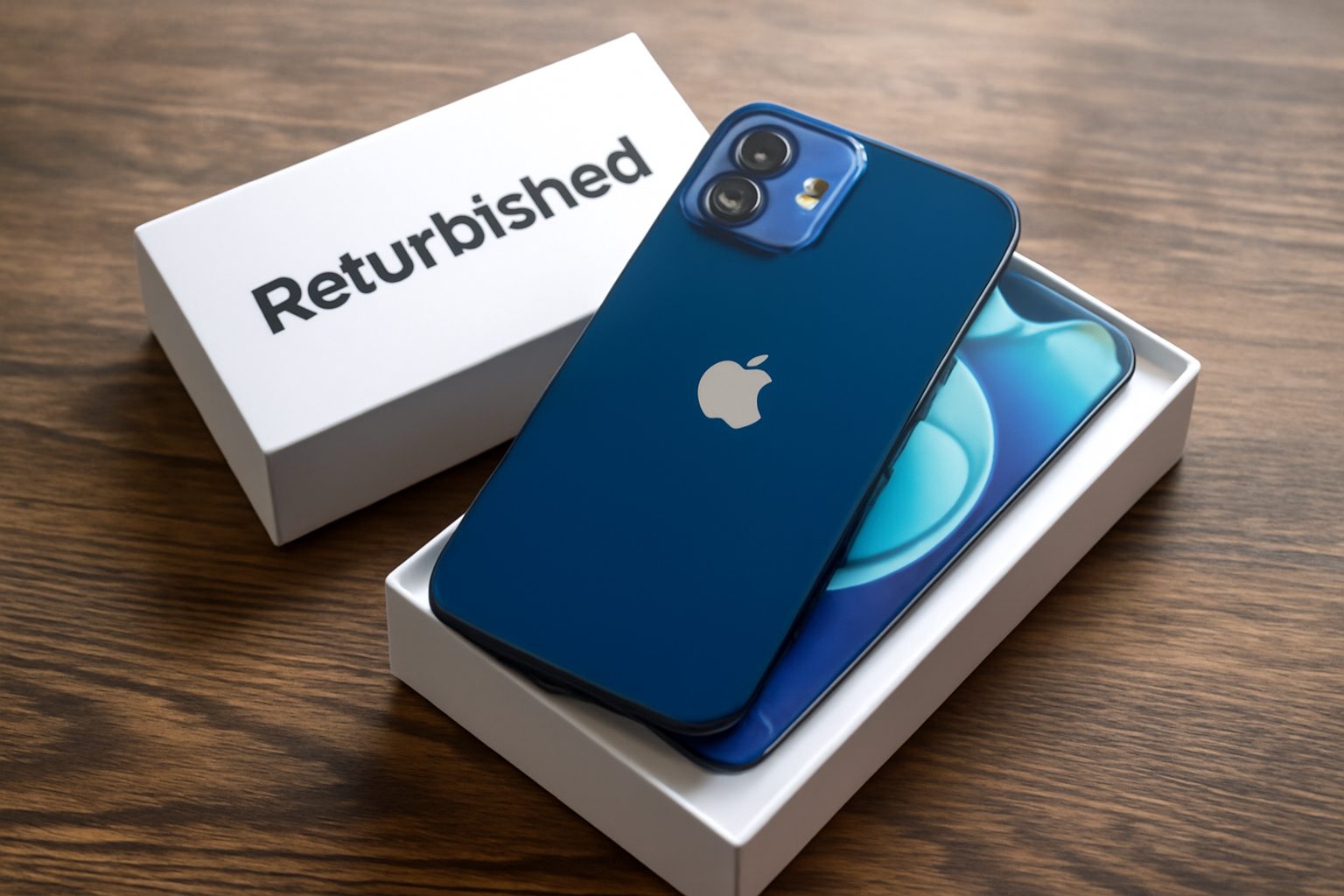
The refurbished iPhone 12 remains a smart buy due to its impressive features and performance. With advanced technology and a sleek design, it offers great value for money. Interested in getting an excellent smartphone at a lower price? Explore our range of Apple products.
Here's an overview:
- Introduction to the Durability and Savings of a Refurbished iPhone 12
- What is a Refurbished iPhone 12 and How Is It Different From New? a>
- Environmentally-conscious Choosing: The Ecological Benefits of Refurbished
- Budget-friendly Upgrading: The Financial Benefits of a Refurbished iPhone 12
- Technology That Lasts: The Reliability of a Refurbished iPhone 12 in 2023
- Warranty and Support: Assurance When Purchasing a Refurbished iPhone
- The Latest Features without the Grand Prize: Technological Innovations Made Affordable
- A Smart Choice for Students and Entrepreneurs: Refurbished as an Economic Solution< /li>
- Extend the Life of Your iPhone: Tips for Maintenance and Update-Policies< /li>
- User Experiences: What Do Others Say About Using a Refurbished iPhone 12?
- Conclusion: Why the Refurbished iPhone 12 is a Smart Investment in 2023
Introduction-to-the-Durability-and-Savings-of-a-Refurbished-iPhone-12
Purchasing a refurbished iPhone 12 is not only a financially beneficial choice, but it is also a step towards sustainability. When we talk about a ‘refurbished’ device, we refer to a smartphone that has been previously used and restored to function as good as new. This process involves qualified technicians thoroughly inspecting the device, cleaning it and repairing it as necessary. The battery and screen are also often replaced to extend the operating time of the device.
Benefits of a Refurbished iPhone 12:
- Cost-efficient: Compared to a new model, purchasing a refurbished iPhone 12 can provide significant savings. These savings can amount to several hundred euros.
- Environmentally friendly: By choosing a reconditioned device, you contribute to the reduction of electronic waste and therefore the ecological footprint.
- Quality Guarantee: Reliable suppliers often offer a warranty on their refurbished products, allowing consumers to buy with confidence.
- Latest Software: Refurbished iPhones are often updated to the latest available software version, making them as functional as the latest devices.
By choosing a refurbished iPhone 12, consumers are making a responsible decision that extends the lifespan of valuable technologies. This not only has financial benefits, but it also supports the vision of a circular economy where the value of products is maximized and waste is minimized.
What is a Refurbished iPhone 12 and How Is It Different From New?
A refurbished iPhone 12 is a used iPhone that has been thoroughly tested, cleaned and, where necessary, fitted with new parts to make the device function as good as new. The device often comes from returns, demonstration models, or trade-in programs. Reputable providers of refurbished iPhones return the device to a condition that closely resembles that of a new iPhone.
Key differences between a refurbished and a new iPhone 12:
Costs: A refurbished iPhone 12 is considerably cheaper than a new model. This is because the product has already been used before.
Appearance: Although a refurbished model may look very good, there may be minor signs of wear. A new iPhone 12 will have no signs of wear.
Packaging and Accessories: New iPhones are sold with original packaging and accessories. With a refurbished iPhone, these can be replaced by non-original but compatible options.
Warranty: A new iPhone 12 comes with a manufacturer's warranty. Refurbished providers often also provide a warranty, but the term and coverage may vary.
Battery: A new iPhone has a battery that has not been used before. With a refurbished device, the battery may have been replaced by a new or semi-new one that still has sufficient capacity.
Software: Both new and refurbished iPhones run the most recent version of iOS and offer the same software functionalities.
Choosing a refurbished iPhone 12 is an environmentally conscious and economically beneficial option. The device meets high quality requirements and, depending on the supplier, the difference with a new iPhone is barely noticeable in functional terms. For consumers who value sustainability and cost-efficiency, a refurbished iPhone 12 can therefore be an attractive alternative.
Environmentally-conscious Choosing: The Ecological Benefits of Refurbished
At a time when sustainability is becoming increasingly important, choosing a refurbished iPhone 12 is an environmentally responsible decision. Refurbishing used electronics helps reduce e-waste, or electronic waste, which would otherwise have a negative impact on the environment.
- First of all, refurbishing phones saves valuable resources. The production process of new devices requires significant amounts of water, energy and raw materials. Purchasing a refurbished iPhone reduces the demand for new devices and therefore the burden on these resources.
- Secondly, choosing a refurbished iPhone contributes to the reduction of the CO2 footprint. The production of a new device leads to significant greenhouse gas emissions. Refurbished electronics reuse many of the parts already produced, which means less energy is used and therefore less CO2 is emitted.
- Thirdly, a refurbished device avoids the problematic process of mining for rare minerals, which are used in many electronic devices. This helps counteract the ecological damage caused by mining activities.
- Finally, choosing refurbished promotes the circular economy, where the aim is to give products and materials a longer life. This principle prevents waste and contributes to a more sustainable world.
In short, choosing a refurbished iPhone 12 is not only good for your wallet but also for the planet. This way you can stay technologically up to date, while at the same time having a positive impact on the environment.
Budget-friendly Upgrading: The Financial Benefits of a Refurbished iPhone 12
Purchasing a refurbished iPhone 12 offers significant financial benefits. A look at the cost savings and economic benefits of this choice may be enlightening for consumers looking to upgrade without taxing their bank accounts.
First, refurbished models are significantly cheaper than their brand new counterparts. This is because they have been previously used and then thoroughly checked, repaired and cleaned to return them to excellent condition. The cost savings when purchasing a refurbished iPhone 12 can amount to hundreds of euros, depending on the seller and the condition of the device.
In addition, buying a refurbished device brings indirect savings. Because the price is lower, there is often a saving on the insurance that one can take out. Less valuable devices typically qualify for cheaper insurance policies, which provide the same coverage as newer models.
Thirdly, there is the aspect of value retention. Refurbished iPhones generally hold their value better than brand new devices. This is because the initial depreciation - the largest drop in value that occurs when new electronics are purchased - has already taken place before the consumer purchases the refurbished device.
Finally, choosing a refurbished iPhone 12 contributes to sustainability and reduction of electronic waste. By choosing a refurbished device, consumers support a circular economy and reduce their environmental footprint, which can also result in tax benefits in some regions or situations.
These financial benefits make choosing a refurbished iPhone 12 not only a smart upgrade for the technology you use, but also a wise economic decision.
Technology That Sustains: The Reliability of a Refurbished iPhone 12 in 2023
When considering purchasing a refurbished phone, reliability is often one of the biggest concerns. The iPhone 12, a powerful device first released in the fall of 2020, is proving to be a reliable choice even in 2023 for those looking for a phone with excellent value for money.
A refurbished iPhone 12 has undergone multiple rounds of rigorous testing and inspections to ensure the device meets the highest standards:
- Battery Inspection: Battery health is essential; Refurbished iPhone 12 models often contain a new or lightly used battery that should last for years to come.
- Hardware Check: All hardware features are checked to ensure everything is working properly, from the camera and screen to the buttons and microphones.
- Software Updates: Refurbished iPhones are updated to the latest iOS version available, ensuring users have access to the latest features and security patches.
The long support life of Apple products also makes the refurbished iPhone 12 a solid choice. Apple is known for supporting its devices with updates for several years, which ensures:
- Security: Continuously delivered security updates protect against the latest digital threats.
- Compatibility: Newer iOS versions ensure compatibility with apps and services.
When buying a refurbished iPhone 12 in 2023, one can still count on a device that remains technologically relevant, is supported with updates and offers the reliability expected from a new device, but at a significantly lower price .
Warranty and Support: Assurance when Purchasing a Refurbished iPhone
When purchasing a refurbished iPhone 12, in addition to price and specifications, consumers also consider the warranty and support that comes with the product. These factors provide an added sense of safety and security, which is essential when investing in technology that has been used before.
- Manufacturer's warranty: Many refurbished iPhones come with a warranty that is comparable to that of new devices. This warranty protects against defects not caused by the user, often for a period of one year.
- Additional Warranties: Some refurbished iPhone sellers offer additional warranties or service plans that provide more extensive coverage, such as protection against accidental damage.
- Technical Support: Quality providers often provide expert technical support to answer questions and resolve problems. This assures buyers of continued assistance after the purchase.
- Return Policy: A relaxed return policy gives consumers the option to return the iPhone if it does not meet expectations, reducing the risk of an online purchase.
- Updates and Repairs: Reliable suppliers often offer update and repair services, sometimes even with original parts, so that the device remains up to date and in good condition.
The assurance provided by these warranty and support options adds to the appeal of a refurbished iPhone 12. However, it is important that consumers thoroughly review the details of these warranties and support services before finalizing the purchase. This way they can confidently benefit from the benefits that a refurbished model brings, without unpleasant surprises afterwards.
The Latest Features without the Grand Prize: Technological Innovations Made Affordable
In a world where technology is developing rapidly, it sometimes seems as if the latest gadgets always come with a hefty price tag. However, with the rise of refurbished products, such as the iPhone 12, it has become possible to enjoy the latest features without paying the top price.
- State-of-the-art camera: The iPhone 12 features an advanced dual-camera system with Night Mode and Deep Fusion, which was previously only available on the most expensive models. li>
- Super Retina XDR display: With the OLED display, colors and black tones are displayed sharper and more realistically than ever before. This makes a luxurious visual experience accessible.
- Compatible with 5G: As one of the first Apple smartphones with 5G, the iPhone 12 offers future-proof connectivity that is on par with the latest models.
- A14 Bionic chip: This powerful chip ensures a smooth user experience, equivalent to that of new high-end devices.
Refurbished iPhone 12 models are thoroughly checked and repaired if necessary. Defective parts are replaced with quality parts. In addition, the consumer often receives a warranty, which provides extra security.
The benefit of a refurbished iPhone 12 is not only financial. It also contributes to sustainability and the environment. The reuse of smartphones reduces e-waste and the demand for new raw materials.
A refurbished iPhone 12 offers many of the benefits of a new device, but without the hefty expenses. This makes it a smart choice for the budget-conscious consumer who does not want to lag behind the latest technological trends and innovations.
A Smart Choice for Students and Entrepreneurs: Refurbished as an Economic Solution
Students and entrepreneurs are often looking for ways to reduce costs without sacrificing quality. In this light, a refurbished iPhone 12 is an attractive choice. After all, refurbished products are used items that have been repaired and renewed to meet quality standards that are almost equal to new products.
The economic benefits for students and entrepreneurs are clear:
- Cost Savings: Refurbished appliances are significantly cheaper than their brand new counterparts. This makes a high-end product like the iPhone 12 accessible without the financial burden of a new device.
- Value for money: When you purchase a refurbished iPhone 12 you get more specifications and quality for a lower price, an important point for students and starting entrepreneurs with a limited budget.
- Sustainability: Choosing refurbished contributes to sustainable entrepreneurship and reduces the ecological footprint. This can also contribute to a positive image for entrepreneurs.
It is important to buy from reliable suppliers who offer guarantees on the refurbished device. Entrepreneurs and students obviously do not want to waste time with defective equipment or poor service.
Additionally, for students, having a reliable device for communication and study is essential and entrepreneurs rely on their phones for business communications and transactions. The refurbished iPhone 12 offers the necessary functionalities such as good battery life, high-quality camera and fast processor at a fraction of the cost. This makes it an economically sensible decision for anyone who has to watch their budget, but still values quality and performance.
Extend the Life of Your iPhone: Tips for Maintenance and Update Policies
A refurbished iPhone 12 often has the potential to last for years. Adequate maintenance and awareness of update policies are crucial to maximize service life. Below are some important tips:
Maintenance of the Hardware:
- Use a case and screen protector: This protects against scratches and bumps.
- Avoid extreme temperatures: Do not leave your iPhone in the sun or in cold conditions.
- Keep iPhone clean: Regular cleaning with a soft cloth can prevent the build-up of dirt and dust.
- Be careful with water: Although recent iPhones are water resistant, it is wise to minimize exposure to liquids.
Software Maintenance:
- Update the operating system regularly: This not only improves security, but also provides new functionalities and optimizations.
- Keep apps up to date: Developers release updates to improve performance and security.
- Monitor battery health: Use iOS settings to view battery performance and follow battery conservation recommendations.
- Make backups regularly: Ensure regular backups to prevent data loss.
Apple's Update Policy:
- Stay informed about the support period: Apple typically provides five to six years of software updates for iPhones.
- Pay attention to announcements: Be alert for news regarding software updates and planned end of support.
By being careful with both the physical condition and software of your iPhone 12, and staying abreast of Apple's update policies, you can maximize functionality and extend the life of your device.
User Experiences: What Do Others Say About Using a Refurbished iPhone 12?
Purchasing a refurbished iPhone 12 is becoming increasingly popular, partly because of the positive experiences that many users share. Customers indicate that the quality of a refurbished iPhone 12 often corresponds to that of a new device. The following points are frequently heard:
Cost savings: Users are generally very satisfied with the value for money. They indicate that they save significantly on costs compared to a new device, without sacrificing functionality or performance.
Sustainability: Environmentally conscious consumers like to emphasize the positive impact on the environment. By choosing a refurbished iPhone 12, they contribute to reducing electronic waste and saving raw materials.
Condition of the device: Many buyers report that they hardly notice any difference between a refurbished and a new device. Reliable providers ensure thorough inspection and, if necessary, replacement of parts, often leaving the device in excellent condition.
Warranty and Support: Buyers appreciate the warranty offered on refurbished iPhones. This gives them a sense of security and shows the seller's confidence in the product.
Performance: Despite the original release of the iPhone 12 some time ago, users are still reporting robust performance that meets current standards for apps and multimedia use.
Network compatibility and updates: Users confirm full network compatibility and access to the latest iOS updates, future-proofing the device.
The general sentiment is that a refurbished iPhone 12 is a worthwhile investment for those looking for a high-end smartphone without paying full price. The importance of purchasing through a reputable supplier is often emphasized to ensure a high-quality refurbishment.
Conclusion: Why the Refurbished iPhone 12 is a Smart Investment in 2023
Investing in a refurbished iPhone 12 is a wise choice in 2023 for several reasons:
- Value retention: Apple products are known for their value retention. The iPhone 12 is no exception and retains a good residual value even after a few years. By choosing a refurbished variant, you benefit from a lower purchase price while maintaining quality.
- Sustainability: Purchasing a refurbished iPhone 12 supports a circular economy. By extending the lifespan of the device, you contribute to reducing e-waste and burdening the environment less.
- Performance: Despite being a few years old model, the iPhone 12 is not much inferior to the newer models. With the powerful A14 Bionic chip, the phone can handle the latest applications with ease and is prepared for future iOS updates.
- Functionalities: The camera, display and battery life are of a high level. With features such as 5G connectivity, an OLED screen, and excellent cameras, the iPhone 12 also offers modern technology in 2023.
- Warranty: Many sellers of refurbished iPhones offer a warranty, sometimes even up to 24 months. This increases confidence in the purchase and provides a safe feeling comparable to buying a new device.
The combination of economic benefits, maintenance of performance and functionality, sustainability aspects and warranty makes the refurbished iPhone 12 a smart investment for those looking for a high-quality smartphone with an eye for both the wallet and the environment.