Free shipping from 300,-
Guaranteed 15 days not satisfied, money-back guarantee
Ordered before 12 AM, Shipped today
25951 reviews

Tagged with 'Refurbished'

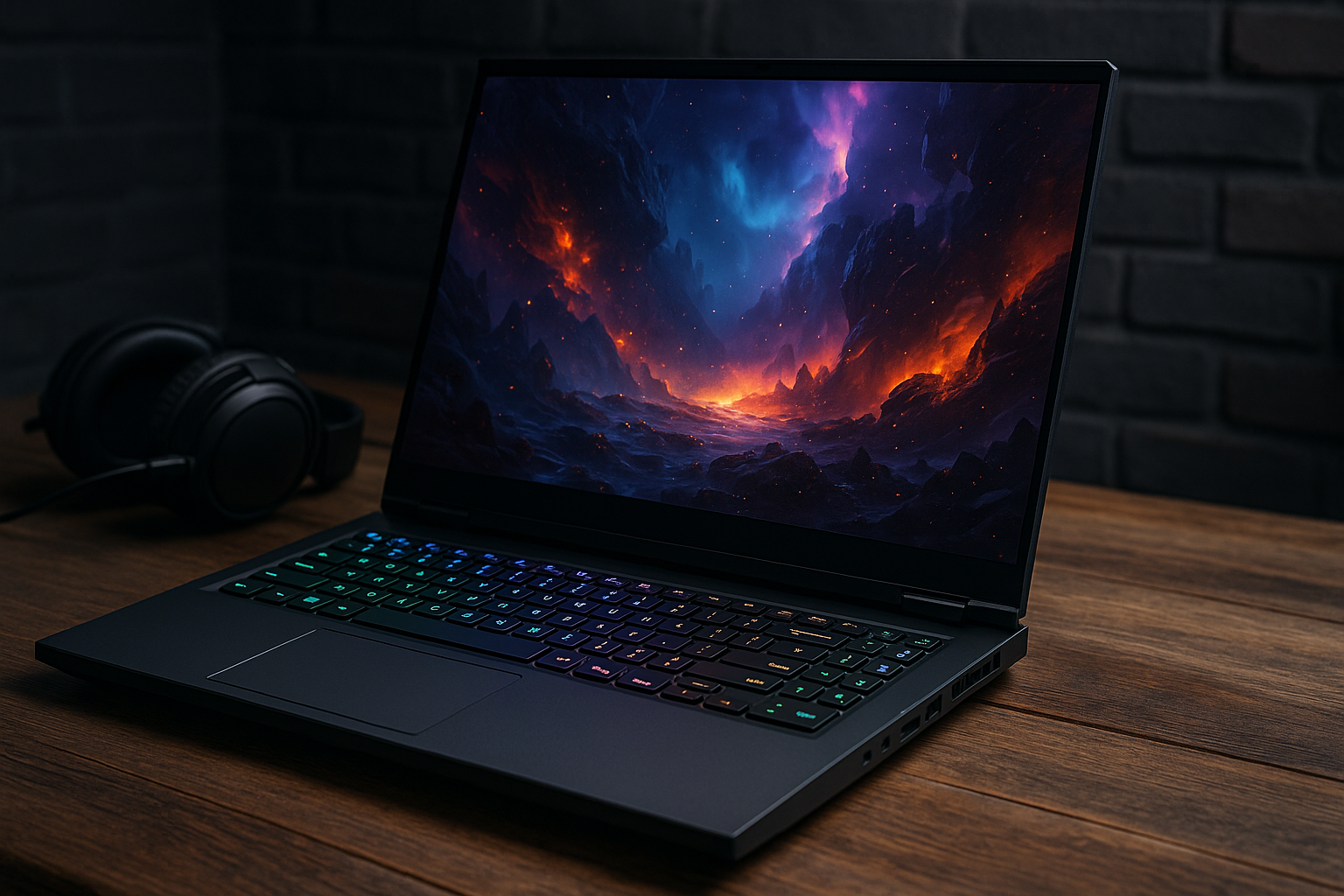
The best gaming laptops at the moment

Top Gaming Laptops of the Moment: Our Ultimate Guide

The best gaming laptops at the moment

For those seeking the ultimate gaming experience, nothing beats the power and versatility of a gaming laptop. Whether you're into intense action or immersive storytelling, a laptop can provide the performance you need to stay ahead in the game.

Here’s an overview:

Introduction: What Makes a Gaming Laptop Stand Out?

A gaming laptop distinguishes itself from other laptops through several critical specifications and features that ensure a superior gaming experience. Performance, graphics, display quality, and build design are some of the essential aspects that contribute to the uniqueness of gaming laptops. Below are the core elements that set gaming laptops apart:

1. High-Performance Processors: Gaming laptops come equipped with high-performance processors, most commonly from Intel and AMD. The latest generation CPUs, such as Intel’s Core i7 and i9 or AMD’s Ryzen 7 and 9, deliver exceptional speed and power, facilitating smooth gameplay even with resource-demanding games.

2. Dedicated Graphics Cards: One of the pivotal features is the inclusion of dedicated graphics cards (GPUs). NVIDIA and AMD dominate this market, with NVIDIA’s GeForce RTX series and AMD’s Radeon RX series being the most sought-after for their ability to render high-quality visuals and handle complex in-game graphics seamlessly.

3. High Refresh Rate Displays: Gaming laptops often feature displays with high refresh rates, typically ranging from 120Hz to 300Hz or more. Higher refresh rates ensure fluid and responsive gameplay, reducing motion blur and providing a significant advantage in fast-paced gaming scenarios.

4. Advanced Cooling Systems: To manage the heat generated by high-performance components, gaming laptops utilise advanced cooling systems. These systems often include multiple heat pipes, high-capacity fans, and optimised designs that allow efficient heat dissipation, essential for maintaining performance during extended gaming sessions.

5. Customisable RGB Lighting: While primarily aesthetic, RGB lighting plays a significant role in the gaming experience. Gaming laptops frequently offer customisable RGB backlighting on keyboards and chassis, allowing users to personalise their systems to match their gaming setup and style.

6. High-Resolution Displays: A superior display resolution plays a crucial role in enhancing visual clarity. Many gaming laptops offer Full HD (1920x1080), QHD (2560x1440), or even 4K (3840x2160) displays, providing crisp, detailed images and a more immersive gaming environment.

7. Enhanced Audio Systems: Premium audio systems are another standout feature. High-fidelity speakers and advanced audio technologies, such as Dolby Atmos and DTS:X, provide rich, immersive soundscapes, enhancing the gaming experience and providing an edge in games that rely heavily on audio cues.

8. Ample Storage and Memory: Gaming laptops are designed to handle large game files and quick load times. They typically feature high-capacity SSDs (Solid State Drives) combined with ample RAM (Random Access Memory), often 16GB or more, ensuring fast data access and multitasking capabilities.

9. Sturdy Build Quality: Durability and build quality are crucial, as gaming laptops are subjected to intense usage. They are often constructed with robust materials such as aluminium or composite alloys, ensuring longevity and resilience against wear and tear.

Gaming laptops incorporate these specialised features, collectively ensuring they stand out in performance, visuals, and overall user experience, catering specifically to the needs and preferences of gamers.

Performance Metrics: CPU, GPU, RAM, and Storage

A high-performing gaming laptop demands top-notch specifications. Performance metrics such as CPU, GPU, RAM, and storage play critical roles in delivering a seamless gaming experience.

CPU (Central Processing Unit)

The CPU is the laptop’s brain, handling its core tasks:

  • Multi-core Processors: Modern gaming laptops typically feature multi-core processors (quad-core, hexa-core, and even octa-core) to run advanced games smoothly.
  • Clock Speed: Higher clock speeds translate to faster execution of tasks, nearing or exceeding 4.0 GHz in premium models.
  • Brands: Intel’s i7 and i9 series, along with AMD’s Ryzen 7 and 9 series, are favoured due to their high performance.

GPU (Graphics Processing Unit)

The GPU processes graphics data, which is essential for rendering complex graphics:

  • Dedicated GPUs: Higher-end laptops come equipped with dedicated graphics cards from NVIDIA or AMD.
  • VRAM: Modern games require GPUs with ample Video RAM (VRAM). Common configurations include 6GB to 8GB of VRAM, with 12GB becoming increasingly common.
  • Ray Tracing and DLSS: Technologies like NVIDIA’s Ray Tracing and Deep Learning Super Sampling (DLSS) enhance visual fidelity and performance.

RAM (Random Access Memory)

RAM enables smooth multitasking and efficient game loading:

  • Minimum Requirements: A minimum of 16GB RAM is recommended for modern gaming laptops, with 32GB being optimal for high-end gaming and future-proofing.
  • Speed and Type: Look for DDR4 or DDR5 RAM with high clock speeds (3000 MHz and above).

Storage

Storage affects game load times and system responsiveness:

  • SSD vs HDD: Solid-state drives (SSDs) provide faster boot and load times than traditional hard disk drives (HDDs).
  • Capacity: A combination of at least 512GB SSD for OS and frequently played games, coupled with a larger HDD or external storage for additional games and files, is ideal.
  • NVMe SSD: Non-Volatile Memory Express (NVMe) SSDs offer superior speed compared to SATA SSDs, significantly reducing load times.

Ensuring a balance among these metrics is crucial for any gaming laptop.inding the latest and most suitable performance metrics is pivotal to achieving an optimal gaming experience.

Display Quality: Refresh Rates, Resolution, and Colour Accuracy

Professional gamers and enthusiasts alike understand the significant impact of display quality on the gaming experience. When evaluating gaming laptops, attention should be focused on three critical factors: refresh rates, resolution, and colour accuracy.

Refresh Rates

A refresh rate indicates how often the screen refreshes per second, measured in Hertz (Hz). High refresh rates provide smoother visuals, essential for fast-paced gaming. Standard laptops often feature 60Hz displays, but high-performance gaming laptops typically boast:

  • 120Hz
  • 144Hz
  • 240Hz
  • 300Hz

A higher refresh rate can drastically reduce motion blur and enhance the visual experience, especially in first-person shooters and racing games.

Resolution

Resolution determines the sharpness and clarity of the game visuals. Common resolution options for gaming laptops include:

  • 1080p (Full HD): Offers a good balance between performance and visual clarity.
  • 1440p (Quad HD): Provides sharper images without overly taxing the GPU.
  • 2160p (4K): Delivers exceptional detail and image quality, but may require more powerful hardware to maintain high frame rates.

Choosing the right resolution depends on the individual’s preference for image quality versus performance. A higher resolution ensures finer details, but can impact the frame rate.

Colour Accuracy

Colour accuracy is crucial for a rich and immersive gaming experience. A display with poor colour accuracy can distort the game’s visuals, affecting the overall experience. Key factors to consider include:

  • sRGB Coverage: The percentage of sRGB colour spectrum the display can reproduce. Laptops aiming for higher colour accuracy often feature 95%-100% sRGB coverage.
  • DCI-P3 Coverage: A wider colour gamut used by professionals. Some gaming laptops now support 90%-100% DCI-P3 coverage.
  • Factory Calibration: Ensures that colours are accurately represented out of the box.

Quality gaming laptops will often incorporate these elements to produce vibrant, true-to-life colours, enhancing game visuals and providing a competitive edge.

When considering a gaming laptop, evaluating these parameters will ensure an optimised and immersive gaming experience.

Build and Design: Portability Vs Power

When selecting a gaming laptop, one of the most critical considerations is the balance between portability and power. This section explores the trade-offs and features that define modern gaming laptops, helping buyers choose the right fit for their needs.

Portability

Gaming laptops prioritising portability generally:

  • Weight: Tend to weigh less, often ranging between 2 to 4 pounds. This makes them easier to carry around.
  • Thickness: Usually feature a slimmer design, sometimes as thin as 0.6 inches. This aids in fitting comfortably into backpacks.
  • Battery Life: Offer longer battery life, often exceeding 6 hours on a single charge, due to less power-hungry components.
  • Display Size: Typically come with smaller screens, around 14 to 15 inches, which enhance their lightweight nature.
  • Cooling: Employ quieter, less robust cooling systems which are sufficient for moderate gaming but may struggle under heavy loads.

Portability-focused laptops are ideal for gamers who travel frequently or require a device that’s versatile enough for both gaming and other purposes, like work or school.

Power

On the other hand, gaming laptops emphasising power generally:

  • Weight: Heavier, often between 5 to 10 pounds, providing better structures for advanced components.
  • Thickness: Feature bulkier builds to accommodate high-performance hardware, usually more than 1 inch thick.
  • Battery Life: Offer shorter battery life, often below 4 hours due to the high power consumption of top-tier components.
  • Display Size: Come with larger screens, ranging from 17 to 18 inches, which enhance the gaming experience with more immersive visuals.
  • Cooling: Utilise advanced, elaborate cooling systems that effectively manage heat from powerful CPUs and GPUs.

Power-oriented laptops are suitable for gamers prioritising performance, willing to trade off portability for an enhanced, desktop-like gaming experience.

Decision Making

Selecting between portability and power comes down to evaluating personal gaming habits and lifestyle needs:

  1. Travel Frequency: Laptops for frequent travellers should prioritise portability.

  2. Gaming Preferences: Gamers focused on high-resolution, resource-intensive games may prefer powerful models.

  3. Versatility: Users needing a multipurpose device might favour portable options.

  4. Budget: More powerful laptops generally come with higher price tags, essential to consider in budget constraints.

    Thermals and Cooling Solutions: Keeping Your Laptop Cool

Effective thermal management is essential for any gaming laptop. Without proper cooling solutions, performance can degrade, and hardware longevity may be compromised. Manufacturers employ several key strategies to ensure that gaming laptops remain cool under intense usage.

Advanced Heat Pipe Systems
Modern gaming laptops often incorporate complex heat pipe systems. These pipes efficiently transfer heat away from critical components, such as the CPU and GPU, to areas where it can be more effectively dissipated.

High-Performance Fans
High-speed fans play a crucial role in maintaining optimal temperatures. Current models usually employ multi-fan configurations, which can include:

  • Larger blades to move more air.
  • High rotational speeds for increased airflow.
  • Low-noise design for quieter operation even at high speeds.

Vapour Chamber Cooling
Vapour chamber technology is increasingly common in premium gaming laptops. This method uses a vapour-filled chamber to spread heat uniformly and quickly, enhancing cooling efficiency.

Liquid Cooling
Some high-end units feature liquid cooling solutions. While more common in desktop setups, innovative designs now incorporate compact liquid cooling systems in laptops. These setups can offer superior cooling compared to traditional air-cooling methods.

Cooling Pads
For gamers seeking additional cooling support, external cooling pads provide an effective solution. These pads typically include:

  • One or more built-in fans to assist the laptop’s internal cooling.
  • Adjustable height settings to improve airflow and ergonomics.
  • USB ports that offer easy connectivity.

Intelligent Thermal Controls
Intelligent software plays a critical role in managing thermals. Features often found in gaming laptops include:

  • Customisable fan profiles allowing users to balance performance and noise.
  • Real-time temperature monitoring to prevent overheating.
  • Automated adjustments that respond to system demands to optimise cooling dynamically.

Thermal Design Power (TDP)
Thermal Design Power (TDP) represents the maximum amount of heat that a laptop’s cooling system is designed to handle. Manufacturers optimise TDP to ensure that even the most demanding games can be played without thermal throttling.

Given the complexity and variety of modern titles, adequate thermal solutions are indispensable. Proper consideration of these aspects is crucial when choosing the best gaming laptop.

Battery Life: Power Efficiency in Gaming Laptops

Battery life has traditionally been a challenging aspect of gaming laptops. Gamers demand high performance and extensive features, both of which consume considerable power. Current advancements in technology focus on enhancing energy efficiency while maintaining robust performance.

Processors play a critical role in power consumption. Modern CPUs like Intel’s 13th Gen and AMD’s Ryzen 7000 series offer enhanced power efficiency. They utilise advanced power management techniques to balance performance and battery life. For instance, these CPUs can dynamically throttle performance based on the task, reducing energy consumption during less intensive operations.

Graphics processors are equally vital. High-end GPUs from NVIDIA’s RTX 40 series and AMD’s Radeon RX 7000 series incorporate advanced power-saving technologies. These GPUs offer features such as frame rate smoothing and intelligent resolution scaling to reduce energy consumption without compromising visual fidelity.

Several models have integrated dual battery systems to extend usage duration. This approach allows seamless transition between power sources without interruption and maximises energy utilisation. Battery technology continues to evolve, with lithium-polymer cells becoming the standard due to their high energy density and lightweight properties.

Software optimisation is equally significant. Pre-installed power management software allows users to customise settings for gaming, general use, or battery saving. Energy-efficient modes disable non-essential features and dynamically adjust screen brightness, contributing to prolonged battery life.

Standard USB-C power delivery also enhances convenience, allowing users to charge their gaming laptops more flexibly. This feature supports fast charging technologies, reducing downtime between gaming sessions.

In summary, modern gaming laptops embody a combination of advanced hardware and intelligent software to address battery life concerns, ensuring that gamers can enjoy prolonged periods of uninterrupted play.

Top Gaming Laptops Under £1000

The gaming market is flooded with options, but finding a high-quality gaming laptop within a budget can be challenging. Here’s a curated list of the top gaming laptops priced under £1000.

1. Acer Nitro 5

  • Processor: Intel Core i5-10300H or AMD Ryzen 5 4600H
  • Graphics: NVIDIA GeForce GTX 1650 or GTX 1660 Ti
  • Display: 15.6-inch Full HD, 144Hz refresh rate
  • Memory: 8GB DDR4 RAM, expandable up to 32GB
  • Storage: 256GB or 512GB SSD
  • Battery Life: Approximately 8 hours
  • Additional Features: Dual-fan cooling system, RGB backlit keyboard

2. Lenovo Legion 5

  • Processor: AMD Ryzen 5 4600H
  • Graphics: NVIDIA GeForce GTX 1650
  • Display: 15.6-inch Full HD, 120Hz refresh rate
  • Memory: 8GB DDR4 RAM, expandable up to 32GB
  • Storage: 256GB SSD
  • Battery Life: Approximately 9 hours
  • Additional Features: Coldfront 2.0 cooling, TrueStrike keyboard

3. HP Pavilion Gaming 15

  • Processor: AMD Ryzen 5 4600H or Intel Core i5-10300H
  • Graphics: NVIDIA GeForce GTX 1650
  • Display: 15.6-inch Full HD, 60Hz or 144Hz refresh rate options
  • Memory: 8GB DDR4 RAM
  • Storage: 512GB SSD
  • Battery Life: Approximately 7 hours
  • Additional Features: B&O audio, sleek design with green backlit keyboard

4. ASUS TUF Gaming A15

  • Processor: AMD Ryzen 5 4600H
  • Graphics: NVIDIA GeForce GTX 1650
  • Display: 15.6-inch Full HD, 144Hz refresh rate
  • Memory: 8GB DDR4 RAM, upgradable
  • Storage: 512GB SSD
  • Battery Life: Approximately 8 hours
  • Additional Features: MIL-STD-810H military standard durability, RGB backlit keyboard

5. Dell G3 15

  • Processor: Intel Core i5-10300H
  • Graphics: NVIDIA GeForce GTX 1650 Ti
  • Display: 15.6-inch Full HD, 120Hz refresh rate
  • Memory: 8GB DDR4 RAM
  • Storage: 512GB SSD
  • Battery Life: Approximately 6 hours
  • Additional Features: Alienware Command Centre, Nahimic 3D audio

These laptops not only provide excellent performance for gaming but also offer considerable value for money. Each model listed includes essential features that cater to gamers operating within a £1000 budget. The specifications highlighted here offer a mix of speed, graphics performance, and display quality to ensure a satisfying gaming experience.

Top Gaming Laptops Between £1000 - £2000

Exploring the realm of gaming laptops within the £1000 - £2000 price bracket reveals options that combine performance, design, and value. These laptops strike a balance between affordability and high-end gaming capabilities. Below are some notable models that cater to various gaming needs and preferences.

Acer Predator Helios 300

The Acer Predator Helios 300 stands out with its blend of power and affordability.

  • Processor: Intel Core i7-10750H
  • Graphics: NVIDIA GeForce RTX 3060
  • RAM: 16GB DDR4
  • Storage: 512GB SSD
  • Display: 15.6” Full HD, 144Hz

ASUS ROG Zephyrus G14

The ASUS ROG Zephyrus G14 is acclaimed for its potent internals housed in a compact, lightweight design.

  • Processor: AMD Ryzen 9 5900HS
  • Graphics: NVIDIA GeForce RTX 3060
  • RAM: 16GB DDR4
  • Storage: 1TB SSD
  • Display: 14” QHD, 120Hz

Dell G15

The Dell G15 offers dependable performance at a competitive price, ideal for gamers seeking efficiency without breaking the bank.

  • Processor: Intel Core i7-10870H
  • Graphics: NVIDIA GeForce RTX 3060
  • RAM: 16GB DDR4
  • Storage: 512GB SSD
  • Display: 15.6” Full HD, 144Hz

Lenovo Legion 5 Pro

Known for its robust build and exceptional display, the Lenovo Legion 5 Pro appeals to gamers wanting durability and visual fidelity.

  • Processor: AMD Ryzen 7 5800H
  • Graphics: NVIDIA GeForce RTX 3060
  • RAM: 16GB DDR4
  • Storage: 1TB SSD
  • Display: 16” QHD, 165Hz

HP Omen 15

The HP Omen 15 offers a versatile mix of performance features, streamlined for both productivity and gaming.

  • Processor: Intel Core i7-10750H
  • Graphics: NVIDIA GeForce RTX 2060
  • RAM: 16GB DDR4
  • Storage: 512GB SSD
  • Display: 15.6” Full HD, 144Hz

In conclusion, the £1000 - £2000 price range houses a variety of gaming laptops tailored to different needs, ensuring ample choices for avid gamers seeking solid performance, aesthetic design, and technological advancements.

Top Gaming Laptops Over £2000

Gaming enthusiasts willing to invest over £2000 can access premium features designed to deliver exceptional performance. Here are some of the top options in this price range:

1. Alienware m17 R4

The Alienware m17 R4 is known for its robust build and high-performance capabilities. It comes equipped with:

  • CPU: Intel Core i9-10980HK
  • GPU: NVIDIA GeForce RTX 3080
  • RAM: 32GB DDR4
  • Storage: 1TB SSD
  • Display: 17.3-inch, 4K UHD

2. ASUS ROG Zephyrus Duo 15 SE GX551

This laptop stands out with its innovative dual-screen design, enhancing multitasking during gaming sessions. Key specifications include:

  • CPU: AMD Ryzen 9 5900HX
  • GPU: NVIDIA GeForce RTX 3080
  • RAM: 32GB DDR4
  • Storage: 1TB SSD
  • Display: 15.6-inch, 4K UHD

3. MSI GE76 Raider

The MSI GE76 Raider is renowned for its sleek design and powerful components tailored for gaming. Highlights include:

  • CPU: Intel Core i9-11980HK
  • GPU: NVIDIA GeForce RTX 3080
  • RAM: 32GB DDR4
  • Storage: 2TB SSD
  • Display: 17.3-inch, FHD

4. Razer Blade 15 Advanced

Offering portability and performance, the Razer Blade 15 Advanced is perfect for gamers who value sleek aesthetics. Its features are:

  • CPU: Intel Core i7-11800H
  • GPU: NVIDIA GeForce RTX 3080
  • RAM: 32GB DDR4
  • Storage: 1TB SSD
  • Display: 15.6-inch, QHD

5. Gigabyte Aorus 17G

The Aorus 17G is built for hardcore gaming, offering a blend of powerful hardware and advanced cooling technologies. Specifications include:

  • CPU: Intel Core i7-11800H
  • GPU: NVIDIA GeForce RTX 3080
  • RAM: 32GB DDR4
  • Storage: 1TB SSD
  • Display: 17.3-inch, FHD

Note: While each of these laptops offers outstanding specifications, the choice ultimately depends on personal preferences such as the importance of design, additional features, and total budget. Each model has strengths that cater to different gaming needs and styles.

Gaming Laptops from Leading Brands: A Comparison

Gaming laptops from top brands like ASUS, Alienware, Acer, MSI, and Razer are designed to offer unparalleled performance, superior graphics, and advanced cooling systems. This section delves into the differences among these giants.

ASUS ROG Series

ASUS’s Republic of Gamers (ROG) series includes:

  • ASUS ROG Zephyrus G14: Known for its AMD Ryzen 9 processor and NVIDIA GeForce RTX 3060 GPU. It offers a 14-inch QHD display with a 120Hz refresh rate.
  • ASUS ROG Strix Scar 15: Features an Intel Core i9 processor, NVIDIA GeForce RTX 3080 GPU, and a 300Hz Full HD display.

Alienware

Alienware, Dell’s dedicated gaming brand, excels in delivering premium gaming experiences:

  • Alienware m15 R6: Uses Intel Core i7 processors and NVIDIA RTX 3070 GPUs. It offers a 15.6-inch 240Hz QHD display.
  • Alienware x17: Advanced thermal management and high-end Intel Core i9 processors, paired with NVIDIA GeForce RTX 3080 GPU.

Acer Predator

Acer’s Predator series is synonymous with power and affordability:

  • Acer Predator Helios 300: Equipped with Intel Core i7 processors, NVIDIA GeForce RTX 3060, and a 15.6 inch 144Hz display.
  • Acer Predator Triton 500: Combines ninth-gen Intel Core i7 CPUs with NVIDIA GeForce RTX 2080 GPUs. It features a 300Hz Full HD 15.6-inch display.

MSI

MSI provides a range of high-performance gaming laptops:

  • MSI GE76 Raider: Integrates Intel’s Core i9 processor along with NVIDIA’s RTX 3080. It has a 17.3-inch 300Hz display.
  • MSI GS66 Stealth: Combines the Intel Core i7 processor with an RTX 3070 GPU and a 240Hz Full HD display.

Razer Blade

Razer Blade laptops are sleek yet powerful:

  • Razer Blade 15 Advanced: Incorporates Intel Core i7 processors and NVIDIA RTX 3080 GPU. It has a 15.6-inch 360Hz FHD display.
  • Razer Blade Stealth 13: Compact 13-inch 4K touchscreen display, powered by Intel Core i7 and GTX 1650 Ti.

Notable Mentions

  • HP Omen 15: Intel i7 and RTX 2070, known for its robust feature set.
  • Lenovo Legion 5 Pro: Ryzen 7 5800H and RTX 3060, appreciated for its QHD 165Hz display.

These gaming laptops represent the pinnacle of portable gaming technology, covering various price points and offering diverse features suited for different needs.

Upgradability and Future-Proofing Your Gaming Laptop

When investing in a gaming laptop, future-proofing is crucial to ensure longevity and performance adaptability. Many gamers forget that upgrading components can significantly extend the lifespan of their machine, making upgradability vital. Understanding which parts are upgradable can help make an informed decision.

Key Components for Upgradability

  1. RAM (Memory):

    • Most gaming laptops offer slots for additional RAM sticks.
    • Upgrading from 8GB to 16GB, or even 32GB, can impact performance substantially.
  2. Storage:

    • Look for laptops with spare M.2 or 2.5-inch bays.
    • Solid-state drives (SSDs) offer better performance than traditional hard drives.
    • An additional SSD can increase both storage space and speed.
  3. GPU (Graphics Card):

    • Upgrading the GPU is often more complex in laptops due to integrated design.
    • Ensure the laptop supports external GPUs via Thunderbolt 3 or USB-C ports.
  4. Battery:

    • Some models allow for battery replacement or upgrades.
    • Larger capacity batteries can extend battery life, beneficial for mobile gaming.

Considerations for Future-Proofing

  • Compatibility: Verify that components are compatible with your specific laptop model. Not all gaming laptops support the same types of upgrades.
  • Cooling Solutions: Enhanced components often require better cooling solutions. Consider laptops offering customisable cooling settings or additional cooling accessories.
  • Port Availability: Future connectivity needs might require additional or faster ports. Thunderbolt 3 and USB-C are versatile and future-proof options.
  • Software Support: Regular BIOS and driver updates from the manufacturer ensure continued support for new hardware and software.

Manufacturer Policies

Different manufacturers offer varied support for upgradability:

  • Modular Designs: Brands like Alienware and MSI offer modular designs that simplify component upgrades.
  • Warranty Considerations: Upgrading components may void warranties with some manufacturers. Check the warranty terms before making hardware changes.

Anticipating Needs

  • Assess gaming requirements for the next 3-5 years.
  • Prioritise essential upgrades initially, such as RAM and SSD, to maintain a balance between cost and future-ready performance.
  • Utilise forums and review sites for insight on the effectiveness of specific upgrades for your laptop model.

Upgrading and future-proofing ensure that a gaming laptop remains relevant, catering to evolving gaming demands without the need for frequent, complete replacements. Making informed decisions upfront can lead to sustainable and enhanced gaming experiences.

Additional Features: Keyboards, Trackpads, Ports, and More

When evaluating gaming laptops, it is essential to examine additional features beyond just core performance components. Keyboards, trackpads, ports, and other elements can significantly impact the overall gaming experience.

Keyboards

  1. Mechanical vs. Membrane: Gamers often prefer mechanical keyboards due to their durability and tactile feedback. They are usually more responsive and provide a better gaming experience compared to membrane keyboards.
  2. Backlighting: Customisable RGB backlighting is a favoured feature that enhances the aesthetic appeal and helps with visibility in low-light conditions. High-end gaming laptops often offer per-key RGB lighting options.
  3. Key Travel and Actuation Force: Key travel and actuation force are critical for comfort and performance. Optimal key travel ranges from 1.5mm to 2mm, while actuation force should be around 45-50 grams for a responsive experience.

Trackpads

  1. Precision and Responsiveness: While most gamers use external mice, a quality trackpad ensures productivity for non-gaming activities. Precision and multi-gesture support are essential features.
  2. Material and Coating: Glass trackpads are preferred for their smoothness and durability. A matte finish can prevent fingerprints and provide a better tactile feel.

Ports

  1. USB Ports: Multiple USB 3.0 ports are necessary for connecting peripherals such as mice, keyboards, and external storage. At least one USB-C port is recommended for future-proofing.
  2. HDMI and DisplayPort: These ports allow gamers to connect external monitors, providing versatility in setup. HDMI 2.1 and DisplayPort 1.4 are ideal for high-refresh-rate monitors.
  3. Ethernet Port: Though Wi-Fi connectivity has improved, a dedicated Ethernet port remains crucial for stable, lag-free gaming.
  4. Audio Jacks: Separate audio jacks for headphone and microphone support are valuable for gamers using dedicated audio headsets.
  5. Other Ports: SD card readers and Thunderbolt 4 ports add functionality for content creation and high-speed data transfer.

Additional Considerations

  1. Battery Life: While gaming laptops are primarily used plugged in, decent battery life is beneficial for usage on the go. Power management features can extend battery life.
  2. Cooling Solutions: Effective cooling systems, including robust fans and heat sinks, are vital to maintaining performance during intensive gaming sessions.
  3. Chassis Build Quality: A sturdy and premium-quality build can withstand the rigours of regular use. Materials like aluminium and magnesium alloy provide durability without adding excessive weight.
  4. Customisation Features: BIOS settings, software utilities, and macro key customisation offer additional control over the device’s performance and user experience.

When these features are well-integrated, they enhance the overall utility and user experience, making the gaming laptop a comprehensive solution for both gaming and other computing needs.

User Reviews and Real-World Performance

ASUS ROG Zephyrus G14

User opinions on the ASUS ROG Zephyrus G14 often highlight its combination of power and portability. Reviewers commonly praise the following points:

  • Performance: Equipped with AMD Ryzen 9 processors and NVIDIA RTX 3060 graphics, real-world gaming tests show that the G14 can handle AAA titles at high settings without significant frame drops.
  • Display: The 14-inch QHD display with a 120Hz refresh rate receives applaud for vibrant colours and smooth visuals. Testers observe minimal latency and ghosting.
  • Battery Life: Users consistently note that the G14 offers impressive battery longevity for a gaming laptop, often clocking over 8 hours with mixed usage.

Alienware m15 R5

The Alienware m15 R5 is celebrated for its robust build and cutting-edge specs, but user reviews provide additional insights:

  • Thermal Management: Reviewers commend the laptop’s advanced cooling system, which maintains performance even during prolonged gaming sessions. However, some mention fan noise as a minor drawback.
  • Keyboard and Ergonomics: Users appreciate the tactile feedback of the mechanical keyboard and the customisable RGB lighting. Ergonomics are described as comfortable for extended use.
  • Software Optimization: Real-world tests show that the Alienware Command Centre software enhances performance by allowing fine-tuning of graphics and memory settings.

Razer Blade 15

Feedback from Razer Blade 15 owners reflects a balance between aesthetics and gaming prowess:

  • Design: The sleek, minimalist chassis earns consistent praise. Users note it fits in both professional and gaming settings.
  • Portability: Despite its powerful specs, users find the Razer Blade 15 easy to carry around, owing to its slim profile.
  • Performance: Equipped with Intel i7 processors and NVIDIA RTX 3070, real-world performance tests show the Blade 15 excels in both gaming and content creation.

MSI GS66 Stealth

User reviews for the MSI GS66 Stealth highlight several key areas of performance and utility:

  • Build Quality: The laptop’s robust metal body is highly favoured for its durability. Some users, however, note the matte finish can attract fingerprints.
  • Display Quality: The 15.6-inch FHD display with a 300Hz refresh rate is often cited for providing an exceptionally smooth gaming experience. Users appreciate the clarity and colour accuracy.
  • Battery Life: While not as extensive as other competitors, the battery life is considered adequate for short gaming sessions and productivity tasks.

HP Omen 15

The HP Omen 15 garners positive user feedback for its balanced approach to gaming and productivity:

  • Cooling System: Many users mention its effective thermal management, which keeps the laptop cool even under heavy gaming loads.
  • Versatility: The laptop’s performance in real-world scenarios, from gaming to video editing, is well-documented. Users find the overall experience satisfactory thanks to the Ryzen 7 processors and GTX 1660Ti graphics.
  • Audio Quality: The built-in speakers receive positive remarks for their impressive sound quality, enhancing the immersive experience.

User reviews and real-world performance insights reveal the nuanced strengths and weaknesses of each top gaming laptop, shaping a more informed perspective for potential buyers.

Conclusion: The Ultimate Gaming Laptop for Your Needs

Choosing the ultimate gaming laptop necessitates careful consideration of several crucial factors. The primary aspects include performance, display quality, portability, and durability.

Performance
Evaluating the laptop’s performance involves examining the processor (CPU) and graphics card (GPU). Gamers should opt for laptops equipped with the latest Intel Core i7/i9 or AMD Ryzen 7⁄9 processors. Likewise, NVIDIA GeForce RTX series or AMD Radeon RX series graphics cards are essential for seamless gaming experiences.

Display Quality
A high-resolution display significantly enhances gameplay. Gaming laptops should ideally feature Full HD (1920x1080) or 4K (3840x2160) displays. Additionally, refresh rates of 120Hz or higher ensure smoother visuals. For an immersive experience, some gamers might prefer laptops with OLED or IPS panels, which offer better colour accuracy and contrast.

Portability
Portability varies depending on a laptop’s size and weight. Lightweight models are suitable for gamers frequently on the move. Conversely, larger laptops may provide better cooling and performance but can be cumbersome.

Durability and Build Quality
Durability is paramount, particularly for gaming laptops intended for frequent travel. A robust, well-constructed chassis can withstand daily wear and tear. Aluminium or magnesium alloy builds are preferred for their lightweight and sturdy nature.

Additional Features
Additional considerations include:

  • Keyboard Quality: Ensure the keyboard is comfortable, with good key travel and RGB backlighting.
  • Storage and Memory: Opt for SSDs for faster load times and a minimum of 16GB RAM for efficient multitasking.
  • Cooling System: Effective cooling solutions prevent thermal throttling during intense gaming sessions.

Potential buyers should prioritise their preferences to find a gaming laptop that aligns with their specific needs.


The Best Laptops for Summer Vacation 2024: Your Ultimate Guide

The Top Picks for Summer Getaways: Best Laptops for Vacation 2024

The Best Laptops for Summer Vacation 2024: Your Ultimate Guide

Discover the best laptops to take on your summer vacation 2024 on our laptops page! Travel with style and performance!

Here’s an overview:

Introduction to the Perfect Travel Companion: Laptops

Choosing the ideal laptop to accompany you on your summer vacation can significantly enhance your travel experience. In the digital age, the line between work and leisure is increasingly blurred, and many find themselves in need of a device that catifies the need for both productivity and entertainment while on the go. The perfect travel companion in the form of a laptop should be an amalgamation of portability, performance, and durability.

  • Portability: Weight and form factor are paramount when travelling. Users typically prefer lightweight and compact laptops, making them easy to pack without sacrificing luggage space for other essentials.

  • Performance: A laptop with the right performance specs ensures that you can handle both work tasks, like editing documents or video conferencing, and leisure activities, such as streaming videos or playing games, without a hitch.

  • Durability: The wear and tear associated with travel demand a rugged build. Laptops with a solid build quality or those specifically designed to withstand the rigours of travel are ideal.

  • Battery Life: The ability to hold a charge for a considerable duration is crucial, as access to power outlets may be sporadic during your travels.

  • Connectivity Options: A good selection of ports for peripherals, along with reliable Wi-Fi and possibly cellular connectivity, ensures you can stay connected wherever you may find yourself.

As you set off to explore the world in 2024, the role of technology in keeping us connected, productive, and entertained cannot be overstated. Finding a laptop that balances these key features while aligning with your personal needs and travel style is essential to a seamless and enjoyable travel experience.

Top Features to Consider in a Vacation Laptop

When selecting a laptop for vacation purposes, certain features should be carefully considered to ensure the device enhances your travel experience:

  • Portability: A vacation laptop should be lightweight and compact. A model weighing less than 1.5 kilograms, with a screen size around 13 inches, is ideal for travel.

  • Battery Life: Look for laptops that can last a full day on a single charge – at least 8-10 hours. This is critical as you may not always have access to a power outlet.

  • Durability: A vacation laptop should be able to withstand the rigours of travel. Therefore, models with a solid build quality or those that meet military-grade durability standards should be prioritised.

  • Performance: Opt for laptops with a balance of efficiency and power. An Intel Core i5 or AMD Ryzen 5 processor with at least 8 GB of RAM is a good starting point for handling typical travel needs.

  • Storage: Solid-state drives (SSDs) offer faster data access speeds and are more resilient to knocks and bumps than traditional hard drives. Aim for at least a 256GB SSD to store all your photos and videos.

  • Connectivity Options: Ensure the laptop has a variety of ports, such as USB-C for fast data transfer and charging, along with traditional USB ports and an HDMI output for connecting to external displays.

  • Security Features: Features such as a fingerprint reader or facial recognition can keep your data secure while on the go.

  • Price: Establish a budget that aligns with the purpose of the laptop. Excessive spending on high-end specs might not be necessary for a device primarily used for leisure.

Each feature contributes to the overall functionality and convenience of a vacation laptop, and evaluating each will help you find a balanced device that fits your travel needs.

The Lightweight Champions: Best Ultrabooks for Travel

Travelling light is often synonymous with travelling smart, especially when on the move during the summer months. The Ultrabook category offers the perfect blend of portability and power to keep up with the demands of modern travel. For those seeking the best travel companions in 2024, the following Ultrabooks are deserving contenders:

  • Dell XPS 13: Praised for its stunning display and remarkable battery life, the Dell XPS 13 stands as a top pick. Not only does its compact design fit easily into any travel bag, but its robust construction can withstand the rigours of travel.

  • HP Spectre x360: The HP Spectre x360’s versatile design allows use as a laptop or tablet, which is ideal for space-saving in luggage. The inclusion of a stylus pen further makes it perfect for creatives and professionals alike, who need to sketch or take quick notes on the go.

  • Apple MacBook Air (M2): With Apple’s own M2 chip, the MacBook Air flaunts impressive processing capabilities within a remarkably slim profile. This laptop’s lightweight design does not compromise its performance, rendering it suitable for both leisure and work on vacations.

  • Lenovo Yoga Slim 7i Carbon: Despite its feather-light chassis, Lenovo’s Yoga Slim 7i Carbon is durable due to its carbon fibre and magnesium build. With a long-lasting battery and an anti-glare display, it lends itself to productivity even under the harsh sunlight of exotic destinations.

  • ASUS ZenBook 13 OLED: Visuals are particularly vivid on the ASUS ZenBook 13 thanks to its OLED display, which is a joy for media consumption. It also boasts comprehensive connectivity options despite its svelte profile, keeping travellers well-connected.

Each of these Ultrabooks balances durability, performance, and the critical factor of weight, making any choice a sound addition to a traveler’s tech arsenal. The decision will likely rest on individual preferences for brand ecosystems, versatility, and specific feature sets aligning with one’s unique travel needs.

Convertible Laptops: Flexibility for Work and Play

When embarking on a summer getaway, the ideal laptop must effortlessly transition between work and leisure. Convertible laptops, with their versatile design, cater to both needs with finesse. These laptops comprise unique hinges that allow the screen to rotate, fold, or even detach, offering modes like tent, stand, tablet, and traditional laptop.

For the work-conscious traveller, convertible laptops present an all-in-one solution—typing up reports, holding video conferences, or performing complex tasks in laptop mode. The keyboards are usually full-sized, and touchpads are precise, ensuring productivity is not compromised.

In play mode, convertibles shine as entertainment hubs. Flip to tent mode to enjoy movies on the crisp display, use the tablet mode for reading or mobile games, or employ the stand mode for hands-free binge-watching or following a recipe in the kitchen of your holiday home.

  • Portability: Convertible laptops are typically lightweight and slim, making them easy to pack and carry. Their compact nature doesn’t burden travellers, ensuring they remain active on their adventures.

  • Battery Life: Modern convertibles boast impressive battery life. Manufacturers understand the need for devices that last all day without seeking an outlet, which is particularly important when travelling.

  • Performance: Despite their slim form factor, convertibles house powerful processors, ample RAM, and speedy SSDs. This is vital for running multiple applications for work and smoothly playing high-definition content for entertainment.

  • Touchscreen and Pen Input: Many include touchscreens with stylus support, offering travellers an intuitive way to navigate, draw, or take notes directly on the screen.

  • Durability: They’re designed with travel in mind, often featuring rugged build quality to withstand the rigours of transit.

For those who demand versatility without wanting to carry multiple devices, a convertible laptop for your summer getaway offers the perfect balance of practicality and pleasure.

The Budget-Friendly Sidekicks: Best Value Laptops for Vacations

When planning for a holiday, the last thing one wants is to be laden with overpriced tech. Thankfully, several laptops pack a punch without punching a hole in your travel budget. These machines elegantly balance performance and cost, proving to be indispensable companions for any vacationer looking to stay connected, entertained, or productive.

  • ASUS VivoBook 15: Lightweight with robust performance, the ASUS VivoBook 15 provides an excellent screen-to-body ratio for movie watching and ample power for everyday tasks, without adding unnecessary weight to your travel bag.

  • Lenovo IdeaPad 3: Sporting a solid build and a comfortable keyboard, this laptop is ideal for those who may need to do a bit of work while on the move. It offers ample storage space and decent battery life, so you can venture out without worrying about constant recharging.

  • HP Stream: If your vacation involves more browsing and streaming than heavyweight computing, the HP Stream is a formidable option. It is optimised for cloud-based applications, ensuring that resources are not wasted on extraneous features.

  • Acer Chromebook Spin 311: This convertible laptop doubles as a tablet, offering versatility for travel. With access to Google’s suite of apps and services, it’s perfect for those embedded in the Google ecosystem and who value the straightforward user experience of Chrome OS.

  • Dell Inspiron 15 3000: With a larger 15.6” screen, the Inspiron is an excellent choice for movie lovers and occasional gamers. Dell’s reliable build quality comes at an affordable price point, making it a smart pick for budget-conscious travelers.

For those who prefer their gadgets to deliver without despairing their wallets, these value laptops might just be the best travel mates. They promise sufficient performance for holiday leisure, casual gaming, light content creation, and keeping in touch with loved ones, all while maintaining a cost-effective stance.

Rugged and Ready: Laptops Built for Adventure

In the current age of nomadic professionals and avid explorers, durability becomes a paramount feature in tech. For vacationers who embrace the unpredictability of adventure, a rugged laptop is a non-negotiable tool. These laptops are specifically engineered to withstand the harsh conditions often encountered in the great outdoors.

Adventure-ready laptops typically boast military-grade protection, capable of withstanding drops, vibrations, and even substantial pressure. They are often sealed against dust ingress and have water-resistant keyboards, ensuring that a slip into the stream or an unexpected sandstorm won’t halt your journey or damage your data.

Below are some key qualities you should expect from a rugged laptop:

  • Resilience: Look for MIL-STD-810G or higher certification for drop, shock, and temperature tolerance.
  • Protective Casings: Reinforced frames and shock-absorbent materials help prevent damage from accidental drops or impacts.
  • Water Resistance: Sealed ports and keyboards protect internal components from moisture.
  • Dust Proofing: Make sure your laptop can keep out fine particles, which are notorious for causing harm to electronics.

Battery life is also a crucial consideration since charging opportunities may be rare. Models with extended battery life or options for swappable batteries will keep you powered on the longest treks.

Some of the top picks for adventure-ready laptops include:

  1. Panasonic Toughbook series – famous for exceptional durability.
  2. Dell Latitude Rugged – offering a balance between ruggedness and performance.
  3. HP ProBook x360 – sporting a rugged build with a flexible 2-in-1 design.

Choosing any of these laptops means selecting a companion that can endure alongside you, no matter where your wanderlust leads. Consider your specific needs and the intensity of your adventures to pick the most suitable model.

High-Performance Laptops for the Professional on the Go

When business professionals plan for summer getaways, balancing leisure with the possibility of urgent work calls can be challenging. Thankfully, the latest high-performance laptops ensure that even on vacation, you can attend to work exigencies without a hitch. These laptops blend portability, power, and long battery life, providing seamless and efficient workflow no matter the location.

  • Remarkable Processing Power: Modern travelling professionals can expect the latest multi-core processors, such as the Intel Core i7 or AMD Ryzen 7 series, which deliver desktop-class performance. This ensures that whether it’s complex spreadsheets, creative design work, or data analysis, tasks are completed with ease.

  • Lightweight and Ultra-Thin Designs: Brands like Dell XPS, Apple MacBook Pro, and HP Spectre have set benchmarks for thinness and weight, making these laptops incredibly easy to carry. Materials like carbon fibre and aluminium alloy contribute to their svelte profiles without compromising on durability.

  • Extended Battery Life: Professionals on the go can’t always rely on having a power outlet nearby. Laptops like the Lenovo ThinkPad series and Asus ZenBook boast battery lifes extending beyond 15 hours, allowing for a full day’s work plus overtime on a single charge.

  • High-Resolution Displays: Crisp visuals are vital for attention to detail. High-resolution displays on laptops such as the MacBook Pro with its Retina Display or the Surface Laptop with its PixelSense screen provide excellent screen clarity that aids in reducing eye strain during prolonged use.

  • Ample Connectivity Options: A plethora of connectivity options, including USB-C/Thunderbolt ports, HDMI, Wi-Fi 6, and perhaps even LTE or 5G support, ensure that you stay connected to devices and the internet.

  • Advanced Security Features: To keep sensitive work data safe, features like fingerprint readers, facial recognition, and advanced encryption are becoming standard, significantly limiting vulnerability while on the go.

Before packing your bags this summer, opt for a professional-grade laptop that doesn’t compromise on capabilities or portability. Whether you’re relaxing on a beach or tucked away in a mountain cabin, the right tech can ensure that your work—should you choose to do it—goes as smoothly as the rest of your vacation.

Staying Connected: Best Laptops with Superior Connectivity Options

When embarking on a summer getaway, connectivity can be a crucial factor, especially if you need to work remotely or want to stay in touch with friends and family. The laptops listed here are equipped with outstanding connectivity options to keep you online no matter where your travels take you.

  • Dell XPS 13: Renowned for its reliable performance, the Dell XPS 13 comes with Wi-Fi 6 technology and multiple Thunderbolt 4 ports. It provides a consistent wireless connection and rapid data transfer speeds, making it ideal for travellers.

  • HP Spectre x360: This versatile convertible stands out with its Wi-Fi 6 support and integrated LTE option. For those venturing into areas with poor Wi-Fi, the LTE feature ensures uninterrupted internet access.

  • Apple MacBook Air (M2): The latest MacBook Air is designed with Wi-Fi 6 and two Thunderbolt 3 ports. It allows seamless connectivity across Apple devices through AirDrop and is perfect for those entrenched in the Apple ecosystem.

  • Lenovo ThinkPad X1 Carbon: Offering an impressive suite of connectivity features including Wi-Fi 6E, WWAN capabilities, and numerous ports, this laptop is a top pick for the business traveller seeking universal connectivity.

  • Asus ROG Zephyrus G14: For a balance between gaming and work, this laptop offers not just powerful specs but also Wi-Fi 6 and an excellent array of ports. It’s perfect for downtime gaming or streaming while away from home.

Each of these laptops prioritises connectivity, ensuring that even the most remote locations won’t keep you disconnected from what matters most. Whether your vacation involves work or play, you can count on these models to provide the connectivity options required for a seamless online experience.

Battery Life Beasts: Laptops That Last Longer

When planning a summer getaway, one of the crucial aspects of a laptop is its endurance. For travellers who need to stay powered through long flights, layovers, or remote locations, several laptops stand out with exceptional battery life.

  • Apple MacBook Air: With the latest M2 chip, the MacBook Air boasts impressive power efficiency. Users can expect up to 18 hours of battery life, making it stellar for long journeys without constant access to power outlets.

  • Dell XPS 13: Dell’s XPS 13 remains a top choice for those prioritising battery life. Its focused energy consumption allows for up to 14 hours of use. Moreover, Dell’s ExpressCharge technology can recharge the battery to 80% in just an hour.

  • Lenovo ThinkPad X1 Carbon: The ThinkPad X1 Carbon is equipped with a battery that can last up to 15.5 hours. It is designed for the business traveller, with Rapid Charge technology providing 0 to 80% battery in just 60 minutes.

  • HP Spectre x360: The HP Spectre x360 is not only versatile but also long-lasting, with a battery life of around 13 hours. HP’s Fast Charge feature gets you from 0 to 50% charge in approximately 30 minutes.

The necessity for frequent charging is a traveller’s bane, but with any of these laptops, there’s assurance of enduring through the longest legs of a trip. They balance performance and energy efficiency, so enthusiasts of leisure or business can enjoy the escapade without the constant hunt for power outlets.

Stylish Picks: Laptops That Blend Fashion and Function

When preparing for summer getaways, a laptop that scores high on both fashion and function can transform any vacation into an efficient and stylish expedition. Here are some of the top laptops that balance these two essentials, ensuring that travellers can remain productive while flaunting their sense of style.

  • HP Spectre x360: This laptop is a true blend of elegance and performance. Its gem-cut design and sleek profile make it a standout device, perfect for those who appreciate aesthetics. With its long-lasting battery, you can expect to stay powered throughout your journeys.

  • Dell XPS 13: Favoured for its almost-borderless display and compact form factor, the XPS 13 doesn’t compromise on power. Sporting a carbon fibre finish, it’s as durable as it is visually appealing, which makes it ideal for travellers seeking both resilience and style.

  • Apple MacBook Air: Known for its iconic design, the MacBook Air remains a fashionable choice with its thin, lightweight build. With the added power of Apple’s M1 chip, vacation-goers won’t have to worry about lag when editing vacation photos or video calling from exotic locations.

  • Microsoft Surface Laptop 4: The Surface Laptop 4’s sleek, minimalist design is complemented by a comfortable keyboard and a vibrant touchscreen display. It’s suitable for fashion-forward professionals who also need a device that’s capable of handling serious work.

  • Asus ZenBook Flip S: With its striking spun-metal finish and versatile 2-in-1 design, this laptop is both a fashion statement and a formidable work tool. It’s thin and light, which means slipping it into a day bag won’t add unnecessary bulk.

When choosing a laptop that needs to be both chic and efficient, consider the design, build quality, and specifications. These laptops are guaranteed not only to keep up with the workload but also to reflect the style you want to project as you traverse the globe this summer.

Family-Friendly Laptops: Options for Every Age Group

Selecting the ideal laptop for each family member can be daunting, but with the right information, one can make informed choices that cater to the nuanced needs of every age group.

For tots and young children, durability and simplicity are paramount. The HP Chromebook X360 offers a robust build and a user-friendly interface. Its convertible design allows it to be used as a tablet or laptop, accommodating the playful and versatile use by youngsters.

School-aged children need a balance of performance and portability for learning and entertainment. The Lenovo IdeaPad 3 has a large screen for educational tasks and reliable parental controls, offering peace of mind for parents.

Teenagers often need a gadget that supports gaming and multimedia projects. The Acer Aspire 5 impresses with its powerful processor and high-quality graphics card, without breaking the bank—a practical choice for entertainment and schoolwork.

College students and young adults might require a more sophisticated machine like the Dell XPS 13. Its compact size, extended battery life, and high-definition screen make it perfect for both work and play, particularly for those constantly on the go.

Lastly, for parents and adults, a balance between performance, versatility, and ease of use is typically sought after. The Microsoft Surface Laptop 4 serves this demographic well, offering advanced features with an intuitive interface, ensuring that managing work, finances, and family activities is seamless.

By covering an array of needs, these laptops ensure that each family member is equipped for both daily tasks and leisure, making them ideal companions for family vacations.

Travel Gaming Rigs: When Portability Meets Power

For gamers not willing to compromise on performance when they’re on the move, travel gaming rigs offer the perfect solution. These portable powerhouses blend high-end components with sleek, compact designs, ensuring that even the most demanding games run smoothly while you’re away from home.

Performance Components

Many of these laptops come equipped with top-tier graphics cards, such as the NVIDIA RTX series, and the latest processors from Intel or AMD. Here are some features you can expect:

  • High-refresh-rate displays: Ensuring smooth gameplay
  • Solid-state drives (SSDs): Offering quick load times and reliable storage
  • Advanced cooling systems: Keeping the hardware at optimal temperatures

Design and Portability

  • Thinner and lighter: Without compromising on screen size or build quality
  • Robust build: To survive the bumps and knocks of travel

Battery Life

Despite their power, travel gaming rigs often come with battery-saving technologies to extend playtime when away from an outlet. Still, gaming will usually deplete battery quickly, so these laptops often provide fast charging capabilities to minimize downtime.

Connectivity

  • USB-C/Thunderbolt ports: For high-speed data transfer and external displays
  • WiFi 6/6E and above: Guaranteeing the fastest possible internet connections

These features combine to make travel gaming rigs a viable option for gamers who value performance and portability equally. While they may carry a premium price tag, for many, the ability to game anywhere without sacrifice is well worth the investment. Whether it’s for long flights, hotel downtime, or simply enjoying your favourite titles at a cafe, these laptops ensure you’ve always got game.

Tips to Protect Your Laptop While Traveling

When travelling, your laptop can be one of your most valuable and essential items, whether you’re working on the go or keeping entertained during long journeys. Ensuring its safety is paramount. Here are some tips for protecting your laptop while you travel:

  1. Use a Quality Laptop Bag:
    Opt for a laptop bag with good padding to absorb shocks and protect against scratches and minor impacts. Water-resistant materials can also offer an extra layer of defence against the elements.

  2. Keep Your Laptop with You:
    Treat your laptop as carry-on luggage. Airlines often handle checked baggage roughly, which could damage your device. Moreover, keeping it with you reduces the risk of theft.

  3. Backup Data Regularly:
    Before you set off, backup all essential data. Use cloud services or an external hard drive to ensure you have copies of important files in case your laptop is lost or stolen.

  4. Use Privacy Screens:
    When working in public places, a privacy screen can prevent others from viewing sensitive information on your screen. This is particularly important in crowded areas like airports or cafes.

  5. Invest in Theft Protection Software:
    Software that can track your laptop’s location or remotely lock it can be invaluable if your device is stolen.

  6. Secure Your Laptop:
    Use a strong password, and don’t leave your laptop unattended in public spaces. Consider a physical lock if you need to secure it in your accommodation.

  7. Be Mindful of Temperature Extremes:
    Don’t leave your laptop in a hot car or expose it to direct sunlight for prolonged periods, as extreme temperatures can damage electronics.

  8. Use Surge Protectors:
    Power surges can occur, especially in areas with unreliable electricity supplies. Use a surge protector to shield your laptop from unexpected spikes in voltage.

Remember, the goal is to keep your device safe, secure, and in good working condition so you can enjoy your travels without worry.

Enhancing Your Travel Experience: Accessories for Your Laptop

When embarking on a summer getaway, the right laptop accessories can significantly enhance one’s travelling experience. Convenience, security, and functionality are key when selecting these add-ons. Here are some indispensable accessories one should consider:

  1. Portable Laptop Stand: A lightweight, foldable stand can help maintain a comfortable posture during use, especially when working at non-standard spaces like hotel rooms or cafes.

  2. Universal Travel Adapter: For globetrotters, a universal adapter is essential to ensure the laptop can be charged anywhere, circumventing the worry of incompatible plugs.

  3. External Portable Hard Drive or SSD: For additional data backup and storage, particularly for those who handle large files or wish to safeguard their memories, an external hard drive or SSD is prudent.

  4. Noise-Cancelling Headphones: These are invaluable for creating a personal oasis in noisy environments such as airports, planes, or bustling city streets.

  5. Laptop Security Cable: Keeping a laptop secure in public places is vital. A security cable lock is a small investment for peace of mind.

  6. Power Bank: With a high-capacity power bank, one can recharge their laptop and other devices on the go without the hunt for power outlets.

  7. Wireless Mouse: For ease of use and superior navigation compared to a trackpad, a wireless mouse is highly recommended.

  8. Laptop Sleeve or Case: Protection from scratches, dust, and minor impacts is essential when travelling. A good-quality laptop sleeve or case serves this purpose well.

  9. Portable Wi-Fi Hotspot: To avoid unreliable or insecure public Wi-Fi, a portable hotspot can ensure a constant, safe internet connection.

  10. Microfiber Cloth: Keeping the laptop screen clean enhances visibility and is often overlooked; a simple microfiber cloth can remove fingerprints and dust.

Each of these accessories aids in constructing a mobile workspace that is both efficient and pleasurable, ensuring one’s digital experience blends seamlessly with the joys of travel.

Conclusion: Making the Right Choice for Your Summer Getaway Laptop

Choosing the ideal laptop for your summer getaway should be a well-contemplated decision that enhances your travel experience without causing unnecessary burden or stress. It’s more than just picking a gadget; it’s about selecting a travel companion that aligns with one’s personal needs and preferences. Here are a few points to consider:

  • Portability: A laptop that is lightweight and compact will be less intrusive to your mobility, especially when you’re constantly on-the-move.

  • Battery Life: Opt for laptops boasting lengthy battery life to ensure you’re not perennially tethered to a power outlet, thus giving you freedom to explore.

  • Performance: Ensure it has enough power to handle your specific needs, be it photo editing, writing, or even casual gaming.

  • Durability: A sturdy build can withstand the rigours of travel without succumbing to the elements.

  • Cost: Consider the price point in relation to the features you require. A balance between functionality and economy is key.

  • Security: Features like fingerprint readers or facial recognition provide peace of mind against potential security breaches.

  • Connectivity: Essential I/O ports and wireless connectivity options will keep you linked to what matters most.

In sum, the right choice hinges on identifying a balance between these core factors, tailored to your unique travel itinerary and tech necessities. Remember that the best travel laptop is one that accommodates your lifestyle with minimal compromise, ensuring a seamless integration into your summer escapade.

What to do if your laptop battery no longer charges?

Is Your Laptop Battery Not Charging? Here’s What You Can Do

What to do if your laptop battery no longer charges?

Find out what steps to take if your laptop battery no longer charges on our laptops page. Discover solutions to troubleshoot this issue and keep your device running smoothly.

Here’s an overview:

Introduction to Laptop Battery Charging Issues

Laptop battery charging issues can manifest in various ways: the battery may not charge at all, it could charge slowly, or the laptop may only work when plugged in. This component of portable computing is critical for maintaining productivity and convenience, as it allows users to work without being tethered to a power outlet.

The battery itself is a complex electrochemical device that can experience faults for numerous reasons. Age and repeated charging cycles naturally degrade the battery’s ability to hold a charge over time. However, sudden failures or charging issues can often be linked to a range of other factors including:

  • Physical Damage: Drops or impacts can damage the battery or charging circuitry.
  • Temperature Extremes: Exposure to high or low temperatures can reduce battery performance or even cause permanent damage.
  • Manufacturing Defects: Though less common, some batteries may be flawed from the start.
  • Calibration Issues: Without regular recalibration, the battery’s charge indicator can become inaccurate.
  • Software Problems: Power management settings or outdated drivers may interfere with charging.
  • Hardware Failures: Faulty charging ports, malfunctioning charging cables or adapters, and motherboard issues can all prevent a battery from charging.

When tackling laptop battery charging issues, it’s essential to approach the problem systematically. Users should not only check the physical aspects of their hardware but also delve into software settings and potential updates. Understanding the root cause is the first step toward resolving any battery charging problem and restoring full mobile functionality to the laptop.

Understanding the Basics of Laptop Battery Health

Laptop battery health is a crucial factor that determines how effectively your laptop holds a charge over its lifetime. The longevity and performance of a laptop battery depend on various factors such as its type, usage patterns, and care provided. Modern laptops often come with Lithium-ion or Lithium-polymer batteries which are known for their rechargeable capabilities and efficiency.

  • Battery Capacity: Measured in milliampere-hours (mAh) or watt-hours (Wh), this indicates the amount of charge a battery can hold. Over time, the capacity diminishes due to repeated charge and discharge cycles.

  • Cycle Count: A cycle count refers to a full charge and discharge of the battery. Most batteries have a limited number of cycles they can go through before their capacity significantly reduces.

  • Temperature Effects: Batteries are sensitive to temperature extremes, both hot and cold. Exposure to such conditions can accelerate battery degradation.

  • Battery Calibration: Occasionally, the battery’s software that reports the charge level to the operating system may become unsynchronized, leading to inaccurate battery level reading. Calibration, which involves fully charging, discharging, and charging again, can sometimes correct this.

  • Storage: If planning to not use the laptop for an extended period, storing the battery at a 50% charge in a cool, dry place is recommended to slow down the degradation process.

Understanding these basics can alert users to signs that their battery may be failing or in need of attention. For example, a quickly depleting charge, the laptop suddenly turning off, or battery swelling can signal that the battery’s health is compromised. Monitoring and optimising for these factors will not only keep the laptop running efficiently but also help prolong the battery’s lifecycle.

Safety First: Pre-Troubleshooting Precautions

Before attempting any troubleshooting steps for a non-charging laptop battery, prioritising safety is paramount. To ensure personal safety and prevent damage to your laptop, consider the following precautions:

  • Power Down: Always shut down the laptop and unplug it from any power source before inspecting or cleaning any components.
  • Remove the Battery: If possible, carefully remove the laptop battery. This reduces the risk of short circuits or personal injury while investigating the charging issue.
  • Static Electricity: Discharge any static electricity build-up in your body by touching a grounded metal object. This minimises the risk of damaging delicate electronic components inside the laptop.
  • Use Correct Tools: Employ the appropriate tools for opening or adjusting any parts of your laptop. This includes using non-conductive tools to avoid any electrical hazards.
  • Work Area: Make sure your work surface is clean, dry, and free of any potential conductive materials.
  • Personal Protective Equipment (PPE): Wear an anti-static wrist strap when handling internal components to further reduce the risk of electrostatic discharge damaging your laptop.

Keep in mind that the battery and other components inside the laptop can be delicate and are often covered by the manufacturer’s warranty or specific safety guidelines. Therefore, it’s crucial to adhere to the laptop manufacturer’s safety instructions and consider consulting professional services if in doubt.

Taking these preventative measures ensures not only your personal safety but also the integrity and longevity of your laptop hardware during the troubleshooting process.

Initial Checks: Power Source and Laptop Connections

When confronted with a laptop battery that won’t charge, it’s essential to start with the basics. Before exploring complex troubleshooting steps, ensure that the issue isn’t stemming from a simple oversight or minor glitch.

  • Inspect the AC Adapter: Make sure the laptop’s AC adapter is securely plugged into the wall socket and to the laptop. If the connection is loose, it may prevent the battery from charging.

  • Power Outlet Verification: Test the power outlet by plugging in another electronic device to confirm it’s operational. Sometimes, the issue could be with the power source rather than the laptop itself.

  • Check the AC Adapter’s LED: Most AC adapters come with an LED light that indicates when they are powered. If the light isn’t on, there could be a problem with the adapter or the electrical outlet.

  • Examine the Adapter for Damage: Visually inspect the AC adapter for any signs of wear, tear, or damage. Fraying cables or bent plugs can compromise the connection.

  • Confirm the Connection of the Battery: For laptops with a removable battery, ensure that it is properly seated in its compartment. A battery that’s slightly dislodged may not charge as it doesn’t make proper contact with the connectors.

  • Clean the Battery Contacts: If the battery is detachable, clean the contacts with a soft cloth to remove any dust or corrosion that might impede the electrical connection.

  • Try a Different AC Adapter: If available, use a compatible AC adapter to see if the issue relates specifically to the original adapter.

  • Battery Diagnostic Software: Some laptops come with built-in diagnostic tools that check the health of the battery. Utilise this software to determine if the battery can hold a charge.

Attention to these preliminary details can often resolve what at first seems to be a complex issue. However, if the above checks don’t rectify the charging problem, deeper investigation will be required to uncover the root cause.

Exploring the AC Adapter: Potential Issues and Fixes

When a laptop battery is not charging, the issue may lie with the AC adapter. Users must inspect various components of the adapter and troubleshoot accordingly.

  • Check the Connection: Ensure that the AC adapter is securely connected to both the laptop and the power socket. Loose connections can prevent charging.

  • Inspect the Cord: Look for signs of wear, fraying, or damage to the cord. A damaged cord may necessitate a replacement adapter.

  • Verify the Power Source: Confirm the power outlet is functioning by plugging in a different device. Faulty outlets may impede the adapter’s ability to charge the battery.

  • Use the Right Adapter: Always use the adapter that came with the laptop or a compatible replacement. An incorrect adapter may not provide the proper voltage or amperage.

  • Test the Adapter: If available, use a voltmeter to ensure the adapter is delivering the correct output. An adapter that is not supplying power as expected should be replaced.

  • Look for Overheating: AC adapters can become hot during use but should not overheat. If the adapter is excessively hot, unplug it immediately and allow it to cool before attempting to use it again.

  • Reset the Adapter: Sometimes, simply unplating the adapter from both the wall and the laptop, waiting a few moments, and then reconnecting it can resolve charging issues.

If these steps do not resolve the AC adapter related problems, it might be faulty and require replacement. Users should ensure any new adapter is compatible with their specific laptop model.

Battery Health Diagnostic: Is it Time for a Replacement?

When confronting issues with a laptop battery not charging, it is vital to conduct a battery health diagnostic. This assessment can help determine whether the battery is the root cause and if a replacement is warranted.

Many modern laptops come with built-in diagnostics tools. To access these:

  1. Navigate to the system settings or control panel.
  2. Look for battery settings or a battery health section.
  3. Run the diagnostic tool to evaluate the battery’s condition.

If no built-in tool is available, third-party software options can perform similar assessments. These applications often provide detailed reports on battery capacity, charge cycles, and overall health.

A healthy battery should maintain most of its original capacity. However, over time and with repeated charge cycles, a battery’s ability to hold a charge diminishes. Key indicators that a replacement is due include:

  • The battery is unable to hold a charge for a significant period even after a full charge.
  • The laptop suddenly shuts down even when the battery indicates it has charge remaining.
  • The battery charge fluctuates erratically, jumping percentages in an abnormal fashion.
  • The battery has significantly fewer charge cycles left compared to its original design specification.

It’s important to note that batteries are consumables and have a limited lifespan. A battery that has gone through 300-500 full charge cycles is typically considered for replacement.

Always use the correct and official diagnostic tools for your specific laptop brand. In case of uncertainty, consulting professional technical support is advised before making a decision on battery replacement. Taking preemptive steps can save time and resources, ensuring that the laptop continues to function efficiently.

BIOS and Firmware: Updating for Better Battery Management

One pervasive issue that can lead to a laptop battery not charging is outdated BIOS (Basic Input/Output System) or firmware. Manufacturers regularly release updates that can refine power management capabilities, improving battery performance and charging procedures. It is imperative for users to periodically check for BIOS or firmware updates that can resolve underlying battery charging problems.

To ensure effective battery management:

  • Verify the current BIOS version: Users can typically find the BIOS version by accessing the BIOS menu during startup or within the system information section of the operating system.
  • Visit the laptop manufacturer’s website: Look for a support or downloads section where updates specific to the laptop model are available.
  • Follow the manufacturer’s guidelines: Updating BIOS or firmware is a sensitive procedure. It is crucial to follow the manufacturer’s step-by-step instructions carefully to prevent potential system damage.
  • Use a reliable power source: Always perform updates while the laptop is plugged in to prevent power loss during the process, which could lead to an unusable system.

These updates can provide numerous benefits:

  1. Enhanced battery charging cycles
  2. Improved communication between the operating system and the battery
  3. Advanced power conservation features
  4. Rectification of existing bugs affecting battery performance

Nonetheless, users should be cognizant of the possibility of complications arising from incorrect updates and should approach this solution with caution. It is advised to consult technical support if unfamiliar with the updating process or if any hesitancy exists surrounding its execution. Such precautionary measures help to ensure the laptop’s system integrity while striving for optimal battery functionality.

Software Considerations: Power Settings and Drivers

When a laptop battery fails to charge, the problem may not always be hardware-related. Operating system settings and drivers play a crucial role in managing a laptop’s power. Delving into the software realm can uncover settings or out-of-date drivers that might be causing charging issues.

Power Settings

A laptop’s power settings can greatly influence how it uses and recharges its battery.

  • Check Power Plans: Users should review their current power plan settings in the control panel or system settings. A power plan aimed at energy conservation might restrict charging to a certain percentage.

  • Inspect Advanced Settings: Advanced power settings offer deeper control, including setting thresholds for maximum and minimum CPU usage, which could indirectly affect charging.

  • USB Selective Suspend: This feature saves power by putting USB ports into a low-power state but may cause issues with charging peripherals connected through USB ports.

By ensuring that the power settings align with optimal charging practices, users can sometimes resolve charging issues without ever opening the laptop case.

Drivers

The health and compatibility of drivers are essential for the battery charging process.

  • Update Battery Drivers: In the device manager, users can check for updates to the battery’s drivers. Outdated or corrupt drivers might prevent the battery from charging properly.

  • BIOS Updates: Sometimes a system’s BIOS needs updating to ensure that the charging system is compatible with the battery, especially if the laptop or the battery is relatively new.

  • Chipset Drivers: The laptop’s chipset controls communication between the processor and other hardware components, including the battery. A chipset driver update can sometimes resolve power-related discrepancies.

When software settings are overlooked, users may respectively end up replace hardware unnecessarily. Careful consideration of power settings and driver updates can save both time and money by solving charging issues without the need for external servicing or parts replacement.

DIY Battery Reset: A Step-by-Step Guide

When faced with a laptop battery that won’t charge, conducting a battery reset is a relatively simple DIY solution that may resolve the issue. Here’s how you can perform a battery reset manually:

  1. Turn Off the Laptop: Ensure the laptop is completely shut down, not just asleep or in hibernation mode.
  2. Disconnect from Power Source: Unplug the laptop from the electrical outlet and detach any connected peripherals.
  3. Remove the Battery (if possible): If your laptop has a removable battery, slide the lock or switches to release it, then gently remove it from the laptop.
  4. Hold the Power Button: Press and hold the power button for 15 to 30 seconds. This discharges residual power and can reset the laptop’s internal hardware.
  5. Reinstall the Battery: If you removed the battery, put it back into the laptop, ensuring it clicks securely into place.
  6. Reconnect to Power Source: Plug the laptop back into the power outlet without turning it on just yet.
  7. Charge the Laptop: Allow the laptop to charge for at least two hours without using it. Do not turn on the laptop during this time.
  8. Turn On the Laptop: After the recommended charging time, turn on the laptop to check if the battery can now retain its charge.

If your laptop has a non-removable battery, the reset process might involve pressing a specific key combination or using a pin to press a battery reset button. Consult your laptop’s manual or manufacturer’s website for instructions specific to your model.

Remember, if you’re uncomfortable performing these steps or if they don’t resolve the charging issue, it’s advisable to consult a professional technician or contact the laptop manufacturer’s support. Attempting to reset a non-removable battery incorrectly can damage your laptop.

Professional Help: When to Seek a Technician’s Assistance

When troubleshooting a laptop battery that is not charging, there are scenarios where it is advisable to seek the help of a certified technician. Expert intervention can ensure that more complex issues are handled safely and effectively.

  • Persistent Charging Issues: If after trying all user-serviceable solutions (like checking the power supply, battery reseating, or updating software), the battery still fails to charge, it is time for a professional diagnosis.
  • Physical Damage: Should there be visible damage to the battery, power connector, or any part of the laptop, a technician should assess whether repairs or a replacement are needed.
  • Overheating: If the laptop or battery becomes excessively hot to touch, this could indicate a dangerous situation that requires immediate professional attention to prevent damage or potential safety risks.
  • Error Messages: Occasionally, the laptop’s firmware or BIOS will alert you to battery issues with specific error messages; understanding these messages may necessitate expert analysis.
  • Battery Swelling: If the battery begins to swell or deform, stop using the laptop immediately. Swelling can be dangerous and requires professional replacement.
  • After Component Replacement: When a new motherboard, charging port, or internal power component has been installed and problems persist, a technical professional can ensure the correct installation and functionality.
  • Advanced Diagnostics: Technicians have access to specific diagnostic tools that can provide deeper insights into hardware problems, which may not be detectable through basic troubleshooting steps.

Consider the cost of professional repairs versus the age and overall value of your laptop. In some instances, seeking technician assistance not only solves the battery charging issue but can also extend the lifespan of your device, while in others, it might be more economical to replace the laptop entirely. Always use a reputable service centre to guarantee the quality of repairs and maintenance.

Maintaining Your Laptop Battery: Best Practices for Longevity

Maximising the lifespan of a laptop battery is contingent upon adherence to certain best practices, which can significantly impede the deterioration of battery health over time.

Firstly, avoid fully discharging the battery before recharging; it’s beneficial to plug in the charger before the battery level drops below 20%. This mitigates the stress on the battery, which is greatest when it’s completely drained or fully charged. Therefore, charging the battery when it’s between 40% and 80% is ideal.

Secondly, heat is a battery’s adversary. Keeping the laptop cool enhances battery longevity. Ensure that the cooling vents are unobstructed and consider using a cooling pad if your laptop tends to overheat. Furthermore, if you’re running heavy applications that cause the laptop to heat up, take breaks to allow it to cool down.

Moreover, it is advisable to remove the battery if using the laptop connected to AC power for prolonged periods, providing it’s removable. This prevents continuous charging which can reduce the overall battery life.

Additionally, when storing the laptop or its battery for an extended period, make sure the battery charge is roughly 50%. Storing a battery at full charge can lead to a reduction in its capacity, while a completely drained battery may fall into a deep discharge state, becoming incapable of holding a charge.

Lastly, regularly update your laptop’s software and BIOS, as updates often contain battery performance improvements. Utilising the built-in battery conservation modes or settings can also foster battery well-being.

Implementing these practices not only enhances the reliability and performance of your laptop but also postpones the necessity for battery replacement.

Conclusion: Ensuring Ongoing Battery Health and Performance

Maintaining the health and performance of a laptop battery involves a combination of good usage practices and routine maintenance. To ensure that a battery remains in optimal condition over time, individuals are encouraged to adhere to the following strategies:

  • Regular Monitoring: Keep an eye on the battery’s charge cycles and capacity. Most operating systems include tools that can report on battery health. Utilise these regularly to foresee potential issues.

  • Optimised Charging Habits: Avoid letting the battery fully discharge before recharging, which can strain the battery. Conversely, regularly charging the battery to 100% can also reduce its lifespan. Aim for charging between 20% and 80%.

  • Temperature Control: Excessive heat can degrade battery health at a rapid pace. Ensure that the laptop is used and stored in an environment with moderate temperatures, avoiding direct sunlight and hot cars.

  • Power Settings Management: Make use of the built-in power-saving features and settings available on the device. Adjust screen brightness, close unnecessary applications, and set the device to sleep mode when not in use.

  • Timely Replacement: All batteries have a finite lifespan. Be prepared to replace the battery if its performance noticeably deteriorates, or if the system indicates that a replacement is necessary.

  • Professional Advice: If uncertain about the condition of the battery or the best practices for maintaining it, seek advice from the laptop manufacturer or a professional technician.

By following these guidelines, users can take proactive measures to prolong their laptop battery’s life expectancy and ensure it delivers reliable performance throughout its lifespan. Regular attention to battery health is not only beneficial for the device’s overall functionality but is also cost-effective in the long run.

The difference between a Chromebook and a Laptop

Choosing Between a Chromebook and a Laptop: What You Need to Know

The difference between a Chromebook and a Laptop

Discover the differences between a Chromebook and a Laptop on our laptops page. Understand the unique features of each device and find the one that best suits your needs.

Here’s an overview:

Introduction to Chromebooks and Laptops

In the ever-evolving landscape of personal computing, two prominent choices emerge for users looking for portable and efficient solutions: Chromebooks and laptops. It’s pivotal to grasp the fundamental differences between these two types of devices before making a decision that aligns with one’s personal or professional needs.

Chromebooks are a breed of lightweight computers that run on Google’s Chrome OS. They are designed to function predominantly with an internet connection, leveraging cloud-based services and applications. With a user interface similar to the Chrome web browser, Chromebooks offer simplicity and speed, booting up swiftly and emphasizing security with automatic updates. They typically feature solid-state drives (SSDs) and are known for their long battery life. Chromebooks cater to those who rely heavily on Google’s suite of applications, such as Google Drive, Docs, and Gmail, and are ideal for everyday tasks like browsing, email, and streaming.

Laptops, on the other hand, run on full-fledged operating systems like Microsoft Windows, macOS, or Linux, offering a wider range of software options, including complex programs for professional work. They come with a variety of hardware configurations, allowing for customization based on the user’s preferences and tasks. Greater storage capacity, more powerful processors, and the ability to function offline with a broad spectrum of applications mark the versatility of laptops. They cater to a diverse user base – from students to professionals involved in high-end computing tasks such as graphic design, video editing, and gaming.

In summary, while both Chromebooks and traditional laptops serve as portable computing solutions, their capabilities and intended use cases wildly differ, necessitating an informed choice to match specific computing requirements.

Defining the Chromebook: What Sets It Apart?

Chromebooks are a distinct breed of lightweight computing devices that operate on Google’s Chrome OS. This operating system is designed to be fast, secure, and simple, providing a streamlined user experience that is centred around the Chrome web browser, Google apps, and online services.

  • Cloud-Based Operation: Chrome OS relies heavily on cloud storage, with Google Drive integrated into the file system. This means that data is readily accessible from any device with internet access, and users often enjoy additional storage space on the cloud.
  • Web-Centric Applications: Chromebooks are optimised for web apps and services, aiming to utilize the Chrome browser’s full potential. Traditional software programs are replaced with web applications or Android apps from the Google Play Store, which can improve security and ease of use.
  • Fast Boot Times: Thanks to their lightweight OS and SSD storage, Chromebooks typically boot up in a matter of seconds, offering near-instant access to computing capabilities.
  • Automatic Updates: The Chrome OS automatically updates in the background, ensuring that users have the latest features and security patches without manual intervention.
  • Long Battery Life: Chromebooks are well-known for their energy efficiency, which translates to longer battery life compared to many traditional laptops.
  • Security Features: With built-in virus protection, Chromebooks are designed to fend off malware more effectively. User data is also encrypted, providing an additional layer of security.

Given their unique approach to computing, Chromebooks may not suit everyone’s needs. They excel in educational settings, for individuals whose activities are predominantly online, and for companies looking to streamline operations with cloud-based tools and simplified devices. However, for software-intensive tasks or gaming, traditional laptops could be more appropriate.

Laptops Explained: Versatility at Its Core

Laptops epitomise versatility in personal computing, offering a balance between portability and performance that is suited for a wide range of applications. Unlike their more stationary desktop counterparts, laptops are designed for mobility. Users can carry their work, entertainment, and communication platforms with them wherever they go. This has been refined over the years with advances in battery technology and hardware efficiency, leading to thinner, lighter, and more powerful devices.

A key feature of laptops is their diverse hardware configurations. They can house powerful processors, abundant RAM, and substantial storage options, including high-speed SSDs. This hardware flexibility allows laptops to cater to various user needs, from basic document editing and web browsing to demanding tasks like video editing, gaming, or software development.

Here are some essential aspects of laptop versatility:

  • Processing Power: Laptops come with a range of CPUs from energy-efficient options for casual use to high-end processors for rigorous tasks.
  • Upgradability: Many laptops still offer options to upgrade RAM and storage, although this is becoming less common with newer ultrathin designs.
  • Operating Systems: With the choice of Windows, macOS, or Linux, laptops can run complex and specialised software, accommodating everyone from students to professionals.
  • Peripheral Support: Laptops typically offer a variety of ports to connect external devices such as monitors, hard drives, and drawing tablets.
  • Display Quality: High-resolution screens with colour accuracy and touch-screen functionality cater to creative professionals and ensure optimum viewing experiences.

Laptops continue to offer an unmatched combination of functionality and adaptability, aligning with the computing needs of a broad spectrum of users.

Operating Systems: Chrome OS vs. Windows/MacOS

Picking the right operating system (OS) is crucial when deciding between a Chromebook and a traditional laptop. Here’s what to consider:

  • Chrome OS: Found on Chromebooks, Chrome OS is a lightweight, browser-based platform focused on cloud computing. It boots up quickly and relies on Google’s suite of applications and services. Chrome OS has a minimalistic interface, making it user-friendly for those who primarily use web-based applications or Google’s ecosystem. It offers built-in virus protection and is generally considered more secure because of its simplicity. However, its reliance on internet connectivity can be limiting, and while it supports Android apps, some software, particularly professional-grade programs, may not be available.

  • Windows: Windows, developed by Microsoft, is the most widely-used operating system in the world. It boasts compatibility with the broadest range of software, including professional applications like Adobe Creative Suite and Microsoft Office. Windows laptops offer flexibility, with various hardware configurations and compatibility with numerous peripherals. They’re suited for gaming, extensive multitasking, and heavy-duty computing tasks. Security is robust, with regular updates, but it can be more susceptible to malware than Chrome OS.

  • MacOS: Apple’s MacOS offers a polished, stable environment, known for its seamless integration with other Apple devices. It’s a favorite among creative professionals for its robust multimedia software. MacOS has a reputation for strong security measures but, like Windows, it isn’t immune to threats. Apple’s hardware comes at a premium price, and while it provides reliability and performance, the options are more limited compared to the vast array of Windows-based systems.

When making your decision, consider the types of tasks you’ll be executing, the software you need, and how important portability versus power is to you. Chrome OS shines in simplicity and security, Windows in versatility and software availability, and MacOS in seamless integration and premium build quality.

Hardware Specifications: Comparing Performance

When deciding between a Chromebook and a traditional laptop, understanding their hardware capabilities is critical for evaluating performance. Here’s a comparative analysis of the core components:

  • Processor: Chromebooks often employ lower-power processors such as Intel Celeron or ARM-based chips, suitable for their lightweight operating system and web-based tasks. In contrast, laptops may come with a wider range of CPUs, from energy-efficient Intel Core i3’s to high-performance i7’s or AMD Ryzen chips, catering to everything from everyday computing to demanding software and gaming.

  • Memory (RAM): Typically, Chromebooks offer 4GB to 8GB of RAM, adequate for smooth operation within Chrome OS’s cloud-centric approach. Laptops, however, may provide 8GB to 32GB or more, facilitating better multitasking and handling of memory-intensive applications.

  • Storage: Chromebooks generally have modest storage space—often 32GB to 64GB of eMMC or SSD storage—relying on cloud storage for the bulk of data. Laptops, on the other hand, can range widely, from 128GB to 1TB or more SSDs or HDDs, providing extensive local storage options for users’ needs.

  • Graphics: For graphics, Chromebooks typically integrate basic GPUs, which efficiently manage everyday tasks and video streaming. Laptops have a broader spectrum, from integrated Intel HD Graphics for basic use to dedicated NVIDIA or AMD graphics cards in higher-end models for gaming and professional graphic work.

  • Battery Life: Chromebooks are known for their long battery life, often exceeding 10 hours, thanks to their efficient use of modest hardware. Laptops’ battery life can vary significantly based on hardware and usage but generally range from 4 to 8 hours, with some ultrabooks and business-class models also achieving longer hours on a single charge.

In summary, while Chromebooks are designed to be more affordable and efficient for standard internet-based tasks, laptops offer a wider range of specifications that cater to higher performance needs, from casual use to professional workloads.

Software Availability: App Ecosystem and Compatibility

When choosing between a Chromebook and a traditional laptop, considering the available software, app ecosystem, and compatibility is crucial.

Chromebooks:

  • Run on Chrome OS, which heavily relies on cloud-based applications.
  • Optimised for Google services like Docs, Sheets, and Drive.
  • Support Android apps via Google Play Store, expanding their usefulness.
  • May not support some professional or industry-specific applications that are Windows or Mac-exclusive.
  • Often not suitable for heavy video editing, 3D modeling, or high-end gaming due to software and often hardware limitations.

Laptops:

  • Typically come with Windows, MacOS, or Linux. Each OS has its dedicated app ecosystem with a wider variety of software.
  • Windows laptops boast massive compatibility with almost all types of software, including professional-grade applications.
  • MacOS is preferred by creative professionals and offers exclusive software like Final Cut Pro.
  • Linux provides a niche selection of open-source and customisable software, though it may lack mainstream app support.
  • Generally better equipped for running intensive software tasks, given the more powerful hardware specifications often available.

Determining the right device depends on the necessary software for one’s profession or hobbies. If the focus is on web-based tasks and mainstream apps, Chromebooks are highly efficient. However, for advanced software needs and wider compatibility, a traditional laptop with a full-fledged operating system could be the better choice. Assessing the types of applications needed and checking whether they are supported on the respective platforms should guide the decision-making process.

Storage Solutions: Cloud vs. Local Storage

When it comes to data storage, Chromebooks and traditional laptops offer distinct approaches that cater to different user needs.

Chromebooks are inherently designed to leverage cloud storage services. With most models featuring limited onboard storage, users are encouraged to save their files to the cloud - typically via Google Drive. This reliance on cloud storage provides several benefits:

  • Accessibility: Files are accessible from any device with internet connectivity.
  • Synchronization: Data is synced automatically, ensuring the latest version of a document is always available.
  • Security: Cloud providers implement robust security measures to protect data.

However, cloud storage also presents potential downsides:

  • Internet Dependency: Reliable access to files requires a consistent internet connection.
  • Subscription Costs: While some cloud storage is free, exceeding the storage limit necessitates a subscription fee.
  • Privacy Concerns: Users must trust the cloud provider with their data, which might not sit well with everyone.

In contrast, traditional laptops typically offer more substantial local storage options, such as hard drives or solid-state drives (SSDs) with capacities often ranging from 256GB to 1TB or more. Local storage comes with its set of advantages:

  • Offline Access: Users can access their files without an internet connection.
  • Cost: There’s no ongoing cost for storing data on your own device.
  • Control: Having physical control of storage can enhance privacy and security, assuming proper user data management.

Yet, local storage has its shortcomings:

  • Risk of Failure: Physical drives can fail, and without proper backups, data can be lost.
  • Space Limitations: There’s a finite amount of data that can be stored, and once full, users must delete files or upgrade their storage hardware.

In choosing between a Chromebook and a traditional laptop, prospective buyers must consider their data storage preferences alongside their specific use cases. Cloud storage offers convenience and accessibility, while local storage provides control and offline access. The decision will largely depend on personal workflow, internet availability, and data sensitivity concerns.

Design and Build: Portability and Durability Considerations

When choosing between a Chromebook and a traditional laptop, one must take into account both portability and durability, as these factors immensely influence usability and longevity. Chromebooks are generally designed with portability in mind, often being lighter and more compact than many laptops. This makes them an excellent choice for those who are always on the go, particularly students and professionals who commute or travel frequently.

  • Chromebooks typically weigh less than traditional laptops, with many models weighing around or below 1.5 kilograms.
  • The slim design is not just for aesthetics; it contributes to less strain during transportation and easier handling.
  • Chromebooks often have a longer battery life compared to conventional laptops, facilitating extended use without needing a power source.

Durability, on the other hand, varies by manufacturer and model. Chromebooks designed for educational environments tend to have reinforced corners, spill-resistant keyboards, and rugged construction to withstand drops and bumps.

Laptops can offer similar durability features but often at a higher cost due to the more expansive hardware options and capabilities. Certain laptop models are geared toward ruggedness, with sturdy chassis designs, military-grade protection, and water-resistant features. However, these models can be bulkier and heavier.

It is crucial to assess the balance between the need for a light, portable device and a robust, durable one, especially when considering the potential trade-offs between weight, battery life, and protective features. A Chromebook might be the more portable option, whereas a laptop could be preferable if durability and performance take precedence over weight and ease of transport.

Battery Life and Power Efficiency: A Battle of Longevity

When choosing between a Chromebook and a traditional laptop, it’s crucial to consider battery life and power efficiency—factors that directly affect a device’s portability and convenience. Chromebooks, designed with simplicity and cloud-based usage in mind, generally boast longer battery life than many laptops. Their lightweight operating system, Chrome OS, requires less processing power, allowing these devices to operate efficiently on less energy. Consequently, Chromebooks often promise an all-day battery life, which can be a significant advantage for users who need to work or study on the go without frequent access to a power source.

In contrast, traditional laptops vary widely in battery performance, with high-end models that optimize power use and offer extended battery life while others may struggle to provide a full day’s worth of charge. Intensive software and hardware demands, including the running of multiple applications, play a significant role in the rapid depletion of a laptop’s battery.

Furthermore, power efficiency isn’t solely about battery life; it’s also about the environmental footprint. Chromebooks, by virtue of their cloud-centric nature, potentially reduce the need for powerful internal components, thus conserving energy over time compared to more robust laptops.

Prospective buyers must weigh these factors based on their usage patterns. Light-to-medium users who rely on web browsing, streaming, and basic productivity tasks may find the longevity of a Chromebook more than adequate. However, power users requiring resource-intensive applications may opt for a laptop, prioritizing performance over battery duration.

Ultimately, the decision hinges on individual needs, with the battery life and power efficiency battle playing a fundamental role in dictating the most suitable choice for enduring mobile computing.

Price Range: Assessing Cost-Effectiveness

When choosing between a Chromebook and a laptop, the price range plays a pivotal role in assessing cost-effectiveness for potential buyers. Chromebooks generally offer a more affordable option with prices starting as low as a few hundred pounds, which is particularly attractive for budget-conscious consumers, students, or those who require a device for basic tasks such as browsing the internet, accessing emails, and using cloud-based applications.

In contrast, laptops offer a broader spectrum of price points, with entry-level models starting in the same range as Chromebooks but extending far into the thousands for high-end devices. These pricier laptops deliver substantial computational power, larger storage capacities, and advanced features suitable for more demanding tasks like video editing, gaming, and resource-intensive software applications.

  • For cost-conscious consumers:

    • Chromebooks: Ideal for everyday tasks, long battery life, minimalistic OS.
    • Entry-level laptops: Comparable price to Chromebooks, but with the ability to run full-fledged Windows or macOS.
  • For power users:

    • Mid-range to high-end laptops: Necessary for demanding software, upgradable hardware, more extensive storage, and better processing power.

One must also consider the long-term value. Although Chromebooks are cheaper initially, their limited ability to upgrade can lead to sooner replacements if computing needs evolve. Meanwhile, many laptops allow for hardware upgrades such as added memory or storage, potentially extending their lifespan and improving their long-term cost-effectiveness.

Moreover, the intended use case predicts cost-effectiveness. For users whose activities are contained within web-based applications and services, investing in a Chromebook could make financial sense. Conversely, if the user anticipates needing more complex software or engaging in performance-heavy tasks, a laptop, despite its higher initial cost, might prove more economical over time, mitigating the need for near-term replacements or additional devices.

Use Cases: Best Scenarios for Each Device

Chromebook

  • Education: Ideal for students due to its simplicity and integration with Google Classroom and G Suite for Education.
  • Casual Browsing: Perfect for users who primarily surf the web, check emails, and stream videos.
  • Light Productivity Tasks: Well-suited for document creation, spreadsheets, and presentations, especially using Google’s suite of productivity tools.
  • Mobility: Its lightweight design is advantageous for those constantly on the go.
  • Budget-Friendly Option: A good choice for individuals or organisations needing basic computing functions without a heavy financial investment.

Laptop

  • Professional Work: Laptops with advanced processors and ample RAM handle multitasking and complex software for professionals.

  • Gaming: Dedicated gaming laptops offer robust graphics and cooling systems to support intensive gaming.

  • Content Creation: High-resolution displays, large storage capacities, and powerful CPUs make laptops ideal for video editing, graphic design, and music production.

  • Software Development: Running integrated development environments (IDEs) and virtual machines (VMs) often necessitate the more powerful hardware found in laptops.

  • Versatility: A laptop’s ability to run a full-fledged operating system like Windows or macOS means it can accommodate a wide range of software applications that a Chromebook cannot.

    Security Features: Protecting Your Digital Life

When assessing the security of Chromebooks and traditional laptops, it’s essential to understand the different approaches each system takes to safeguard users.

Chromebooks are built with security in mind. They utilise the principle of “defence in depth” to provide multiple layers of protection. Here are some key security features inherent in Chromebooks:

  • Automatic Updates: Chromebooks regularly receive seamless updates in the background to ensure that both the operating system and applications are up to date with the latest protections against vulnerabilities.
  • Sandboxing: Each application and web page operates in a restricted environment, so if any malicious content is encountered, it is contained and can be easily removed without affecting other processes.
  • Verified Boot: Every time a Chromebook starts up, it checks for system integrity and repairs any compromised software. This self-healing capability ensures a secure boot process.
  • Data Encryption: User data stored on a Chromebook is automatically encrypted, helping to keep sensitive information secure if the device is lost or stolen.

In contrast, traditional laptops, whether they run on Windows, macOS, or Linux, tend to offer a complex suite of antivirus and anti-malware software. Users must actively manage and update these tools to maintain security:

  • Third-party Security Software: Users often need to purchase additional security software, which can shield against a variety of threats but may require manual updates and management.
  • User-Controlled Updates: Unlike Chromebooks, laptops often prompt users to approve and install updates, leaving opportunities for security gaps if postponed or ignored.
  • Firewall and Internet Security: Many laptops come with built-in firewalls and some level of internet security, though their effectiveness can vary based on user settings and configurations.

Both types of devices have features designed to protect digital lives but differ significantly in their approach. Chromebooks emphasise automated security measures with less user intervention, while traditional laptops provide more control but require users to be proactive about their device’s security.

The Future of Computing: Chromebook and Laptop Evolutions

As computing evolves, Chromebooks and laptops continue to adapt to new technologies and user demands. To choose effectively between a Chromebook and a laptop, one must consider not only the current state of these devices but also their trajectory.

  • Chromebooks are expected to further integrate with the Google ecosystem, improving on seamless sync with Android devices and cloud services. Increased adoption in educational sectors and businesses relying on G Suite suggests future Chromebooks will prioritise collaboration, simplicity, and security. Google’s developments in web technologies and progressive web apps (PWAs) may likely mean Chromebooks becoming more capable offline, blurring the lines between traditional apps and web services.

  • Laptops are advancing in terms of hardware, with innovations in processor technology, graphics, and battery life. The emergence of foldable screens and dual-display laptops points to a focus on versatility and multi-functionality. Windows and MacOS are pushing boundaries in AI integration, machine learning tasks, and offering users an increasingly personalised experience based on usage patterns.

In summary, the evolution of Chromebooks leans towards enhanced web integration and cost-effective solutions, while laptops are moving towards high performance and adaptability. This dynamic progression necessitates a nuanced approach when selecting between these devices. As one deliberates, it is crucial to anticipate not only which device meets one’s immediate needs but also which will adapt more progressively to the landscape of future computing innovations.

Summary: Making the Right Choice for Your Needs

When evaluating whether a Chromebook or a traditional laptop better suits your requirements, it’s pivotal to consider several factors that differentiate these devices.

  • Operating System: Chromebooks run on Chrome OS which is designed for seamless integration with Google’s suite of applications and services. They’re optimal for users heavily reliant on cloud-based tools. On the other hand, traditional laptops typically operate on Windows, macOS, or Linux, offering a more extensive suite of desktop applications.

  • Functionality and Performance: Consider the tasks you primarily need your device for. Chromebooks are ideal for basic computing, browsing, and streaming, whereas laptops offer a wider range of software for professional work, gaming, and content creation.

  • Portability and Battery Life: Chromebooks are known for being lightweight with longer battery life, making them great for on-the-go use. Laptops can vary greatly in these aspects, with high-performance models often being heavier and having shorter battery life.

  • Cost and Investment: Generally, Chromebooks are more affordable, though they may not provide the processing power required for more demanding tasks. Evaluate whether the cost aligns with the laptop’s intended use.

  • Hardware and Customizability: Laptops often provide more options for upgrades and customizations. If you anticipate needing more RAM, storage, or an improved GPU, a traditional laptop would be more appropriate.

  • Security and Updates: Chromebooks leverage cloud-based storage and automatic updates, which can enhance security. Laptops may require additional software and manual updates to maintain security.

Each of these factors contributes significantly to making the most appropriate choice to meet your individual computing needs. It’s not merely a question of which is better universally but which device aligns best with your daily activities, work requirements, and lifestyle preferences. Choose wisely, accounting for the balance between performance, functionality, and budget.

The best video cards for gamers at a glance

Top Performing Graphics Cards of the Year: The Gamer’s Choice

The best video cards for gamers at a glance

Discover the best video cards for gamers on our laptops page. Enhance your gaming experience with powerful graphics cards suitable for various budgets and performance levels.

Here’s an overview:

Introduction to Modern Gaming Graphics Needs

In the realm of modern gaming, graphics are not just an aspect of the experience; they are an essential element that can make or break the immersion and enjoyment of players. As video games have evolved, so too have the demands they place on graphics processing units (GPUs). The current landscape of digital gaming encompasses an array of genres, each with its unique graphical requirements that challenge the capabilities of graphics hardware.

The quest for hyper-realism in the latest AAA titles necessitates GPUs that can handle intricate lighting effects, detailed textures, and high polygon counts without breaking a sweat. To deliver smooth framerates at high resolutions such as 4K, GPUs must boast formidable processing power and memory bandwidth. This becomes even more critical when gamers push the limits with settings like ray tracing, which simulates real-life lighting and reflections to enrich the visual fidelity of game environments.

Essential Graphics Features for Gaming:

  • High Frame Rates: Maintaining a consistent and high frame rate is crucial for a smooth gaming experience, with 60 frames per second (fps) often cited as a standard for most games.

  • Resolution: Modern games are designed to be played at high resolutions. 1080p is the minimum, with 1440p and 4K becoming increasingly popular among enthusiasts.

  • Advanced Rendering Techniques: Support for advanced rendering techniques such as real-time ray tracing and deep learning super sampling (DLSS) has become a must-have for a cutting-edge visual experience.

  • VR Readiness: Over the past few years, virtual reality (VR) gaming has grown significantly and requires GPUs that can deliver high-quality graphics without latency, to ensure an immersive and nausea-free experience.

  • Multi-Monitor Support: For gamers seeking an ultra-wide field of vision or a multi-tasking setup, support for multiple monitors is key.

The implication for manufacturers of GPUs is clear: to satisfy the modern gamer, graphics cards must be powerful, versatile, and equipped with the latest technologies. This necessitates a constant drive for innovation in the graphics card market, as players are always on the lookout for hardware that can not only meet but exceed the graphics requirements of the latest, most demanding games.

Understanding Graphics Card Specifications: What to Look for

When assessing the latest graphics cards for gaming prowess, understanding their specifications is essential. Here are key aspects to consider:

  • GPU Model and Chipset: The core of a graphics card, where specific models signify the generation and performance tier. A higher number within a series typically indicates better performance, but also consider chipsets from both NVIDIA (GeForce RTX/GTX) and AMD (Radeon RX).

  • Memory (VRAM): Higher video memory allows for better performance at higher resolutions and with more demanding textures. Look for cards with at least 4GB of VRAM, though top-performing cards often boast 8GB or more.

  • Memory Bandwidth: This impacts how quickly the GPU can access data from VRAM. A wider memory bus width and higher speed (measured in Gbps) equate to better bandwidth, leading to improved performance.

  • Core Clock Speed: Measured in MHz, this metric indicates how fast the GPU can process data. Higher clock speeds generally mean faster performance but may also result in increased heat and power consumption.

  • TDP (Thermal Design Power): TDP provides an idea of how much heat the card will generate and the necessary cooling required. It’s also an indicator of power consumption.

  • Ray Tracing and Tensor Cores (NVIDIA) or Stream Processors (AMD): For cutting-edge visual effects like real-time ray tracing, these cores are crucial. They handle complex calculations for lighting and AI-enhancements in gaming.

By carefully evaluating these specifications in the context of your gaming requirements and existing system setup, you can select a graphics card that offers the best balance of performance, price, and future-proofing.

The Rise of 4K and VR Gaming: How Graphics Cards Keep Up

As the demands of 4K and VR gaming continue to escalate, graphics card manufacturers race to deliver products capable of sustaining the immersive experiences that gamers crave. The high resolution of 4K gaming presents a monumental challenge, where rendering scenes at a resolution of 3840 x 2160 pixels requires formidable processing power. Graphics cards need to produce a staggering amount of data swiftly, leading to the development of advanced GPUs with hefty memory bandwidth and enhanced core counts.

Virtual Reality adds another layer to the graphical workload. VR headsets like Oculus Rift and HTC Vive require a steady 90 frames per second to prevent motion sickness and maintain the illusion of reality. This translates to an even higher performance demand that not all graphics cards can meet.

Key Features of Graphics Cards for 4K and VR:

  • Increased Memory: To handle high-resolution textures, graphics cards have evolved to include substantial VRAM, with top-performing cards featuring 8GB or more.
  • Faster GDDR6 Memory: Many new GPUs utilise GDDR6 memory, significantly improving data transfer rates.
  • Robust Processing Cores: More cores provide the parallel processing that 4K and VR demand.
  • Ray Tracing: The ability to simulate real-time lighting lends to the realism crucial for VR immersion.
  • Enhanced Cooling Solutions: Higher performance leads to more heat, necessitating improved cooling technologies to avoid thermal throttling.

To meet these requirements, current top performers such as NVIDIA’s GeForce RTX 3080 and AMD’s Radeon RX 6800 XT have stepped up. They sport architectural refinements that bolster raw throughput, necessary for the hyper-detailed assets of 4K content and the dual-display output for VR. With each leap in graphical fidelity, GPUs must evolve, and the year’s top performing graphics cards exhibit just how far they have come in rising to the challenge of 4K and VR gaming.

High-End Picks: The Best Graphics Cards for Hardcore Gamers

For hardcore gamers who demand nothing less than exceptional performance, investing in a top-tier graphics card is paramount. Primarily, the cream of the crop for 2023 includes several models that have set new benchmarks for excellence in gaming graphics.

Firstly, the Nvidia GeForce RTX 3090 Ti reigns supreme for its unrivalled capabilities. With a whopping 24 GB of GDDR6X memory, it’s designed for extreme gaming and high-quality 4K graphics. The card’s Ampere architecture delivers astounding ray-tracing performance and AI-powered DLSS, which is a game-changer for rendering lifelike images and smooth frame rates.

Next on the list is the AMD Radeon RX 6900 XT, a direct competitor to Nvidia’s finest, delivering impressive performance with its RDNA 2 architecture. It boasts a 16 GB GDDR6 memory and hardware-accelerated ray tracing. Gamers who prefer a high refresh rate at 4K resolution will appreciate what this card brings to the table.

The Nvidia GeForce RTX 3080 provides a slightly more budget-friendly option without a significant compromise in performance. Suitable for 4K gaming, it offers 10 GB of GDDR6X VRAM and robust ray-tracing capabilities. While it doesn’t sport the VRAM of the 3090 Ti, it still manages to provide smooth gameplay and impressive visuals.

Lastly, the AMD Radeon RX 6800 XT deserves mention for its solid performance and value proposition. With 16 GB of GDDR6 memory and RDNA 2 architecture, it manages to stay competitive, especially where price-to-performance ratio is concerned.

These graphics cards are built for gamers who demand the highest level of detail, performance, and immersion in their gaming experiences. They are suitable for those seeking to push the limits of what’s possible in gaming visuals and performance.

Mid-Range Marvels: Best Value Graphics Cards for the Majority

For everyday gamers who seek the sweet spot between cost and performance, mid-range graphics cards offer the best value. The market has a host of options that balance budget and power, providing a gaming experience that satisfies most without breaking the bank.

  • NVIDIA GeForce RTX 3060 Ti: This card strikes an impressive balance with ray tracing capabilities and great performance in 1440p gaming. Featuring NVIDIA’s Ampere architecture, it allows players to enjoy high-fidelity games without splurging on the top-tier cards.

  • AMD Radeon RX 6700 XT: AMD’s response to the mid-range competition offers robust performance at 1440p, even in demanding titles. With a generous amount of VRAM and RDNA 2 architecture, it’s a competitive choice for those in the red corner.

  • NVIDIA GeForce RTX 3060: A slightly pared-down alternative to the 3060 Ti, it’s an affordable entry point into the RTX 30 series. While it may not have the sheer muscle of its Ti sibling, it remains a solid choice for mainstream gamers.

  • AMD Radeon RX 6600 XT: Tailored for those who prioritize high frame rates at 1080p, this model combines efficiency with the ability to handle modern games comfortably.

For the majority of gamers, these mid-range cards hit the mark. They deliver a powerful gaming experience with technologies like DLSS from NVIDIA or FidelityFX Super Resolution from AMD, making them capable of punching above their weight class. Moreover, these options usually offer better availability and less price volatility that plague the high-end segment, ensuring that gamers can obtain them without excessive delays or inflated costs. With a balance of performance, price, and features, any of these graphics cards stand as a prudent selection for the discerning yet cost-conscious gamer.

Budget-Friendly Beasts: Top Graphics Cards for Casual Gamers

Casual gamers seeking an affordable yet capable graphics card to enhance their gaming experience are in luck. Manufacturers understand the growing demographic of casual players and offer a range of budget-friendly cards that don’t skimp on performance. The key for casual gamers is to find the sweet spot where cost and functionality meet, delivering satisfactory gaming without breaking the bank.

Here are several top picks for budget-conscious consumers:

  • AMD Radeon RX 6500 XT: This entry-level graphics card from AMD offers decent performance for gamers sticking to 1080p gaming. While it may not be the most powerful on the market, it provides a satisfying experience in many modern titles without demanding a significant investment.

  • NVIDIA GeForce GTX 1650 Super: This card strikes an excellent balance between cost and capability. With good energy efficiency and the power to handle most games at medium settings, the GTX 1650 Super is a great choice for casual gaming enthusiasts.

  • AMD Radeon RX 580: Despite being a slightly older model, the RX 580 still holds its own in the budget category. It delivers solid performance for 1080p gaming and comes with additional VRAM, making it a versatile option for casual players.

  • NVIDIA GeForce GTX 1660: Sitting at the higher end of the budget range, the GeForce GTX 1660 offers a robust gaming experience at 1080p. While not the latest model, it efficiently balances performance with cost, making it attractive for gamers not insisting on ultra settings.

Importantly, casual gamers should evaluate their specific needs, including the types of games they play and the desired graphics settings. While top-tier graphics may not be essential, finding a card that delivers a smooth and reliable gaming experience without unnecessary expenditure is key. The options listed above demonstrate that one does not need to sacrifice quality for affordability in the world of casual gaming.

Battle of the Brands: NVIDIA vs AMD in 2023

The perpetual contest between NVIDIA and AMD, the two titans of the graphics card industry, continues to shape the landscape of gaming technology in 2023. This year, both brands have unveiled an impressive lineup of GPUs that promise to push the boundaries of gaming realism, rendering capabilities, and power efficiency.

NVIDIA has introduced its latest innovations with the new RTX 40-series, renowned for its advancements in ray tracing technology and AI-driven graphic enhancements through DLSS (Deep Learning Super Sampling). NVIDIA’s flagship offering, the RTX 4090, has set new benchmarks for performance, making it a top choice for gamers seeking ultra-high resolutions and frame rates in demanding AAA titles.

AMD, on the other hand, has focused on delivering value and competition within mainstream market segments with its RX 7000-series. The standout feature of AMD’s offerings is the RDNA 3 architecture, which has marked improvements in both efficiency and performance over its predecessor. The RX 7900 XT has caught attention for being competitively priced while offering robust performance that rivals NVIDIA’s high-end cards in many games.

Both brands have pushed forward with software ecosystems that enhance the gaming experience. NVIDIA’s GeForce Experience and AMD’s Radeon Software include features such as game optimization, recording, and streaming functionalities that add value beyond hardware capabilities.

  • NVIDIA’s Strengths:
    • Superior ray tracing performance
    • Pioneering DLSS technology
    • Strong high-end market presence with RTX 4090
  • AMD’s Strengths:
    • Competitive pricing strategy
    • Powerful RDNA 3 architecture
    • Strong performance in mainstream and enthusiast segments with RX 7900 XT

In conclusion, 2023’s graphics card war is not merely about raw performance but rather about the entire gaming ecosystem that each brand brings to the table. The battle of the brands, therefore, resides in not just the silicon but the software and feature sets that make gaming an immersive and accessible experience for all.

The Future of Gaming: Ray Tracing and AI-Driven Graphics

As gamers eagerly anticipate the release of top-tier graphics cards each year, the conversation increasingly pivots towards the integration of groundbreaking technologies like ray tracing and AI-driven graphics. Ray tracing is a rendering technique that simulates the physical behaviour of light, thereby creating stunningly realistic images. This method offers incredibly detailed and accurate lighting, shadows, and reflections in-game, pushing the boundaries of visual fidelity.

  • Ray tracing requires significant computational power, which is where the latest graphics cards make a leap. By including specialised cores designed exclusively for ray tracing calculations, these cards are allowing games to incorporate realistic lighting effects without draining overall performance.
  • Game developers are adopting ray tracing at a swift pace, with many flagship titles now featuring this technology to enhance the user experience. The result is an ever-growing demand for graphics cards that can handle the increased workload with ease.

On the flip side, AI-driven graphics are also making strides in the gaming industry. AI algorithms can help with:

  1. Upscaling textures, so games look sharper without the raw power usually needed for high-resolution imagery.
  2. Real-time rendering adjustments, thus ensuring the best visual quality without impacting frame rates.
  3. Automating laborious tasks in game design, which in turn speeds up the development process and can lead to more sophisticated visuals.

The synergy of AI and graphics processing also shores up capabilities like NVIDIA’s DLSS (Deep Learning Super Sampling), which uses neural networks to upscale lower-resolution images in real time. As a result, games not only look better but run more smoothly even on less powerful hardware.

The future of gaming graphics is a marriage of art and cutting-edge technology. With graphics cards loaded with RT cores and AI capabilities, games are set to deliver more immersive and lifelike experiences than ever before. As the technology evolves and becomes more accessible, the standard for what is considered visually impressive will undoubtedly rise.

Cooling and Power: Considerations Beyond Performance

While performance benchmarks like FPS (frames per second) and resolution are often the headline features when selecting a top-performing graphics card, cooling and power considerations are crucial factors that can significantly impact both the longevity and efficiency of your gaming rig.

Graphics cards with efficient cooling systems ensure that the hardware operates within optimal temperature ranges even during intense gaming sessions. Overheating can lead to throttling, which diminishes performance and can also shorten the lifespan of the GPU. Cooling solutions come in various designs, including:

  • Active Cooling Solutions: These typically involve fans that actively dissipate heat and are common in many high-end graphics cards. The quality and quantity of fans contribute to how well a card remains cool.
  • Passive Cooling Solutions: These rely on heat sinks to absorb and disperse heat without the use of fans, resulting in a silent but often less effective cooling system.
  • Liquid Cooling Systems: Though less common, some high-end cards include or support custom liquid cooling setups for superior heat management.

Equally important is the power consumption and power supply requirements of a graphics card. Modern GPUs can be power-hungry, and ensuring that your system’s power supply can deliver the necessary wattage is crucial. A lack of adequate power can result in instability or even hardware failure.

Factors affecting power include:

  • TDP (Thermal Design Power): This indicates the heat dissipation and power consumption of a card and influences the type of power supply and cooling needed.
  • Power Connectors: High-performance cards may require multiple power connectors or special types such as 8-pin or 12-pin, which must be supported by the power supply.

Ignoring these aspects could lead to suboptimal gaming experiences and unwarranted stress on system components. Consequently, gamers must find a balance between raw performance and a card’s cooling and power capabilities when choosing the ideal graphics setup.

Customising Your Experience: Overclocking and Modding GPUs

For enthusiasts seeking to maximise the performance of their graphics cards beyond factory settings, overclocking emerges as a prime technique. Overclocking involves pushing the core clock speeds and memory frequencies of the GPU above the manufacturer’s default specifications. Achieving higher clock speeds can lead to a marked improvement in frame rates and overall visual performance in demanding games and applications.

Before attempting overclocking, it is crucial to consider the cooling solution in place, as higher speeds result in increased thermal output. Aftermarket cooling solutions, such as liquid coolers or custom air coolers, can provide superior heat dissipation. Users who delve into overclocking must also be mindful of the potential implications on warranty and the risk of reducing the lifespan of their graphics card if done improperly.

Modding GPUs, whilst a less common practice, involves making physical modifications or using third-party software tweaks to enhance performance or aesthetics. Some enthusiasts may apply a bias mod to unlock higher power limits or replace the card’s thermal paste for improved heat conductivity. LED lighting or custom paint jobs can personalise the look of the GPU, aligning with the user’s preference and the overall theme of their rig.

Additionally, one can utilise software tools specific to their GPU brand, such as MSI Afterburner or EVGA Precision X1, which grants comprehensive control over the overclocking process and monitoring of the card’s vital statistics.

  • Ensure the system’s power supply can handle the increased power draw.
  • Incrementally increase clock speeds to establish a stable overclock.
  • Monitor temperatures closely to prevent overheating.
  • Perform stability tests after each adjustment to validate performance gains.

Balancing the desire for superior performance with the need for reliability and longevity is at the heart of customising one’s GPU experience.

The Verdict: Top Picks and Recommendations for Every Gamer

Choosing the right graphics card is critical to an exceptional gaming experience. Below are our top selections for various gamer needs:

  • For the Hardcore Gamer seeking the pinnacle of performance, the NVIDIA GeForce RTX 3080 Ti reigns supreme. Boasting formidable processing power, it delivers smooth, ultra-high-definition gameplay and is VR-ready.

  • The Enthusiast Gamer looking for high performance without the top-tier price tag should consider the AMD Radeon RX 6800 XT. It offers excellent value for money, with robust performance in 1440p and even 4K gaming.

  • The Budget-Conscious Gamer need not compromise on quality with the NVIDIA GeForce GTX 1660 Super. This card provides great 1080p performance with modest power requirements.

  • For the Eco-Conscious Gamer, the NVIDIA GeForce RTX 3070 presents a fine balance between power efficiency and gaming proficiency, making it a responsible choice that does not skimp on performance.

  • The Multi-Tasker Gamer who juggles gaming with creative workloads will appreciate the versatility of the NVIDIA GeForce RTX 3060 Ti. It’s powerful enough for gaming and optimized for tasks like video editing and 3D rendering.

  • Lastly, for the Mobile Gamer, the NVIDIA GeForce RTX 2080 Super Max-Q designed for laptops offers the best of both worlds—portability and power.

These recommendations cater to a wide spectrum of gaming preferences and budgets, ensuring every gamer can find their ideal graphics card from the top performers of the year. Choose wisely, and enhance your gaming journey with the graphics power that suits your play style and demands.

Upgrading Your Setup: Compatibility and Installation Tips

When it comes to upgrading your gaming setup with a top-performing graphics card, it’s vital to ensure compatibility with your existing system. To streamline the process, here are some essential compatibility and installation tips:

  • Check Your Power Supply Unit (PSU): Graphics cards have different power requirements. Verify that your PSU has the necessary connectors and wattage to support your new card.
  • PCI Express Compatibility: Ensure that your motherboard has the proper PCIe slot (usually x16) and that it’s compatible with the graphics card’s PCIe version to leverage the maximum performance.
  • Physical Dimensions: Measure the clearance within your case. High-performance GPUs often occupy two expansion slots and can be quite lengthy, making it crucial to have enough room.
  • System Bottlenecking: Pairing a powerful GPU with an outdated CPU may lead to bottlenecking where the CPU limits the full potential of the GPU. Consider the balance of your system components.
  • BIOS Update: Occasionally, motherboards may require a BIOS update to recognize the latest graphics cards. Check your motherboard manufacturer’s website for updates.

For installation:

  1. Ground Yourself: To avoid static electricity damage, ground yourself by touching a metal part of the case before handling components.
  2. Remove Old Drivers: Before installing the new card, uninstall previous graphics drivers to prevent compatibility issues.
  3. Secure the Card: After inserting the graphics card into the PCIe slot, ensure it’s securely locked in and connect the necessary power cables.
  4. Driver Installation: Once the hardware is set up, install the latest drivers from the GPU manufacturer’s website for optimal performance and stability.

Always follow the manufacturer’s instructions for both compatibility checks and installation procedures to achieve the best results.

Conclusion: Investing Smartly in Your Gaming Future

When it comes to securing the best gaming experience for the years ahead, making a smart investment in a graphics card is paramount. The graphics cards discussed earlier in the article represent the peak of what 2023 has to offer, but users must consider future-proofing when making their selection.

  • Evaluate Longevity: Consider how the card’s performance will hold up against upcoming game releases and graphic enhancements. Opting for a card with the power to handle future advancements in gaming technology can save costly upgrades down the line.

  • Balance Performance with Budget: While the allure of top-tier graphics cards is undeniable, assess what works within your financial constraints without excessively compromising on quality.

  • Research Future Technologies: Stay informed on emerging graphics technologies and standards, such as ray tracing and AI-driven super sampling, and ensure your choice of card is equipped to handle these innovations.

  • Compatibility Considerations: Ensure your entire system, including power supply, cooling, and CPU, can support the demands of the chosen graphics card, foreseeing any potential bottlenecks.

  • Resale Value: Think about the potential resale value of the card. High-end cards with a reputation for quality and longevity often retain value better, providing a viable option for recouping some cost when it’s time to upgrade.

In conclusion, the right graphics card is an investment in your gaming future. The most judicious choice comes down to anticipating future gaming trends, understanding your system’s needs, and aligning them with your budget. Through thoughtful contemplation and strategic planning, you can ensure that your gaming rig remains a source of joy and competitive edge for years to come.

What is refurbished?

What is Refurbished: A Sustainable Choice for Electronics

What is refurbished?

Refurbished products are reconditioned devices that have been thoroughly inspected and repaired if necessary, then sold as like-new. These products offer a sustainable and cost-effective alternative to new devices without compromising on quality. Interested in our selection of refurbished laptops? Check out our laptops page for more information.

Here's an overview:

Introduction to Refurbished Electronics

When you are looking for new electronics, you may not immediately think of refurbished products. Yet this could be exactly what you need. Refurbished electronics, or 'refurbished', are items that have been previously used and then repaired, updated and cleaned by skilled technicians so that they function as new again. This concerns devices that have been returned for various reasons: from cosmetic flaws to technical defects that have now been resolved.

The renovation process consists of several steps:

  • Inspection: Each device is carefully examined for functional and aesthetic defects.
  • Repair: Defective parts will be repaired or replaced.
  • Cleaning: The electronics are thoroughly cleaned.
  • Upgrade: If necessary, the device will be upgraded, such as a newer version of the software.
  • Testing: The products are intensively tested to ensure they work properly.
  • Packaging: Finally, they are repackaged, often with the original or new accessories.

Choosing renovated products comes with several advantages:

  • Sustainability: You contribute to a circular economy by extending the lifespan of products.
  • Cost savings: Refurbished items are usually cheaper than brand new ones.
  • Warranty: Many renovated electronics come with a warranty, which provides extra security.

By choosing refurbished, you not only get an almost ‘new’ product, but you also make an ethical and environmentally conscious choice. It is a smart way to save without sacrificing quality and at the same time contribute to reducing electronic waste.

What Does Refurbished Mean Exactly?

Refurbished, or refurbished in Dutch, is a term that you often encounter with electronics. But what exactly does it mean? When a device is refurbished, it means that it has been used before, but has then been carefully checked, cleaned and repaired here and there by professionals. The result is a product that functions like new, but for a lower price.

  • All refurbished products go through a process of diagnosis and repair.
  • Worn or defective parts are replaced by new or reconditioned components.
  • The software will be updated to the latest version, including all necessary security updates.
  • The device is thoroughly cleaned, both inside and out.
  • Tests are performed to ensure quality and reliability.

Refurbished products may be from returns, showroom models, or exchanged through trade-in programs. The reason for the return may vary: perhaps the original buyer didn't like the color, or there were minor technical issues that have since been resolved.

The great thing about refurbished is that it is more than just a second chance for the product. It is also a sustainable alternative, as it extends the life of devices and contributes to a reduction of electronic waste. For consumers, refurbished often means an attractive price for a product that is almost indistinguishable from new. It is often possible to get a warranty on the product, which provides extra security.

The Process of Refurbishing: Step by Step

Refurbishing of electronics is a process in which used products are overhauled so that they function as new again. The steps for refurbishing may vary slightly depending on the product, but generally they follow a similar procedure.

  1. Collection and Selection: Refurbishers start by collecting used electronic devices and selecting which products are suitable for the refurbishment process. This selection is based on the physical condition and technical obsolescence of the devices.

  2. Testing: The selected devices are then tested to determine which parts still work properly and which need to be replaced or repaired.

  3. Cleaning: The devices are taken apart for thorough cleaning. Dust and dirt are removed and parts are cleaned to improve performance and extend life.

  4. Repair and Replace: Defective or outdated parts are repaired or replaced with new or reconditioned parts that meet strict quality requirements.

  5. Re-assembly: After the repair process, the devices are carefully reassembled.

  6. Software Updates: The software is updated to the latest available version, ensuring the device operates safely and efficiently.

  7. Quality Control: The refurbished device undergoes a thorough quality control to ensure that it meets all standards and functions properly.

  8. Repackaging: Finally, the device is repackaged - often in generic packaging - and prepared for sale.

Refurbishing is not only good for the consumer's wallet, it is also an environmentally conscious choice that contributes to sustainability by reducing e-waste and saving valuable raw materials.

Refurbished vs. Secondhand: Understand the Difference

When you look for electronics on a smaller budget, you often come across the terms ‘refurbished’ and ‘second hand’ in return for. Although they may seem similar at first glance, there is an essential difference between the two.

  • Refurbished products are used, but expertly overhauled. This means that they:
    • have been thoroughly checked for functional defects
    • cleaned and repaired if necessary
    • tested to ensure they meet certain quality requirements
    • often sold with a warranty

Refurbished items offer more security than second-hand items because they:

  • have gone through a process where professional technicians check the product

  • usually come with some form of consumer protection

  • can be considered ‘almost new’, with fewer signs of use

  • Second-hand products, on the other hand, have simply been used before and then resold. These items:

    • can vary in condition from practically new to very worn
    • are often sold without technical checks taking place
    • rarely have a warranty, unless you buy from a store or platform that offers a warranty

Choosing between refurbished and second-hand depends on your personal preferences and the risk you want to take. If you value a warranty and a product that meets certain standards, refurbished is a safer option. It's a more reliable choice for durability, without the high cost of a new item.

Buying second-hand may be cheaper, but the lack of warranty and uncertainty about the condition of the product make this a potentially more risky option. It's important to consider this when shopping for electronics on a budget.

The Benefits of Refurbished Appliances

Refurbished devices are a smart choice for anyone who wants to protect their wallet and the planet. What exactly are the advantages of choosing a refurbished device?

  • Cost savings: Refurbished electronics are often significantly cheaper than brand new products. These savings can amount to up to 50%. A perfect option for consumers who do not want to pay the top price for the latest technology.

  • Environmentally friendly: Reusing devices reduces the demand for newly produced electronics, leading to less waste and a reduction in the use of precious raw materials. This contributes to a more sustainable world.

  • Quality and warranty: Many people are concerned about the quality of refurbished products. Yet these devices are thoroughly inspected, cleaned and repaired so that they function like new. Plus, they often come with a warranty, which provides extra peace of mind.

  • Up-to-date technology: Refurbished does not have to mean outdated. Many refurbished devices are only a few months old and contain the latest technologies.

  • Support for development: By choosing refurbished you not only help the environment, but you also support companies that are committed to circularity and sustainable development within the technology industry.

  • p>

Refurbished devices therefore offer an attractive combination of price, quality, environmental friendliness and contemporary technology. It is a sustainable alternative that is becoming increasingly popular.

Environmental friendliness and sustainability in refurbished electronics

When we talk about refurbished electronics, we enter the world of sustainability and environmental awareness. ‘Refurbished’, or in Dutch ‘renovated’, means that previously used devices are carefully overhauled, cleaned, and where necessary repaired to function as new again. Embracing refurbished electronics has a number of significant environmental benefits:

  • Reducing E-Waste: Electronic waste, also known as e-waste, is growing at an alarming rate worldwide. By choosing refurbished devices you help reduce the mountain of e-waste as these products are given a second life instead of ending up as waste.

  • Saving of Raw Materials: Producing new electronic devices continuously requires new raw materials. By renovating equipment, valuable materials are reused, leading to a reduced demand for new raw materials and thus reducing the pressure on the environment.

  • Energy saving: The electronics production process requires a lot of energy. Refurbishing saves energy by reusing existing components instead of reproducing them. This can mean a significant reduction in energy consumption.

  • Cost-saving: On the consumer side, choosing refurbished not only means a choice for the environment, but also for the wallet. It is often much cheaper than purchasing a brand new device.

Buying refurbished means consciously choosing products that are less harmful to our planet. It contributes to the circular economy, where products remain in circulation longer and are less likely to end up as waste. This conscious choice supports a more sustainable future and shows that choosing the environment can go hand in hand with technological progress.

What Should You Pay Attention To When Buying Refurbished Products?

Consumers can get a lot of benefits when purchasing refurbished electronics, but it's important to pay attention to a few crucial points to ensure you get a good deal.

  • Warranty: Find out how long the warranty lasts. A reliable refurbisher often offers a warranty that is comparable to that of new products.
  • Certification: Check whether the product is certified. This indicates that the product has been checked and renovated according to certain standards.
  • Refund Policy: A good refund policy can ensure you a risk-free purchase. Investigate whether you can return the product if it does not meet your expectations.
  • Condition of the product: Please inquire about the cosmetic condition and any technical repairs that have been carried out. Some products may have light signs of use or may be as new.
  • Accessories: Check that all essential accessories, such as chargers and cables, are included.
  • Price comparison: Compare prices with new products. Refurbished items should be significantly cheaper.
  • Seller Reviews: Read seller reviews to assess their reliability. Positive feedback from previous customers can be a good sign.
  • Support: Check to see if good customer service and technical support is available. If you have any problems, you want to be helped quickly.

In short, do thorough research before purchasing a refurbished product. If the price, quality and support match your expectations, refurbished electronics can be a very sustainable and cost-saving choice.

Warranty and Quality Marks on Refurbished Products

When purchasing refurbished products, it is important to pay close attention to the warranty and any quality marks. These often indicate that you are dealing with a reliable, good-quality product.

First of all, the warranty is important. Always check how long the warranty period is. Many refurbished providers offer a minimum 12-month warranty, but there are also companies that offer 24 months or even longer. This means that if there is something wrong with the product within this period, you are entitled to repair or replacement.

  • Also check which parts are covered by the warranty.
  • Ask whether the warranty conditions are the same as those of new products.

In addition to the warranty, there are various quality marks that help you assess the quality of refurbished products:

  • Refurbished Quality Mark: This is a specific quality mark for refurbished electronics in the Netherlands. It guarantees certain quality standards and thorough control by the refurbisher.

  • Thuiswinkel Waarborg: A well-known quality mark for online stores that also demonstrates the reliability of the provider.

  • Webshop Quality Mark: Comparable to Thuiswinkel Waarborg, but also for physical stores that offer refurbished items.

These quality marks show that the company is reliable and that the products have been professionally overhauled. Before making a purchase, it is always wise to do some research on the company and look at reviews from other customers. This way you can choose a sustainable and affordable option with confidence.

Top Refurbished Electronics Products and Where to Find Them

If you attach great importance to sustainability, but do not want to spend too much, buying refurbished electronics can be a smart choice. Here are some popular refurbished products and tips on where to find them:

  • Smartphones: iPhones and Samsung Galaxy phones are often available as a refurbished model. You can find these at specialized providers such as Leapp, Renewd, or larger electronics chains that have a separate section for refurbished.

  • Laptops and Computers: Refurbished MacBooks, Windows laptops and desktops can be found online at stores such as Coolblue and Bol.com, but also at specific refurbishers such as Forza Refurbished or Alpha-Shop .

  • Tablets: The iPad is one of the most popular tablets to buy refurbished. Check online stores such as ReBuy or Amazon Renewed for the best deals.

  • Wearables: Think of refurbished Apple Watches or Fitbits, available at brand-specific stores or online platforms such as Marktplaats or eBay.

  • Audio devices: Refurbished headphones and speakers can often be found at stores such as MediaMarkt or online via Amazon Renewed.

  • Game consoles: For gamers, there are refurbished options such as the PlayStation 4, Xbox One, or even game controllers available at web shops such as Nedgame or Game Mania.

The key to a good refurbished purchase is trust in the supplier. So pay attention to warranty conditions, return policy and available customer reviews. In addition, the movable hallmark ‘Certified Refurbished’ eBay, for example, has made buying second-hand electronics a lot more reliable by applying strict standards for renovation and customer service.

How Refurbished Contributes to Circular Economy

When you start working with a refurbished device, you give it a second life. This is a great example of how we can work together with the circular economy. Instead of a well-functioning smartphone or laptop ending up in the waste heap, it finds a new user through refurbishment. These are the ways in which refurbished contributes to a circular economy:

  • Reduction of E-waste: By reusing electronics, the volume of electronic waste is reduced.

  • Saving of Resources: Producing a new device requires precious raw materials. These are saved during refurbishing, which takes pressure off the earth.

  • Energy savings: Refurbishing uses significantly less energy than manufacturing new appliances, which helps reduce the carbon footprint.

  • Economic Value Creation: Refurbished electronics are often cheaper, making them accessible to a wider audience while adding value to products that would otherwise be discarded.

  • Employment: The market for refurbished devices creates new jobs in repair and refurbishment sectors.

  • Awareness and Education: Buying refurbished raises awareness of sustainability and educates consumers about the impact of their purchases on the environment.

Buying refurbished is therefore a smart and sustainable choice that fits in with an economy in which we strive for optimal use and conservation of our resources. The next time you're looking for a new phone or laptop, consider a refurbished device – your wallet and the planet will thank you.

User Experiences and Case Studies: Refurbished in Practice

The switch to refurbished products can be unknown territory for many consumers. Yet there are countless users who have positive experiences with purchasing refurbished electronics. Buying a refurbished mobile phone, laptop or tablet is not only more sustainable, but often also a lot cheaper.

A recent case study at a mid-sized IT company showed how purchasing refurbished servers led to significant cost savings. They reported a 40% savings on their IT budget, without sacrificing performance or reliability.

  • Example consumer cases show that:
    • Many are satisfied with the excellent battery life of refurbished smartphones.
    • The warranty that is often given with refurbished products provides extra security.
    • The customer service of renowned refurbishers is experienced as very helpful.

A study among students who purchased refurbished laptops for their studies illustrates the benefits. Many students are enthusiastic about the value for money and emphasize the contribution to the environment as an important motivator for their choice.

A look at various online forums confirms that refurbished electronics are no longer considered ‘second-hand’ is seen, but as a smart, reliable and sustainable option. Consistent updates on the experiences of actual users provide a wealth of information on the do's and don'ts of choosing refurbished equipment.

These practical examples make it clear that refurbished electronics do offer a competitive and sustainable alternative to newly purchased products.

Future of Refurbished Electronics in a Sustainable World

In an era where sustainability is becoming increasingly important, the future of refurbished electronics seems very bright. The benefits of refurbishing and reusing equipment fit seamlessly with the growing demand for environmentally friendly and cost-effective solutions.

  • Awareness Causes a Green Wave: Consumers are becoming increasingly aware of the impact electronics have on the environment. This awareness causes an increase in demand for refurbished products.

  • Technological Innovation Goes Hand in Hand with Sustainability: Technological progress not only makes it possible to refurbish electronics more efficiently, but also to extend the lifespan of devices.

    < /li>
  • Legal Regulations as an Incentive: Governments can encourage the refurbishment of electronics through regulations and subsidies. This makes it financially more attractive for companies and more accessible for consumers.

  • Education and Information about Refurbished Electronics: Through education, consumers can become better informed about the benefits of refurbished electronics, which ensures greater acceptance and demand.

The future of refurbished electronics integrates with circular economies in which products have a longer life. This means less waste, less raw material extraction and a reduced carbon footprint. As society places a higher value on sustainability and circularity, refurbished devices will become an increasingly common choice and therefore play a crucial role in a sustainable world.

Conclusion: Is Refurbished the Right Choice for You?

Choosing refurbished electronics can be a smart move, depending on your priorities and needs. For those who find sustainability important and do not mind that a product is not brand new, refurbished often offers a solution. It can also be an attractive option for the wallet, because you often get good quality for a lower price.

Here are some things to think about when making your choice:

  • Budget: Refurbished appliances are usually cheaper than new ones. If this means that refurbished fits within your budget, then it is worth considering.
  • Environmental considerations: Are you environmentally conscious and want to reduce your ecological footprint? Buying refurbished reduces e-waste and the demand for new raw materials.
  • Warranty and reliability: Look carefully at the warranty conditions. Reliable suppliers often provide a warranty, just like with new devices.
  • Technological requirements: Do you need the latest and fastest technology for your work or hobby? Then refurbished may not be the best choice. But if you're happy with something that's a generation or two older, refurbished can be perfect.
  • Availability of models: Not all models are always available in refurbished condition. If the specific functions or model weigh heavily, you may have to make compromises.

If you take these points into account, you will get a clear picture of what is the best choice for you. Refurbished can therefore be an excellent option, as long as you know what to expect and it suits your needs.

Where to Buy a Refurbished iPhone? Discover Why Remarkt is Your Best Option

Where to Buy a Refurbished iPhone? Discover Why Remarkt Is Your Best Option

Where to Buy a Refurbished iPhone? Discover Why Remarkt is Your Best Option

Buying a refurbished iPhone can be an excellent way to get a high-quality device at a reduced price. At Remarkt, we offer a wide selection of refurbished iPhones that have been thoroughly inspected and restored to ensure their performance and durability. Why choose us? Visit our Apple page to explore our deals and learn more about our rigorous quality standards.

Here's an overview:

Introduction to Refurbished iPhones

When consumers consider purchasing an iPhone, they often think of buying a brand new device. However, the market for refurbished iPhones offers an attractive alternative. Refurbished iPhones are devices that have been previously used, but have been fully restored, cleaned and checked for functionality by professionals. These devices are then offered for sale again, usually at a significantly lower price than the new price.

  • Quality: Every refurbished device offered has undergone a thorough inspection and possible repair. This ensures that the iPhone is on par with a new model in terms of performance and appearance.
  • Warranty: The buyer often receives a warranty from reliable suppliers of refurbished iPhones. This provides extra security when purchasing.
  • Sustainability: By choosing a refurbished iPhone, the buyer contributes to a more circular economy and helps reduce electronic waste.
  • Price: The price of a refurbished iPhone is significantly lower than that of a new device, making it an economically responsible choice.

When choosing a supplier for a refurbished iPhone, it is important to prioritize reliability and service. This includes checking customer reviews, warranty terms, and the seller's offering. Remarkt distinguishes itself on these points and positions itself as a leading player in the refurbished iPhone market. It is essential for buyers to be well informed about the refurbishment process and the benefits a refurbished iPhone can offer.

What does ‘Refurbished’ mean Exactly?

Refurbished literally means ‘overhauled’. In the context of electronics, such as iPhones, this means that used devices have been thoroughly checked, cleaned and repaired where necessary to ensure they return to high quality standards. The refurbishment process includes several steps:

  • Inspection: Each device is thoroughly inspected for physical damage or defects.
  • Cleaning: The devices are cleaned both inside and out.
  • Repair: Parts that do not function properly are repaired or replaced with new parts.
  • Software update: The software will be updated to the latest available version.
  • Testing: After repair and cleaning, each device is extensively tested to ensure functionality.
  • Certification: If the device passes all tests, it is certified as ‘refurbished’.

Refurbished products differ from second-hand products in that they have been officially overhauled and often come with a warranty. This assures the buyer of a certain level of quality and reliability, comparable to a new product.

Choosing a refurbished iPhone can be a sustainable choice. It extends the life of a device and reduces electronic waste. Moreover, it can be financially attractive, because refurbished devices are usually cheaper than their completely new counterparts.

Please note that the quality of refurbished may vary depending on the provider. It is therefore crucial to choose a reliable source that guarantees the quality of the refurbished device.

The Benefits of Choosing a Refurbished iPhone

As a consumer who is smart with his money, choosing a refurbished iPhone can have significant advantages. Here are some of the key benefits:

  • Cost savings: One of the clearest benefits is the cost savings. Refurbished iPhones are offered at a lower price than their brand new counterparts. This can vary from a few tens to hundreds of euros, depending on the model and condition of the device.

  • Environmentally friendly: By choosing a refurbished iPhone you contribute to reducing e-waste. Old phones are given a new life, which reduces the demand for new products and the associated environmental impact.

  • Quality Controls: Refurbished appliances are thoroughly inspected, cleaned and repaired to ensure they meet high quality standards. Many refurbished devices are practically indistinguishable from new devices.

  • Warranty: Reliable providers of refurbished iPhones, such as Remarkt, often offer a warranty on their products. This can provide the buyer with additional assurance that any defects will be corrected after purchase at no additional cost.

  • Full functionality: Refurbished iPhones offer the same functionality as a new device. All features and systems are tested to ensure an optimal user experience.

  • Large range: The market for refurbished iPhones is large and diverse. This makes it possible to find models that may no longer be sold as new, which increases the choice.

  • Access to older models: For those who do not consider the latest technology necessary, purchasing a refurbished device offers the opportunity to use older models that still perform well.

Choosing a refurbished iPhone is therefore a financially attractive and sustainable option that also offers the reliability and security that one can expect when purchasing a new device.

Why Remarket Your Refurbished iPhone?

When choosing a refurbished iPhone, you want to be assured of the best quality and service. Remarkt distinguishes itself on several points, which makes them an excellent choice for your purchase.

  • Quality guarantee: Remarkt offers reliable refurbished iPhones that have been extensively checked and tested. All devices go through a strict overhaul process so you can be assured of a product that meets high standards.

  • Environmentally friendly choice: By purchasing a refurbished iPhone from Remarkt, you contribute to a more sustainable world. By reusing existing devices you reduce the ecological footprint and reduce electronic waste.

  • Savings: A refurbished iPhone from Remarkt is significantly cheaper than a new model, without sacrificing quality or performance. This makes the choice of Remarkt economically attractive.

  • Warranty and support: Remarkt offers a warranty on refurbished iPhones, which offers you extra security. In addition, you can count on expert support for any questions or problems after your purchase.

  • Wide range: Remarkt's range is wide. Whether you are looking for a late model or an older model iPhone, Remarkt has several options available so you can choose a device that suits your needs and budget.

  • Fast delivery: You obviously don't want to wait long after your order. Remarkt ensures fast and reliable delivery so that you can quickly enjoy your refurbished iPhone.

These unique benefits make Remarkt a top choice for consumers looking for a high-quality refurbished iPhone. Their approach ensures that you can make a sustainable and affordable choice with confidence.

Criteria for Choosing a Trustworthy Refurbished iPhone Seller

When choosing a reliable seller for a refurbished iPhone, it is important to pay attention to a number of essential criteria. Below are some important factors that can help you make a wise choice:

  • Quality Marks and Certifications: Check whether the seller has quality marks such as the Thuiswinkel Waarborg or an ISO certification. This shows that the seller meets the stated quality and service requirements.

  • Warranty period: A reliable seller often offers a longer warranty period. See if at least a 12 month warranty is offered.

  • Transparent Grading: Good sellers will provide clear information about the condition of the device, usually indicated with terms such as ‘as new’, ‘very good’, ‘good’ and ‘acceptable’.

  • Return Policy: A reliable seller will have a hassle-free return policy where you can return the product within a specified period without any difficult questions.

  • Customer Reviews: Read customer reviews to get an impression of their experiences. High review scores are an indication of satisfaction.

  • Presence of a Physical Store: A physical store can inspire trust, because you have a place to go if you have any problems.

  • Payment Options: Various secure payment options indicate the reliability of the seller. It is also important that the website guarantees safe transactions with SSL security.

  • Customer service: Good accessibility and helpful customer service are important for any questions or problems after the purchase.

By using these criteria in your search, you can choose a reliable refurbished iPhone seller that suits your wishes and needs.

How Remarkt Distinguishes Itself in the Refurbished Market

Remarkt has quickly emerged as a prominent player in the refurbished market, mainly due to their commitment to quality and customer satisfaction. Here are some key points that differentiate Remarkt from the competition:

  • Strict Quality Controls: Remarkt sets high standards for the quality of refurbished iPhone devices. Each device undergoes a thorough inspection and is carefully checked by expert technicians before being classified as 'refurbished'. is being sold.

  • Transparent Grading System: Remarkt uses a transparent grading system that gives customers insight into the condition of the device they are purchasing. This allows customers to make an informed choice based on the condition of the product.

  • Competitive Prices: The company offers competitive prices, making it accessible to a wide audience to purchase a high-quality, refurbished device.

  • Warranty and Support: Remarkt offers extended warranty terms and reliable customer support, helping to reassure customers that they are making a safe purchase.

  • Sustainability and Environmental Awareness: By choosing refurbished Apple products from Remarkt, customers contribute to a more sustainable use of electronic equipment and reducing electronic waste.

    < /li>
  • Wide Range: In addition to iPhones, Remarkt also offers a wide range of refurbished devices, such as iPads, laptops and desktop computers, giving customers an extensive choice.

Remarkt’s approach in the refurbished market testifies to a corporate philosophy that places quality above quantity, and strives for a balance between affordability, sustainability and customer satisfaction. This makes Remarkt an excellent choice for anyone looking for a reliable, refurbished iPhone.

What Should You Pay Attention To When Purchasing a Refurbished iPhone?

When purchasing a refurbished iPhone, there are several points that you should pay special attention to to ensure that you get the right quality and value for your money. Below you will find a list of essential aspects to consider:

  • Device Condition: Refurbished iPhones can range in condition from like-new to visibly used. Check the grade of the refurbished iPhone – often referred to by terms such as 'as new', 'very good' or 'good'.

  • Warranty: A reliable seller will always offer a warranty on a refurbished product. Check how long the warranty period is and what exactly is covered.

  • Battery condition: The battery is one of the parts most susceptible to wear. Ask about the capacity of the battery and whether it has been replaced.

  • Original Parts: Check whether the device has been repaired with original parts or whether compatible parts have been used. This can affect operation and durability.

  • Carrier Lock: Make sure the iPhone is not locked to any carrier and is SIM-free.

  • Returns Policy: A transparent returns policy is important in case the device does not meet your expectations. Please inquire about the conditions and duration of the return option.

  • Accessories: Check which accessories are included. Some refurbished iPhones do not always come with original chargers or earphones.

  • Refurbished Quality Mark: Check whether the provider has a quality mark such as 'Certified Pre-Owned' (CPO), which can indicate a controlled and reliable quality standard.

By paying attention to these points, you can make an informed decision and find a refurbished iPhone that is both reliable and economically beneficial.

Warranty and Customer Service: The Remarkt Promise

At Remarkt, the customer is central. Their promise is based on trust and the assurance that every refurbished iPhone meets high quality standards. The devices are carefully inspected and refurbished by expert technicians, so customers can enjoy their purchase worry-free.

  • Extended warranty: Remarkt understands the importance of a good warranty. That is why they offer a standard warranty period that assures the customer of a worry-free purchase.

  • Clear returns policy: If a product is not entirely to your liking, Remarkt offers a clear returns policy. Customers can return their purchase within a certain period, where Remarkt strives for a smooth and fast handling.

  • Expert customer service: Remarkt customer service is ready to answer all questions and provide support where necessary. Their expert employees are available via multiple channels and always go the extra mile to satisfy customers.

  • Fast problem solving: If something unexpectedly goes wrong with the refurbished iPhone, Remarkt will provide a smooth and effective solution. Customers are not left to their own devices and can count on a quick and adequate response.

Remarkt strives for a long-term relationship with their customers and understands that good service is crucial. Every purchase should be an affirmation of their promise of quality and customer satisfaction. It is this commitment to warranty and customer service that sets Remarkt apart as the best option for purchasing a refurbished iPhone.

Real-Life Experiences: Customer Reviews from Remarkt

Remarkt has emerged as a leading player in the market for refurbished iPhones. This success has not gone unnoticed by customers who share their experiences with others. Below is a selection of customer reviews that provide a picture of the experience with Remarkt:

  • Customer service: Customers praise the excellent customer service that Remarkt offers. From the fast response times to the friendly attitude of employees, it makes buying a refurbished iPhone an enjoyable experience.

  • Product quality: The quality of the refurbished iPhones offered is a recurring compliment. Users comment that their devices function like new and that Remarkt's audit procedures are reliable.

  • Pricing: Consumers are very pleased with the price-quality ratio. The low prices, combined with the quality of the products, ensure that customers feel they get value for their money.

  • Delivery: The fast and careful delivery is appreciated by customers. iPhones are well packaged and often arrived faster than expected.

  • Warranty and returns policy: Customers are reassured by the transparent warranty conditions and a flexible returns policy. This strengthens confidence in Remarkt as a reliable supplier.

  • Sustainability: Some customers have expressed their appreciation for the sustainable aspect of purchasing a refurbished iPhone. This contributes to a positive impact on the environment and is an important consideration for many.

These real customer reviews highlight Remarkt's commitment to providing a high-quality buying experience. Whether it concerns service, quality, price, delivery, warranty or sustainability; Remarkt seems to score on all fronts.

Refurbished iPhone Accessories and Additional Services at Remarkt

When purchasing a refurbished iPhone from Remarkt, you not only have access to a reliable device, but also to a wide range of accessories and services that complete your experience.

  • Accessories: Choose from a variety of accessories that optimize your user experience. From covers and screen protectors to chargers and earplugs; everything you need for your refurbished iPhone is available. These accessories have been carefully selected and tested to ensure compatibility with your device.
  • Warranty: Remarkt reassures you with a solid warranty on both your refurbished iPhone and its accessories. If something is unexpectedly wrong, Remarkt is ready to provide you with a suitable solution.
  • Customer Service: A team of experts is on hand to answer any questions and provide support where necessary. You can count on professional help before, during and after your purchase.
  • Installation service: For those who want to get started right away with a fully configured iPhone, Remarkt offers a convenient installation service. Your new device is delivered ready to use, with all the desired apps and settings.
  • Trade-in service: Do you have an old iPhone or other device that you want to trade in? Remarkt makes it possible to trade in your old device at a fair price, which makes your new purchase even cheaper.

By choosing Remarkt, you invest in a total package where quality and customer satisfaction are central. Whether it's a refurbished iPhone or its accessories and services, Remarkt is committed to providing you with a superior experience.

How Refurbished iPhones contribute to Sustainability and Environmental Awareness

Purchasing refurbished iPhones is a conscious choice that has a positive impact on sustainability and the environment. Refurbished devices are used iPhones that have been thoroughly checked, cleaned and repaired where necessary. This practice not only extends the life of electronic equipment, but also makes an important contribution to environmental conservation by:

  • Reducing electronic waste: Every time an iPhone is refurbished, the potential waste ending up in landfills is reduced. This is essential as electronic waste contains harmful substances that can pollute the earth and groundwater.

  • Resource saving: The production of new smartphones requires a lot of valuable materials and raw materials. Purchasing refurbished iPhones reduces the demand for these raw materials, resulting in less mining and exploitation of natural resources.

  • Reduction of CO2 emissions: Manufacturing new equipment is energy intensive. By choosing a refurbished iPhone, consumers contribute to reducing the CO2 emissions associated with the production and distribution of new devices.

  • Promoting the circular economy: Refurbished iPhones fit perfectly into the concept of a circular economy in which products, materials and resources are kept in circulation for as long as possible and are reused.

Refurbished iPhones are therefore not only beneficial for the consumer's wallet, but also for our planet. By purchasing a used iPhone, consumers demonstrate their environmental awareness and actively participate in promoting a more sustainable and responsible consumer culture.

Step-by-step plan: How to Buy a Refurbished iPhone at Remarkt Step by Step

When buying a refurbished iPhone, you want to be assured of quality and reliability. Remarkt offers a simple step-by-step plan to help you with this:

  1. Orientation

    • Start exploring what's on offer on the Remarkt website. Compare different models and specifications to find the device that suits your needs and budget.
  2. Check product condition

    • The condition of the refurbishment is described for each device. Checking whether the iPhone is certified and what the warranty conditions are is essential.
  3. Select accessories and options

    • Choose any additional accessories or extensions. Consider an extra charger, protective case or screen protector.
  4. Order and pay

    • Place the desired device in the shopping cart and follow the ordering process. Remarkt offers various secure payment methods.
  5. Order confirmation

    • After payment you will receive an order confirmation via email. Please check it carefully and keep it as proof of purchase.
  6. Delivery

    • Remarkt processes your order and associated administration. The iPhone will be sent to the specified address within the specified delivery time.
  7. Product testing

    • After receiving your refurbished iPhone, test all functions thoroughly. In the unlikely event that there are any defects, please contact Remarkt within the specified period for a solution.
  8. Customer service

    • If there are any questions or problems during or after the purchasing process, Remarkt customer service is ready to help.

With these steps you can be sure that you purchase a high-quality refurbished iPhone from Remarkt, where transparency and customer satisfaction are central.

Frequently Asked Questions about Refurbished iPhones Answered

Refurbished iPhones are a popular choice for consumers who want to save costs without sacrificing quality. Below you will find answers to some frequently asked questions about refurbished iPhones.

  • What is a refurbished iPhone?
    A refurbished iPhone is a second-hand device that has been checked, cleaned, and repaired where necessary, so that it can be sold again.

  • Are refurbished iPhones reliable?
    Yes, if purchased from a reliable supplier like Remarkt, they are very reliable. Remarkt ensures that all iPhones are thoroughly tested and, if necessary, repaired with original parts.

  • What is the difference between ‘refurbished’ and ‘second hand’?
    While ‘second hand’ only means that a product has been used before, implies ‘refurbished’ that the product has been checked and restored to a condition very close to new.

  • Does Remarkt offer a warranty on refurbished iPhones?
    Yes, Remarkt offers a warranty on all refurbished iPhones, which provides extra assurance about the quality and durability of the device.

  • Can I expect accessories with a refurbished iPhone from Remarkt?
    This depends on the specific offer. Some refurbished iPhones come with accessories such as a charger or earbuds, but this is always clearly indicated in the product description.

  • How much can I save by choosing a refurbished iPhone?
    The savings can be significant and depends on the model and condition of the iPhone. Refurbished iPhones can be up to several hundred euros cheaper than new models.

By choosing a refurbished iPhone from a trusted seller like Remarkt, a consumer can not only save money, but also contribute to a more sustainable world through the reuse of electronics.

Conclusion: Buying Refurbished as a Smart Choice

Buying refurbished products, especially iPhones, is a decision that is beneficial for many. This is a choice that is not only economically smart, but also contributes to a more sustainable world. These devices have been thoroughly overhauled, tested and often equipped with new parts to make them work optimally again. They offer significant savings compared to new models, without sacrificing quality or performance.

When it comes to purchasing a refurbished iPhone, Remarkt emerges as a reliable partner. With their strict quality controls and transparent warranty scheme, they offer consumers security and confidence. In addition, the service-oriented approach is a plus; customers can count on good support both before and after the purchase.

  • Cost-effective: Refurbished iPhones from Remarkt are price-conscious without compromising on quality.
  • Sustainability: A refurbished device is an ecologically responsible choice.
  • Reliability: Remarkt's remanufacturing process ensures the functionality of the iPhone.
  • Warranty and Service: Customers enjoy warranty and excellent customer service at Remarkt.

The cleverness of this choice is twofold; it is beneficial for the wallet and contributes to a sustainable consumer culture. In an era where technology is indispensable, but also quickly outdated, the refurbishment process offers a way out of the throw-away society. Therefore, it can be said that buying a refurbished iPhone from Remarkt is a well-considered step for those who value both quality and the environment.

Why a Refurbished iPhone is a Smart Choice at an Affordable Price

Why a Refurbished iPhone is a Smart Choice at an Affordable-Price

Why a Refurbished iPhone is a Smart Choice at an Affordable Price

Discover why opting for a refurbished iPhone can be a smart choice to get a high-quality device at a more affordable price. At Remarkt, we offer a wide range of refurbished iPhones that have been rigorously inspected and restored to ensure their performance and reliability. To find your ideal refurbished iPhone, visit our Apple page.

Here's an overview:

Introduction to refurbished iPhones

When we talk about a ‘refurbished iPhone’, we refer to a second-hand device that has been overhauled, tested and, where necessary, repaired to meet certain quality standards. This means that an expert team of technicians has thoroughly inspected the iPhone and ensured that it functions almost as if it were new.

The concept of refurbished devices was born from the need to provide cost-effective, reliable alternatives for consumers who do not want or cannot spend high amounts on the latest technology. With the increasing demand for sustainability and economy, refurbished iPhones have gained a significant position in the consumer electronics market.

Refurbished iPhones vary in quality levels depending on who refurbished them. Reputable suppliers will not only clean the phones and update the software, but also replace parts that show signs of wear and test all functions to ensure that the refurbished iPhone meets certain performance standards.

These devices may come from:

  • Customer returns, often sold within a cooling-off period.
  • Demo models used in stores.
  • Devices with defects that have been repaired.

Buyers of refurbished iPhones can experience significant benefits, especially in terms of cost savings. However, it is important to buy from reputable sellers to ensure a product that is reliable and backed by a warranty, in case something goes wrong after the purchase.

What does ‘refurbished’ mean actually?

Refurbished means that a product, in this case an iPhone, has been used previously and has subsequently been repaired and cleaned by a specialized company for a new owner. These devices have often been returned by customers or come from store stock and may sometimes show minor signs of use. It is important that they are thoroughly checked for functionality and performance.

The refurbishment process includes several steps:

  • Inspection: Each device is carefully checked for any defects.
  • Repair: If necessary, parts will be repaired or replaced with new or functioning parts from other used devices.
  • Cleaning: The device is thoroughly cleaned, both inside and out.
  • Software update: The latest software version will be installed.
  • Quality control: After completing the above steps, the device undergoes a strict quality control.
  • Repackaging: Finally, the iPhone is repackaged, often with the necessary accessories, ready for the new owner.

A refurbished iPhone is not the same as ‘second-hand’. Refurbished devices are professionally refurbished and must meet high standards, whereas second-hand smartphones often go directly from user to user, without such an inspection and refurbishment process. This guarantees the reliability of a refurbished iPhone and distinguishes it as a responsible choice for consumers looking for an affordable but high-quality product.

The economic benefits of a refurbished iPhone

When considering purchasing an iPhone, the economic benefits of a refurbished device cannot be ignored. A refurbished iPhone is considerably cheaper than a new one. This is because such a device has been used before and has subsequently been professionally overhauled to meet the highest standards again. Here are some of the benefits highlighted:

  • Cost savings: A refurbished iPhone can be up to 50% cheaper than a brand new one. This makes technology more accessible to people on a limited budget.

  • Value for money: Because the phones are thoroughly checked and repaired, the buyer receives a device that is almost indistinguishable from a new model, but at a fraction of the price price.

  • Reduced depreciation: New electronics quickly lose value. Refurbished devices have already undergone this first depreciation, which means that the residual value remains more stable.

  • Warranty: Many suppliers of refurbished iPhones offer warranties comparable to those of new devices, which not only saves the buyer money, but also ensures a reliable purchase.

  • p>

  • Sustainability: By choosing a refurbished model, you contribute to a more sustainable economy. The reuse of electronics reduces the demand for new raw materials and limits the electronic waste stream.

These economic benefits make purchasing a refurbished iPhone not only a smart choice for your wallet, but also a wise choice for the environment.

Quality Assurances and Certifications

When purchasing a refurbished iPhone, it is important to pay attention to the quality guarantees and certifications that the supplier offers. These guarantee that the refurbished devices have been overhauled and checked according to strict standards, resulting in reliable and long-lasting performance.

Quality guarantees

Quality guarantees refer to the provider's promise to deliver a product that meets certain predetermined standards. For refurbished iPhones, these warranties may include:

  • A thorough check of all hardware components
  • A comprehensive cleaning of the device
  • A detailed test of battery performance and replacement if necessary
  • Ensure the latest software version is installed

Certifications

Certifications are recognitions from independent bodies that demonstrate that the product or supplier meets certain standards. The following certifications are especially important for refurbished iPhones:

  • ISO 9001: An international standard for quality management systems that requires the provider to deliver a consistent level of quality.
  • Certified Refurbished: This label means that an iPhone has been expertly refurbished and deemed 'as good as new' by the manufacturer or an approved third party. is classified.
  • Data Wiping Certificates: These certificates ensure that all personal data of the previous owner has been completely deleted.

Consumers are well advised to look for providers who provide clear information about the quality check and the available certifications. Choosing a refurbished iPhone from a supplier with extensive quality guarantees and certifications reduces the risk of devices with hidden defects and provides peace of mind.

Comparison: Refurbished vs. New vs. Second-hand

When purchasing an iPhone you are faced with various choices: do you go for refurbished, brand new or second-hand? Each of these options has its pros and cons.

New

  • Advantages: Never used, has the latest features and manufacturer's warranty. There is often a wide choice of models and configurations.
  • Disadvantages: The highest price range. Rapid depreciation as soon as the device is used.

Second hand

  • Advantages: Lower purchase price. Immediately available with no waiting times for new releases.
  • Disadvantages: No guarantee on the condition of the device. May have hidden defects and battery life is uncertain.

Refurbished

  • Advantages: Lower price than new, but often with warranty and a reconditioned condition that comes close to a new device. A sustainable and environmentally conscious choice.
  • Disadvantages: The range is more limited than with new devices. The latest models are not always immediately available.

Choosing a refurbished iPhone can be the happy medium for the budget-conscious consumer who values reliability and still prefers a device that is as good as new over an uncertain second-hand purchase. At the same time, they avoid the hefty price tag of new gadgets by opting for a refurbished device, often with a warranty and certainty about the technical condition. It also contributes to a circular economy by giving an existing device a second life instead of contributing to electronic waste.

Environmental impact: Sustainability and Eco-Friendliness

A refurbished iPhone can have a significant positive impact on the environment. The production of new smartphones still requires the mining of rare materials and metals, leading to environmental damage and depletion of natural resources. By choosing a refurbished model, consumers contribute to reducing the demand for newly extracted materials and therefore the ecological footprint of their mobile phone.

  • Reducing electronic waste: Electronic waste, or e-waste, is a rapidly growing environmental problem. Refurbishment extends the lifespan of existing equipment, so that they do not end up as waste but can be reused.

  • Efficient use of resources: Reusing components means that fewer new parts need to be produced, which saves water and energy consumption and contributes to the reduction of CO2 emissions.< /p>

  • Awareness: Choosing refurbished also contributes to awareness of sustainable consumption. It encourages manufacturers to design more durable and repairable products.

Companies that offer refurbished iPhones often also have environmentally friendly processes and policies in place to minimize environmental impact. This varies from the responsible recycling of parts to the use of environmentally friendly packaging. Consumers who are aware of these additional benefits can confidently invest in a refurbished iPhone, knowing that their decision is both financially smart and beneficial for the environment. By choosing a refurbished iPhone, you can have a stylish and modern device, while at the same time making a statement for a more sustainable world.

Refurbished iPhones and Technology Updates

When considering purchasing a refurbished iPhone, it is essential to understand what technology updates these devices have undergone. A refurbished iPhone is a second-hand device that has been returned to an almost new condition, both functionally and cosmetically. Various aspects are addressed:

  • Quality Controls: Refurbished iPhones undergo strict quality controls and are tested on many functional aspects, such as battery performance, cameras, buttons, and touchscreen responsiveness.
  • Parts Replacement: Worn or defective parts will be replaced with new or reconditioned parts that meet original specifications.

Benefits of technology updates

  • Latest iOS: Refurbished iPhones are updated to the latest version of iOS compatible with the device, giving users access to the latest features and security updates.
  • Battery: An important update for refurbished iPhones is a new or barely used battery, which can significantly extend the life of the device.
  • Storage: In many cases, vendors offer the option to upgrade storage capacity, meaning consumers get more space for apps, photos and other data.

Continuity in technology

Although a refurbished iPhone may not be the latest model, technological updates ensure that the device still performs well and is compatible with current generation apps and services. Refurbished iPhones retain the Premium look and feel, with the same quality materials and construction as their newer counterparts.

Choosing a refurbished iPhone therefore offers a cost-effective way to gain access to advanced technology, with a lower financial barrier and a contribution to sustainability through reuse.

Warranty and Support: Buyer Assurance

When opting for a refurbished iPhone, it is crucial that there is some form of warranty and support available to reassure the buyer. Buyers want the same security they get when purchasing a new phone. Below are some reasons why warranty and support are indispensable factors when purchasing a refurbished iPhone.

  • Warranty period: A reliable supplier of refurbished iPhones will often offer a warranty period that is comparable to that of new devices. This period usually varies between 12 and 24 months and covers major defects and functional defects.

  • Technical Support: In addition to a warranty, good technical support is essential. Professional providers of refurbished devices often have a specialized team that can assist customers with questions or problems.

  • Returns Policy: A clear and fair returns policy is an indication of confidence in the product. Buyers should be able to return their refurbished iPhone within a certain period if it does not meet their expectations.

  • Replacement Policy: In the rare event that a device proves defective, there should be a quick and efficient replacement policy in place. This ensures that customers are not without a phone for long and confirms the reliability of the seller.

  • Software Updates: Support for future software updates is also something to keep in mind. This guarantees that the iPhone remains up to date for a longer period of time and security risks are minimized.

In short, warranty and support are essential elements that give buyers of refurbished iPhones peace of mind. It strengthens confidence in the products and the reputation of the supplier who is committed to quality and customer satisfaction.

How to make the best choice when buying a refurbished iPhone?

When buying a refurbished iPhone, it is important to act carefully to ensure the quality and reliability of the device. Below are some essential steps to help you make the best choice:

  • Research the seller: Choose a reputable seller who has positive reviews and a good reputation. Look at the experiences of other customers and check whether the seller is a member of a recognized trade association.
  • Check the warranty: A reputable provider offers a warranty on the refurbished iPhone. Check the duration and conditions of the warranty to ensure proper support after purchase.
  • Look at the condition of the iPhone: Refurbished iPhones are often classified into different categories, such as ‘as new’, ‘very good’, ‘good’ and ‘acceptable’. Choose a device that suits your expectations and budget.
  • Verify the technical specifications: Make sure the specifications, such as storage capacity, processor, and camera quality, meet your requirements.
  • Check for repairs: Ask which parts have been replaced or repaired and check whether they are of original quality.
  • Inspect the device: If possible, inspect the device for physical damage or wear and tear and verify that all functions are functioning properly.
  • Compare prices: Look and compare prices from different providers to find the best deal.

By considering these points, one can make an informed decision and increase the chance of finding a reliable and affordable refurbished iPhone that meets expectations.

Common concerns and how to address them

When purchasing a refurbished iPhone, consumers may have certain concerns. Here are some common doubts and ways they can be addressed:

  • Battery Quality: Consumers often fear that the battery of a refurbished iPhone will not last long. However, reliable suppliers often replace the battery as part of the refurbishment process. Look for products with a new or certified remanufactured battery and a warranty that covers battery performance.
  • Warranty and technical support: Buying a refurbished device without a warranty is risky. Make sure that the refurbished iPhone comes with a reasonable warranty period and that the provider offers reliable technical support.
  • Cosmetic condition: Clarity about the cosmetic condition is essential. Reliable suppliers will clearly describe the condition of the phone. Grade A devices must look like new, while Grade B devices may show minor signs of wear.
  • Authenticity of parts: Ask about the refurbishment process and which parts are original or have been replaced by certified alternatives. Authentic or certified parts ensure longer life and better performance.
  • Data Security: Buyers are concerned about the security of their personal information. Reputable vendors will ensure that all previous data has been completely erased and that the latest software has been installed.
  • Compatibility with the latest updates: Some buyers are concerned that their refurbished device cannot run the latest software updates. Check if the model is recent enough to be compatible with the latest iOS versions.
  • Availability of accessories: Make sure that the refurbished iPhone comes with all necessary accessories such as a charger and cable. If not included, they should be easily available.

By doing your research and choosing a certified supplier, many of these concerns can be alleviated and you can have confidence in your refurbished iPhone purchase.

Case Studies: Experiences of Refurbished iPhone Users

In recent years, refurbished iPhones have become more popular among a diverse audience. Below we highlight some user experiences to provide insight into why buying a refurbished iPhone can be a smart move.

  • Marieke, 22 years old, student: Marieke had a limited budget but still wanted to enjoy the functionalities of an iPhone. A refurbished iPhone 7 suited her needs perfectly. She says: “After using my refurbished phone for a year, I don't notice any difference with a new one. I saved money and did something good for the environment at the same time.”

  • Tom, 35 years old, entrepreneur: As an entrepreneur, Tom is always looking for ways to save costs without sacrificing quality. “My refurbished iPhone X works like a charm. The device came with a warranty and I have saved a lot compared to the latest models,” he says.

  • Liesbeth, 47 years old, graphic designer: Liesbeth needed a reliable device that can handle graphic software well. “I was skeptical about refurbished devices, but my iPhone 8 Plus works perfectly for my work. It's a sustainable choice and my wallet is happy too,” she shares.

  • Jasper, 30 years old, music producer: For his work, Jasper needs an iPhone with a lot of storage capacity. He chose a refurbished iPhone XS Max with 512GB memory. “I have as much storage as a new model, but for almost half the price. The device was in excellent condition and I have had no problems with it.”

These experiences show that choosing a refurbished iPhone is not only an economically responsible choice, but can also be a reliable and sustainable alternative. Satisfaction with performance and price are a common denominator among users.

Final considerations: Taking stock

When considering a refurbished iPhone, it is important to fully consider both the benefits and potential drawbacks. A refurbished iPhone can be an attractive choice for several reasons:

  • Cost savings: Refurbished devices are significantly cheaper than new iPhones, making them an excellent alternative for consumers on a budget.
  • Environmentally friendly: By choosing a refurbished iPhone, you contribute to the reduction of electronic waste and the demand for the production of new devices.
  • Quality guarantees: Many suppliers of refurbished iPhones offer guarantees and extensive checks, which ensures that consumers receive a product that meets quality standards.
  • Latest software: Refurbished iPhones often have the ability to run the latest iOS version, so the user is not behind on the software.

At the same time, buyers should consider potential risks such as:

  • Limited lifespan: Even though they have been refurbished, refurbished devices have a shorter expected lifespan than new devices.
  • Variable quality: Depending on the seller, refurbishment quality can vary, so it is essential to research reliable providers.
  • Outdated models: Some refurbished iPhones may be from older generations that do not support all the latest features.

In conclusion, it can be said that a refurbished iPhone is a smart investment for consumers who value both price and durability. By making an informed choice, one can enjoy the benefits that these devices have to offer, while at the same time being aware of the limitations.

Maximum performance for minimum prices: Find your ideal refurbished MacBook

Maximum performance for minimum prices: Find your ideal refurbished MacBook

Maximum performance for minimum prices: Find your ideal refurbished MacBook

Opt for a refurbished MacBook to get maximum performance at minimum prices. At Remarkt, we offer a wide selection of refurbished MacBooks that have been carefully inspected and restored to ensure quality and durability. Why choose Remarkt? Discover our selection on our Apple page and take advantage of our great deals.

Here's an overview:

Introduction: The search for value and quality

In a world where technology has become indispensable, choosing a reliable laptop is more important than ever. Especially for those who value professionalism and productivity. A MacBook is known for its excellent performance and durability, but it can be a significant investment. Refurbished MacBooks offer a solution here; they are not only cheaper, but also a sustainable alternative to brand new devices.

However, the search for the ideal refurbished MacBook is not without challenges. Finding the right balance between price, performance, and quality requires understanding what to look for. Quality controls, warranties, the level of refurbishment and the reputation of the provider are crucial factors that make the difference. It is important that the consumer is informed about what exactly these factors mean.

  • Quality Checks: Refurbished devices must go through a thorough inspection to ensure they meet certain standards.
  • Guarantees: A reliable refurbished MacBook supplier will always offer some form of warranty on their products.
  • Level of Refurbishment: Refurbishment can range from just cosmetic improvements to a complete overhaul, including hardware updates.
  • Provider reputation: Reviews and experiences from others can help assess the reliability of a provider.

The main goal is to find a machine that is both reliable in use and easy on the wallet. By focusing on value and quality, one can find a refurbished MacBook that meets all professional requirements without the need for a large investment.

What is a refurbished MacBook and why choose it?

A refurbished MacBook is a second-hand Apple laptop that has been professionally overhauled, cleaned and, if necessary, repaired to meet certain quality standards. This means that the device has been thoroughly checked for function and aesthetic condition, with worn parts being replaced by new or as good as new parts. The MacBook is then resold, often with a warranty, for a lower price than a new model.

People choose a refurbished MacBook for different reasons:

  • Cost savings: The price of a refurbished MacBook is significantly lower than that of a new one, making it an attractive option for budget-conscious buyers or those who want value for their money.

  • p>

  • Sustainability: By choosing a refurbished model, you contribute to the reduction of electronic waste and the impact on the environment, because the lifespan of the equipment is extended.

  • p>
  • Quality Guarantee: Many reputable suppliers of refurbished MacBooks offer warranties and thorough quality checks, ensuring the buyer of a reliable purchase.

  • Higher specifications: You can often purchase a refurbished model with better specifications for the price of a basic model new MacBook. This is especially interesting for professional users who require high performance.

Choosing a refurbished MacBook is therefore a smart move for the budget-conscious consumer who does not want to compromise on quality and durability. It also contributes to a circular economy by extending the lifespan of products, making this an ethically responsible choice.

The benefits of a refurbished MacBook versus a new model

When purchasing a MacBook you are faced with a choice: do you go for a brand new model or do you opt for a refurbished variant? Below are the benefits of a refurbished MacBook compared to a new model:

  • Cost savings: The most obvious advantage of a refurbished MacBook is the price. You often save hundreds of euros compared to the latest models, while the performance is often comparable.
  • Environmentally conscious: A refurbished MacBook is a sustainable choice. By reusing existing laptops, less electronic waste is produced and fewer new raw materials are needed.
  • Quality Control: Refurbished MacBooks undergo a strict inspection and are repaired where necessary. This means that any previous defects have been resolved and the laptop is often in excellent condition.
  • Warranty: Many reliable suppliers of refurbished MacBooks offer a warranty, sometimes up to 24 months. This provides extra security that is equivalent to the warranty of a new device.
  • Recent models: Refurbished does not necessarily mean outdated. The available refurbished MacBooks are often recent models that are back on the market, for example due to a lease contract.
  • Extensive range: Refurbished MacBooks often come with a wider range of models, specifications and price points to choose from, making it easier to find a MacBook that suits your specific needs and budget.

Refurbished MacBooks are therefore ideal for the budget-conscious consumer who does not want to pay the top price, but is looking for a reliable, powerful laptop that attaches great importance to sustainability.

Important considerations when choosing a refurbished MacBook

When selecting a refurbished MacBook, there are several crucial aspects that buyers should consider to make an informed purchase. Here are the most important factors:

  • Warranty and Return Policy: Ensure warranty coverage and a reasonable return policy. A refurbished product should be accompanied by a reliable warranty that covers possible defects.

  • Technical Specifications: View the specifications such as the processor, RAM memory, storage capacity and graphics card. Make sure these specifications meet your personal or professional needs.

  • Age of the Device: Please note the model year of the MacBook. Older models may not support the latest software updates, which may affect long-term usability.

  • Cosmetic Condition: Although performance is paramount, cosmetic condition also plays a role. Check for obvious signs of wear or damage that could diminish the user experience.

  • Battery Life: Battery health is essential as replacement may incur additional costs. Ask about battery cycles and lifespan to determine how long the device can last.

  • Seller Reliability: Buy from a reliable supplier known for providing high-quality refurbished devices. Look for reviews and customer feedback.

  • Price Comparison: Compare prices from different sellers and models. The best refurbished deal is not always the cheapest price, but the one that offers the best value in relation to the quality and performance offered.

  • Accessories: Check whether essential accessories and cables are included. This may mean that you no longer have to invest in extras after the purchase.

By evaluating these considerations before purchasing, one can find a refurbished MacBook that is not only cost-efficient, but also provides reliable performance for years to come.

What should you pay attention to when buying a refurbished MacBook

When purchasing a refurbished MacBook, there are several factors to consider to ensure you get your money's worth. Here are some important points to consider:

  • Age and Model: Always check how old the model is. Older models may be cheaper, but they may not be compatible with the latest software updates or have outdated specifications.

  • Technical Specifications: Check the processor, RAM, storage capacity and battery life. Make sure these specifications meet your needs for work or personal use.

  • Cosmetic Condition: Although you choose a refurbished device, you do not want a MacBook with significant cosmetic defects. Ask for clear photos and descriptions of any wear and tear.

  • Warranty and Return Policy: Find out what kind of warranty the seller offers and review the return policy in case the MacBook doesn't meet your expectations.

  • Battery condition: The battery is often the first thing to degrade. Inquire about the condition of the battery and the number of charging cycles it has undergone.

  • Verified Supplier: Buy from a reputable supplier who has a quality control procedure and positive customer reviews.

  • Price: Compare prices from different suppliers and find out what a reasonable price is for the model and condition of the MacBook.

  • Accessories: Check whether the MacBook comes with the original charger and other accessories. These can be expensive to purchase separately.

By considering these points, you can purchase a refurbished MacBook that is not only cost-effective, but also reliable and suitable for your needs.

The best places to find reliable refurbished MacBooks

When looking for a refurbished MacBook, you want to be assured of quality and warranty. There are several options where one can go for reliable refurbished devices.

  • Apple Certified Refurbished Store: Apple itself offers refurbished MacBooks that have been inspected, repaired and certified by Apple. They include a standard warranty and the option for AppleCare products.

  • Specialized refurbishers: Companies such as Leapp, Renewd and Swappie specialize in refurbishing Apple products and often have their own technical department that ensures quality controls and offers a warranty.

  • p>
  • Well-known electronics chains: Stores such as Coolblue or MediaMarkt sometimes also offer refurbished products, including MacBooks, and have their own warranty conditions.

  • Online marketplaces: Websites like Marktplaats or Tweakers can have good deals, but require buyers to do their due diligence. Only buy from authorized sellers and ask about the refurbishment warranty and return policy.

  • Educational Programs and Auctions: Universities or government agencies sometimes dispose of their older equipment, which is then refurbished and sold to the public.

It is crucial to avoid the term ‘refurbished’ to understand well; it must be a MacBook that has been professionally restored to as good as new condition. Consumers must always inform themselves about the warranty conditions, the condition of the battery and which accessories are included. In addition, it is important to check whether the device comes with the latest software updates and support from Apple. Reliability starts with care, so take the time to find the right place to purchase a refurbished MacBook.

What about warranty and customer-support for refurbished products?

When purchasing a refurbished MacBook, the warranty and customer support can vary greatly depending on the supplier. Here are some important aspects that buyers should pay attention to:

  • Warranty period: Refurbished products usually come with a shorter warranty period than new devices. Check whether the seller offers a minimum 12-month warranty, which is a standard for many reputable companies in the refurbished market.
  • Coverage: It is important to know exactly what the warranty covers. Some may be limited to hardware errors, while others also provide support for certain software issues.
  • Warranty Terms: Read the fine print to understand exactly what the terms are. Exclusions that are not obvious may apply, such as damage from falls or liquids.
  • Customer support: Research how the provider's customer service is rated. Good customer service is crucial, especially if something goes wrong with your device. Search for reviews from other customers about their support experiences.
  • Return Policy: Please inquire about the return policy in case the MacBook does not meet expectations. A flexible policy with the option to return within a certain time frame can say a lot about the seller's confidence in their products.

It is recommended to choose suppliers who clearly communicate their warranty and support policies. This can be especially important with refurbished MacBooks, where the condition and reliability of the device can vary. Look for sellers with strong reputations and positive customer reviews to ensure the best support and service.

Budget tips: How to get the maximum performance for a minimum price

Finding a refurbished MacBook that meets your needs without breaking the bank can be a challenge. Here are some tips to keep costs down while still getting a powerful machine:

  • Compare suppliers: There are several companies that sell refurbished MacBooks. Compare prices, warranty conditions and customer reviews to find the best deal.
  • Prioritize your needs: Consider which specifications are important to you. Do you really need a retina display, or can you save by choosing an older model? Focus on what is essential for your use.
  • Check for quality labels: Refurbished products come in different quality levels. Look for certified refurbishers who perform a thorough check and replace defective parts.
  • Monitor promotions: Sometimes refurbishers offer discounts on certain models or during special sales events. Keep an eye on these for extra savings.
  • Upgrade later: Choose a base model with the option to upgrade later. You can save money by choosing less RAM or storage now and replacing these components yourself when your budget allows.
  • Choose older models: An older MacBook model is often sufficient for everyday tasks. These are generally cheaper than the latest models.
  • Consider a returns deal: Sometimes returned products can be purchased at a lower price. They are often still as good as new, but can no longer be used as ‘new’ are sold.

By shopping smart and focusing on what you really need, you can find a refurbished MacBook that performs the way you want without breaking the bank.

Refurbished MacBook Models Compared: Which One Is Right for You

Choosing the right refurbished MacBook can depend on several factors such as budget, usage type and portability requirements. Below is a comparison between some popular refurbished MacBook models to help you make an informed choice.

  • MacBook Air (2017 and newer): Perfect for students and professionals who need a lightweight laptop for everyday tasks such as browsing, word processing and basic graphics work. The MacBook Air is known for its long battery life and portability.

  • MacBook Pro 13-inch (2016 and newer): Suitable for those who want a balance between portability and performance. These models are more powerful than the Air, making them ideal for photo editing, programming and light video editing work.

  • MacBook Pro 15-inch (2013 and newer): Recommended for video editors, graphic designers, and other professionals who require high computing power. This model offers a larger screen and high-end graphics performance, which is ideal for intensive work.

  • MacBook Pro 16-inch (2019 and newer): Best for users who want the cream of the crop in terms of performance and screen size. This is a top choice for creative professionals who need a fast processor, plenty of storage, and advanced graphics options.

Remember that refurbished MacBooks vary in price, condition and available warranty. Always look at the specifications and read reviews to choose the model that best suits your specific needs. Don't forget to pay attention to battery life and screen quality, as these aspects are important for the overall user experience.

Sustainability and environmental benefits of choosing refurbished

When choosing a refurbished MacBook, the benefits are not only financially noticeable. This option also offers important sustainability and environmental benefits that contribute to a greener planet. The main benefit is the reduction of e-waste. Every refurbished laptop means one less newly produced device and therefore a reduction in the amount of discarded electronic devices that can leak harmful substances into the environment.

In addition, refurbishment results in significant savings on valuable resources:

  • Less consumption of rare raw materials: Refurbished devices reuse existing components that would otherwise require new raw materials.
  • Energy savings: The production of new devices requires significantly more energy than refurbishing existing devices.
  • Reduction of the CO2 footprint: Extending the lifespan of MacBooks results in less CO2 emissions, as fewer production processes are required.

Refurbishing also contributes to the circular economy, where products and materials are reused and recycled instead of thrown away. This model helps alleviate pressure on the environment and promotes more sustainable consumption patterns.

Finally, choosing a refurbished MacBook offers consumers the opportunity to actively participate in environmental responsibility. This conscious choice not only reduces personal ecological footprints, but also contributes to a large-scale shift towards more sustainable technology consumption. This is a powerful step towards a more sustainable future, benefiting both the planet and the economy.

Guide to upgrading and personalizing your refurbished MacBook

Personalizing your refurbished MacBook can significantly improve its functionality and appearance. Here's a step-by-step guide to optimizing your MacBook's performance:

  • Memory Upgrade (RAM): Many MacBooks allow you to expand the RAM, resulting in faster data access and better multitasking.

  • Replacing the Hard Drive: Consider upgrading to a Solid State Drive (SSD) for faster boot times and data transfers.

  • Battery Replacement: If your MacBook no longer lasts as long on a charge, a new battery can improve its lifespan and mobility.

  • Cleaning and Maintenance: Regular dust removal can help improve cooling and maintain performance.

  • Installing the latest macOS: Make sure you have the latest version of macOS installed for the latest features and security updates.

  • Purchasing Accessories: An external mouse, keyboard or monitor can improve your workflow and provide comfort.

  • Software Applications: Install essential programs you need for work or study to ensure productivity.

  • Use Skins or Covers: Personalize the look of your MacBook with skins or protective covers to distinguish and protect it.

These adjustments allow you to expand the functions of your refurbished MacBook and improve your user experience. Please note the compatibility of parts and accessories with your specific MacBook model and, if in doubt, consult a specialist technician.

End word: Smart investment in technology with refurbished MacBooks

In today's economy, where budget awareness and sustainability are becoming increasingly important, refurbished MacBooks symbolize a smart investment. These devices not only offer an attractive price-quality ratio, but also meet the increasing need to deal responsibly with technological consumption.

Refurbished MacBooks are carefully inspected, cleaned and repaired where necessary to ensure they meet high standards. This ensures reliability and avoids costly downtime that could otherwise be caused by technical defects. There is often a warranty period, which provides extra security for the user.

Purchasing a refurbished MacBook also means contributing to a circular economy. Choosing a refurbished model instead of a new one extends the life of existing appliances and reduces waste production. This has a positive impact on the environment and is a concrete step towards more sustainable consumption patterns.

Investors in refurbished technology not only enjoy the financial benefits, but also become part of a value-driven movement. They demonstrate that it is possible to achieve top quality and performance without additionally burdening the environment.

In conclusion, refurbished MacBooks are an excellent choice for both business users and private individuals who want maximum performance for minimum prices. Smart investing in technology has never been so accessible and responsible.

Why Refurbished Laptops Are a Smart Choice: An Essential Guide

Why Refurbished Laptops Are a Smart Choice: An Essential Guide

Why Refurbished Laptops Are a Smart Choice: An Essential Guide

Discover why opting for a refurbished laptop can be a smart choice in our essential guide. We'll explore the advantages of these renewed devices, their quality, and reliability. To find the perfect laptop for you, visit our selection of laptops.

Here's an overview:

Introduction to refurbished laptops

Refurbished laptops are computers that have been previously used but have then been carefully inspected, cleaned and, where necessary, repaired to return them to excellent condition. The refurbishing process can be carried out by the original manufacturer, authorized refurbishment specialists or by retailers who specialize in renewing electronics.

A refurbished laptop should not be confused with a second-hand laptop. While a second-hand model is often purchased directly from the previous owner, as is, a refurbished model implies that the device has been professionally assessed and refurbished. This allows the buyer to assume that the laptop is not only cosmetically, but also functionally in good condition.

The advantages of refurbished laptops are considerable:

  • Cost Savings: Refurbished laptops are offered at a lower price than new models, making them an attractive option for budget-conscious consumers.
  • Sustainability: By choosing a refurbished computer, buyers contribute to reducing e-waste and supporting a more circular economy.
  • Quality Control: Professional refurbishers ensure that these devices meet strict quality requirements through extensive testing and possible part replacements.
  • Warranties: Many refurbished laptops come with a warranty similar to that of new devices, adding to the buyer's peace of mind.

To ensure the quality of a refurbished laptop, it is important that potential buyers properly inform themselves about the reputation of the seller, the details of the refurbishing process and the level of customer service and warranty offered. This allows them to invest with confidence in a device that is not only beneficial for their wallet, but also for the environment.

What does ‘refurbished’ mean exactly?

The term ‘refurbished’ comes from English and literally means ‘overhauled’. In the context of laptops, this refers to computers that have been used previously, but have subsequently been thoroughly checked, cleaned and repaired where necessary by a professional provider. These adjustments guarantee that the device is fully functional again and is often indistinguishable from a new one.

A refurbished laptop typically has the following properties:

  • Thorough Inspection: Every part is tested for functionality and reliability.
  • Replacement of Components: Worn or defective parts are replaced by new or perfectly functioning used parts.
  • Cleaning: The device is cleaned both inside and out.
  • Latest Software: The latest possible version of the operating system will be installed, along with relevant updates.
  • Warranty: People often receive a warranty period that is comparable to that of new devices, which offers extra security.
  • Quality control: After the overhaul, a final quality check takes place to guarantee the condition and operation.

The most important thing is that a refurbished laptop is not simply a second-hand laptop. Where second-hand laptops are often ‘as is’ are sold without thorough inspection or warranty, refurbished laptops are closer to the experience of a new product. They offer reliable performance at a lower price that the previous owner would have considered written off. This makes them a more environmentally friendly and cost-effective alternative to new laptops.

The environmental benefits of refurbished electronics

When considering refurbished laptops, the environmental benefits quickly become apparent. Electronic waste, often known as e-waste, is an increasing problem. The production of new electronics requires precious raw materials and energy, and disposing of them burdens the planet with harmful substances.

  • Reducing e-waste: Refurbished electronics are given a second life, significantly reducing the amount of e-waste ending up in landfills.
  • Resource savings: Recycling and refurbishing electronic devices means there is less demand for the extraction of new raw materials, which is often an exhausting and polluting activity.
  • Energy efficiency: The production of new appliances consumes a lot of energy. By choosing a refurbished laptop, the energy that would otherwise be invested in production is saved.
  • Reduced emissions: The production and processing of new electronics generates significant amounts of greenhouse gases. Refurbished appliances mean reduced demand for new products, leading to fewer emissions.
  • Durability: Refurbished electronics are often upgraded with the latest software and hardware components, which not only extends their lifespan, but also helps promote sustainability by allowing users to enjoy their equipment for longer without replacement.

Refurbished electronics are therefore not only beneficial for the user, but also offer a sustainable solution for the planet. By choosing a refurbished laptop, consumers contribute to a reduced ecological footprint and a healthier planet for future generations.

How quality and reliability are assured in refurbished laptops

When purchasing refurbished laptops, it is crucial that quality and reliability are guaranteed. Professional refurbishers follow a standardized process to ensure this:

  • Thorough inspection: Every refurbished laptop undergoes a thorough inspection. Technicians check for cosmetic defects and hardware problems. This ensures that only devices that meet high standards are offered.

  • Cleaning: Laptops are extensively cleaned, both internally and externally, to ensure they are hygienic and free of dust and other debris.

  • Repair and replacement: If necessary, parts are repaired or replaced with high-quality components. This could be the battery, the screen, the keyboard, or internal components such as the SSD or the motherboard.

  • Software updates: The latest OS updates and drivers are installed to ensure the laptop runs smoothly and efficiently.

  • Certification: Many refurbishers work with certifications such as Microsoft Authorized Refurbished or Apple Certified Refurbished, which provides an extra layer of confidence and quality assurance.

  • Warranty: Refurbished laptops often come with a warranty. This shows that the seller stands behind the quality of the product and is willing to address any future issues.

  • Customer reviews: Reliable suppliers of refurbished laptops often have a transparent system of customer reviews, which gives new buyers insight into the reliability and quality of the products.

  • Durability Testing: They undergo durability testing to ensure they can withstand everyday use.

Thanks to these careful processes, consumers can purchase a refurbished laptop with confidence, knowing that it meets strict quality requirements and is reliable for everyday use.

The cost-savings: New performance at a fraction of the price

Purchasing refurbished laptops can provide significant cost savings for both consumers and companies. The financial benefits of choosing refurbished equipment are explained below:

  • Purchase price: Refurbished laptops are often much cheaper than their brand new counterparts. These savings can amount to up to 50% of the original new price, without sacrificing performance or reliability. Consumers and companies can therefore still gain access to high-quality technology with a smaller budget.

  • Depreciation: New laptops lose value quickly, especially in the first year after purchase. Refurbished laptops have already suffered much of this depreciation, making them better value for money.

  • Maintenance and repair costs: Many refurbished laptops come with a warranty, which reduces the risk of additional costs. In addition, they have often already been upgraded with new parts, which extends their lifespan and can reduce future repair costs.

  • Total Cost of Ownership: The Total Cost of Ownership (TCO) of refurbished laptops can be significantly lower. Thanks to the lower purchase costs, reduced depreciation and potentially lower maintenance costs, users can save over the entire life of the device.

Refurbished laptops offer the opportunity to enjoy modern technology and performance without paying full price. With the continued advancements in the refurbishing industry, users can rest assured that they are receiving a product that is as close to 'as new' as possible. is. This makes choosing a refurbished laptop not only a smart financial decision, but also a sustainable alternative in a world that increasingly values the circular economy.

The choice in refurbished models: From basic to high-end

Refurbished laptops represent an extensive spectrum of devices that meet various usage needs; from basic models for everyday tasks such as web browsing and word processing to high-end machines suitable for heavy graphics applications and advanced arithmetic processes.

When purchasing a refurbished laptop, it is essential to keep the goal in mind. For the average user, an entry-level model with a reliable processor, sufficient RAM and a decent hard drive is sufficient. Such models often come from business office environments and offer an excellent balance between performance and price.

  • Entry-level models:
    • Sufficient for basic computer tasks
    • Often coming from a business environment
    • Extremely budget-friendly

Professionals and creatives will probably benefit more from a high-end model, where more powerful processors, more RAM, high-quality graphics cards and fast SSDs are the norm. These powerhouses can effortlessly run demanding programs such as video editing software, complex data simulations or advanced design tools.

  • High-end models:
    • Suitable for graphics-intensive and demanding software
    • Fast processors and advanced graphics cards
    • Higher price point, but significantly lower than new high-end devices

The spectrum of refurbished laptops allows buyers to find exactly the device that suits their needs and budget. It is important to not only look at the specifications, but also at the condition and warranty that the seller offers. This guarantees quality and future support. Refurbished laptops fill an important niche in the market by offering accessibility to technology that might otherwise remain out of reach.

Warranties and support: What to expect

When purchasing refurbished laptops, it is crucial to understand what warranties and support you can expect. Even though these devices have been used before, many reputable refurbishers offer the assurance of warranties and customer support similar to new products.

  • Warranty period: Refurbished laptops often come with a warranty period. This can vary from 90 days to a year or sometimes even longer, depending on the provider. This offers consumers peace of mind, knowing that any defects or problems will be resolved within that period.

  • Scope of warranty: It is essential to review the details of the warranty. Some warranties cover virtually everything, while others are limited and may not cover all types of damage or defects.

  • Customer service and technical support: Find out if the company selling the refurbished laptop offers customer service and technical support. It is an advantage if this support is also available after the warranty period, or for an additional fee.

  • Returns Policy: A reputable refurbisher will also have a clear returns policy in case the laptop does not meet your expectations or if you change your mind.

  • Software updates and support: Make sure the laptop is still eligible for necessary software updates. This is important for the safety and optimal functioning of the device.

  • Partnerships and Certifications: Refurbishers who have partnerships or certifications with original manufacturers or trusted third-party organizations can provide greater confidence in their refurbished laptops.

By consciously choosing a refurbished laptop from a provider with a solid warranty and extensive support, consumers can limit the risks and safeguard their investment. It is the buyer's responsibility to verify these warranties and support levels prior to purchase to ensure a safe and reliable experience.

What should you pay attention to when purchasing a refurbished laptop

When you decide to purchase a refurbished laptop, there are several aspects you should pay attention to to ensure a good purchase. Below is a list of the most important points:

  • Warranty: Check whether the refurbished laptop comes with a warranty. A term of at least 12 months indicates that the seller has confidence in the product.
  • Condition: Examine the condition of the laptop. Ask about the ‘grade’ of the refurbishment; a grade A means that the device looks like new, while a grade B indicates minor cosmetic defects.
  • Specifications: Check whether the hardware specifications meet your needs. Look at the processor, RAM, storage capacity and graphics card.
  • Battery: Battery life is crucial. Ask about the capacity of the battery and whether it has been replaced. A new or barely used battery is preferred.
  • Return Policy: Understand the return policy. If the laptop does not meet your expectations, it is important to know whether you can return it.
  • Reviews: Read customer reviews and experiences. The experiences of others can provide insight into the reliability of the supplier and the quality of the products.
  • Accessories: Check whether all necessary accessories are included, such as the charger. Extras such as a laptop bag or mouse can also be an advantage.

By paying attention to these points, you increase the chance of a successful purchase of a refurbished laptop that can last for years to come.

Refurbished laptops and their lifespan: Myths debunked

Many potential buyers of laptops fear that refurbished laptops have a shorter lifespan than new models. However, this assumption is not always true. Here we debunk a few common myths about the lifespan of refurbished laptops.

  • Myth 1: Refurbished laptops are almost worn out. Many refurbished laptops come from companies that regularly renew their equipment. These laptops often only have minor signs of use and are far from 'worn out'. Refurbished models go through a thorough check and, if necessary, receive new parts to ensure performance and reliability.

  • Myth 2: The battery of a refurbished laptop is less reliable. It is true that batteries wear out as they age, but the refurbishing process often also involves replacing the batteries or testing their capacity. This ensures that the battery life of a refurbished laptop is often comparable to that of a new device.

  • Myth 3: Refurbished laptops are more prone to failure. A comprehensive refurbishment process usually involves diagnosing, repairing and replacing defective parts. This can actually reduce the chance of future defects, as weaknesses have already been addressed.

  • Myth 4: Refurbished means no warranty. Many suppliers of refurbished laptops offer warranties that are comparable to the warranties on new devices. This provides extra certainty about longevity and reliability.

In conclusion, it is important to recognize that the lifespan of a laptop, new or refurbished, is highly dependent on maintenance and use. A refurbished laptop from a reliable supplier can offer excellent value and a lifespan that rivals that of new models.

Refurbished for businesses: Smart investments in IT

For companies, cost savings and efficiency are crucial. Investing in refurbished IT equipment can be a strategic move. Refurbished equipment, such as laptops, offers a range of benefits that are specifically attractive to the business market.

  • Cost savings: Refurbished laptops are significantly cheaper than the latest models, despite often delivering comparable performance. This can significantly reduce operating expenses, especially when multiple units are required.

  • High Quality: Professionally reconditioned laptops go through strict tests and checks. They are refurbished with original parts, making them reliable and often on par with new devices.

  • Warranty and Support: Reliable refurbished suppliers offer warranties and customer support, ensuring businesses can get help with any problems.

  • Sustainability: By choosing refurbished, companies make a positive contribution to the environment. This can help a company meet sustainability goals and can be positive for its corporate image.

  • Flexibility: Refurbished devices offer the option to opt for older models that are compatible with existing systems and software, leading to seamless integration within the business.

    < /li>
  • Speed of Implementation: Since refurbished equipment is readily available, companies can scale quickly without the longer wait times that often accompany purchasing new equipment.

The integral consideration of refurbished IT can be seen as a smart long-term investment that not only protects the budget, but also contributes to sustainable business operations. For companies that want to optimize IT costs without sacrificing quality and performance, refurbished equipment offers an excellent solution.

Success stories: Positive experiences with refurbished laptops

Refurbished laptops have experienced increasing popularity in recent years. Customers who choose this sustainable and cost-efficient option often enthusiastically share their experiences. Here are some reasons why they are satisfied:

  • Quality at a lower price: Consumers who purchase refurbished laptops are often surprised by the high level of quality they get for a significantly lower price. Brands such as Apple, Dell and Lenovo offer refurbished devices that can hardly be distinguished from new.

  • Eco-friendly alternative: Many buyers today are looking for ways to reduce their carbon footprint. Refurbished laptops meet this demand by reducing e-waste and saving the raw materials needed to make new devices.

  • Warranty and Support: Customers used to be concerned about the lack of support for refurbished devices. Today, many reliable suppliers offer warranties and customer service, which are often comparable to those of new products.

  • Positive business experiences: Enterprises of various sizes report that switching to refurbished laptops has resulted in significant cost savings without sacrificing performance or reliability.

  • Powerful Performance: Many users are impressed with the performance of refurbished laptops as they are often upgraded with newer hardware components during the overhaul process.

These success stories highlight the potential of refurbished laptops to provide a win-win situation, both for the consumer's wallet and for the environment. The success lies in the combination of reliability, performance and value, making refurbished laptops a smart choice for anyone looking for technology in a responsible manner.

How refurbished laptops contribute to circular economy

In an era where sustainability is becoming increasingly important, refurbished laptops offer a valuable option to extend the lifespan of technological products and contribute to a circular economy. The circular economy is a system in which products and materials are reused, repaired and recycled, which reduces waste and dependence on new raw materials. Here are some ways that refurbished laptops contribute to this system:

  • Extending product lifespan: By giving a laptop a second life, the lifespan of the device is extended. This means that new devices need to be produced less quickly, which in turn lowers the demand for new raw materials and reduces the amount of e-waste.

  • Reducing e-waste: Electronic waste is one of the fastest growing waste streams worldwide. Refurbishing reduces this flow by repairing and upgrading old devices instead of throwing them away.

  • Energy savings: The production of new laptops requires a significant amount of energy. By refurbishing existing laptops, this energy is saved, which reduces the overall impact on the environment.

  • Resource saving: Each laptop contains precious materials that are retained during refurbishment. In this way, it contributes to reducing the need for mining activities that can be harmful to the environment.

Refurbished laptops are therefore an essential part of the circular economy, where efficient use of resources and waste reduction are central. Consumers who choose refurbished laptops not only encourage reuse and recycling, but also actively contribute to a more sustainable future.

Conclusion: Why a refurbished laptop is a smart choice

Purchasing a refurbished laptop can be a very wise decision. Some main reasons are listed below:

  1. Cost-efficiency: Refurbished laptops offer significant savings compared to new models without sacrificing performance. Users can save up to 50%, which can free up budget for other essential purchases or investments.

  2. Sustainability: By choosing refurbished, you help reduce e-waste and support a more circular economy. This contributes to the protection of the environment by extending the lifespan of products.

  3. Quality Guarantees: Reputable suppliers of refurbished laptops perform thorough testing and refurbishment, often including warranties comparable to those of new devices.

  4. Immediately accessible: Refurbished laptops are often immediately available from stock, avoiding long waiting times for new models.

  5. Up-to-date technology: A refurbished laptop does not mean that you receive outdated technology. Many refurbished models are recent releases that show little to no difference in performance compared to the latest models.

  6. Extensive Choice: The refurbished laptop market is wide with a range of options in terms of specifications, brands and models, allowing users to choose a device that specifically meets their needs.

  7. p>

In short, choosing a refurbished laptop is not only a smart economic choice, but also contributes to a more sustainable future. With quality controls and warranties that eliminate imperfections, consumers can confidently choose a laptop that benefits both their wallet and the planet.