Free shipping from 300,-
Guaranteed 15 days not satisfied, money-back guarantee
Ordered before 12 AM, Shipped today
25951 reviews

Remarkt News

What should I do if water has fallen over my laptop?

5 Urgent Steps to Save Your Laptop After Water Damage

What to Do If Water Spills on Your Laptop

If your laptop gets wet, it's crucial to act quickly to minimize damage. First, shut down your laptop immediately and unplug it from any power source. Next, remove the battery if possible. Then, gently blot the exterior surface of the laptop with an absorbent towel. Do not attempt to power it on immediately, as this could cause a short circuit. Instead, let it air dry for at least 24-48 hours in a warm, dry place. If you're concerned about internal damage, consider having your laptop inspected by a qualified technician. For more tips on caring for your laptop, visit our laptops page.

Here’s an overview:

Immediate Actions: What to Do the Second Water Hits Your Laptop

When a laptop gets splashed, dunked, or otherwise soaked, knowing what to do in the first few seconds can mean the difference between a minor inconvenience and a major disaster. Here are the critical steps to take the moment water hits your laptop:

  1. Power Down and Unplug:
    • Immediately shut down the laptop. Do not waste time going through the normal shutdown process; instead, hold the power button down until the machine turns off.
    • Unplug the laptop from the power source and remove any attached devices.
  2. Remove the Battery:
    • If possible, quickly and carefully remove the laptop’s battery to prevent electrical damage.
  3. Drain and Dry:
    • Turn the laptop upside down to allow any water to drain out from the keyboard and ports.
    • Gently blot (do not rub) excess moisture with a soft, lint-free cloth.
  4. Remove Components:
    • Carefully remove any user-serviceable parts such as memory cards, USB devices, and hard drives if you feel competent to do so.
  5. Avoid Heat Sources:
    • Do not attempt to use a hairdryer or put the laptop near a radiator; this can worsen the situation by spreading the liquid further or damaging the components with excessive heat.
  6. Refrain from Using:
    • It can be tempting to see if the laptop still works but resist turning it on or charging it for at least 48 hours or until a professional has checked it.
  7. Consult a Professional:
    • Contact a computer repair service as soon as possible. They can diagnose the extent of the damage and begin the recovery process.

Acting swiftly and cautiously is crucial, as laptops are sensitive electronic devices. Subsequent repair success heavily relies on these initial moments after water exposure. Following these seven immediate steps could save your laptop from irreversible water damage.

Power Down and Unplug: The Crucial First Step for Laptop Water Damage

When a laptop comes into contact with water, the immediate response is critical for preventing further damage and potential data loss. The most essential and first action to take involves completely powering down the device. This step is imperative to disrupt the flow of electricity throughout the system, which can cause short circuits and severe damage when mixed with liquids.

  • Turn off the laptop immediately.
  • Hold down the power button until the device shuts down if it does not turn off instantly.
  • Unplug all cables and USB devices from the laptop to eliminate any additional electrical input or output.

Unplugging the laptop is just as crucial as the power down. Electricity poses a constant threat of causing short circuits when there’s moisture present, and ensuring that there is no power in the device minimises the risk of permanent harm to the internal components. Moreover, detaching any cables helps to limit the extent of the water damage to the laptop itself and avoids the risk of damaging peripheral devices.

  • Remove the battery from the laptop if it’s easily detachable. For those that aren’t, consult the manual or a professional as the next opportunity.
  • Ensure the power adapter is disconnected from the wall socket.

These steps form the critical foundation for subsequent water damage control procedures, setting a safer stage for the drying and cleaning processes that ought to follow. Remember, the difference between a fully recoverable system and one beyond repair can hinge on these first, immediate actions. Therefore, act swiftly but with caution.

Remove Excess Water: Tips for Minimising Liquid Penetration

Dealing with a laptop that has been afflicted by a liquid spillage requires immediate action to reduce the amount of fluid that seeps into its intricate components. Here are several key steps to follow:

  • Power Down Immediately: As soon as a spill occurs, turn off the laptop and disconnect any power sources, including the battery if possible. This helps to prevent electrical short circuits.

  • Unplug Peripherals: Remove any external devices or peripherals to prevent further electrical pathways for the liquid to travel.

  • Blot, Don’t Wipe: Use a lint-free cloth to gently dab at the liquid. Wiping can spread the liquid further, so it’s crucial to blot the affected areas.

  • Invert the Laptop: Carefully flip the laptop upside down, allowing gravity to pull the liquid away from the internal components. This can prevent deeper penetration into the circuitry.

  • Use Absorbent Materials: If the spill is significant, placing absorbent materials such as towels or paper towels beneath the laptop can help to draw out moisture. Ensure that these materials are replaced as they become damp.

  • Avoid Heat Sources: Do not use a hairdryer or place the laptop near a radiator to speed up the drying process. High temperatures can damage sensitive parts.

  • Remove Excess Air Moisture: Placing the laptop in a dry, warm environment can aid evaporation. Silica gel packets or a container with uncooked rice can also help to absorb moisture if placed around the laptop.

Taking quick and careful action to minimise liquid penetration can make a significant difference in salvaging a water-damaged laptop. Proper attention to these details can aid in the prevention of irreversible damage and costly repairs.

Disassembly and Drying: A Step-by-Step Guide to Carefully Drying Your Laptop

When a laptop suffers water damage, time is of the essence. Carefully disassembling and drying the device can be critical in preventing irreversible damage. Here’s how to proceed:

  1. Power Down and Unplug

    • Immediately shut down the laptop and disconnect the power cord. Remove the battery if possible.
  2. Remove External Devices

    • Eject any USB drives, memory cards, and peripherals to prevent electrical shorts.
  3. Begin Disassembly

    • With the right tools, such as a screwdriver set meant for electronics, begin removing the outer casing of the laptop to access the internal components. Always refer to the laptop’s service manual for guidance.
  4. Detach Components

    • Carefully remove components such as the RAM, hard drive, and any other user-removable parts. Store these in a dry, safe place.
  5. Blot Excess Liquid

    • Lightly blot visible moisture using a soft, lint-free cloth. Avoid spreading the liquid or pushing it deeper into the components.
  6. Air Drying

    • Allow the open laptop and detached parts to air dry completely in a warm, well-ventilated area. The drying process may take 24 to 48 hours. Do not use a hair dryer as this could cause static problems or drive moisture further into the machine.
  7. Reassemble and Test

    • Once the laptop is completely dry, reassemble it carefully. Only attempt to power on the device when you are sure all components are dry.

Handle each component with care during this process, ensuring you ground yourself to prevent static electricity from damaging the electronics further. If any part of this process seems daunting, consulting a professional repair service is advised to avoid the risk of further damage.

Battery Safety: The Importance of Handling Laptop Batteries Post-Water Damage

When dealing with laptop water damage, attention to battery safety is crucial. If the battery becomes wet, it can malfunction or even cause a fire or chemical burn hazard. Here’s why proper handling of laptop batteries post-water damage is vital:

  • Prevent Short Circuits: Water can create a conductive path for electricity, potentially causing a short circuit, leading to overheating or a fire.

  • Avoid Chemical Leaks: Laptop batteries contain hazardous chemicals that can leak if the battery is damaged. This might pose a health risk if it comes into contact with skin or is inhaled.

  • Protect against Thermal Runaway: Water damage can initiate a thermal runaway, where the battery overheats and can potentially catch fire or explode.

When addressing a water-damaged laptop, follow these safety measures to handle the battery:

  1. Power off the laptop immediately.
  2. Disconnect the laptop from any power source.
  3. Carefully remove the battery wearing protective gloves, if possible.
  4. Place the battery in a non-conductive, dry area away from any flammable materials.
  5. Inspect the battery for signs of damage. If there are any bulges, discolouration, or leaks, the battery should not be reused.
  6. Refrain from applying heat to dry the battery, as it could escalate the risks.
  7. Seek professional advice for proper disposal or recycling of the damaged battery.

Handling laptop batteries with care after water damage helps prevent accidents and ensures the safe operation of your equipment upon recovery. Remember, when in doubt, professional assistance is key to managing electronic components safely.

The Rice Myth: Understanding Effective Drying Techniques

One pervasive myth when it comes to rescuing electronics, including laptops, from water damage is the use of rice. The idea is that placing your device in a container of uncooked rice can effectively extract the moisture, thus saving your equipment. However, this age-old advice may do more harm than good.

Firstly, rice dust can get inside the laptop through various openings, potentially causing further damage to the motherboard and other sensitive components. The starch from the rice can also mix with leftover moisture inside the device, creating a sticky residue that’s difficult to remove and may lead to corrosion.

Moreover, rice is not as absorbent as many believe. While it may draw out some moisture, it’s an inefficient method that often takes longer than other techniques and is less likely to save the laptop.

Professionals recommend the following effective drying techniques:

  • Immediate Power Down: Turn off the laptop immediately and unplug any cables or devices.
  • Disassembly (if possible): Carefully take apart the laptop to expose internal components.
  • Use of Absorbents: Silica gel packets or a commercial desiccant are more effective alternatives to rice.
  • Airflow: Position the laptop in a way that allows air to circulate through it, such as upside down in a ‘V’ shape.
  • Professional Assessment: Consult a professional to assess the damage and handle drying and cleaning for the best results.

In summary, while rice is a commonly cited solution, it’s not the optimal approach for water-damaged laptops. More proactive and appropriate measures are available and should be utilised to maximise the chances of recovery.

Assessing and Addressing Component Damage: What Parts Are Most at Risk?

When dealing with water damage on a laptop, it’s crucial to understand which components are most vulnerable. Here are the parts typically at the highest risk:

  • Keyboard: Often the first point of contact with spilled liquids, the keyboard can suffer immediate damage. Liquid can seep through to the components below, so prompt attention is required.
  • Motherboard: The motherboard is the nerve centre of the laptop. Even a small amount of liquid can cause short circuits, leading to significant damage that may be irreparable.
  • Hard Drive: Traditional hard drives have moving parts and are particularly sensitive to liquid. Solid-state drives (SSDs) are more resilient but can still suffer from water damage.
  • Battery: Batteries are susceptible to shorts when exposed to water, and such damage can pose safety risks. It is advisable to remove and inspect the battery immediately.
  • LCD Display: The display panel contains electrical connections that can be damaged by water. Ingress of liquid into the layers of the screen may lead to malfunctions.
  • Internal Cables and Connectors: Cables and connectors can corrode when exposed to water, which can disrupt the flow of data and power within the laptop.

Upon identifying water damage, take the following steps:

  1. Immediate Shutdown: Turn off the laptop and disconnect it from power sources to prevent electric shock and further damage.
  2. Battery Disconnection: If possible, remove the battery immediately.
  3. Drain Excess Water: Gently tilt the laptop to allow water to drain from ports and keyboard. Don’t shake it, as this may spread the liquid.
  4. Dry Externally: Pat the laptop with a towel to absorb moisture. Avoid using heat sources such as hairdryers, as they can worsen the damage.
  5. Professional Assistance: For a thorough assessment and repair, seek services from a professional technician. Delay may aggravate component damage and lead to data loss or increased repair costs.

Addressing these risks swiftly can mean the difference between a successful recovery and the loss of a laptop.

Seeking Professional Help: When to Call in The Experts

Despite one’s best efforts to address water damage to a laptop, there are circumstances when professional expertise is necessary to salvage the equipment or at least retrieve valuable data. Recognising when to seek outside assistance is vital to prevent causing further damage to your device.

  • The system won’t turn on: After allowing the laptop ample time to dry and attempting to power it on, if it remains unresponsive, internal components may be damaged beyond at-home repair capabilities.
  • Visible corrosion or residue: If, upon inspection, there is visible corrosion or residue on the laptop’s components, this is indicative of a problem that requires technical skills to properly clean and repair.
  • Unusual behaviour upon startup: Should the laptop power on but exhibits abnormal behaviour such as crashing, freezing, or displaying error messages, this suggests potential damage to the hardware or corruption of the software.
  • Smoke or burning smell: If at any point there is the presence of smoke or a burning smell, discontinue use immediately. These are signs of a short circuit or other serious electrical issues and require immediate professional attention.
  • Important data retrieval: When critical data is at stake and not backed up elsewhere, a professional can help mitigate the risk of data loss while addressing the water damage.

In situations involving warranties or insurance claims, it is also prudent to contact the laptop manufacturer or insurance provider to discover what repair options are covered. For advanced issues and concerns about potential data loss, certified repair centres or data recovery specialists are adept at handling water-damaged electronics with the necessary tools and cleanroom environments to ensure the best outcomes.

Prevention Better Than Cure: Protecting Your Laptop from Future Accidents

Ensuring your laptop’s safety from liquid damage requires you to take proactive measures. Here are several effective strategies:

  • Use Protective Gear: Invest in waterproof or water-resistant cases and keyboard covers. These accessories are invaluable in providing a first line of defence against accidental spills.

  • Establish Safe Zones: Assign specific ‘safe zones’ for liquids—preferably away from where you place your laptop. This minimises the chances of a spill reaching your device.

  • Be Mindful of Environment: Be wary of your surroundings. Avoid using laptops near pools, bathtubs, or in areas where there is a higher risk of water exposure.

  • Regular Maintenance: Conduct regular cleanings of your laptop’s exterior to prevent dust and debris build-up which can exacerbate damage in case of a spill.

  • Cable Management: Keep cables organised and away from the edge of desks. Tripping over a cable can result in accidents more severe than just spills.

  • Education: If you share your space with others, educate them on the importance of keeping liquids away from electronic devices.

  • Emergency Readiness: Have a plan in place. Know the steps to take immediately following a spill. Time is of the essence in preventing extensive damage.

  • Backup Data: Regularly back up important data. This ensures that even if your laptop suffers damage, your data remains accessible.

By integrating these precautionary steps into your routine, the likelihood of water-related mishaps can be significantly reduced, and the longevity of your laptop can be preserved.

Turning Back On: The Safe Way to Power Up After a Spill

Once you have attended to your laptop after a water spill, one of the vital steps remaining is powering it back on. However, this step demands caution to prevent any potential short-circuiting or further damage to the laptop’s internal components. Here’s the safest approach to turn your laptop back on after a spill:

  • Wait It Out: Before attempting to power on the laptop, ensure that it has had ample time to dry. The recommended period is at least 48 hours, but waiting longer is advisable if possible.

  • Inspect Before Powering Up: Visually inspect your laptop for any signs of moisture or damage. If you notice any, do not proceed with turning it on.

  • Use Battery Power: If the laptop was connected to the mains when the spill occurred, consider using the battery for the initial power-up. This minimises the risk of electrical hazards.

  • Check for Unusual Noises: As you turn the laptop on, listen for any out-of-the-ordinary sounds such as buzzing or clicking which could indicate electrical shorts or failing components.

  • Assess the Functionality: Keep an eye on how the laptop boots up and operates. If you notice any abnormalities such as unexpected shutdowns, glitches, or error messages, turn off the laptop immediately and seek professional assistance.

  • Backup Data: If the laptop powers on successfully and is functioning normally, take this opportunity to backup your data. In the event that the laptop fails again, you will have safeguarded your important files.

Remember, moisture might have affected the laptop’s components in ways that are not immediately apparent. If there is any uncertainty about the integrity of the laptop, consult a professional technician to conduct a thorough inspection and cleaning before regular use is resumed. Turning on a laptop prematurely after a spill can lead to irreversible damage, making patience and a methodical approach essential in this situation.

Key Takeaways and Best Practices in Laptop Water Damage Scenarios

When confronted with laptop water damage, several crucial takeaways and best practices can significantly enhance the likelihood of salvaging the device:

  • Immediate Action: Quick response is crucial. Turn off the laptop, disconnect it from the power source, and remove the battery if possible. This prevents short circuits.

  • Avoid Heat Sources: Resist the temptation to dry the laptop with a hairdryer or place it near a heater. Excessive heat can damage sensitive components.

  • Absorb the Moisture: Use a lint-free cloth to absorb as much water as possible. Avoid spreading the liquid to other areas.

  • Position Appropriately: Open the laptop and place it upside down, preferably in a ‘V’ shape, to allow water to drain and air to circulate.

  • No Powering On: Do not turn on the laptop to check if it’s working until it’s completely dry. This can take 48-72 hours or more, depending on the extent of the damage.

  • Professional Assessment: If the laptop was powered when the spill occurred or was submerged, seek professional help. Specialists can better assess and mitigate damage.

  • Back-Up Data: Always maintain regular data backups to minimize data loss scenarios. This is vital for both water damage and general device health.

  • Use Silica Gel: Packets of silica gel around the laptop can help absorb residual moisture. Avoid shaking or moving the laptop excessively while it’s drying.

By adhering to these guidelines, individuals can increase the chances of their laptop’s recovery following water damage. Remember, patience and a methodological approach are your best allies in these situations.
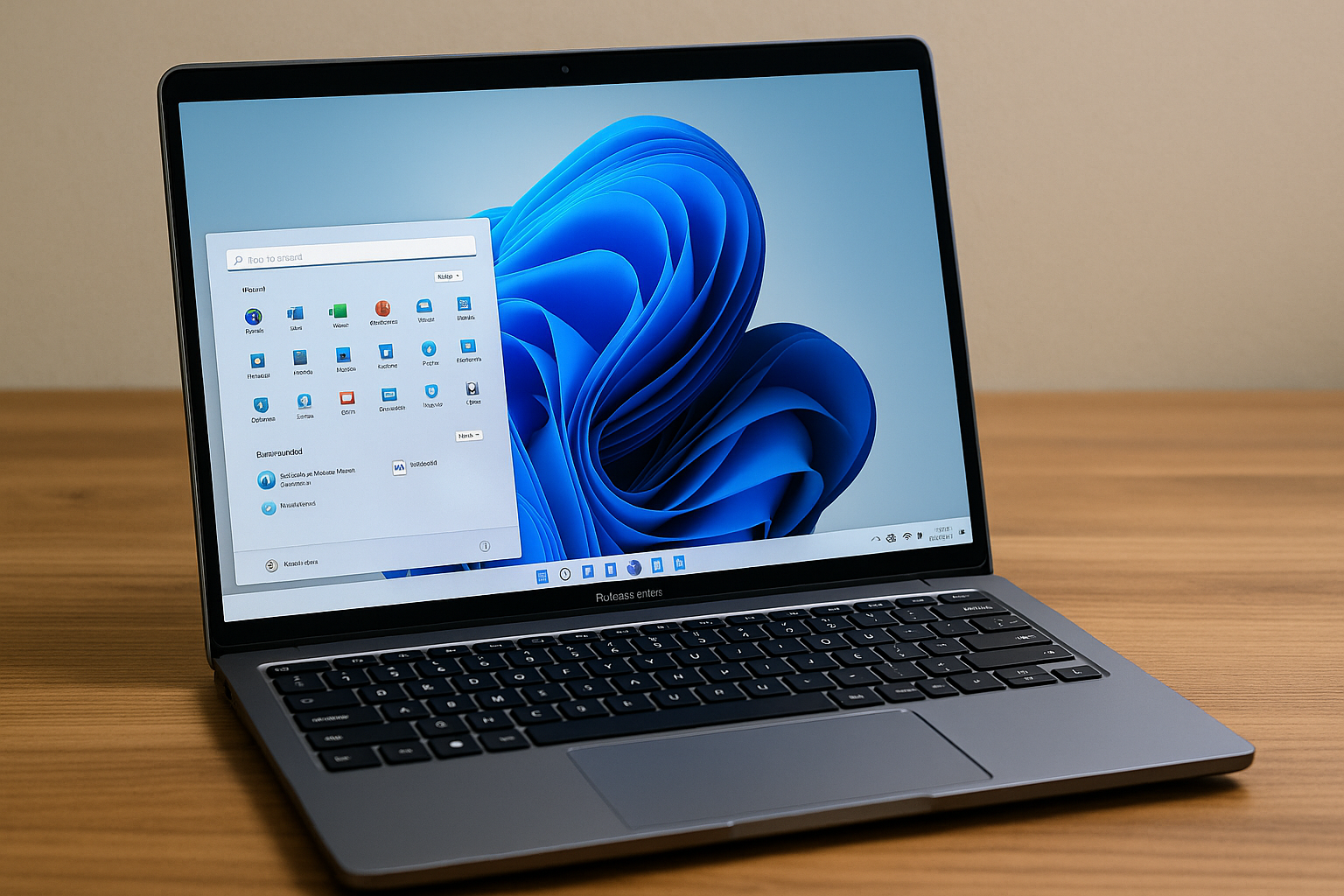
Microsoft makes Windows 11 update 24H2 available as a Release Preview version

laptops.-11-update-24h2-what-s-new-in-the-release-preview">Windows 11 Update 24H2: What’s New in the Release Preview?

Here’s an overview:

Introduction to Windows 11 and Its Evolution

With its debut in 2021, Windows 11 heralded a fresh era for Microsoft’s operating system lineage. Touted for its sleek user interface and improved performance features, Windows 11 was designed to offer a more modern and seamless user experience compared to its predecessors. The operating system has seen continuous updates aimed at refining security, productivity, and ease of use, while simultaneously introducing new services and applications. These updates have been an integral part of Windows 11’s evolution, as Microsoft responds to feedback and shifts in the tech landscape, ensuring users gain enhanced functionality and a more stable environment.

Unveiling 24H2: What’s New in the Latest Windows 11 Update Preview

  • Enhanced Taskbar functionality, including drag-and-drop features

  • Improved Start menu with additional customization options

  • Snap Layouts advancements, enriching multitasking experiences

  • Redesigned File Explorer with a more intuitive interface

  • New themes and accessibility features for a personalized touch

  • Optimized touch gestures and voice commands for tablet mode

  • Advanced security updates, bolstering system protection

  • Energy efficiency improvements for longer battery life on laptops

  • Increased compatibility with Android apps via updated subsystem

  • Refined gaming features for better performance and visual quality

    Aesthetics and User Interface Enhancements

Windows 11 Update 24H2 brings a fresh look to the user experience, with sleeker visuals and refined user interface (UI) elements. Users can expect:

  • Rounded Corners: Consistent with the Soft UI trend, windows and menus now sport rounded edges for a modern feel.
  • New Icons & Animations: Enhanced iconography and smoother animations contribute to a more responsive and engaging environment.
  • Updated Start Menu: The Start menu is more customizable, allowing for a personalized layout of apps and streamlined access to recently used files.
  • Taskbar Improvements: The Taskbar has been tweaked for better efficiency, with new features like easy-to-reach settings and notification updates.
  • Dark Mode Enhancements: Dark mode receives an upgrade, offering better contrast and wider application, reducing eye strain for users.
  • Touchscreen Optimizations: For devices with touch input, interactions have been made more intuitive and fluid.

These aesthetic updates are part of Microsoft’s continuous effort to enhance the usability and attractiveness of their flagship operating system.

Performance Tweaks and System Efficiency Improvements

Windows 11 Update 24H2 focuses on optimizing user experience through enhanced system performance. Notable improvements include:

  • Streamlined memory management, reducing overall system footprint.
  • Improved CPU scheduling algorithms to prioritize foreground applications, enhancing their responsiveness.
  • Introduction of an eco-friendly mode for battery optimization on supported hardware.
  • Enhanced disk I/O management to accelerate load times for frequently used apps.
  • Network stack updates for faster and more reliable internet connectivity.
  • Updates to system compression techniques, which free up storage space and improve system speed.

These refinements target a smoother and more efficient user experience across a variety of hardware configurations.

Accessibility Features and Inclusivity Advances

The Windows 11 Update 24H2 underscores Microsoft’s commitment to accessibility and inclusivity. Key advances include:

  • Enhanced screen reader support, ensuring seamless navigation for visually impaired users.
  • Improved voice recognition for dictation, benefiting users with mobility challenges.
  • Customizable text sizes and colour schemes that address various visual impairments.
  • Incorporation of sign language interpreter functionalities in Microsoft Teams.
  • Real-time subtitles and captioning features across system applications aiding the hearing impaired.
  • Expanded language support for the built-in Narrator to aid non-English speakers.
  • Easy-to-reach accessibility settings via a dedicated shortcut, streamlining the user experience for all.
  • Refined high-contrast themes to reduce eye strain and accommodate light sensitivity.

These improvements reflect Microsoft’s ongoing commitment to diversity and catering to a broader user base.

Enhanced Security Measures in Windows 11 24H2

Windows 11’s 24H2 update elevates system protection through several integrated security enhancements designed to counteract evolving cyber threats. New features include:

  • Hardware-based isolation: Strengthening the barrier between operating system and applications, mitigating the risk of malware compromising critical system components.
  • Advanced Encryption Standards: Enhanced data protection using stronger algorithms to prevent unauthorized access and ensure data integrity.
  • System Guard Secure Launch: A mechanism to ensure a trusted boot process, thwarting advanced firmware attacks.
  • Smart App Control: Utilizing AI to predict and block untrusted or suspicious applications from executing, thereby proactively preventing malware infections.
  • Ransomware prevention: Improved capabilities integrated with Windows Defender that detect and halt ransomware attacks earlier in the threat lifecycle.

These additions demonstrate Microsoft’s commitment to fortifying users’ digital security postures.

Integration with Cloud Services and Microsoft 365

Windows 11 Update 24H2 enhances the operating system’s interoperability with cloud services and Microsoft 365. Users can expect:

  • Smoother synchronisation with OneDrive, allowing for more streamlined access to cloud-stored documents.
  • A more integrated Microsoft 365 experience with improved in-built support in the OS, enriching productivity.
  • Direct Sharepoint and Microsoft Teams integrations, facilitating better collaboration and communication.
  • Updates to Windows 11 Mail and Calendar apps for better handling of Microsoft 365 accounts and features.

These updates aim to bolster productivity by providing seamless connectivity and utility for Microsoft’s suite of cloud services.

Gaming on Windows 11: The 24H2 Update Impact

The latest update to Windows 11 is set to bring noticeable improvements to the gaming experience. The 24H2 update introduces features and enhancements designed to capitalize on the powerful hardware within modern gaming rigs. Among the updates, gamers can anticipate the following:

  • Enhanced auto-HDR support for a wider range of games, delivering superior visual quality.
  • DirectStorage API improvements to accelerate load times on compatible NVMe drives.
  • Refined input latency for more responsive gaming, ensuring that players’ actions are more accurately reflected on-screen.
  • Game Mode optimizations that prioritize gaming resources to boost performance during play.

Together, these upgrades ensure that Windows 11 continues to be a robust platform for both casual and hardcore gamers.

Productivity Features: Boosting Workplace Efficiency

Windows 11 Update 24H2 introduces a suite of productivity tools designed to enhance workplace efficiency:

  • Snap Layouts: Enhanced for better multitasking, allowing users to organise windows with ease.
  • Focus Assist: Upgraded to minimize distractions, prioritise notifications, and streamline workflow.
  • Taskbar Updates: Provides quicker access to applications and files, boosting day-to-day operations.
  • Virtual Desktops: Improved for customisable workspaces catering to different projects or tasks.
  • Voice Typing: Advanced voice recognition facilitates effortless dictation and hands-free typing.
  • Microsoft Teams Integration: Streamlined for seamless communication within the Windows interface.
  • Clipboard History: Now supports cloud sync, ensuring important data is accessible across multiple devices.

These upgrades target the acceleration of daily tasks, promoting an effective and organised work environment.

Connectivity and Networking: What’s Changed?

With the Windows 11 24H2 update, Microsoft introduces numerous enhancements to its connectivity and networking features:

  • Wi-Fi 6E Support: Users can now leverage the latest Wi-Fi 6E technology, which enables faster and more secure wireless connections, provided they have compatible hardware.

  • Advanced Airplane Mode: Airplane mode has been revamped to allow users to select which wireless services are disabled, offering a more customised experience.

  • Enhanced Bluetooth Audio: The update brings support for the latest standards in Bluetooth audio for higher quality and more reliable wireless audio experiences.

  • Direct Mobile Data Connectivity: For devices equipped with cellular modems, the Direct Mobile Data feature streamlines the connection process to access mobile data more efficiently.

  • Network Diagnosis: The updated Network Troubleshooter is more intuitive and delivers comprehensive diagnostics for detecting and resolving networking issues.

    Exploring the Ecosystem: Compatibility with Apps and Hardware

Windows 11 Update 24H2 significantly enhances compatibility, ensuring a smoother experience with popular applications and hardware:

  • App Integration: The update expands app compatibility, reducing potential conflicts and improving performance.
  • Driver Support: It introduces updated drivers to provide broader hardware support, particularly for newer devices.
  • Peripheral Optimization: Enhanced optimization for peripherals offers improved plug-and-play experiences.
  • Scaling for High-Res Displays: Better scaling for high-resolution displays enhances visual clarity and usability.
  • Gaming Enhancements: Compatibility layers for gaming have been refined, optimising interaction with gaming hardware.
  • Security Compliance: Applications and hardware that meet Windows security standards are prioritised, fortifying system protection.
  • Troubleshooters: Integrated troubleshooters address compatibility issues more effectively, preventing disruptions.

These developments aim to bolster the reliability and satisfaction of Windows 11 users across a diverse range of software and hardware configurations.

User Feedback and Community Responses to 24H2

Reactions to Windows 11 Update 24H2 among users and online communities have been varied. Early adopters often share their experiences on forums and social media platforms, outlining several key points:

  • Performance Improvements: Many users have noted enhanced system performance and responsiveness after installing the update.

  • Feature Reception: Users are generally positive about the new features, particularly the enhancements to the taskbar and window management features.

  • Bugs and Stability Issues: Some users report encountering bugs, leading to discussions on troubleshooting these issues in online communities.

  • Feedback Channels: The community acknowledges Microsoft’s efforts in providing channels for feedback submission, which have been active post-release.

  • Support Experience: Several tech-savvy community members provide assistance to others, building a collaborative environment to address common questions and concerns.

    Troubleshooting Common Issues in the 24H2 Update Preview

When encountering problems with the 24H2 Update Preview, consider the following steps:

  • Update Drivers and Software: Ensure that all device drivers and software are up-to-date.

  • Check Compatibility: Verify that hardware and applications are compatible with the new update.

  • SFC Scan: Run System File Checker (SFC) to fix potential file corruption.

  • DISM Tool: Utilise Deployment Image Service and Management Tool to repair the Windows system image.

  • Clean Boot: Start the system with a minimal set of drivers and startup programs to rule out software conflicts.

  • Windows Update Troubleshooter: Run the built-in troubleshooter to fix update-related issues.

  • Feedback Hub: Report persistent issues through the Feedback Hub for support.

    Comparing 24H2 with Previous Updates: A Step Forward?

When measuring 24H2 against earlier Windows 11 iterations, several enhancements stand out:

  • Refined User Interface (UI): 24H2 introduces subtle UI changes that result in a cleaner and more unified experience. Prior updates laid the groundwork, but this release polishes these features.
  • Enhanced Performance: This update delivers performance upgrades that build upon the efficiency boosts seen in its predecessors, attempting to further optimise system resource usage.
  • Accessibility Improvements: Microsoft continues to expand accessibility features, and 24H2 has made significant strides in this area, surpassing previous updates in its commitment to inclusivity.
  • Security Features: New security layers in 24H2 enhance protection against contemporary threats, reinforcing previous updates’ security measures.
  • Productivity Tools: The introduction of new productivity features and the improvement of existing ones in 24H2 suggest a continued focus on enhancing user efficiency.

The 24H2 update appears to be an evolutionary step that refines the Windows 11 experience, addressing feedback from earlier versions and setting a new benchmark for the operating system’s development.

Future Prospects: What to Expect Beyond 24H2 for Windows 11

As Microsoft continues to evolve the Windows 11 operating system, users can anticipate a series of progressive updates post-24H2. Innovations likely to shape future releases include:

  • Enhanced AI integration, boosting productivity and personalisation options.
  • Continued refinement of the user interface for greater intuitiveness and accessibility.
  • Progressive security updates to address emerging cyber threats efficiently.
  • Deeper cloud integration to facilitate seamless cross-device experiences.
  • Expansion of the Windows Subsystem for Android, potentially accommodating a broader range of apps.
  • Further advances in gaming performance and features, leveraging new technologies.
  • Integration of feedback from the 24H2 release to inform user-driven improvements.

Microsoft’s commitment to biannual update cycles ensures that Windows 11 will consistently offer fresh and modern experiences.

Conclusion: The Potential Impact of 24H2 on Windows Users

The release of Windows 11 update 24H2 is poised to significantly influence user experience. With refined productivity features, enhanced security protocols, and optimised performance, the update could elevate efficiencies for personal and professional use alike. Accessibility improvements signal Microsoft’s commitment to inclusive design, while UI enhancements reflect a keen eye on aesthetic fluidity. The 24H2 update may not only boost user satisfaction but could also consolidate Windows 11’s position in the competitive operating system landscape. Overall, this release has the potential to be a noteworthy step forward for Windows users around the globe.

How can I clean a laptop?

5 Essential Steps to Safely Clean Your Laptop Inside and Out

How to Clean Your Laptop

To clean your laptop, start by turning it off and unplugging it from any power source. Then, use a soft brush or compressed air to remove dust and debris from the keys and ventilation slots. Next, use a soft, lint-free cloth lightly dampened with a mild cleaning solution and water to wipe down the exterior surface of the laptop. Be sure not to spray liquids directly onto the laptop and avoid applying too much pressure. Additionally, remember to clean the keyboard and screen regularly to remove fingerprints and grime. For more tips on caring for your laptop, visit our page for laptops.

Here’s an overview:

Introduction to Laptop Hygiene: Importance of Regular Cleaning

In a digital age where laptops have become an extension of our personal and professional lives, maintaining cleanliness is no longer a matter of mere aesthetics; it’s a necessity for ensuring longevity and performance. Regular cleaning extends beyond the surface; it is a critical part of laptop hygiene that prevents the build-up of dust, debris, and microorganisms, which can compromise both the functionality and health implications for the user.

Laptops, often transported from one environment to another, are subjected to a gamut of contaminants. Neglecting cleaning can lead to the following issues:

  • Health Rispects: Keyboards, in particular, can harbour more bacteria than a toilet seat, posing risks of illness and infections.
  • Overheating: Dust accumulation clogs the cooling vents, leading to overheating and potential hardware failure.
  • Reduced Efficiency: Dirty screens and components can impede clarity and responsiveness, affecting overall user experience.
  • Shortened Lifespan: Excessive dirt can corroret components over time, reducing the life expectancy of the device.

Therefore, incorporating laptop hygiene as part of a routine is pivotal. Aside from hygienic benefits, regular cleaning ensures optimal performance, keeping the laptop running smoothly and maintaining its resale value. It is crucial for individuals to remain cognizant of the gentle nature of laptop components and adopt methods that will not compromise the laptop’s integrity while cleaning. A combination of the right tools and techniques can make laptop cleaning both safe and effective.

Gathering the Right Cleaning Materials: What You Need

When embarking on the task of cleaning a laptop, selecting the appropriate materials is critical to ensure the safety of the device and effectiveness of the clean. Here are the essential materials needed for a comprehensive clean:

  • Microfibre Cloths: These cloths are gentle on screens and surfaces, effectively removing dust without scratching or leaving residues.
  • Isopropyl Alcohol: Look for a solution that contains at least 70% alcohol for sanitising surfaces. It evaporates quickly, minimising the risk of moisture damage.
  • Distilled Water: It’s free from minerals that are often found in tap water and will prevent leaving streaks on screens.
  • Cotton Swabs and Toothpicks: Cotton swabs are perfect for reaching tight spaces around keys and ports, while toothpicks can dislodge any stubborn debris.
  • Canned Air or Compressed Gas Duster: Essential for blowing dust out of keyboards, ports, and fans without physical contact that could cause damage.
  • Small Soft-bristled Brush: This can gently sweep dust from cooling vents and between keys.
  • Disposable Wipes: Preferably electronic wipes that contain isopropyl alcohol for quick cleanups or for use on the go.
  • Mild Dish Soap: A small amount diluted with water can be used for cleaning cases and non-screen surfaces.
  • Plastic Pry Tools: If you need to open the laptop for internal cleaning, plastic tools will prevent the scratching and damage metal tools can cause.

Remember to power off and unplug your laptop before cleaning. Additionally, never apply liquid directly to your laptop. Instead, slightly dampen a microfiber cloth with your cleaning solution before wiping down the device. With the right materials assembled, you can proceed to clean your laptop safely and thoroughly, maintaining its condition and functionality.

Preparing Your Workspace: Safety First

When undertaking the task of cleaning your laptop, ensuring a safe workspace is paramount. This requires a few vital steps to protect both yourself and your equipment during the cleaning process:

  • Create a Clean, Uncluttered Area: Choose a flat, stable surface in a well-lit area to work on. Remove any unnecessary items from the workspace to avoid accidental spills or damage and to provide ample room for all your cleaning supplies.

  • Static Electricity Precautions: Static electricity can severely damage the internal components of your laptop. Before starting, ground yourself to dissipate any static charge. This can be achieved by touching a grounded metal object or using an anti-static wrist strap.

  • Power Off and Disconnect: Always make sure that your laptop is switched off, unplanned hibernation or standby modes can lead to accidents. Disconnect the power adapter and all other connected devices. If possible, remove the laptop battery to prevent any chance of electrical shorts or shocks.

  • Organize Tools and Materials: Prepare all the cleaning tools and materials you will need, such as screwdrivers, isopropyl alcohol, microfiber cloths, and compressed air. Having everything organized in advance minimizes the need to stand up repeatedly, thereby mitigating potential accidents that may occur by hastily leaving the workspace.

  • Avoid Food and Beverages: To safeguard against liquid spills which can cause irreparable damage to electronic devices, refrain from having food or drinks in the cleaning zone.

  • Wear Appropriate Clothing: Loose clothing and dangling jewelry can get caught in your laptop or cleaning materials, creating a hazard. Wear snug-fit clothing and keep jewellery to a minimum.

Following these safety preparations lays a strong foundation for a safe and effective laptop cleaning experience, protecting both the user and the device from potential harm.

Powering Down and Disconnecting: Starting with a Safe Slate

Before embarking on any cleaning endeavour involving electronic devices like laptops, it is critical that they are switched off and disconnected from any power sources. This initial step is non-negotiable in the pursuit of safety for both the user and the machine.

  • Firstly, shut down your laptop completely. Do not opt for a restart or put it to sleep; a complete shutdown ensures that no electrical current is flowing through which might react unfavorably with any cleaning activities.

  • Once shut down, unplug the device from the mains. If you’re using a wired internet connection, also disconnect the Ethernet cable. Other peripherals, such as mice, keyboards, external drives, and USB-connected devices, should be removed as well.

  • Turn your attention to the laptop’s battery. If the design allows, remove the battery. This further minimises any electrical risks and gives you the freedom to clean the battery compartment.

  • Ensure that the laptop is cool to the stroke of your fingers, indicating that there are no concealed operations or lingering heat sources that could cause harm or adversely react with cleaning solutions.

Adhering to these steps prior to cleaning is akin to setting a blank slate; it provides a security assurance that removes the dangers of electrical mishaps. Moreover, it offers a clear work canvas, free from the potential constraints and complications brought by power being inadvertently supplied to the system.

By implementing these measures, you’re not only protecting your hardware but also safeguarding the intricate electronic nuances that keep your laptop functioning optimally in the long term. Now, with a safely powered down and disconnected machine, you’re ready to proceed to the next steps of the cleaning process.

External Cleaning: Wiping Down the Case and Screen

Maintaining the cleanliness of your laptop’s exterior is just as important as caring for its internal components. Dust, dirt, and fingerprints can not only spoil the appearance but also potentially interfere with the device’s functionality. The following process can be employed for effective external cleaning:

Case Cleaning:

  1. Power Down and Disconnect: Begin by shutting down the laptop and unplugging all connected devices.
  2. Use Appropriate Cloth: Obtain a soft, lint-free cloth—a microfibre cloth is ideal for this purpose.
  3. Apply Suitable Cleaner: If necessary, lightly dampen the cloth with water or a mixture of water and mild soap. Avoid spraying liquid directly onto the laptop.
  4. Gentle Wiping: Wipe the surface gently, paying special attention to areas where dirt accumulates. Always move the cloth in a consistent direction to avoid streaks.
  5. Dry Thoroughly: Follow up with a dry cloth to remove any moisture, ensuring you leave no wet patches to prevent damage.

Screen Cleaning:

  1. Select a Proper Cloth and Cleaner: It’s essential to use a soft cloth specifically designed for screens, paired with a suitable screen cleaner.
  2. Light Application: Lightly spray the cleaner onto the cloth, not directly onto the screen, to avoid liquid seeping into the bezel.
  3. Delicate Wiping: With the damp cloth, gently clean the screen in a circular motion to avoid streaking.
  4. Dry Off: Finish with a pass of a dry cloth to remove any streaks and ensure a clear, clean display.

Note: Under no circumstances should abrasive materials, alcohol, or bleach-based cleaners be used on the exterior of the laptop; these can cause irreparable damage to the screen and case materials. Always consult your manufacturer’s guidelines if in doubt about suitable cleaning products.

Keyboard Deep Clean: Keys to Keeping it Criss

The keyboard is one of the most touched and bacteria-prone components of a laptop. To maintain a clean and functional keyboard, certain steps must be diligently followed.

  1. Turn off the laptop and disconnect all power sources: This is crucial to avoid electrical damage or short-circuits.

  2. Remove debris: Turn the laptop upside down and gently shake it to dislodge any crumbs or dirt stuck between the keys.

  3. Use compressed air: Spray between the keys with a can of compressed air to remove dust and particles that shaking couldn’t. Angle the can slightly, but avoid turning it upside down to prevent moisture spillage.

  4. Apply cleaning solution to a microfiber cloth: A mixture of water and isopropyl alcohol (at least 70%) is effective. Never pour the solution directly onto the keyboard.

    • Lightly dampen the microfiber cloth with the mixture and gently wipe the keys and keyboard surface.
    • Avoid excess moisture, which could seep beneath the keys and cause damage.
  5. Consider key removal for deeper clean: For laptops that allow, carefully remove the keys to clean the area underneath.

    • Use a keycap puller or a flat tool to gently lever the keys off, starting from one corner.
    • Once removed, clean the keys individually with the previously mentioned cleaning solution.
    • Clean the underlying surface with the same solution but ensure minimal dampness.
  6. Allow to dry completely: Before reassembling or using the keyboard, ensure it’s thoroughly dry to avoid damaging the electronic components.

  7. Reattach any removed keys: Carefully snap them back into place, being sure they are properly seated and functional.

Regularly following these steps will prolong the life of the laptop keyboard and provide a more hygienic, crisp user experience.

Touchpad Tidiness: Maintaining Smooth Operation

A laptop’s touchpad is a vital component for navigation; hence, ensuring its cleanliness enhances its functionality and responsiveness. Here are some steps to keep the touchpad in prime condition:

  • Turn Off the Laptop: Begin by shutting down the laptop to prevent any unwanted clicks or system navigation while cleaning.

  • Use a Soft Cloth: Preferably, use a microfibre cloth to gently wipe the surface of the touchpad. If necessary, slightly dampen the cloth with water or an alcohol-based cleaning solution. Avoid using paper towels as they can be abrasive.

  • Apply Minimal Pressure: Apply gentle pressure to remove any oils or residue without damaging the touchpad’s sensitive surface. Do not use excessive force.

  • Target the Edges: Accumulated debris often collects at the edges of the touchpad. Carefully clean these areas with a soft-bristled brush or a toothpick, exercising caution not to scratch the surface.

  • Dry the Area: After cleaning, ensure that the touchpad is dry. Pass a dry section of the cloth over the touchpad to absorb any lingering moisture.

  • Regular Maintenance: Incorporate touchpad cleaning into regular laptop maintenance, doing so every few weeks or when needed to keep the touchpad responsive.

Remember, the touchpad’s sensitivity can be affected by both grime and liquid. Hence, one should always avoid spilling any substances on it and should be vigilant about cleaning their hands before use, which can reduce the frequency of deep cleans required. By maintaining a clean touchpad, users can enjoy uninterrupted cursor movements and touch gestures, leading to a more pleasant and efficient computing experience.

Ports and Peripherals: Clearing the Pathways

A pivotal part of laptop upkeep involves maintaining clean and functioning ports and peripheral connections. Dirt, dust, and debris can accumulate in these areas, leading to poor connectivity and potential hardware issues.

  • Begin by powering off your laptop and disconnecting any plugged-in peripherals, such as a mouse, keyboard, or external hard drive.
  • Use a can of compressed air to gently blow away dust from USB ports, HDMI ports, audio jacks, and any other openings. Short, controlled bursts will dislodge debris without pushing it further into the laptop.
  • For tougher grime that might be stuck around the ports, a cotton swab lightly dampened with isopropyl alcohol can be carefully used to clean around the edges. Make sure the swab isn’t dripping wet to avoid liquid getting inside the ports.
  • Cleaning card slots may require special attention. Gently insert a lint-free cloth slightly dampened with alcohol into the slot, being careful not to fray the cloth. Pull it out slowly to drag out any dust particles or buildup.
  • Inspect the peripheral devices and cables as well. Wipe them down with a soft, dry microfiber cloth. If necessary, gently clean the connectors with a cloth moistened with alcohol.
  • If your laptop has a removable battery, take it out and dust off any debris from the battery itself and the compartment using a soft brush or cloth.
  • Once you’ve cleaned the ports and peripherals, give them time to air dry completely before reconnecting any devices or powering on the laptop.

Making sure that these often overlooked pathways are clear not only improves the functionality of your laptop but also extends its lifespan by reducing wear on the connections.

Internal Cleaning Considerations: When to Seek Professional Help

While certain aspects of laptop cleaning can be handled personally with care and precision, there are situations where seeking professional assistance is not only beneficial but necessary. Users should consider the following scenarios in which a professional service is advisable:

  • Lack of Experience: If users are unsure about their ability to disassemble and reassemble their device without causing damage, professionals can ensure the safe handling of sensitive components.

  • Warranty Concerns: Tampering with a laptop’s internal components may void the warranty. Professionals are familiar with the policies of different manufacturers and can perform the necessary tasks without risking the warranty status.

  • High-Value Devices: High-end laptops with complex architectures or delicate parts might require specialised tools and expertise. In these cases, it’s wise to trust the task to those who are trained to handle such devices.

  • Persistent Issues: If a laptop continues to overheat, make strange noises, or exhibits other signs of internal issues after a basic cleaning, a deeper problem may exist. Technicians can diagnose and address these issues more thoroughly.

  • Liquid Damage: In the event of liquid spills, merely drying out the device is not enough. Corrosion can set in quickly, so professional cleaning is necessary to prevent long-term damage.

In these cases, users are encouraged to seek the assistance of certified technicians who offer professional cleaning services. These experts have the proper tools, knowledge, and experience to perform a detailed cleaning of the laptop’s internal components, improving its performance and longevity while also preserving the user’s safety and the device’s functionality.

Reassembling and Reconnecting: The Final Steps

After meticulously cleaning the laptop, both inside and out, it’s now time to carefully reassemble the components to restore the laptop to its operational state.

  1. Begin with Internal Components: If any parts were removed, such as the battery or RAM, carefully replace them. Ensure they snap securely into place. For parts like the battery, align it with its connector, and gently press down until it clicks. With RAM, align the notches and apply even pressure on both ends until the clips hold the module in place.

  2. Reattach Cables and Hardware: For dislodged cables, connect them firmly back into their respective ports. Reinstall the keyboard by reversing the disassembly process, ensuring that the ribbon cable is correctly seated and secure.

  3. Screw in the Chassis: Replace the screws that were removed from the laptop’s bottom panel or chassis. Do this in a cross-star pattern to ensure even pressure distribution, which is particularly important for larger laptops.

  4. External Devices: Reconnect any external devices such as mouse, keyboard, or external drives. This is also an optimal time to manage cables and ensure the workspace is organised.

  5. Power Test: Before replacing any covers, turn on the laptop to check that all components are working correctly. If the laptop powers on and boots normally, then proceed to replace the covers.

  6. Final Touches: With the assurance that the internal components are functioning, replace any external covers. Snap them back into place with gentle, but firm pressure. Make sure all clips and screws are accounted for to prevent rattles or loose fittings.

Upon completion of these steps, the laptop should be in top operational condition. The careful reassembly ensures that users can transition back to their work or personal activities with a clean and optimally functioning device. Remember to dispose of any used cleaning materials appropriately and recycle them if possible.

Maintaining Your Laptop: Routine Cleaning Tips

Maintaining the cleanliness of a laptop ensures both its aesthetic appeal and functional longevity. Laptop owners are urged to incorporate the following cleaning habits into their routine:

  • Exterior Cleaning: Begin with the laptop turned off and unplugged. Use a soft, lint-free cloth, lightly dampened with water or an appropriate electronic cleaner, to wipe down the exterior. Avoid abrasive cloths, towels, paper towels, or similar items that might cause damage.

  • Keyboard Care: Turn the laptop upside down and gently shake it to dislodge any debris. Compressed air can be used to blow out particles from between the keys. For a deeper clean, lightly dampen a microfiber cloth with isopropyl alcohol and wipe the keys; do not allow liquid to seep beneath them.

  • Screen Polishing: The display is delicate and should be treated carefully. Use a soft, dry cloth to remove dust. Stubborn smudges can be tackled with a microfiber cloth and a small amount of specialised screen cleaning solution. Never use window cleaners, household cleaners, or alcohol.

  • Ventilation Optimization: Keeping vents clear from dust maximizes cooling efficiency and improves performance. Use a can of compressed air to blow dust away from the fan and exhaust vents, being careful to hold the can upright to prevent moisture from entering the system.

  • Peripheral Attention: When cleaning, remember peripheral devices. Wipe down your mouse and any external keyboards or monitors connected to your laptop, following the same general principles for the laptop itself.

Regular maintenance should also include digital hygiene, such as organizing files, updating software, and running antivirus checks. This comprehensive approach to cleanliness protects both the outside and the digital inside of the laptop.

Conclusion: The Benefits of a Clean Laptop

Maintaining a clean laptop extends far beyond mere aesthetics. Engaging in this practice yields a multitude of benefits that enhance both the machine’s performance and the user’s experience. Firstly, removing dust and debris can significantly improve thermal performance. Cooling systems within laptops are finely tuned to dissipate heat effectively; when obstructed, the risk of overheating rises, potentially causing hardware failures. A clean laptop maintains optimal operating temperatures, ensuring longevity of the internal components.

Secondly, a clean keyboard and screen directly enhance the user’s interaction with the device. Clear displays and responsive keys facilitate more efficient work and a more pleasant entertainment experience. Furthermore, regular cleaning reduces the buildup of germs and bacteria, a crucial factor for maintaining good hygiene, particularly for devices that are frequently touched.

Another benefit lies in maintaining the laptop’s value. Should the time come to sell or trade in the device, a well-maintained appearance can significantly increase its market value. Buyers are far more inclined to pay a premium for electronics that have been cared for properly.

Lastly, engaging in the practice of regular cleaning can also reduce the likelihood of costly repairs. Dirt and debris can cause short-circuiting and other electrical issues that may not only require professional attention but could also lead to the loss of important data.

In essence, taking the time to clean a laptop is an investment in its performance, lifespan, and value. It is a simple yet effective way to ensure the machine continues to serve its purpose efficiently and safely.

Using Facebook in 2024

Navigating the New Features: How to Use Facebook in 2024

Using Facebook in 2024

In 2024, Facebook remains a popular platform for staying connected with friends, family, and online communities. With new features and updates, such as augmented reality in posts, data privacy continues to be a major concern for users. As Facebook evolves, it's important to follow best practices for cybersecurity and adjust privacy settings according to your personal preferences. For more information on safely and effectively using Facebook in 2024, check out our page for laptops.

Here’s an overview:

Introduction to Facebook’s Evolving Landscape in 2024

As the calendar page turned to 2024, Facebook—once a simple social networking platform—has continued to evolve, embodying a complex, feature-rich digital ecosystem. With the integration of cutting-edge technologies and the introduction of innovative functionalities, Facebook has stayed at the forefront of the social media evolution, reflecting the changing dynamics of online communication and commerce.

  • The platform’s user interface has seen significant updates to improve user experience with cleaner layouts and intuitive navigation.
  • Facebook’s commitment to augmented reality (AR) and virtual reality (VR) has burgeoned, with immersive experiences becoming commonplace on users’ newsfeeds.
  • The social giant has ventured further into e-commerce, refining its Marketplace with advanced AI for personalized shopping and secured payment systems.
  • To encourage content creators, Facebook has enhanced its monetization policies and launched new tools for content management and audience analytics.
  • The amalgamation of machine learning algorithms has led to smarter newsfeed curation, addressing the perennial challenge of information overload.
  • User privacy settings have been overhauled in response to increasing demands for data security, giving individuals more nuanced control over their information.

In the face of rising competition from new platforms, Facebook’s adaptations reflect a commitment to retain its vast user base by not just responding to user needs, but also anticipating and shaping them. It’s an intricate balance between innovation and familiarity, with the platform striving to offer perennial value to both new and longstanding members of its global community.

A Deep Dive into Facebook’s 2024 Interface: What’s Changed?

With the roll-out of its 2024 interface, Facebook has implemented a variety of changes to provide a more immersive experience to users. These alterations range from aesthetic tweaks to the introduction of cutting-edge functionalities.

  • New Customisable Dashboards: Users can now personalise their home screens, prioritising content streams, notification panels, and chat systems according to their preferences.
  • Improved Voice Command Features: Navigation is more accessible with enhanced voice command options, allowing for hands-free scrolling, posting, and messaging.
  • Intuitive Content Discovery Algorithms: The feed showcases a more relevant array of posts, calculated through a refined algorithm that tracks user interactions, interests, and time spent on various topics.
  • Augmented Virtual Reality Integration: Users can engage in virtual spaces with friends or public communities, further blending digital social interactions with real-life encounters.
  • Revamped Privacy Settings Interface: Privacy controls have become more transparent and manageable, with a simplified layout and clearer explanations of data use.
  • Enhanced Accessibility Options: New settings have been incorporated, including text-sizing, colour contrast adjustments, and descriptive audio for images, contributing towards a more inclusive platform.
  • Smart Scheduling for Posts: The interface suggests optimal times for posting based on audience activity and engagement patterns, aiding users in maximising visibility.
  • Advanced Analytics for Business Pages: More detailed insights provide page owners with information on post-performance, audience demographics, and real-time engagement data.

This comprehensive overhaul demonstrates Facebook’s dedication to creating a tailored, user-friendly experience while paving the way for heightened interaction among its global community.

Understanding Facebook’s New Privacy Settings and Controls

Facebook’s commitment to enhancing user privacy has led to the overhaul of its settings and controls in 2024. Users can now navigate a more intiuitive and streamlined privacy dashboard, aimed at providing clearer options and guidance.

  • Simplified Privacy Shortcuts: Users can easily locate privacy shortcuts. This allows for quick adjustments to who can see their posts and personal information.
  • Clearer Activity Controls: The updated ‘Activity Log’ is more user-friendly, enabling individuals to review and manage their past activity, tagged posts, and shared items with much greater ease.
  • Enhanced Ad Preferences: Facebook has expanded its ad preferences settings, granting more control over the data that informs the ads users see. Additionally, there is a feature that explains why users are seeing a particular ad.
  • Privacy Checkup Feature: This guided tool helps users to review and adjust their privacy settings. It now includes personalised recommendations to ensure the highest level of personal privacy.
  • Data Management: Facebook has introduced new ways to manage data storage and history. Users can clear their browsing history on Facebook, similar to clearing cookies and cache in a web browser.
  • Face Recognition Settings: The new face recognition setting is opt-in by default. Users who do not wish to have their face recognised can opt out easily.
  • Improved Transparency Reports: Regular transparency reports clarify how user data is being used and the frequencies of data requests from governments.

These improvements indicate Facebook’s commitment to user data protection and transparency. Users are encouraged to regularly visit their privacy settings and ensure they align with their values and comfort levels. By staying informed and utilising these new controls, users can take charge of their privacy on Facebook in 2024.

Maximising Your News Feed: Tips for Personalisation

To enhance one’s Facebook experience in 2024, personalising the news feed is essential. With the following strategies, users can tailor their feed to display content that genuinely resonates with their interests.

  • Firstly, engage with preferred content. Facebook’s algorithms cater the news feed based on interaction; hence, consistently liking, commenting on, and sharing favoured posts informs the system of one’s preferences.
  • Secondly, take advantage of Facebook’s ‘Following’ feature. By following favourite pages and profiles, users ensure their news feed is populated with content from chosen sources.
  • Users should manage their friend list. Categorising friends into ‘Close Friends’ or ‘Acquaintances’ influences the frequency with which one sees updates from them.
  • Utilise the ‘Snooze’ or ‘Unfollow’ options for temporary or permanent removal of a user’s content from the news feed, without unfriending them.
  • Customising the news feed preferences allows users to prioritise who to see first and to rediscover pages and people one may have lost touch with.
  • Explore the ‘Topics’ feature to tell Facebook what type of content is preferred. Selecting topics of interest can refine the types of posts that appear.
  • Regularly audit the news feed for relevance. If a post is not of interest, users can select the option to see fewer similar posts in the future.

By enhancing their news feed through these methods, users can create a Facebook experience that is more enjoyable and relevant to their individual tastes.

Connecting with Friends and Community: The Enhanced Messaging Suite

Facebook in 2024 introduces a robust Enhanced Messaging Suite designed to foster deeper connections with friends and community. This suite combines the practicality and intimacy of messaging with cutting-edge features aimed at enriching social interactions in a digital environment.

  • Real-Time Translation: With real-time translation capabilities, users can now communicate seamlessly with friends around the globe without language barriers. Messages are instantly translated, ensuring that your connections are not limited by linguistic differences.

  • Message Scheduling: The ability to schedule messages allows users to send birthday wishes, reminders, or updates at the most opportune moment. This feature is particularly beneficial for those wishing to maintain relationships across different time zones.

  • Advanced Group Chats: Group chats have evolved with more sophisticated moderation tools and custom user roles to enhance group dynamics. Organisations and communities can tailor their communication effectively, manage memberships, and maintain a harmonious online environment.

  • Voice and Video Integration: The suite seamlessly integrates high-quality voice and video calls, enabling users to switch from text to a more personal form of communication effortlessly. It’s perfect for those moments when a face-to-face conversation makes all the difference.

  • Enhanced Security: Privacy and security are paramount, and the Enhanced Messaging Suite doesn’t compromise. End-to-end encryption across all messaging formats assures users that their conversations are protected from any unauthorised access.

  • Emphasis on Mental Well-being: With mental well-being in mind, the new suite includes features to encourage positive interactions and provide support resources. This demonstrates Facebook’s commitment to the psychological safety of its users while allowing them to foster a sense of community.

The Enhanced Messaging Suite harmoniously blends convenience, connection, and care to ensure that engaging with friends and community on Facebook remains a versatile and positive experience well into 2024.

Exploring Facebook’s Newest Features: Virtual Reality Integration

In 2024, Facebook continues to push the envelope of social interaction with the introduction of Virtual Reality (VR) integration. This feature transforms the way users connect, share, and experience content. Incorporating VR technology, Facebook has evolved into an immersive platform where users can meet in virtual spaces, attend live events, and interact with the digital environment in a more tangible manner.

Virtual Spaces and Social Hangouts

  • Individuals can create personal VR spaces, inviting friends and family to visit and socialize as though they were face-to-face.
  • Facebook offers pre-designed virtual environments or allows users to customize their own.

Enhanced Live Events

  • Live concerts, conferences, and seminars can be attended virtually, providing an experience akin to physically being there.
  • Attendees interact in real-time, network, and participate in VR-specific activities.

Interactive Content Sharing

  • Users share 3D objects or environments they’ve created or explored.
  • Friends interact with these shares within their VR setups, enhancing the depth of digital social interactions.

Advertising and Commerce

  • Facebook has innovated VR ad formats allowing users to virtually try on products or experience services.
  • VR storefronts are now a reality, where users can shop as if they were in a physical store.

One significant advancement is the ability to create virtual meeting rooms for professional purposes. Users can collaborate on projects within a simulated 3D environment, manipulating virtual objects and visualizing data in real-time. The integration of VR has shaped Facebook into a multifaceted platform, providing users with rich, interactive experiences that go beyond traditional screen-based interfaces. As Facebook forges ahead, it continues to redefine barriers between the digital and the physical realms, bringing friends, communities, and brands into an engaging and connected VR ecosystem.

Business and Advertising: Leveraging the Latest Tools on Facebook

In 2024, Facebook has revolutionized the approach businesses take towards advertising. With a suite of new tools at their disposal, marketers can now reach audiences more effectively and track the impact of their campaigns with unparalleled precision.

  • AI-Driven Analytics: Utilise Facebook’s advanced AI-powered analytics to understand audience behaviour better and refine targeting strategies. These intelligent insights help businesses to create content that resonates with their demographics and to optimise ad spend.

  • Augmented Reality Ads: With Facebook’s AR capabilities, businesses can create interactive ads that immerse users into a virtual experience. From trying on glasses or makeup to visualising furniture in their homes, customers can engage with products in a dynamic way before purchasing.

  • Customised Chatbots: Incorporate AI-driven chatbots into Messenger to automate customer service. These intelligent bots can handle inquiries, provide recommendations, and even assist with transactions, streamlining the shopping experience.

  • Influencer Collaboration Tools: Leverage Facebook’s enhanced tools for influencer partnerships. This features simplified discovery, secure messaging, and transparent performance tracking, making it easier to initiate and manage collaborations.

  • Cross-Platform Ad Management: Use Facebook’s integrated ad management system to coordinate campaigns across all Meta platforms — Facebook, Instagram, WhatsApp, and Messenger. This unified approach ensures a cohesive brand message and maximises reach.

  • Visual Search Ads: As visual search technology advances, Facebook offers the opportunity for businesses to tag products in images and videos, allowing users to click and shop directly. This seamless method of shopping enhances user experience and potential for sales.

By taking full advantage of these innovative tools, businesses can amplify their brand presence on Facebook. More importantly, the direct connection with their audiences through these personalised and interactive ad formats can lead to a higher conversion rate and increased customer loyalty.

Facebook Groups and Events: Navigating the Latest Updates

In 2024, Facebook Groups and Events continue to be integral parts of the platform, offering users the opportunity to connect with like-minded individuals and partake in various activities. Recent updates have been introduced to enhance the user experience, streamline group interactions, and simplify event management.

  • Simplified Event Creation: The redesigned event creation process now utilises an intuitive layout with prompts to ensure all the essential details are covered. Organisers can easily add images, descriptions, and customisable privacy settings, which is particularly useful for public versus private gatherings.

  • Advanced Group Admin Tools: Group administrators have access to more robust tools, including better member insights. Analytics now track member engagement over time, identify active time slots, and suggest peak times for posting content to maximise visibility.

  • Direct Integration with Other Features: Groups can now integrate directly with Facebook Shops, allowing members to browse and purchase without leaving the group interface. Additionally, events can be linked with Facebook Live, creating a seamless transition from RSVP to virtual attendance.

  • Improved Moderation Capabilities: Moderation features have been enhanced to automatically detect and flag potential policy violations, taking some pressure off of admins. Customised keyword alerts also allow for proactive monitoring of discussions.

  • Personalised Group Discovery: A revamped recommendation engine suggests groups based on user activity across Facebook, helping individuals find new communities that match their interests.

Using these updated tools effectively requires understanding the specifics. Administrators should review the latest help guides provided by Facebook to master the newest features. Meanwhile, event organisers are encouraged to experiment with the diverse range of functionalities to elevate their event planning and execution.

Content Creation and Sharing in the New Decade: What You Need to Know

With the digital landscape constantly evolving, Facebook in 2024 presents creators and users with innovative tools and features catered to enhanced content creation and sharing. Understanding these developments is crucial to maximise the platform’s potential for personal and professional use.

  • Dynamic Content Algorithm: The platform’s algorithm now favours content that promotes user interactivity, such as polls, questions, or live videos. To engage your audience, integrate these elements into your posts.

  • Augmented Reality (AR) Integration: AR tools have been integrated into Facebook’s content creation suite, allowing creators to implement immersive experiences directly into their posts. Use AR filters or create your own to captivate and grow your audience.

  • Advanced Analytics: New analytical tools provide deeper insights into content performance, audience demographics, and engagement patterns. Regularly review this data to tailor your content strategy effectively.

  • Content Moderation: With enhanced AI moderation, Facebook is more stringent on community standards. Familiarise yourself with the updated guidelines to ensure your content remains visible to your intended audience.

  • Collaborations and Partnerships: Facebook has expanded its options for collaborations, enabling easier partnerships with other creators and brands. Utilise these features to cross-promote and expand your reach.

  • Platform Cross-Posting: Use cross-posting features to share content across different social media platforms owned by Facebook. This ability streamlines content distribution and can significantly boost your online presence.

  • Monetisation Opportunities: Keep abreast of the changing policies regarding monetisation to capitalise on your content effectively. New avenues such as subscription models, paid events, and ad revenue sharing are available.

In summary, the new decade’s content creation and sharing environment on Facebook is vibrant and multi-faceted. Stay updated on these changes to leverage the platform’s full capacity for connecting and engaging with your audience.

Using Facebook’s 2024 Analytics: A Guide for Creators and Marketers

Facebook’s 2024 Analytics offers powerful tools designed to help creators and marketers tailor their content and campaigns for maximum impact. To effectively use these analytic capabilities, one must understand the features and how to interpret the provided data.

  • Accessing the Analytics Dashboard: The dashboard is the nerve centre for Facebook’s Analytics. Creators and marketers must first familiarise themselves with the layout. It can be found under the ‘Insights’ tab on a Facebook Page or within the Business Suite for those managing multiple assets.

  • Audience Insights: A crucial component of Facebook’s Analytics is Audience Insights. It offers demographic information, interests, and behaviours of your page followers. Utilising this feature equips creators and marketers to refine their targeting and content strategies to align with their audience’s preferences.

  • Engagement Metrics: Engagement metrics are pivotal for gauging content performance. Look for trends in likes, comments, shares, and video view times to understand what content resonates. This can inform future content creation and posting schedules.

  • Conversion Tracking: With Facebook’s pixel or Conversions API, users can track how effectively ads lead to desirable actions, like purchases or sign-ups. It’s essential to set up conversion tracking to measure the ROI of marketing campaigns accurately.

  • Custom Reports: Custom reports can be created to focus on specific metrics that matter most to a campaign or content strategy. This allows a tailored analysis approach, making it easier to drill down into the data that will inform crucial business decisions.

Analytical strategic thinking is paramount for success on Facebook’s platform. By leveraging the tools and insights provided, creators and marketers can hone their content and campaigns to precision, align with their audience, and excel in their online endeavours.

Managing Your Digital Wellbeing on Facebook: Tools and Resources

In this digital age, it’s essential to maintain a healthy balance between our online and offline lives. Facebook offers various tools and resources to support users in managing their digital wellbeing:

  • Time Management Notifications: Facebook allows users to set daily reminders to limit their time spent on the platform. Users can adjust these notifications to suit their wellbeing goals.

  • Activity Dashboard: This feature provides insights into time spent on Facebook, helping users to be mindful of their usage patterns and make informed decisions about their screen time.

  • Sleep Mode: The platform now includes a “Sleep Mode” for notification settings, silencing them during designated hours to prevent sleep disruption and ensure users can unwind without digital interference.

  • News Feed Preferences: Users can customise their News Feed to prioritise posts from family and friends, reducing exposure to potentially stressful or negative content.

  • Quiet Mode: For times when users need to focus or take a break, Quiet Mode mutes most push notifications, with the exception of urgent alerts, enabling a less interrupted experience.

  • Mental Health Resources: A dedicated section provides access to mental health services and tips for maintaining psychological wellbeing, including mindfulness exercises and expert advice.

Facebook encourages users to regularly assess and adjust their usage settings, promoting an environment that supports individual wellbeing. By utilising these tools and resources, users can actively control their digital engagement, ensuring that their time on Facebook contributes positively to their overall life experiences.

Getting Help: Utilising Facebook’s Updated Support Features

In 2024, Facebook’s commitment to user support has seen considerable improvements with enhanced support features designed to offer users instant and effective assistance. Facebook recognises the importance of timely help, and its updated support structure reflects this priority.

  • In-App Support Chat: Facebook has implemented a 24⁄7 in-app support chat feature that connects users directly with support staff. This feature is accessible through the ‘Help & Support’ section within the settings menu. The response times are impressively quick, and live agents are equipped to resolve a wide array of issues.

  • AI-Powered Assistance: Pioneering an AI-driven helpdesk, Facebook now uses advanced machine learning algorithms to provide automated solutions. It can identify user issues through keywords and offer instant guidance to rectify common problems.

  • Crowdsourced Support Hub: A community-driven support hub allows users to seek advice from other experienced Facebook users. This peer-to-peer support mechanism is moderated by Facebook to ensure accurate and helpful responses.

  • Video Support Guides: An extensive library of support guides has been developed, featuring video tutorials to help users navigate various functions. These are categorised by topic for easier access and are frequently updated to address the latest updates and features.

  • Dedicated Help for Business Pages: Specific assistance for businesses utilising Facebook for commercial purposes includes a dedicated support line, offering detailed aid for advertising, page management, and analytics.

While these features have been optimised for user-friendly interaction, it’s vital to note that they work best when users provide clear and concise descriptions of their issues. Also, given the breadth of Facebook’s offerings, they regularly update the Help Center with new articles reflecting changes and features. Users are encouraged to review these resources before seeking direct assistance, as many questions and concerns are thoroughly addressed in these guides.

Wrap-Up: Embracing Change and Making the Most of Facebook in 2024

As we reach the end of our guide through Facebook’s latest landscape, it’s clear that the platform continues to evolve at a swift pace. In 2024, users must stay agile, adapting to new features and updates that could transform the way they interact, share, and connect. Embracing change on Facebook necessitates a proactive mindset, where users continuously learn and leverage these developments for their personal and professional lives.

  • Familiarise yourself with AI-driven tools. AI is reshaping social interactions on Facebook, introducing personalised experiences. Stay informed about these tools to enhance your engagement.
  • Dive into immersive experiences with VR. Virtual Reality on Facebook has created unique avenues for content consumption and interaction. Explore the virtual spaces to stay ahead in social connectivity.
  • Utilise advanced analytics. With the introduction of more sophisticated analytics, assess your online presence with greater precision to optimise your content strategy.
  • Engage with community features. New group tools and community-building features are at the forefront of Facebook’s focus. Use them to create or join vibrant, meaningful communities.
  • Prioritise privacy and data security. With ongoing changes to privacy policies, make sure you understand your options and take steps to protect your information.

By staying vigilant and open to the potential of Facebook’s dynamic environment, users can not only keep up with the pace of change but also tap into its full potential. The transformations seen and the adaptability they necessitate indicate the platform’s commitment to innovation. In 2024 and beyond, making the most of Facebook means staying informed, being adaptable, and using these changes to one’s advantage.

All information about the iPhone 15

iPhone 15: An In-Depth Exploration of Its Camera, Battery Life, and AI Capabilities

All information about the iPhone 15

Discover all the information about the new iPhone 15 on our Apple page!

Here’s an overview:

Introduction: The Buzz Around iPhone 15

Each year, the anticipation surrounding the release of a new iPhone model escalates to fever-pitch levels, often sparking spirited discussions and speculations among technology enthusiasts and everyday consumers alike. The upcoming iPhone 15 by Apple Inc. is no exception, teeming with rumours and leaks that have painted a picture of a device that may potentially redefine the standards of smartphone technology.

Central to the discussions are the purported advancements in the phone’s core features, which speculate significant improvements in three key areas:

  • Camera Quality: The iPhone has long been lauded for its camera capabilities, and the iPhone 15 is expected to push this bar even higher. Rumours suggest the incorporation of advanced sensors and optics, potentially providing users with professional-grade photography experiences.
  • Battery Life: Improvements in battery performance signal a device that can keep pace with the demands of modern users, championing increased efficiency without compromising on the device’s slim profile.
  • AI Capabilities: With artificial intelligence becoming a cornerstone of technological advances, the iPhone 15 is predicted to integrate AI more seamlessly than ever before, affecting everything from user interface personalisation to computational photography.

The fervour does more than just hint at the new technical specifications – it underscores a consumer market that is increasingly discerning and places a premium on innovation. As such, the iPhone 15 not only represents a forthcoming product launch; it is also a touchstone for assessing the current trajectory of smartphone technology. In this piece, the aim is to explore, with a fine-tooth comb, the veracity of these claims and what they could mean for consumers upon the iPhone 15’s release.

Evolution of the iPhone: A Brief Look Back

The iPhone has undergone significant transformation since its inception in 2007. With each iteration, Apple has strived to enhance user experience through technological advancements, leading to a device that has reshaped modern communication and technology.

  • 2007 - The Original iPhone: It all commenced with the first-generation iPhone, a revolutionary product that introduced the concept of a touchscreen smartphone, integrating phone, iPod, and internet communicator into one.

  • 2008 - iPhone 3G: Apple introduced 3G capabilities alongside the App Store, vastly expanding the phone’s functionality.

  • 2009 - iPhone 3GS: With the 3GS, performance was the focus, boasting improved speed and a better camera.

  • 2010 - iPhone 4: The iPhone 4 brought a significant design overhaul with a stainless steel frame and Retina Display, raising the bar for smartphone aesthetics and screen quality.

  • 2011 - iPhone 4S: Siri, the virtual assistant, was introduced, marking the beginning of voice-controlled AI on smartphones.

  • 2012 - iPhone 5: A taller screen and LTE connectivity made the iPhone 5 more user-friendly and faster in data handling.

  • 2014 - iPhone 6 and 6 Plus: This generation saw two size variants and the introduction of NFC for Apple Pay.

  • 2015 - iPhone 6S and 6S Plus: The 3D Touch feature was added to detect different levels of screen pressure.

  • 2016 - iPhone 7 and 7 Plus: Apple removed the headphone jack and improved the camera with a dual lens in the Plus model for better zoom.

  • 2017 - iPhone X: Celebrating ten years, iPhone X featured facial recognition technology and an edge-to-edge OLED display.

  • 2018 - iPhone XR, XS, and XS Max: These models refined the bezel-less design and introduced Smart HDR for better photo processing.

  • 2019 - iPhone 11 Series: The 11 series focused on camera improvements, especially in low-light conditions with Night Mode.

  • 2020 - iPhone 12 Series: 5G connectivity was now a standard feature along with a new flat-edge design reminiscent of the iPhone 4 and improved Ceramic Shield glass.

  • 2021 - iPhone 13 Series: Highlighted by better battery life, storage options, and enhanced cinematographic capabilities with Cinematic Mode.

From the edge of possibility to the cusp of reality, the iPhone has continually set benchmarks in the smartphone industry, making anticipation for the iPhone 15’s features, especially in camera, battery life, and AI, keenly palpable amongst consumers and tech enthusiasts alike.

Design Innovations: Expectations Versus Reality

When it comes to the iPhone 15, expectations for design innovations are set particularly high, fuelled by Apple’s reputation for pushing the envelope. Customers envisioned a phone that would revolutionise the market with a seamless, button-free design with at least some of these whispered features becoming reality. Here’s how these expectations stack up against what the iPhone 15 actually offers:

  • Edge-to-edge display: While rumours hinted at a completely bezel-less experience, the reality presents a design with minimised but still present bezels for structural integrity and handling.

  • Port-less charging: The expectation was the eradication of all physical ports in favour of wireless data transfer and charging. The iPhone 15, however, continues to sport the lightning port, albeit with enhanced capabilities.

  • Under-display Touch ID: Users anticipated a comeback of the Touch ID, this time embedded under the display. Instead, the reality embraces Face ID as the central biometric, with no sign of an under-display fingerprint scanner.

  • Smart Material Choices: Expectations included the use of new, scratch-resistant materials or a self-healing display. The iPhone 15 has improved its durability with tougher glass, but the dream of self-regenerative screens remains unfulfilled.

  • Foldable Screen Technology: The market buzz around foldable phones had consumers hoping the iPhone 15 might include a foldable option. Reality kept the design classically rigid, though with enhanced screen technology for better display quality.

These discrepancies between expectation and reality in design innovation not only underline the challenges of integrating cutting-edge technologies but also reflect practical limitations and strategic decisions by Apple regarding the iPhone 15’s design direction.

Display Advancements: What Could Be Next?

As the technological horizon continues to expand, so too do the possibilities for the iPhone 15’s display technology. Anticipation mounts as consumers and industry experts alike speculate on advancements that might feature in the next iteration.

  • Micro-LED Displays: Transitioning from OLED, the iPhone 15 might incorporate Micro-LED technology, offering higher brightness, improved energy efficiency, and a longer lifespan. This advancement could be a pivotal turning point, augmenting the user experience with richer colours and deeper blacks.

  • ProMotion Technology Upgrades: Though ProMotion, with its adaptive refresh rates up to 120Hz, already exists in the current iPhone models, future models could push this technology further. Expectations lean towards a dynamic refresh rate that could range from 1Hz to 240Hz, optimising battery life and offering smoother animations and video playback.

  • Under-display Touch ID: With facial recognition already a staple, the next frontier might bring back Touch ID in a revolutionary form - embedded within the display. This would provide users with a dual biometric authentication system, maximising convenience and security.

  • Improved Haptic Feedback: Augmented reality (AR) and gaming could benefit from enhanced haptic feedback in the iPhone 15’s screen. By providing precise vibrations and textures, users may experience a more immersive interaction with their devices.

  • Self-Healing Screen Technology: One of the most futuristic prospects is the integration of a self-healing display that can repair minor scratches and scuffs autonomously. This innovation could significantly extend the device’s longevity and maintain a pristine display appearance.

These potential developments could redefine the standard for smartphone displays, further entrenching the iPhone as a leader in mobile innovation. As with any speculation, the actual features of the iPhone 15’s display will ultimately be dictated by the trajectory of Apple’s engineering and design choices.

Performance Upgrades: The A16 Chip and Beyond

Apple’s dedication to performance advancement materialises impressively with the introduction of the A16 chip in the iPhone 15, following its formidable predecessor, the A15 Bionic. It exemplifies a commitment to enhanced processing capabilities, augmented reality (AR) support, and AI functionality that Apple users have come to expect.

The architecture of the A16 chip constitutes a leap forward, with significant improvements in the domains of energy efficiency and computational speed. Drawing from the superior 5-nanometer technology, it elevates multitasking experiences and supports sophisticated AI algorithms, pivotal for real-time photo and video editing tools intrinsic to the iPhone’s camera system.

  • Enhanced CPU performance ensures swift app launch times and smoother gaming experiences, discernible even in resource-intensive applications.
  • The GPU upgrades manifest in the visual finesse of high-definition gaming and intricate graphics applications, maintaining high frame rates without sacrificing battery life.
  • AI capabilities within the chip are engineered to augment facial recognition, language processing, and predict user patterns more accurately, directly influencing the efficacy of Siri and other machine learning reliant applications.
  • Energy efficiency remains a cornerstone, as the A16 chip extends battery longevity while bolstering processing power, a testament to Apple’s investment in sustainable performance scaling.

With the iPhone 15 setting new industry benchmarks with its A16 chip, speculation stirs about what lies beyond. Talk of a potential A17 chip swirls with anticipation for further enhancements that might include more advanced AI processing, greater 5G integration, or a pioneering shift to a smaller process technology, promising even greater performance capabilities in future iPhone iterations.

Camera Capabilities: Seeking the Ultimate Photo Quality

When discussing the iPhone 15, its camera capabilities invariably become a focal point for tech enthusiasts and photographers alike. Apple’s dedication to pushing boundaries in smartphone photography is evident in the latest iteration of their flagship device. The iPhone 15’s camera system is engineered to cater to both professional-quality photo aspirations and the everyday user’s desire for capturing perfect moments.

  • Advanced Sensor Technology: The iPhone 15 boasts a larger sensor that allows more light to be captured, leading to better low-light performance and reduced noise in images. The sensor’s increased size also enables a higher dynamic range, retaining more detail in the highlights and shadows.

  • Computational Photography: Leveraging AI, the iPhone 15’s computational photography is more intelligent than ever. It can make real-time decisions on exposure, focus, and colour balance, ensuring that even in challenging conditions, the photos turn out incredibly well.

  • ProRAW and ProRes: For photography purists, ProRAW support gives unprecedented control over editing, allowing for post-processing tweaks without compromising on image quality. Similarly, ProRes video recording offers high-fidelity video capture, setting a new standard for mobile cinematography.

  • Enhanced Optical Zoom: The telephoto lens has been significantly refined, offering higher-quality optical zoom capabilities without losing detail. This allows users to get closer to their subjects without resorting to digital zoom, preserving the image’s integrity.

  • Lidar Scanner Integration: The integration of a LiDAR scanner assists not only in augmented reality applications but also significantly improves autofocus speed and accuracy, particularly in low-light environments, ensuring that your shots are sharp and properly focused.

All these enhancements work in unison, cementing the iPhone 15’s position as a formidable tool for photographers who demand nothing less than the ultimate in photo quality from their smartphones.

Battery Life and Charging: Striving for All-Day Power

As mobile technology advances, the demand for longer-lasting battery life intensifies. The iPhone 15 takes significant strides towards achieving that elusive all-day power users crave. Understanding that battery longevity is a critical aspect of the smartphone experience, Apple’s engineers have focused on fine-tuning both hardware efficiencies and software optimizations to extend the iPhone’s battery life without compromising performance.

  • Improved battery technologies: Apple has integrated advanced battery chemistries to increase energy density, which allows for prolonged usage times between charges.
  • Smart power management: The A-series chip that powers the iPhone 15 is designed not only for its speed and efficiency but also for its ability to smartly allocate resources, ensuring that power consumption is kept to a minimum during less demanding tasks.
  • Adaptive charging: Apple continues to evolve its charging technology, with the iPhone 15 supporting adaptive charging techniques which help maintain battery health over time by controlling the charging speed according to usage patterns.

Battery life, however, is not solely contingent upon the battery’s capacity or the efficiency of the phone’s processor. The software plays a critical role too:

  • Optimised background processes: iOS continues to be refined to reduce the energy consumption of background apps, allowing essential functions to run without draining the battery excessively.
  • Energy-saving modes: Enhanced energy-saving features give users the ability to significantly extend battery life when they are running low on power.

To complement these advancements in battery life, Apple has also taken charging convenience to a new level:

  • Faster charging capabilities: Users can expect quicker recharge times, reducing the period individuals are tethered to a power source.
  • Wireless innovations: With improvements in wireless charging, the convenience factor is at an all-time high, offering more flexibility for users on the go.

The pursuit of an all-day battery life is a complex challenge that Apple continues to address in the iPhone 15, balancing technological innovation with user demands for a powerful, yet enduring, mobile companion.

Software and iOS Updates: The Synergy with iPhone 15

Apple’s unwavering commitment to synergy between hardware and software takes a significant leap forward with the release of the iPhone 15. The device’s operating system, iOS, is meticulously crafted to harness the full potential of the iPhone 15’s advanced hardware capabilities, ensuring a user experience that is both seamless and cutting-edge.

The latest iOS updates are expected to provide:

  • Enhanced Performance: By optimising the software to work in unison with the A-series chipset, the new iOS offers improved efficiency and speed, making the iPhone 15 one of the fastest smartphones on the market.

  • Deep Integration with AI: This synergy is most evident in the realm of Artificial Intelligence. The new iOS utilises the iPhone 15’s powerful neural engines, allowing for real-time processing and an AI that is more intuitive than ever before.

  • Intuitive Camera Software: New software features exploit the iPhone 15’s camera system to the fullest, introducing computational photography enhancements for better image quality and novel features that may leverage LiDAR for depth sensing.

  • Battery Life Optimisation: Software updates also place a strong emphasis on energy management, working in concert with the hardware to improve battery life without compromising performance.

  • Personalisation: The iOS will likely include new customisation options that are exclusive to iPhone 15, making the most of its unique features while offering a personalised user experience.

Through constant updates, Apple ensures that the iPhone 15 remains at the forefront of technology, perpetually evolving with user needs and the latest technological advancements. The integration between the iPhone 15 and iOS exemplifies an ideal harmony between hardware and software, setting a standard for future developments in the smartphone industry.

Connectivity Improvements: 5G, Wi-Fi 6E, and Beyond

The iPhone 15 is poised to redefine mobile connectivity standards for users worldwide, integrating the most advanced wireless technologies. With 5G already established as a significant upgrade over previous generations of mobile networks, the iPhone 15 further enhances 5G capabilities with broader spectrum support and improved energy efficiency, allowing for faster data rates and more reliable connections in dense areas.

  • Advanced 5G Modem: Next-generation modems are expected to support a wider range of 5G bands, ensuring global compatibility and providing users with the fastest available speeds in more regions.
  • Wi-Fi 6E Utilisation: The adoption of Wi-Fi 6E promises a substantial bandwidth increase, lower latency, and reduced interference. Users of iPhone 15 can anticipate smoother video streaming, gaming, and AR experiences with Wi-Fi 6E’s extension into the 6 GHz band.
  • Cutting-edge Antenna Design: A revamped antenna design in the iPhone 15 is set to optimise both signal reception and transmission, resulting in a boost in wireless performance.
  • Enhanced Dual Connectivity: By simultaneously connecting to 5G and 4G networks, iPhone 15 users can expect more robust and consistent network performance, especially in areas where the 5G coverage is still patchy.
  • Beyond 5G: Research into 6G technology is already underway, and while it may not be included in the iPhone 15, Apple’s efforts in this space suggest a commitment to keeping its future devices at the forefront of connectivity innovation.

With these advancements, the iPhone 15 will not only deliver immediate benefits in terms of speed and coverage but also lay the groundwork for a future where the full potential of these technologies is realised, keeping users at the cutting edge of wireless communication.

Augmented Reality (AR): Integrating Futuristic Features

With the iPhone 15, Apple continues to push the envelope in augmented reality (AR), making significant strides towards a more immersive and interactive user experience. The integration of futuristic AR features into its sophisticated camera system signifies a leap forward in blending virtual elements with the real world.

The camera, equipped with advanced sensors and AI algorithms, is designed to recognize and understand the environment with greater precision. This enables the iPhone 15 to superimpose digital information and objects onto the physical space as seen through the camera lens, providing a seamless AR experience.

Moreover, Apple has enhanced the AR capabilities by incorporating:

  • Spatial audio: This provides a more realistic sound environment that changes with the movement of the user, enhancing the perception of digital objects existing within the real world.
  • Lidar scanner: Offering improved depth-sensing technology, the scanner works in concert with the cameras and motion sensors to create a detailed 3D map of the surroundings, crucial for accurate object placement and tracking.
  • AR-specific chips: Specialized hardware accelerates computations required for AR, ensuring smooth performance without draining the battery excessively.
  • Machine Learning: The iPhone 15 harnesses machine learning which recognizes objects and surfaces in real time, effectively anchoring virtual objects to real-world points.

For developers, the enhanced AR capabilities of the iPhone 15 offer new creative possibilities, encouraging the development of AR applications that are more dynamic and responsive than ever before. While for users, these advancements in AR technology promise to transform everyday activities—ranging from gaming to navigation to online shopping—creating interactive experiences that are both engaging and informative.

Privacy and Security: Enhancing User Trust

Apple has consistently positioned privacy and security at the forefront of its design philosophy, and the iPhone 15 continues this tradition with advanced measures to build user trust. Recognising the importance of safeguarding personal data, the latest iPhone iteration introduces new technologies designed to protect user information against ever-evolving threats.

In the realm of privacy, the iPhone 15 debuts enhanced data-minimisation techniques. This includes the processing of sensitive information directly on the device, ensuring that personal data does not need to traverse the cloud unless absolutely necessary. Moreover, Apple maintains stringent app-permission protocols, requiring user approval before any app can access private data such as location, contacts, or media libraries.

Beyond privacy, the security features of the iPhone 15 have been bolstered to provide robust protection:

  • Advanced Encryption: Apple has implemented stronger encryption algorithms across the board, including the messages, emails, and storage on the device. This added layer of security makes it exceedingly difficult for unauthorised entities to access user information.
  • Biometric Authentication Enhancements: The Face ID system and Touch ID have undergone improvements to become more accurate and faster, creating a seamless yet secure access mechanism for users.
  • Security Patches and Updates: Apple’s commitment to rolling out timely software updates addresses potential vulnerabilities quickly. Users receive these updates automatically, ensuring that their devices remain protected against the latest threats.

Apple’s focus on privacy and security within the iPhone 15 demonstrates a fundamental respect for user trust. By employing a combination of cutting-edge technology and robust data policies, the iPhone 15 ensures that users’ private information remains just that—private.

Storage Options: Balancing Capacity with Cost

When selecting an iPhone 15, users must consider the equilibrium between storage capacity and the associated costs. Apple traditionally offers a range of storage capacities, allowing customers to choose based on their usage patterns and budget. It’s essential to evaluate personal storage needs against the price increments each storage tier brings forth.

  • Base Model Capacity: The entry-level iPhone 15 typically comes with sufficient storage for average users, who may rely more on cloud services and streaming rather than storing large files locally.

  • Mid-Tier Storage: Those who prefer to keep a substantial amount of media, apps, and documents accessible directly on their device may opt for the mid-tier storage option, which offers a significant increase in capacity for a moderate price rise.

  • High-End Storage Options: Power users and professionals who deal with high-resolution images and videos, or extensive application usage, may find it necessary to invest in the largest available storage capacity. This premium option provides ample space at a premium cost.

Historically, each increment in storage has come with a notable price jump. Apple has eliminated the 64GB model, recognising that modern apps and operating systems require more space. The iPhone 15 starts with a more practical 128GB, signaling a shift towards acknowledging user demands for higher base storage without inflating costs excessively.

Crucially, iPhone devices do not support expandable storage, making the choice at the point of purchase particularly important. Users must anticipate their future needs, as upgrading storage post-purchase isn’t an option with iPhone’s closed architecture. Deciding on storage is thus a critical financial decision, balancing immediate cost with long-term usage.

Remember, cloud services offer an alternative to high local storage tiers. Subscriptions like Apple’s iCloud+ can mitigate the need for larger storage capacities, presenting a monthly cost instead of an upfront premium.

Accessory Ecosystem: MagSafe and Other Add-Ons

With the iPhone 15, Apple continues to enhance the functionality and convenience of its accessory ecosystem. The MagSafe feature, first introduced with the iPhone 12 series, is expected to remain a core component of the iPhone 15’s design. This system allows for easy attachment of a variety of accessories, using an array of magnets embedded in the back of the phone to seamlessly connect with MagSafe-compatible products.

The iPhone 15’s MagSafe ecosystem offers users a slew of benefits:

  • Efficient Wireless Charging: MagSafe improves the wireless charging experience by perfectly aligning the charger with the device, providing faster and more consistent charging rates.

  • Customisable Cases: A diverse range of MagSafe cases are available, allowing users to personalise their iPhone while ensuring optimal compatibility with other MagSafe accessories.

  • Wallet Attachments: The MagSafe wallet attachment has become particularly popular, as it snaps onto the back of the iPhone securely, offering a convenient way to carry cards.

In addition to MagSafe, third-party manufacturers continue to innovate, creating a plethora of add-ons that enhance the user experience. From camera lens attachments that augment the already sophisticated photography capabilities of the iPhone 15, to gaming controllers that leverage the device’s powerful AI and graphics processing, the accessory market is thriving.

Furthermore, the integration of smart connectors may pave the way for advanced docking stations, keyboard attachments, or even AR/VR peripherals that utilise the iPhone 15 as a processing hub.

The iPhone 15’s accessory ecosystem extends beyond mere aesthetics, serving to elevate the device’s functionality and user interaction. This symbiotic relationship between hardware and add-ons is a testament to the iPhone’s continued evolution as a platform, not just a standalone product.

Pricing and Release Date Speculations

When it comes to the anticipated iPhone 15, the tech community is rife with speculation regarding its pricing and potential release date. Drawing on historical patterns, the release of a new iPhone model typically occurs in September. If Apple adheres to this tradition, we can expect the iPhone 15 to debut in September 2023.

Regarding price, Apple’s flagship phones have witnessed a steadily increasing baseline. With the improvements in camera, battery, and AI technology, consumers should be primed for a slight uptick in cost compared to the iPhone 14. Industry experts project that the standard iPhone 15 model could start at a price point around £799 to £999, while the Pro and Pro Max versions might command £1099 to £1499, contingent upon the selected storage options.

  • Release Date:

    1. Historical patterns suggest a September 2023 release.
    2. Official announcement could occur in the first or second week of September, with pre-orders opening shortly thereafter.
  • Pricing:

    • The base iPhone 15 model might range from £799 to £999.
    • iPhone 15 Pro and Pro Max could be priced between £1099 to £1499, varying with storage capacity.

These estimations are founded on the uptrend seen in premium smartphone prices, particularly as new technologies emerge. Moreover, global economic factors and supply chain constraints could further influence the final pricing structure. As of now, these figures remain speculative until an official announcement from Apple, which typically provides pricing details during their launch event.

Potential buyers are advised to monitor Apple’s announcements and reserve funds accordingly if they plan to upgrade to the latest model immediately upon its release.

Conclusion: What to Expect and When to Expect It

In the course of this article, we have embarked on a comprehensive journey through the anticipated features of the iPhone 15, closely examining its camera prowess, battery life enhancements, and AI capabilities.

  • With the camera, expect revolutionary sensor technology and advanced image processing algorithms that should set new records for smartphone photography.
  • Battery life is speculated to be longer, thanks to more efficient internals and possibly new energy-saving features. This might include an advanced type of battery technology that Apple has been rumored to be developing.
  • AI capabilities are set to leap forward with potentially new or improved chips dedicated to machine learning tasks, pushing the boundaries of what a smartphone can intuitively do for its user.

Prospective buyers can look forward to the official announcement from Apple, typically held in September, with a release date often following a few weeks later. Leaks and rumours may give us glimpses and insights before the official reveal, but it’s the Apple Event that will confirm what the iPhone 15 will be capable of.

It is of paramount importance for consumers to watch the market closely, as competitor reactions to the iPhone 15’s release might also influence when to purchase. Staying informed with the latest updates and analysing expert reviews upon release will help in making an educated decision on whether the iPhone 15’s offerings align with personal expectations and tech needs.

While exact dates cannot be confirmed at this point, based on Apple’s historical patterns, enthusiasts and analysts alike can reasonably project a timeline. Those eagerly awaiting the iPhone 15 should tentatively mark their calendars for the fall season of the current year.

What is NFC?

Understanding NFC: A Beginner’s Guide to Near Field Communication Technology

What is NFC?

Discover what NFC is and how it works on our Apple page!

Here’s an overview:

Introduction to NFC Technology

Near Field Communication, or NFC, is a form of contactless communication between devices such as smartphones, tablets, and electronic readers. NFC technology allows for the simple and secure exchange of data over short distances, typically requiring devices to be within 4 cm of each other.

Embedded with an NFC chip, a device can act as both a reader and a transmitter. When two NFC-enabled devices are brought close together, they establish an instant, peer-to-peer network that enables them to exchange data. This process is facilitated through radio frequency identification (RFID) technology, which operates at the 13.56 MHz frequency.

NFC operates in three main modes:

  • Reader/Writer mode: In this mode, an NFC device is capable of reading or writing passive NFC tags, which can contain various types of data, such as URLs, contact information, or Wi-Fi passwords.

  • Peer-to-Peer mode: This mode allows for two NFC-enabled devices to exchange data with each other. This is commonly used for file transfers or for playing multiplayer games.

  • Card Emulation mode: NFC devices can also act like contactless smart cards, making it possible to perform contactless payments and transit ticketing with just a tap of the phone.

The advantages of NFC technology are numerous:

  • NFC is intuitive and easy to use; a simple tap is all that is required.
  • It is considered secure due to the proximity requirement, thus reducing the risk of interception.
  • NFC is versatile, offering use cases ranging from payment processing to smart advertising.

NFC technology has become widely adopted for transactions in the retail industry, access control in workplaces and residential buildings, and in many other domains where secure and effortless data transmission is beneficial. As a result, NFC is revolutionising the way individuals interact with technology and with each other on a daily basis.

The History and Evolution of NFC

Near Field Communication (NFC) technology is the progeny of Radio Frequency Identification (RFID) technology.

  • 1940s: The concept of using radio waves for tracking and identification was conceived, primarily for military purposes.
  • 1970s: A passive integrated transponder system, the direct ancestor of RFID, was patented by Mario Cardullo.

NFC’s journey began in earnest when RFID evolved into systems capable of short-range communication. This technology allowed data to pass between tagged objects and readers without physical contact.

  • 2002: NFC emerged as a collaboration between Sony and Philips (now NXP Semiconductors), with the idea of creating a wireless communication platform that was fast, secure, and convenient for consumers.

Featuring simple touch-based interactions, NFC aimed to be instinctive. Users could initiate communication between devices by bringing them within a few centimeters of each other.

  • 2003: The NFC Forum was established by Sony, Philips, and Nokia, marking a commitment to standardizing and promoting NFC technology.

  • 2004: The NFC Forum released the NFC Data Exchange Format (NDEF), a standardized data format that broadened NFC’s applications.

Through these efforts, NFC technology soon found its way into mobile phones, enabling uses ranging from contactless payments to pairing devices.

  • 2010s: NFC payments became widely accepted, spearheaded by platforms like Apple Pay, Google Wallet (now Google Pay), and Samsung Pay.
  • Solidifying itself as a versatile means of communication, NFC’s capabilities expanded beyond mere transactions; it enabled device automation, information sharing, and business applications.

With its continued integration into everyday objects, NFC’s evolution remains ongoing, as it finds novel implementations in sectors such as healthcare, transportation, and home automation.

How Does NFC Work? An Overview of the Technology

Near Field Communication (NFC) is a technology that allows devices to communicate over short distances. Typically, NFC works within a distance of about 4 centimeters, providing a secure and quick way to transfer data. NFC is based on RFID (Radio-Frequency Identification) technology, which itself utilises electromagnetic fields to enable communication between devices.

Here is a step-by-step overview of how NFC operates:

  1. Initialisation:

    • An NFC-capable device, like a smartphone, is brought close to an NFC tag or another NFC-capable device.
    • The proximity causes the initiator device’s NFC circuitry to power up, preparing it for data transmission.
  2. Induction:

    • When two NFC devices or a device and a tag are within range, their respective electromagnetic fields interact.
    • This interaction induces a current in the receiver’s loop, which can then be used to power a passive device, like an NFC tag.
  3. Modulation:

    • Data is transferred via radio waves.
    • The initiating device will modulate the radio waves it generates in a way that represents the information it wants to send.
    • The receiving device detects this modulation and demodulates it to extract the data.
  4. Data Transfer:

    • NFC devices can exchange many types of information, from simple identification details to more complex data packets, like a URL or a payment transaction.
    • The data transfer typically takes place at either 106, 212, or 424 kilobits per second.
  5. Detachment:

    • Once the two devices are separated beyond the functional range, the communication ends.
    • The session is terminated, and the devices revert to a passive state, waiting for the next interaction.

This seamless technology supports a variety of applications, such as contactless payments, ticketing systems, and data sharing between devices. The simple tap-and-go mechanism makes NFC a user-friendly and versatile tool for everyday digital interactions.

Types of NFC Devices and Tags

NFC technology functions through two components: NFC devices and NFC tags. These work in conjunction to facilitate short-range wireless communication between compatible hardware. Understanding the different types of devices and tags can help users navigate the NFC landscape with greater ease.

NFC Devices

NFC-enabled devices act as readers, writers, or sometimes both, and can communicate with NFC tags or other NFC-capable devices. Below are primary types of NFC devices:

  • Smartphones and Tablets: Many modern mobile devices come equipped with NFC capabilities allowing them to make payments, share content, or read tag information.
  • Payment Terminals: Used in retail, these devices can process NFC-based transactions from cards or mobile devices.
  • NFC Readers/Writers: Stand-alone devices that can read from and write to NFC tags for various purposes, from access control to information sharing.
  • Wearable Tech: Smartwatches and fitness bands can have NFC features for quick pairing or transactions.

NFC Tags

Passive components with no power source of their own, NFC tags rely on NFC devices for activation. They come in different types:

  1. Type 1: Characterized by their simplicity and low cost, suitable for simple tasks like URL sharing; typically re-writable.
  2. Type 2: A bit more advanced, with higher memory capacity, useful for tasks involving more data storage.
  3. Type 3: Often used in mass transit systems; capable of faster data transmission.
  4. Type 4: Has the highest capacity and security features; ideal for complex tasks like electronic payments.
  5. Specialty Tags: Designed for unique applications, may have specific security or environmental features, such as being waterproof or tamper-evident.

It is imperative to select the appropriate type of NFC device or tag based on the intended functionality and usage environment. The vast array of options enables diverse applications of NFC technology, from simple sharing of contact details to intricate financial transactions.

NFC in Everyday Life: Practical Applications

Near Field Communication, or NFC, may seem like an advanced technology, but it is widely used in day-to-day scenarios. Here are several practical applications of NFC:

  • Mobile Payments: One of the most popular uses of NFC is in contactless payment systems. Services like Apple Pay and Google Pay utilize NFC to allow users to make secure and swift transactions by simply tapping their smartphones or smartwatches against payment terminals.

  • Public Transport: NFC technology has transformed public transport ticketing systems. Commuters can tap their NFC-enabled devices or NFC smartcards to pay for their train or bus rides, streamlining the process and reducing the need for physical tickets.

  • Access Control: In the realm of security, NFC can be integral to keyless entry systems. Individuals can gain entry to secured buildings, rooms, or even vehicles by using NFC-enabled identity cards or mobile devices.

  • Information Sharing: NFC tags embedded in promotional materials, such as posters or packaging, can provide additional information to consumers. A simple tap can direct users to websites, initiate downloads, or provide detailed product specifications.

  • Healthcare Applications: In healthcare settings, NFC tags are used to track medical equipment and manage patient data more efficiently. With a quick scan, medical professionals can access a patient’s medical history, ensuring better coordination of care.

Each of these applications showcases the versatility of NFC, offering convenience, security, and efficiency in various aspects of everyday life. The seamless interaction between NFC-enabled devices and receivers makes this technology not just innovative but also highly practical for both consumers and businesses.

Setting Up NFC: A Step-by-Step Guide

Near Field Communication, or NFC, is a technology that allows two devices to communicate with each other when they are close together, usually within a few centimeters. Setting up NFC entails ensuring both hardware compatibility and software readiness. Here’s a step-by-step guide to help you set up NFC on a device:

  1. Check Hardware Compatibility:

    • Ensure that both devices have NFC capabilities. Most modern smartphones come equipped with NFC chips.
  2. Enable NFC on Your Device:

    • Navigate to the device settings.
    • Locate the ‘Connections’ or ‘Wireless & Networks’ menu.
    • Find the NFC option and toggle it to ‘On’.
  3. Install Necessary Apps:

    • Some NFC applications require dedicated apps. Download these from your device’s app store.
    • Ensure apps have the necessary permissions to use NFC features.
  4. Position Devices Correctly:

    • To initiate a connection, place the two devices back-to-back.
    • Positions may vary slightly depending on the device’s model and where the NFC chip is located.
  5. Perform NFC Tasks:

    • Once enabled, NFC can be used for a variety of tasks, such as making payments, sharing data, or pairing with other NFC-enabled devices.
    • Follow on-screen prompts to complete any necessary steps or confirm the connection.
  6. Troubleshoot Issues:

    • If the connection fails, ensure both devices’ screens are unlocked.
    • Remove any physical obstructions, like cases or covers, that might hinder communication.
    • Check if NFC is activated and properly set up on both devices.

This step-by-step guide should facilitate a smooth setup of NFC technology, allowing individuals to explore the innovative connections and convenience it offers. Remember, the exact steps may vary slightly depending on your device’s manufacturer and operating system.

NFC vs. Bluetooth vs. RFID: Understanding the Differences

While Near Field Communication (NFC), Bluetooth, and Radio-Frequency Identification (RFID) technologies all enable wireless communication and data exchange between devices, they have distinct characteristics and are suited to different applications.

  • Range: NFC operates within a very close range, typically less than 4 cm, making it highly secure for contactless transactions. Bluetooth has a much broader range, up to 100 meters, depending on the device class. RFID range varies based on the type of RFID; passive tags work up to 25 meters, whereas active tags may work over 100 meters away.

  • Data Transfer Rate: Bluetooth provides faster data transfer rates, with Bluetooth 5.0 reaching 2 Mbps, which is suitable for transferring music or voice communications. NFC’s data transfer rate is slower, peaking around 424 kbps, but it’s sufficient for the small amounts of data typically shared, such as contact information or payment details. RFID generally has low data transfer rates, adequate for simple identification tasks.

  • Power Consumption: NFC is designed for minimal power consumption, which is ideal for battery-powered devices like smartphones. Bluetooth features various power-saving capabilities, especially with Bluetooth Low Energy (BLE) technology. RFID passive tags require no internal power source, drawing energy from the reader’s signal.

  • Pairing Process: NFC enables simple and quick device pairing, often with just a tap. Bluetooth requires a discovery and pairing process that can be more time-consuming. RFID does not pair in the traditional sense, as RFID tags simply respond to signals from a reader.

  • Use Cases: NFC is widely used in contactless payments, access control, and transit tickets. Bluetooth is prominent for wireless headsets, speakers, and data syncing between devices. RFID is common in inventory tracking, passport tracking, and keyless entry systems.

Understanding these differences is crucial for selecting the appropriate technology for a given application, whether for consumer electronics, industrial automation, or secure transactions.

Security Aspects of NFC

Near Field Communication (NFC) technology, while offering convenience for tasks such as contactless payments and data transfer, also presents distinct security concerns. As a close-range communication system, NFC reduces the risk of long-distance hacking but is still susceptible to various forms of attack.

  • Eavesdropping: Since NFC operates through radio waves, a potential attacker can intercept the communication between two NFC-enabled devices. Although the range is limited, with specialised equipment, it’s possible to capture data transmitted over NFC.

  • Data Modification: Malicious actors could attempt to alter the data being sent from one device to another. To mitigate this, NFC often employs encryption protocols that secure data in transit.

  • Lost and Stolen Devices: NFC can make a lost or stolen device particularly vulnerable, as the perpetrator may carry out transactions or access sensitive information.

  • Relay Attacks: A fraudster can relay communication between the NFC device and a legitimate reader over a greater distance than intended, without the knowledge of the owner, potentially leading to unauthorised payments or access.

To guard against security risks, several protective measures are implemented:

  • Secure Element: Sensitive data like payment credentials are stored in a secure element, an encrypted and protected area of the phone.

  • User Authentication: Actions such as payment approvals typically necessitate user confirmation, for example, via a PIN, biometric scan, or pattern unlock.

  • Encryption: To protect data privacy and integrity, NFC often utilises strong encryption algorithms.

  • Short Range: The inherent short range of NFC acts as a natural security measure, as attackers need to be physically close to their target.

  • Timed Sessions: NFC sessions have a very short duration; once the transaction is complete, the communication stops, reducing the window for attack.

Being cognizant of these security aspects is critical for anyone using NFC technology. Users can enhance their safety by keeping the device updated with the latest security patches, using secure elements, and engaging in safe user practices like locking the device when not in use.

Innovative Uses of NFC in Various Industries

Near Field Communication (NFC) technology has penetrated various industries, driving innovation and improving user experiences. Here’s how different sectors are leveraging NFC:

Retail Sector

  • Contactless Payments: NFC allows for quick, secure payment transactions, propelling the popularity of mobile wallets.
  • Smart Shelves and Labels: Retailers are using NFC tags on shelves and product labels for inventory management and to provide customers with detailed product information.

Healthcare Industry

  • Patient Tracking: NFC wristbands for patients enable healthcare providers to access medical records instantly.
  • Medical Equipment Management: NFC tags help in tracking and managing the usage and maintenance schedules of medical equipment.

Automotive Industry

  • Car Access: NFC enables smartphones to unlock and start cars, offering a convenient alternative to traditional keys.
  • In-car Personalization: Through NFC, drivers can quickly connect their mobile devices to the car’s system, customising settings such as seat adjustments and entertainment options.

Entertainment and Gaming

  • Amiibo and Skylanders: NFC technology is used in interactive gaming figurines, enhancing the gaming experience by storing character data.
  • Event Ticketing: NFC-enabled phones serve as event tickets, streamlining entry processes and reducing wait times.

Logistics and Supply Chain

  • Tracking: NFC tags are used to track goods through supply chains, providing real-time data on location and handling.
  • Authentication: NFC helps verify the authenticity of products, thereby curbing counterfeiting.

Marketing and Advertising

  • Interactive Posters: NFC tags in posters allow consumers to access multimedia content, making advertising more interactive.
  • Loyalty Programs: Customers can easily check-in at stores or redeem loyalty points with a simple NFC tap.

The diverse applications of NFC technology are transforming operations, enhancing customer engagement, and streamlining processes across multiple industries. This versatility marks NFC as a cornerstone of modern technological adoption.

As Near Field Communication (NFC) technology matures, it’s clear that its potential extends far beyond contactless payments. Future trends and possibilities signal a significant expansion in NFC capabilities.

  • Integration with the Internet of Things (IoT): As the IoT ecosystem continues to grow, NFC is set to play a pivotal role in seamlessly connecting everyday objects to the internet. Home appliances, wearables, and even medical devices can be enhanced with NFC to facilitate data transfer and enable smart automation.

  • Advanced Identity Verification and Access Control: NFC technology could revolutionize the way personal identification and access control are handled. With secure biometric verification integrated with NFC-enabled devices, there could be a move towards a keyless, cardless society for workplaces, homes, and vehicles.

  • Public Transport Evolution: In public transportation, NFC can support a frictionless travel experience. Transit systems may adopt NFC to create a unified platform for multimodal transport, allowing for quick boarding, fare calculation, and contactless payment with a simple tap of a smartphone or wearable.

  • Enhanced Consumer Experiences: Retail could see heightened use of NFC for interactive customer experiences. Stores may deploy NFC-tagged shelves allowing shoppers to access product information, reviews, or even virtual try-ons simply by bringing their phone in proximity.

  • Peer-to-Peer (P2P) Expansion: P2P communication facilitated by NFC is likely to grow, with applications in gaming, social networking, and content sharing becoming more prevalent. This would enable more spontaneous and intuitive interactions between user devices.

These emerging trends showcase NFC’s potential to streamline daily activities and foster innovative interactions in a digitally connected world. Its progression is intimately linked to advancements in other technologies, and together, they are set to reshape the technological landscape of the future.

Common Misconceptions and FAQs About NFC

When it comes to Near Field Communication (NFC), various misconceptions may lead to confusion. Here are some of the common ones:

  • NFC is the same as Bluetooth: While both are wireless communication technologies, NFC operates at much closer ranges, is quicker to connect, and consumes less power.
  • NFC can easily be hacked: NFC utilises encryption and short-range signals, reducing the likelihood of interception. However, no technology is completely immune to hacking.
  • NFC is only for payments: Although popularised by contactless payments, NFC has a range of uses including data transfer, electronic identity documents, and smart locks.

Addressing some FAQs, professionals in the field add clarity to the conversation:

  1. Is NFC safe to use? NFC transmissions are short-range and can be secured with encryption, making them relatively safe. However, users should always exercise caution with financial transactions.

  2. Does NFC work if the phone is off? Generally, NFC requires power to function. Some phones might allow NFC transactions even with a turned-off screen or low battery, but not if completely powered down.

  3. Can NFC drain the phone battery? NFC is designed to be a low-power technology and should not significantly impact battery life.

  4. Do all smartphones have NFC? Not all smartphones are NFC-enabled. It’s a feature commonly found in mid-to-high-end models.

  5. How close do devices need to be for NFC to work? NFC typically requires a distance of 4 cm or less to operate effectively, ensuring secure data transfer.

Understanding the capabilities and limitations of NFC helps in leveraging this technology effectively while mitigating unwarranted concerns.

Next Steps: How to Start Integrating NFC into Your Life

Once you understand the basics of Near Field Communication (NFC) technology, it’s time to explore how to incorporate it into your daily life. Here are some steps to get started with NFC integration:

  1. Research NFC Capable Devices:

    • Assess your current electronic devices to determine if they have NFC capabilities.
    • When purchasing new gadgets, consider if NFC features are included and how they can benefit your everyday activities.
  2. Educate Yourself on NFC Applications:

    • Read up on the various ways NFC is used, from contactless payments to quick device pairing.
    • Familiarise yourself with the security aspects to ensure safe usage of NFC.
  3. Set Up Contactless Payments:

    • Link your credit or debit card to a mobile payment app that supports NFC, like Apple Pay, Google Pay, or Samsung Pay.
    • Locate retail outlets and other service providers that accept contactless payments and give them a try.
  4. Experiment with NFC Tags:

    • Purchase programmable NFC tags.
    • Utilise apps that enable you to write to NFC tags and program them to perform tasks like setting an alarm, opening a website, or sharing your Wi-Fi network with guests.
  5. Connect with Smart Home Devices:

    • Invest in smart home devices that utilise NFC for easier control and automation.
    • Determine how NFC can streamline your interaction with the smart devices and enhance your home automation experience.
  6. Attend NFC-Enabled Events:

    • Look for events like concerts or conferences that employ NFC technology for ticketing and access control.
    • Experience firsthand the convenience of using NFC in busy event scenarios.

Incorporating NFC into your lifestyle means staying abreast of technological advances and being open to adopting new methods of interaction with devices and services. As always, prioritise your security by being mindful of the data you share via NFC and embrace the convenience and efficiency that NFC brings to everyday life.

What are the dimensions of my TV?

How to Accurately Measure Your TV Dimensions: A Step-by-Step Guide

What are the dimensions of my TV?

Discover the dimensions of your TV and find the best way to display it with our laptops!

Here’s an overview:

Introduction to TV Dimensions and Their Importance

When embarking on the quest for the perfect TV, understanding its dimensions is pivotal. The size of a television influences not only the quality of the viewer’s experience but also how it fits within a given space. This comprehension goes beyond simply eyeballing a screen in a store; it involves a keen awareness of how the size and shape of the television can integrate seamlessly into the aesthetics and functionality of a room.

TV dimensions generally refer to the diagonal length of the screen, which dictates the overall viewing area. However, for an accurate understanding and a fitting placement at home, further measurements including width, height, and depth are crucial. These determine the compatibility with stands, entertainment units, and the space required for mounting on walls. Additionally, considerations such as bezel width can impact the actual screen visibility and should not be overlooked.

Understanding TV dimensions is also key for ensuring comfort; the screen size paired with optimal viewing distance provides an immersive experience without straining the eyes. Proper measurement plays a role in this, as it helps in selecting a TV that fits the recommended viewing distances for various resolutions, like HD, Full HD, or 4K.

Incorporating the right-sized television into your space also entails considering the room’s layout, furniture placement, and even decor. An oversized TV in a small room could overwhelm the space, whereas a too-small screen might underwhelm in a large, open area.

Moreover, with the market offering a plethora of options—from compact models suitable for kitchens to expansive home theater screens—accurate TV dimension knowledge becomes indispensable. It ensures that you make an informed purchase that matches your viewing habits, room characteristics, and design sensibilities.

Understanding TV Size Specifications

When selecting a television, understanding size specifications is crucial to ensuring the set fits the desired space and meets viewing preferences. TV size is generally measured diagonally from one corner of the screen to the opposite corner, not including the bezel or frame around the screen itself. This measurement is provided in inches and represents the display area where the video is shown.

Here are key points to remember:

  • Screen Size: Measured diagonally in inches, it is the length from one corner of the inner screen to the opposite corner.

  • Aspect Ratio: This describes the width of the screen relative to its height. The most common aspect ratio for TVs is 16:9, suitable for most viewing content including movies and TV shows.

  • Resolution: Indicates the number of pixels on the screen and affects image clarity. Common resolutions include Full HD (1920x1080 pixels), 4K (3840x2160 pixels), and 8K (7680x4320 pixels).

  • Bezel: The frame around the screen can vary in size, which doesn’t impact the screen measurement but affects the overall dimensions of the TV.

  • Overall Dimensions: This includes the bezel and any additional external features of the TV. Manufacturer specifications typically provide these measurements.

To calculate the appropriate size for your room:

  1. Consider the viewing distance. The ideal is about 1.5 to 2.5 times the diagonal screen size.
  2. Account for the width and height. Ensure the TV stand or wall space can accommodate the TV’s full dimensions.
  3. Remember that mountings or stands may add to the footprint or profile of the television, so check their specifications as well.

Considering these factors will aid in selecting a TV that not only fits the room aesthetically but also provides a comfortable and immersive viewing experience.

Tools You’ll Need to Measure Your TV Accurately

Before you begin the process of measuring your television, it is important to gather all the necessary tools to ensure accuracy and avoid any potential damage to the TV. Remember, measure twice and record once to avoid any errors.

  • Measuring Tape: A retractable metal measuring tape is ideal, offering both rigidity and flexibility. It should be at least as long as the diagonal measurement of your TV.

  • Notepad and Pen: Have these on hand to jot down the measurements immediately after you take them to avoid forgetting or mixing up numbers.

  • Straight Edge or Ruler: A straight edge or ruler can be helpful when measuring the width and height to ensure your measuring tape stays aligned and does not sag or bend, which could distort the measurement.

  • Level: To ensure your measurements take into account the true horizontal and vertical dimensions of the TV, a level can be used, especially if the TV is mounted.

  • Helper: Measuring a TV, especially a large one, can be a two-person job. A helper can hold one end of the measuring tape or the straight edge in place while you measure.

  • Calipers: For more precise measurements around ports or bezels, digital or manual calipers can be very handy.

  • Soft Cloth: If your TV has been hanging on a wall or sitting on a stand for a while, it might have collected dust. Wipe the edges with a soft cloth before measuring.

Ensure that all the tools you intend to use are in good condition and can give you an accurate reading. Always extend the measuring tape straight and taut to avoid any bending that could cause inaccurate measurements.

Preparation: Safety Tips Before You Start Measuring

Safety should be your priority before embarking on any task, including measuring your TV dimensions. Here are several safety tips to ensure an accident-free and accurate measurement process.

  • Clear Your Work Area: Ensure that the space around your television is free of clutter. Remove any objects that might obstruct your movement or cause you to trip while you’re focused on measuring.

  • Stable Surface: If you’re moving the television to measure, place it on a stable and flat surface to prevent it from tipping over. Also, make certain the TV is cool and has been off for some time if it was previously on.

  • Handle with Care: When lifting or moving your TV, always use safe lifting techniques to avoid injury. Engage more than one person if the TV is particularly heavy or awkward to handle.

  • Remove Jewelry: Take off any bracelets or watches which might scratch the surface of the screen if you accidentally come into contact with it.

  • Tools Inspection: Before starting, check that your measuring tape or ruler is in good condition and goes to zero. A damaged tool can result in inaccurate measurements.

  • Secure Cords and Cables: Make sure that all cords and cables are secured and out of the way. You don’t want to trip over them or accidentally pull your TV over while measuring.

  • Consider Children and Pets: Ensure that children and pets are not in the vicinity to minimize distractions and prevent accidental tipping over of the TV during the measuring process.

Following these precautionary steps will set a foundation for a safe and precise measuring experience, enabling you to focus on getting the right dimensions of your TV without any unforeseen hindrances.

Step-by-Step Guide to Measuring the Screen

Before beginning, ensure that you have a tape measure, a notepad and pen, and possibly a helper if the TV is particularly large or difficult to handle.

  1. Turn off the TV and unmount or remove it from its stand if necessary, for easier access and more accurate measurements.
  2. Lay the TV down gently on a flat, stable surface, such as a padded table or floor to prevent damage to the screen.
  3. Extend the tape measure across the TV diagonally from one corner to the opposite corner to find the screen size. Do not include the bezel (the frame around the screen) in your measurement.
  4. Read the tape measure from corner to corner, ensuring it extends from the very edge of the visible screen on one side to the very edge of the visible screen on the other. This measurement is the screen’s diagonal and is the most common specification used for TV screen size.
  5. For the width, measure horizontally from one edge of the visible screen to the other edge, and again, do not include the bezel.
  6. To measure the height, place the tape vertically across the screen, from the top edge of the visible screen to the bottom edge.
  7. Record all measurements: diagonal, width, and height. Double-check if needed by repeating the process to ensure accuracy.
  8. If your measurements need to encompass the entire TV dimensions (including the bezel and any attached stand or mounting brackets), repeat the width and height measurements, this time including all elements in your tape extension.
  9. Note down both the screen and total TV dimensions in your notepad, as they may be necessary for different requirements, such as fitting the TV into a space or choosing a mount.

This simple process will help you accurately measure your TV screen and provide the detailed dimensions necessary for any purpose that requires precise specifications.

How to Measure the Bezel and Why It Matters

When assessing the dimensions of a television, it’s crucial to consider not only the screen size but also the bezel—the frame surrounding the display. The thickness of the bezel can impact the overall aesthetic and the space the TV occupies.

To measure the bezel accurately:

  1. Begin with the TV turned off and on a stable surface.
  2. Using a measuring tape or ruler, place the end at the outer edge of the bezel on one side.
  3. Extend the tape or ruler across to the adjacent side, ensuring it remains straight and level.
  4. Record the top and bottom bezel width, as well as the side bezel width, as these can vary.
  5. Write down the measurements separately to avoid confusion.

Bezel dimensions are significant because:

  • Visual Appeal: Thinner bezels are often preferred for a more immersive viewing experience, as they draw less attention away from the screen.
  • Fitting Specifications: Accurate bezel measurements ensure the TV fits within allocated spaces, especially when dealing with custom-built furniture or mounts.
  • Comparison Shopping: When comparing models, knowing the bezel size helps maintain focus on the screen size rather than the TV’s overall dimensions.
  • Resale Information: Providing precise bezel measurements can be crucial when selling the TV, as potential buyers may have specific requirements.

Taking the time to measure the bezel accurately helps to ensure that the chosen television not only fits the designated area but also meets aesthetic and practical expectations.

Determining the Full Dimensions: Width, Height, and Depth

When measuring the dimensions of a television, it’s imperative to include width, height, and depth to ensure accurate and complete measurements. This enables the consumer to comprehensively understand the size of the TV for installation, mounting, or space planning purposes.

  • Width Measurement:

    • To measure the width, place the end of a tape measure at the leftmost edge of the TV frame (not the screen).
    • Extend the tape measure straight across to the rightmost edge of the frame.
    • Document the measurement to the nearest millimetre for precision. This is critical for determining whether the TV will fit in a designated space.
  • Height Measurement:

    • Position the tape measure at the lowest part of the TV frame, ensuring it’s perpendicular to the floor.
    • Measure directly upwards to the topmost edge of the frame.
    • As with width, round off to the nearest millimetre. Accurate height measurement is especially important for console placements or when a TV stand has height limitations.
  • Depth Measurement:

    • Depth is measured from the front of the frame (not the screen) to the furthest outward point on the back of the TV, which typically includes the bulge where components and connections are housed.
    • Position the tape measure so it spans this distance.
    • This dimension is crucial for wall mounting clearances and for ensuring that the TV does not protrude excessively from its intended location.

Documenting these dimensions ensures that the consumer has a full picture of the space the television will occupy. Remember to also take into account any additional equipment or wall mount brackets that may affect the total depth of the television when installed.

Measuring the Stand and Wall Mount Space Requirements

When looking to set up a television, one must consider the space necessary for either a stand or a wall mount. Accurate measurements ensure that the TV fits the designated area and maintains a safe, secure, and aesthetically pleasing setup.

For TV Stands:

  1. Measure the width of the base of the TV to ensure it does not overlap the edges of the stand.
  2. Consider the depth of the TV base compared to the stand top to prevent any overhang, which could be a tipping hazard.
  3. Measure the height from the base to the lowest edge of the TV, especially if there are shelves or other obstructions above the stand.
  4. Allow for additional space around the TV for ventilation, typically 2-4 inches on each side.

For Wall Mounts:

  1. Determine the exact spot on the wall where the TV will be mounted and ensure there are studs for secure attachment.
  2. Measure the height and width of the TV to locate the appropriate positioning on the wall.
  3. Account for the dimensions and shape of the wall mount bracket; it should be hidden behind the TV but also fit securely within the spacing of the studs.
  4. Consider the space needed for tilting or swiveling features of the mount if applicable, to avoid clashes with nearby furniture or walls.
  5. Allow for clearance at the bottom of the TV for connecting cables and ensuring they can hang or be routed properly without strain.

By careful measurement and considering these space requirements, you can create an optimal viewing experience and a safe installation for your television, whether it is standing on a piece of furniture or mounted on a wall.

Bonus Tips: Measuring for Transportation and Fit

When measuring a TV for transportation or to ensure a proper fit in its designated space, consider more than just the screen size. Here are some bonus tips to guide you through the process:

  • Include the Stand: Measure the full height of the TV including the stand, unless you are planning to mount the TV on a wall.
  • Account for Bezels: While modern TVs have slim bezels, they still contribute to the overall dimensions. Include the frame in your width and height measurements.
  • Measure Depth: For transportation purposes, knowing the depth of the TV can be crucial, especially if it’s being transported in its original packaging.
  • Consider the Base: Some stands have a larger footprint than the TV screen. Measure the widest point to avoid surprises.
  • Space for Ventilation: If fitting the TV into a cabinet or niche, leave at least 2-4 inches of space around the TV for adequate ventilation.
  • Cable Management: Think about how the cables will connect to your TV. Ensure there is enough room behind or to the sides for cable access and bending radius.
  • Port Accessibility: Ensure there’s sufficient space around the TV ports; this might affect the orientation or how flush the TV sits against the wall or within a unit.
  • Transporting the TV: Take note of the dimensions of the doorways, staircases, and vehicle doors that the TV will need to pass through during transportation.
  • Protective Padding: Always consider extra padding for transport. It will add to the bulk, so factor this into your measurements.
  • Mount Compliance: If mounting, confirm that the mount can support the TV’s weight and fits the VESA mount pattern on the back of the TV.

By covering these additional aspects, the process of transporting the TV and integrating it into your living space will go smoothly. Remember, thorough measurements can save time and prevent unnecessary headaches.

Recording and Interpreting Your Measurements

Once you have carefully taken the measurements of your television, it is crucial to record them promptly to avoid any confusion later on. Use a notepad or a digital device to jot down the figures as you measure. For accuracy and clarity in records, follow these steps:

  • Document each measurement immediately: As soon as you measure the width, height, or depth, write it down. Distinguish clearly between the different dimensions to avoid mixing them up later.
  • Use the right units: Ensure that all measurements are recorded in the same unit system (inches, centimeters, etc.) to maintain consistency and ease of comparison.
  • Label the measurements: Clearly label what each measurement corresponds to — width (W), height (H), and depth (D) — to prevent any mix-up when referring to the dimensions.
  • Double-check figures: It is wise to measure each dimension twice to validate the accuracy of the figures recorded. If there is a discrepancy between the two measurements, measure a third time to confirm.
  • Note the screen size: Record the diagonal screen size, which is often different from the width and height due to the bezel or frame surrounding the actual screen.
  • Consider viewing distance and resolution: While not part of the physical dimensions, it is helpful to note down the recommended viewing distance for the size of your TV, as well as the screen resolution, which can impact your room layout and seating arrangements.

When interpreting the recorded measurements, remember that they serve as a guide for selecting the appropriate space for your TV, whether it’s for mounting on a wall or placing on a stand. Ensure that the recorded area can accommodate the TV without obstructing walkways or interfering with furniture placement. Additionally, if purchasing a new television, use these measurements to determine the maximum size that your space can accommodate and to compare the dimensions of various models.

Adjusting Your Space: Considerations for Installation

When preparing to install a television, there are several key factors to consider to ensure that the space is optimally adjusted for your new device.

  • Viewing Distance: The ideal viewing distance depends on the size and resolution of your TV. A general guideline is that viewers should be seated at a distance that is approximately 1.5 to 2.5 times the diagonal length of the TV for full HD and 1 to 1.5 times for 4K Ultra HD sets.

  • Height and Positioning: Position the center of the TV screen at eye level when seated. This usually means the TV should be mounted or placed about 42 inches from the floor to the center of the TV. However, personal preference and the layout of the room can affect this measurement.

  • Wall Mounting vs. Stand: Consider whether wall mounting or a stand is more suitable for your space. Wall mounting can save space and offer a cleaner look but requires sturdy wall support. A stand offers flexibility in positioning but takes up more floor space.

  • Cable Management: Determine how you will manage and hide cables for a neat installation. You might need to incorporate cable concealment solutions such as in-wall routing or discreet cable covers.

  • Ventilation: Ensure there is enough space around the TV for proper ventilation. Heat build-up can damage electronics, so maintain at least a few inches of clearance on all sides of the TV, especially if it’s enclosed in a cabinet.

  • Lighting: Be mindful of lighting to avoid glare on the screen. Avoid placing the TV opposite large windows or directly under overhead lighting if possible. Adjustable blinds or curtains and ambient lighting can enhance viewing.

  • Speaker Placement: If using external speakers, arrange them to create an optimal audio experience. Typically, the center speaker goes beneath the TV, while the front and surround speakers are positioned in relation to the primary viewing area.

Before installation, confirm that all measurements and considerations align with the specifics of your TV model and room layout to maximise your viewing enjoyment.

Troubleshooting Common Measurement Mistakes

When measuring TV dimensions, accuracy is critical, but errors can occur. To prevent common mistakes and ensure measurements are precise, consider the following tips:

  • Incorrect Starting Point: Always start from the furthest left edge to the furthest right edge for width, and the bottom to the top for height, including any framing or bezels in your measurement.

  • Not Using the Right Tools: A tape measure is the most reliable tool. Rulers or yardsticks can be inaccurate for large measurements, and fabric tapes may stretch and skew the results.

  • Measuring the Screen Only: Some individuals mistakenly measure the screen size, excluding the frame. It is essential to include the entire TV when getting dimensions, not just the display area.

  • Forgetting Depth: Depth is critical, especially when considering where the TV will fit. Include any stands or protruding designs that may affect how much space the TV occupies.

  • Ignoring Angles: When TVs are placed on a stand or within an entertainment unit, the complete unit’s dimensions are as crucial as the TV’s. Ensure you have enough clearance around the TV for heat dissipation and cable access.

  • Confusing Diagonal for Width: Remember that TV sizes are typically advertised in diagonal measurements. You must convert this to width and height for accurate furniture fitting or wall mounting.

  • Calibration Setting: Ensure your tape measure is calibrated and starts at zero. A tape measure that has been stretched or damaged can give incorrect measures.

By being aware of these potential missteps and approaching the task meticulously, you will increase the likelihood of obtaining accurate measurements for your TV, thus making the subsequent decisions on placement or purchase of related accessories much more reliable.

Conclusion: Ensuring the Perfect Fit for Your TV Setup

When it comes to creating the ideal television setup, accurate measurements are vital. A TV that perfectly fits the allocated space enhances both the aesthetic appeal and the viewing experience of any room. It is crucial, therefore, to meticulously follow the steps to measure the dimensions of your TV, including width, height, and depth, as well as considering the bezel for a comprehensive understanding of the space it will occupy.

  • Double-check the measurements before making any purchase decisions or alterations to your space.
  • Ensure that the wall mount or TV stand matches the size and weight specifications of your TV to prevent accidents and improve stability.
  • Remember to account for additional space required for ventilation, cable management, and peripheral accessories when planning your setup.
  • For those looking to enhance their home theatre experience, consider the viewing distance and angle in line with your TV’s size.

Moreover, when measuring for a TV enclosure or cabinet, precision is crucial. A snug fit prevents movement and potential damage, while additional space may accumulate dust or look unappealing.

Lastly, it’s worth noting that checking the manufacturer’s specifications can provide valuable insights and can often confirm the measurements you’ve taken manually. Retailers and installation specialists can also offer guidance tailored to your specific model and setup requirements.

By ensuring the perfect fit for your TV, you create a seamless and enjoyable television viewing experience. It is the careful consideration and attention to detail in these final steps that will bring your ideal TV setup to life.

Can you play PS4 games on a PS5?

The Ultimate Guide: Playing PS4 Games on Your PS5

Can you play PS4 games on a PS5?

Discover if you can play PS4 games on a PS5 and explore our laptops for the ultimate gaming experience!

Here’s an overview:

Introduction to Console Compatibility

The evolution of gaming consoles is a testament to technological advancement, and with each new system arises the question of compatibility with games from its predecessors. In the case of the PlayStation 5, Sony has addressed this concern by ensuring a degree of backward compatibility with PlayStation 4 games. Understanding the extent of this feature is crucial for gamers who have amassed a collection of PS4 titles and are contemplating an upgrade to the PS5.

The principle behind console compatibility is rooted in the hardware and software frameworks that allow older generation games to function on newer systems. For the PS5, Sony has implemented specialised technology to emulate the PS4’s environment, thus granting access to a majority of the PS4 game library. However, this does not mean that every PS4 game can be played on a PS5. There are specific requirements and limitations that come into play.

  • Emulation of PS4 games on PS5 requires system updates that ensure smooth performance and, in some cases, enhancements.
  • A notable proportion of PS4 games benefit from the PS5’s Game Boost feature, which improves frame rates and resolution.
  • Digital titles require a PSN account and may necessitate a one-time internet connection to authenticate and download updates.
  • Physical discs can be used directly with the PS5, as long as the console includes a disc drive.
  • A minority of PS4 games are incompatible with the PS5, which Sony has listed on their official website.

Navigating these intricacies is essential for PS4 owners seeking to utilise their existing library on Sony’s latest console. This guide aims to demystify console compatibility and offers practical advice on how to maximise the PS5’s backward compatibility features.

Understanding PS5’s Backwards Compatibility

Sony’s PlayStation 5 (PS5) has taken a significant leap in terms of technology and gaming experiences. However, one feature that continues to attract gamers is its backwards compatibility with PlayStation 4 (PS4) games. Understanding this attribute involves recognizing the scope and limitations of playing PS4 games on the PS5.

The PS5 hardware includes advanced custom processors and a state-of-the-art GPU but maintains architecture that is fundamentally compatible with the PS4. As a result, the system can run PS4 titles natively. Gamers can simply insert their PS4 game discs into the PS5, or download digital versions from the PlayStation Store, and play them directly - a seamless transition that doesn’t require game modifications.

Notably, there are enhancements in many PS4 games when played on the PS5. These include:

  • Faster load times utilising the PS5’s high-speed SSD.
  • Higher and more stable frame rates due to more powerful hardware.
  • Improved graphical features and resolutions on select titles with the PS5’s ‘Game Boost’ mode.

However, it is important to mention that not every PS4 game is backwards compatible. While the vast majority - over 4,000 titles - are, a few may not be playable on PS5, and others might exhibit errors or unforeseen issues. Sony provides an updated list of these exceptions on their official website.

In terms of peripherals, the PS5 supports the DualShock 4 controller but only for playing PS4 games, not new PS5 titles. VR games are also supported, requiring a PS5 camera adaptor for the PS4 camera.

The backwards compatibility of the PS5 is a testament to Sony’s commitment to its gaming community, bridging the generational divide and ensuring that beloved PS4 titles remain playable on the latest console.

Setting Up Your PS5 for PS4 Games

To ensure a seamless gaming experience when playing PS4 titles on your PS5 console, it’s essential to follow certain setup steps. Here’s how to get started:

Update Your PS5 Firmware

  • Check for any available system updates for your PS5. Regular updates provide enhancements and often enable better backward compatibility performance. You can update via Settings > System > System Software.

Transferring Data from PS4 to PS5

  • Connect your PS4 and PS5 to the same network.
  • On your PS5, navigate to Settings > System > System Software > Data Transfer.
  • Follow the on-screen instructions to transfer games, save data, and user profiles.

Downloading PS4 Games from the PlayStation Store

  • Go to the PlayStation Store from the PS5 home screen.
  • Search for the PS4 game you wish to download. If you already own the game digitally, it should be available free of charge.
  • Select ‘Download’ to install the game on your PS5.

Using PS4 Discs on PS5

  • Make sure your PS5 is the model with a disc drive.
  • Insert the PS4 disc into the PS5.
  • If required, download the game data and updates. Some titles may offer a free PS5 upgrade, providing enhanced gameplay.

Managing Game Saves

  • Upload your PS4 game saves to the cloud if you have a PlayStation Plus subscription, then download them on your PS5.
  • Alternatively, transfer saves using a USB drive by selecting Settings > Application Saved Data Management on your PS4 and then using the same process on your PS5 to copy save data to your console storage.

Adjusting PS5 Settings for PS4 Games

  • Visit Settings > Game/App Settings > Game Presets to adjust performance or resolution modes for compatible games.
  • Enable ‘Game Boost’ on your PS5 for improved frame rates and resolutions on supported PS4 titles.

By taking these steps, you can enjoy a vast library of PS4 games on your PS5 with minimal hassle and optimal performance.

Transferring Your PS4 Data to Your PS5

When upgrading from the PlayStation 4 to the PlayStation 5, you can transfer data such as game saves, user profiles, and applications, so you don’t lose any progress or settings. Here’s how to carry out the process:

  1. Update Software: Ensure both your PS4 and PS5 consoles are updated to the latest system software.

  2. Connect to the Same Network: Both consoles must be connected to the same local Wi-Fi network or you can connect them directly using a LAN cable for a faster transfer.

  3. Log In to Your PSN Account: On your PS5, log in to the same PlayStation Network (PSN) account that you used on your PS4.

  4. Initiate the Transfer: On your PS5, during initial setup, the system may prompt you to transfer data from your PS4. Alternatively, you can go to ‘Settings’ > ‘System’ > ‘System Software’ > ‘Data Transfer’ on your PS5 after the initial setup.

  5. Prepare Your PS4: Your PS4 will also need to be turned on or in rest mode to start the transfer process.

  6. Select Data for Transfer: On your PS5, select the specific games, saved data, and user profiles that you wish to transfer.

  7. Start the Transfer: After selecting the data, start the transfer and wait for the process to complete. This may take some time depending on the amount of data being transferred and your network speed.

It is important to note that the data transfer does not delete data from your PS4, it is simply copied to your PS5. Additionally, some PS4 games may benefit from improved graphics or frame rates on the PS5 thanks to Game Boost, which enhances the gaming experience on the new console.

Enhancing PS4 Game Performance on the PS5

The PlayStation 5’s backward compatibility feature is not just a mere convenience for gamers with PS4 libraries—it’s also a potential performance upgrade. When playing PS4 titles on the PS5, the more powerful hardware of the latter can enhance the gaming experience. Here’s how you can boost the performance of your favourite PS4 games on the new console:

  • Game Boost Function: PS5’s Game Boost is designed to improve the frame rates and loading times of select PS4 titles. Enable this feature in the system settings to take advantage of the enhanced performance capabilities.

  • Resolution and Frame Rates: The PS5 can upscale certain games to run at a higher resolution than they did on the PS4. Frame rates can also be smoother, providing a more fluid gaming experience. Check for any available game patches designed for PS5 optimization.

  • SSD Advantage: The PS5’s ultra-fast SSD can dramaticaly reduce load times in PS4 games. This means you will spend less time waiting for levels to load and more time playing.

  • Compatibility Modes: Some games may offer compatibility modes that allow you to choose between, for instance, higher resolution and better frame rates. Accessing a game’s in-menu settings on the PS5 can reveal these performance options.

  • Regular Updates: Keep your PS5’s system software and your games updated. Developers often release patches that can improve performance or fix issues when running on newer hardware.

For the ultimate experience, ensure that your PS5’s firmware is updated and that the specific PS4 game you wish to play has any available updates installed. This can result in significant improvements in both visuals and gameplay mechanics, capitalising on the superior hardware of the PS5.

For gamers making the transition from the PlayStation 4 to the PlayStation 5, understanding how to navigate the new console’s user interface (UI) is essential, especially when looking to launch and play PS4 titles on the updated system. Here’s a step-by-step approach to ensure a smooth experience:

  1. Accessing Games: From the PS5 home screen, scroll to the ‘Game Library’ icon. This section contains all the games associated with your PlayStation Network (PSN) account, including those originally for the PS4.

  2. Filtering Titles: Use the filter feature to sort your library and easily identify which games are for the PS4. Select ‘Platform’ and then choose ‘PS4’ to display only your PS4 games.

  3. PS4 Disc Installation: If you own a PS5 with a disc drive and have a PS4 game disc, insert the disc. The PS5 will guide you through any necessary installation or update process.

  4. Digital Copies and Upgrades: Digital PS4 games can be found under the ‘Purchased’ tab in your library. Some titles offer free PS5 upgrades, which can be claimed from the same screen where the game is accessed.

  5. Managing Game Data: The ‘Storage’ settings allow you to view and manage game data separately for PS5 and PS4 titles. This optimisation enables better system performance and efficient storage usage.

  6. Using PS4 Features: While navigating through PS4 games on the PS5 UI, the console may revert to a PS4-style overlay when accessing certain features like trophies or friends lists that are game-specific.

  7. Backward Compatibility Considerations: A majority of PS4 games are playable on PS5, but for the best experience, always check for updates or specific PS5 enhancements that may be available.

Navigating the PS5 UI with PS4 titles requires a blend of familiarity with the past system and adaptability to the new console’s design. These steps ensure you can find and enjoy your PS4 library on Sony’s latest platform seamlessly.

Utilising PS5’s Game Boost Feature for PS4 Games

The Game Boost feature on the PlayStation 5 (PS5) is a powerful tool that enhances the performance and visual fidelity of select PlayStation 4 (PS4) titles. By leveraging the enhanced capabilities of the PS5, players can experience improved frame rates, enhanced resolutions, and quicker load times, which collectively elevate the gaming experience.

To maximise the benefits of Game Boost, one must be aware of the following steps:

  • Check for Compatibility: Not all PS4 games support Game Boost. It’s critical to consult Sony’s official list of compatible titles to verify if a particular game will benefit from enhanced performance.

  • Keep Games Updated: It’s important to ensure that all games are updated to the latest version. Game developers release patches that can unlock Game Boost functionalities, among other improvements.

  • Adjust Settings: In some instances, players might need to change game settings to exploit Game Boost advantages fully. This could involve altering resolution or frame rate settings within the game’s menu.

  • Monitor Performance: If a game supports Game Boost, players can usually discern the performance improvements inherently. For a more detailed analysis, third-party frame rate and resolution analysis videos can provide concrete comparisons of Game Boost’s impact.

  • System Software Update: Keeping the PS5’s system software updated is paramount. Sony frequently releases updates that can enhance the Game Boost feature as well as overall system performance.

Gamers should note that Game Boost does not alter the core gameplay mechanics but refines the technical presentation of games. Enhanced gaming experience is significant, as smoother frame rates contribute to more responsive gameplay, high resolutions make for sharper images, and shorter load times mean less waiting and more playing.

By following these guidelines, players can ensure they are taking full advantage of the PS5’s Game Boost capability, thereby breathing new life into their favourite PS4 titles.

Peripheral Compatibility: Using PS4 Accessories on the PS5

One of the key considerations for gamers upgrading from PS4 to PS5 is the compatibility of their existing accessories. Sony has addressed this concern, ensuring that many PS4 peripherals and accessories can be used on the PS5, with some limitations. The focus is on maintaining a familiar gaming environment and easing the transition to the new console.

  • DualShock 4 controllers can be connected to the PS5, but they are only compatible with played PS4 games. PS5 games require the new DualSense controller, designed to take advantage of the console’s enhanced features like haptic feedback and adaptive triggers.

  • The PS VR headset, along with its associated PlayStation Move controllers and PlayStation Camera, can also be used on the PS5. However, a camera adapter, provided free of charge by Sony, is needed to connect the PlayStation Camera to the PS5 because of a different port configuration.

  • Speciality peripherals, such as officially licensed racing wheels, arcade sticks, and flight sticks, will work with both PS5 and supported PS4 games.

  • The PlayStation Platinum and Gold Wireless Headsets, as well as third-party headsets that connect via USB port or audio jack, are compatible with the PS5.

  • The PS4’s PlayStation Camera is supported on the PS5 for streaming purposes but requires the aforementioned adapter to function.

  • External USB storage drives used for PS4 games can be connected to the PS5 directly. However, PS5 games will not be stored on these and cannot be played from external HDDs due to the need for high-speed SSD performance to maintain the integrity of the gaming experience.

To ensure the best experience, it is recommended to keep firmware for all devices updated. While most PS4 peripherals are supported on the PS5, it is important to note that not all features may be available, and individual game compatibility may vary. Always check with the manufacturer and game specifications for any specific compatibility questions.

In essence, Sony’s commitment to backward compatibility extends to peripherals, aiming to simplify the upgrade process from the PS4 to the PS5 while also acknowledging the need for new technology to fully experience advancements in gaming.

Troubleshooting Common Issues When Playing PS4 Games on PS5

When enjoying the extensive catalogue of PS4 games on the PS5, players may occasionally encounter issues. Here are some troubleshooting steps to assist in resolving the most common problems:

  • Game Compatibility: Some PS4 games may not be compatible with PS5. Verify the game’s compatibility on the official PlayStation website. If it’s not supported, it will not play on the newer console.

  • Data Transfer Problems:

    • Ensure both consoles are updated to the latest system software.
    • Check that both consoles are connected to the same network.
    • Use the data transfer option under System Settings on the PS5 to move games and save data.
  • Performance Issues:

    • Update the game to its latest version to access optimisations for the PS5.
    • Access the PS5’s Game Presets to ensure performance modes are active, if available.
  • Licensing and Account Issues:

    • Make sure your PS5 is activated as your primary console for your PlayStation account.
    • Restore licenses by going to Settings > Users and Accounts > Other > Restore Licenses on the PS5.
  • Audio/Visual Difficulties:

    • Confirm that the HDMI cable is properly connected and supports the required specifications.
    • Adjust the video output settings on the PS5 to match your display capabilities.
  • Controller Connectivity:

    • If using a DualShock 4 controller, ensure it is paired correctly with the PS5.
    • Check for any firmware updates for the controller.
  • Download and Installation Errors:

    • Ensure sufficient storage space is available on the PS5.
    • Pause and resume the download or install the game from the library if necessary.

While these steps can resolve many issues, for persistent problems or errors, contacting PlayStation support or visiting forums for community advice can provide further assistance.

Exploring the PS5’s Digital Library: Accessing PS4 Titles

The PlayStation 5’s expansive digital library includes a plethora of PlayStation 4 titles, offering a seamless pathway for gamers to enjoy their PS4 favourites on Sony’s latest console. Accessing these games is straightforward, thanks to the PS5’s backward compatibility feature. This integration allows for a vast majority of the PS4’s catalogue to be playable on the new hardware, ensuring that the transition between consoles is fluid and user-friendly.

To delve into the digital trove, PS5 owners can navigate to the PlayStation Store via the console’s dashboard. Here lies the ‘PS4 on PS5’ section, which is dedicated to games that are available for play on both consoles. Gamers can browse through this curated collection or use the search function to find specific titles. Moreover, those who have amassed digital PS4 games will discover that their existing library is accessible on the PS5. By logging into their Sony account, their purchased titles, provided they are compatible, appear ready for download within the ‘Game Library’ tab.

For gamers with an active PlayStation Plus subscription, the PlayStation Plus Collection is a notable feature. This benefit grants access to a handpicked selection of popular PS4 titles on the PS5, at no additional cost. It is essential for users to remain aware of any game updates, as developers may have released enhancements or fixes to further optimise the gaming experience on the new hardware.

It’s important to mention that while the majority of PS4 games are playable on the PS5, there are a select few that are not. Sony maintains a list of these exempted games for reference. Additionally, certain games may exhibit limitations or issues when played on the PS5, which are usually detailed on the game’s page in the PlayStation Store.

In conclusion, players who venture into the PS5’s digital library will find a comprehensive and easy-to-navigate system that bridges the gap between the two console generations, allowing for a continuity of gaming experiences.

Exclusive PS5 Features That Enhance PS4 Gameplay

Sony’s PlayStation 5 offers several unique attributes that actively enhance the experience of playing PS4 titles on the advanced console. These features help in providing immersive gameplay and improved performance, taking advantage of the PS5’s superior hardware capabilities.

  • Game Boost: PS5’s Game Boost allows certain PS4 games, which haven’t received a dedicated PS5 update, to run with a higher or smoother frame rate. This feature can dramatically enhance the visual fluidity and responsiveness of many PS4 titles.

  • Improved Load Times: The custom SSD in the PS5 greatly reduces load times for games. PS4 games benefit from this, offering players a more seamless gaming experience, with less waiting time when starting games or moving between game environments.

  • DualSense Controller Enhancements: PS5’s innovative DualSense controller offers haptic feedback and adaptive trigger technology, which, when supported, can transform the gameplay experience for PS4 titles by providing more tactile responses, such as simulating the feeling of drawing a bowstring or the kickback of a gun.

  • 3D AudioTech: The PS5’s Tempest 3D AudioTech can be used with compatible headsets to provide a more immersive audio experience for PS4 games. With this, players can perceive sounds with pinpoint positional accuracy, enhancing the realism of the game world.

  • HDR Tuning: While HDR support was present on the PS4 Pro, the PS5 introduces automatic HDR tuning, which optimizes the visual experience for every game. Even if a PS4 game was not originally mastered for HDR, the PS5 can still improve contrast and colors.

  • Remote Play Enhancements: PS5’s improved Remote Play feature allows gamers to stream and play their PS4 games on various devices. The PS5’s powerful hardware ensures these titles run smoothly even when played remotely.

  • UI Integration and Fast Switching: PlayStation 5’s user interface intuitively integrates PS4 titles, making it simple to switch between the latest PS5 games and favourite PS4 classics. The console also allows for quick transitions between games without the need for lengthy load times.

These exclusive features are indicative of the PlayStation 5’s commitment to backward compatibility, ensuring that gamers can enjoy their existing PS4 library with substantial quality-of-life improvements.

Online Play and Network Considerations for PS4 Games on PS5

When engaging in online play with PS4 games on the PS5, certain network considerations should be taken into account to ensure a seamless gaming experience.

  • Backward Compatibility: The PS5 is designed to be compatible with the majority of PS4 games. However, online functionality for these games is contingent on having a PlayStation Network (PSN) account. Players need to ensure their account is in good standing and be aware of any subscriptions required for online play, such as PlayStation Plus.

  • Cross-Generation Play: Many PS4 games offer cross-generation play, allowing PS5 and PS4 players to interact within the same game world. Not all PS4 games support this feature, so checking compatibility for specific titles is essential.

  • Network Settings: To facilitate optimal online performance on PS5, players should set up a stable internet connection. This can involve configuring the PS5’s network settings for wired or wireless connections and ensuring that the NAT type is suitable for online gaming.

  • Game Updates: Players must download and install the latest updates for PS4 games to take advantage of improved performance and compatibility on the PS5. These updates may also fix issues related to online connectivity.

  • Servers and Online Communities: The online ecosystem for a PS4 game, including server availability and active player communities, may differ when played on a PS5. Compatibility should not be an issue, but the experience might vary due to different player base sizes or server performance.

By taking these network considerations into account, players can enjoy their favorite PS4 games online on their new PS5 consoles with reduced chances of encountering issues that may affect gameplay quality or access to multiplayer features.

Maintaining Your PS4 Games Library within the PS5 Ecosystem

Maintaining a PS4 game library within the PS5 ecosystem requires careful management and an understanding of compatibility and storage. The PS5 console is designed to support backward compatibility for the vast majority of the PS4 games, allowing gamers to benefit from enhanced loading times and improved frame rates.

Firstly, players should ensure system software on both the PS4 and PS5 is up to date, as this maximizes compatibility and performance. On the PS5, navigating to ‘Settings’, then ‘System Software Update and Settings’, and opting for ‘Update System Software’ achieves this.

For efficient library management, use the PS5’s built-in SSD storage wisely. Consider keeping frequently played PS4 titles on the internal SSD for faster loading times, while less frequently played games can be stored on an external hard drive. However, it’s important to use an external drive that meets Sony’s recommended specifications to avoid performance issues.

When transferring digital games, players can move their entire PS4 game library to the PS5 via Wi-Fi data transfer. Alternatively, for physical-copy owners, inserting the PS4 game disc into the PS5 will initiate a simple copying process. Additionally, the PS Plus cloud save feature enables seamless progression from PS4 to PS5 for subscribers.

PS4 games with available upgrades to enhanced PS5 versions often require players to download an update. It is critical to navigate to the specific game page on the PS5 and select the upgrade offer to get these enhancements.

Lastly, regularly curate your game library by deleting old or unused game files. This not only frees up valuable storage space but also keeps your game library organised and clutter-free for a more enjoyable gaming experience on the PS5.

Conclusion: Embracing the Full Spectrum of PS5’s Gaming Potential

Embracing the full potential of the PlayStation 5 (PS5) extends beyond just experiencing its dedicated next-gen titles. It involves delving into the vast library of PlayStation 4 (PS4) games with enhanced performance and enjoying them through the backward compatibility feature. By making use of the PS5’s capability to play PS4 games, players can not only revisit old favourites with improved load times, stability, and visual fidelity but also explore titles they may have missed during the previous console’s lifecycle.

To fully embrace this potential:

  • Understand Backward Compatibility: Recognize that the PS5 is designed to run most PS4 games, and familiarize oneself with any exceptions or limitations.

  • Leverage Upgrades and Boost Mode: Make the most of the PS5 improvements on PS4 titles, such as employing the console’s Boost Mode for better frame rates and potentially higher resolutions.

  • Stay Updated with Patches: Keep games updated as developers may release patches that specifically enhance the PS4 game experience on the PS5.

  • Optimise Storage Solutions: Consider investing in compatible storage expansions to house a larger library of games without compromising the PS5’s built-in high-speed SSD’s benefits.

  • Prioritise Game Transfers: Utilise data transfer options to seamlessly move saved game progress from the PS4 to the PS5.

By taking these steps, players can assure they are experiencing the breadth of what the PS5 has to offer. It demonstrates a commitment to not only contemporary gaming advancements but also to the rich gaming history curated during the PS4 era. Ultimately, to fully embrace the PS5’s gaming potential, players are encouraged to look both forward and backward—celebrating the new horizons of gaming while appreciating the journey that brought them there.

The Best Laptops for Summer Vacation 2024: Your Ultimate Guide

The Top Picks for Summer Getaways: Best Laptops for Vacation 2024

The Best Laptops for Summer Vacation 2024: Your Ultimate Guide

Discover the best laptops to take on your summer vacation 2024 on our laptops page! Travel with style and performance!

Here’s an overview:

Introduction to the Perfect Travel Companion: Laptops

Choosing the ideal laptop to accompany you on your summer vacation can significantly enhance your travel experience. In the digital age, the line between work and leisure is increasingly blurred, and many find themselves in need of a device that catifies the need for both productivity and entertainment while on the go. The perfect travel companion in the form of a laptop should be an amalgamation of portability, performance, and durability.

  • Portability: Weight and form factor are paramount when travelling. Users typically prefer lightweight and compact laptops, making them easy to pack without sacrificing luggage space for other essentials.

  • Performance: A laptop with the right performance specs ensures that you can handle both work tasks, like editing documents or video conferencing, and leisure activities, such as streaming videos or playing games, without a hitch.

  • Durability: The wear and tear associated with travel demand a rugged build. Laptops with a solid build quality or those specifically designed to withstand the rigours of travel are ideal.

  • Battery Life: The ability to hold a charge for a considerable duration is crucial, as access to power outlets may be sporadic during your travels.

  • Connectivity Options: A good selection of ports for peripherals, along with reliable Wi-Fi and possibly cellular connectivity, ensures you can stay connected wherever you may find yourself.

As you set off to explore the world in 2024, the role of technology in keeping us connected, productive, and entertained cannot be overstated. Finding a laptop that balances these key features while aligning with your personal needs and travel style is essential to a seamless and enjoyable travel experience.

Top Features to Consider in a Vacation Laptop

When selecting a laptop for vacation purposes, certain features should be carefully considered to ensure the device enhances your travel experience:

  • Portability: A vacation laptop should be lightweight and compact. A model weighing less than 1.5 kilograms, with a screen size around 13 inches, is ideal for travel.

  • Battery Life: Look for laptops that can last a full day on a single charge – at least 8-10 hours. This is critical as you may not always have access to a power outlet.

  • Durability: A vacation laptop should be able to withstand the rigours of travel. Therefore, models with a solid build quality or those that meet military-grade durability standards should be prioritised.

  • Performance: Opt for laptops with a balance of efficiency and power. An Intel Core i5 or AMD Ryzen 5 processor with at least 8 GB of RAM is a good starting point for handling typical travel needs.

  • Storage: Solid-state drives (SSDs) offer faster data access speeds and are more resilient to knocks and bumps than traditional hard drives. Aim for at least a 256GB SSD to store all your photos and videos.

  • Connectivity Options: Ensure the laptop has a variety of ports, such as USB-C for fast data transfer and charging, along with traditional USB ports and an HDMI output for connecting to external displays.

  • Security Features: Features such as a fingerprint reader or facial recognition can keep your data secure while on the go.

  • Price: Establish a budget that aligns with the purpose of the laptop. Excessive spending on high-end specs might not be necessary for a device primarily used for leisure.

Each feature contributes to the overall functionality and convenience of a vacation laptop, and evaluating each will help you find a balanced device that fits your travel needs.

The Lightweight Champions: Best Ultrabooks for Travel

Travelling light is often synonymous with travelling smart, especially when on the move during the summer months. The Ultrabook category offers the perfect blend of portability and power to keep up with the demands of modern travel. For those seeking the best travel companions in 2024, the following Ultrabooks are deserving contenders:

  • Dell XPS 13: Praised for its stunning display and remarkable battery life, the Dell XPS 13 stands as a top pick. Not only does its compact design fit easily into any travel bag, but its robust construction can withstand the rigours of travel.

  • HP Spectre x360: The HP Spectre x360’s versatile design allows use as a laptop or tablet, which is ideal for space-saving in luggage. The inclusion of a stylus pen further makes it perfect for creatives and professionals alike, who need to sketch or take quick notes on the go.

  • Apple MacBook Air (M2): With Apple’s own M2 chip, the MacBook Air flaunts impressive processing capabilities within a remarkably slim profile. This laptop’s lightweight design does not compromise its performance, rendering it suitable for both leisure and work on vacations.

  • Lenovo Yoga Slim 7i Carbon: Despite its feather-light chassis, Lenovo’s Yoga Slim 7i Carbon is durable due to its carbon fibre and magnesium build. With a long-lasting battery and an anti-glare display, it lends itself to productivity even under the harsh sunlight of exotic destinations.

  • ASUS ZenBook 13 OLED: Visuals are particularly vivid on the ASUS ZenBook 13 thanks to its OLED display, which is a joy for media consumption. It also boasts comprehensive connectivity options despite its svelte profile, keeping travellers well-connected.

Each of these Ultrabooks balances durability, performance, and the critical factor of weight, making any choice a sound addition to a traveler’s tech arsenal. The decision will likely rest on individual preferences for brand ecosystems, versatility, and specific feature sets aligning with one’s unique travel needs.

Convertible Laptops: Flexibility for Work and Play

When embarking on a summer getaway, the ideal laptop must effortlessly transition between work and leisure. Convertible laptops, with their versatile design, cater to both needs with finesse. These laptops comprise unique hinges that allow the screen to rotate, fold, or even detach, offering modes like tent, stand, tablet, and traditional laptop.

For the work-conscious traveller, convertible laptops present an all-in-one solution—typing up reports, holding video conferences, or performing complex tasks in laptop mode. The keyboards are usually full-sized, and touchpads are precise, ensuring productivity is not compromised.

In play mode, convertibles shine as entertainment hubs. Flip to tent mode to enjoy movies on the crisp display, use the tablet mode for reading or mobile games, or employ the stand mode for hands-free binge-watching or following a recipe in the kitchen of your holiday home.

  • Portability: Convertible laptops are typically lightweight and slim, making them easy to pack and carry. Their compact nature doesn’t burden travellers, ensuring they remain active on their adventures.

  • Battery Life: Modern convertibles boast impressive battery life. Manufacturers understand the need for devices that last all day without seeking an outlet, which is particularly important when travelling.

  • Performance: Despite their slim form factor, convertibles house powerful processors, ample RAM, and speedy SSDs. This is vital for running multiple applications for work and smoothly playing high-definition content for entertainment.

  • Touchscreen and Pen Input: Many include touchscreens with stylus support, offering travellers an intuitive way to navigate, draw, or take notes directly on the screen.

  • Durability: They’re designed with travel in mind, often featuring rugged build quality to withstand the rigours of transit.

For those who demand versatility without wanting to carry multiple devices, a convertible laptop for your summer getaway offers the perfect balance of practicality and pleasure.

The Budget-Friendly Sidekicks: Best Value Laptops for Vacations

When planning for a holiday, the last thing one wants is to be laden with overpriced tech. Thankfully, several laptops pack a punch without punching a hole in your travel budget. These machines elegantly balance performance and cost, proving to be indispensable companions for any vacationer looking to stay connected, entertained, or productive.

  • ASUS VivoBook 15: Lightweight with robust performance, the ASUS VivoBook 15 provides an excellent screen-to-body ratio for movie watching and ample power for everyday tasks, without adding unnecessary weight to your travel bag.

  • Lenovo IdeaPad 3: Sporting a solid build and a comfortable keyboard, this laptop is ideal for those who may need to do a bit of work while on the move. It offers ample storage space and decent battery life, so you can venture out without worrying about constant recharging.

  • HP Stream: If your vacation involves more browsing and streaming than heavyweight computing, the HP Stream is a formidable option. It is optimised for cloud-based applications, ensuring that resources are not wasted on extraneous features.

  • Acer Chromebook Spin 311: This convertible laptop doubles as a tablet, offering versatility for travel. With access to Google’s suite of apps and services, it’s perfect for those embedded in the Google ecosystem and who value the straightforward user experience of Chrome OS.

  • Dell Inspiron 15 3000: With a larger 15.6” screen, the Inspiron is an excellent choice for movie lovers and occasional gamers. Dell’s reliable build quality comes at an affordable price point, making it a smart pick for budget-conscious travelers.

For those who prefer their gadgets to deliver without despairing their wallets, these value laptops might just be the best travel mates. They promise sufficient performance for holiday leisure, casual gaming, light content creation, and keeping in touch with loved ones, all while maintaining a cost-effective stance.

Rugged and Ready: Laptops Built for Adventure

In the current age of nomadic professionals and avid explorers, durability becomes a paramount feature in tech. For vacationers who embrace the unpredictability of adventure, a rugged laptop is a non-negotiable tool. These laptops are specifically engineered to withstand the harsh conditions often encountered in the great outdoors.

Adventure-ready laptops typically boast military-grade protection, capable of withstanding drops, vibrations, and even substantial pressure. They are often sealed against dust ingress and have water-resistant keyboards, ensuring that a slip into the stream or an unexpected sandstorm won’t halt your journey or damage your data.

Below are some key qualities you should expect from a rugged laptop:

  • Resilience: Look for MIL-STD-810G or higher certification for drop, shock, and temperature tolerance.
  • Protective Casings: Reinforced frames and shock-absorbent materials help prevent damage from accidental drops or impacts.
  • Water Resistance: Sealed ports and keyboards protect internal components from moisture.
  • Dust Proofing: Make sure your laptop can keep out fine particles, which are notorious for causing harm to electronics.

Battery life is also a crucial consideration since charging opportunities may be rare. Models with extended battery life or options for swappable batteries will keep you powered on the longest treks.

Some of the top picks for adventure-ready laptops include:

  1. Panasonic Toughbook series – famous for exceptional durability.
  2. Dell Latitude Rugged – offering a balance between ruggedness and performance.
  3. HP ProBook x360 – sporting a rugged build with a flexible 2-in-1 design.

Choosing any of these laptops means selecting a companion that can endure alongside you, no matter where your wanderlust leads. Consider your specific needs and the intensity of your adventures to pick the most suitable model.

High-Performance Laptops for the Professional on the Go

When business professionals plan for summer getaways, balancing leisure with the possibility of urgent work calls can be challenging. Thankfully, the latest high-performance laptops ensure that even on vacation, you can attend to work exigencies without a hitch. These laptops blend portability, power, and long battery life, providing seamless and efficient workflow no matter the location.

  • Remarkable Processing Power: Modern travelling professionals can expect the latest multi-core processors, such as the Intel Core i7 or AMD Ryzen 7 series, which deliver desktop-class performance. This ensures that whether it’s complex spreadsheets, creative design work, or data analysis, tasks are completed with ease.

  • Lightweight and Ultra-Thin Designs: Brands like Dell XPS, Apple MacBook Pro, and HP Spectre have set benchmarks for thinness and weight, making these laptops incredibly easy to carry. Materials like carbon fibre and aluminium alloy contribute to their svelte profiles without compromising on durability.

  • Extended Battery Life: Professionals on the go can’t always rely on having a power outlet nearby. Laptops like the Lenovo ThinkPad series and Asus ZenBook boast battery lifes extending beyond 15 hours, allowing for a full day’s work plus overtime on a single charge.

  • High-Resolution Displays: Crisp visuals are vital for attention to detail. High-resolution displays on laptops such as the MacBook Pro with its Retina Display or the Surface Laptop with its PixelSense screen provide excellent screen clarity that aids in reducing eye strain during prolonged use.

  • Ample Connectivity Options: A plethora of connectivity options, including USB-C/Thunderbolt ports, HDMI, Wi-Fi 6, and perhaps even LTE or 5G support, ensure that you stay connected to devices and the internet.

  • Advanced Security Features: To keep sensitive work data safe, features like fingerprint readers, facial recognition, and advanced encryption are becoming standard, significantly limiting vulnerability while on the go.

Before packing your bags this summer, opt for a professional-grade laptop that doesn’t compromise on capabilities or portability. Whether you’re relaxing on a beach or tucked away in a mountain cabin, the right tech can ensure that your work—should you choose to do it—goes as smoothly as the rest of your vacation.

Staying Connected: Best Laptops with Superior Connectivity Options

When embarking on a summer getaway, connectivity can be a crucial factor, especially if you need to work remotely or want to stay in touch with friends and family. The laptops listed here are equipped with outstanding connectivity options to keep you online no matter where your travels take you.

  • Dell XPS 13: Renowned for its reliable performance, the Dell XPS 13 comes with Wi-Fi 6 technology and multiple Thunderbolt 4 ports. It provides a consistent wireless connection and rapid data transfer speeds, making it ideal for travellers.

  • HP Spectre x360: This versatile convertible stands out with its Wi-Fi 6 support and integrated LTE option. For those venturing into areas with poor Wi-Fi, the LTE feature ensures uninterrupted internet access.

  • Apple MacBook Air (M2): The latest MacBook Air is designed with Wi-Fi 6 and two Thunderbolt 3 ports. It allows seamless connectivity across Apple devices through AirDrop and is perfect for those entrenched in the Apple ecosystem.

  • Lenovo ThinkPad X1 Carbon: Offering an impressive suite of connectivity features including Wi-Fi 6E, WWAN capabilities, and numerous ports, this laptop is a top pick for the business traveller seeking universal connectivity.

  • Asus ROG Zephyrus G14: For a balance between gaming and work, this laptop offers not just powerful specs but also Wi-Fi 6 and an excellent array of ports. It’s perfect for downtime gaming or streaming while away from home.

Each of these laptops prioritises connectivity, ensuring that even the most remote locations won’t keep you disconnected from what matters most. Whether your vacation involves work or play, you can count on these models to provide the connectivity options required for a seamless online experience.

Battery Life Beasts: Laptops That Last Longer

When planning a summer getaway, one of the crucial aspects of a laptop is its endurance. For travellers who need to stay powered through long flights, layovers, or remote locations, several laptops stand out with exceptional battery life.

  • Apple MacBook Air: With the latest M2 chip, the MacBook Air boasts impressive power efficiency. Users can expect up to 18 hours of battery life, making it stellar for long journeys without constant access to power outlets.

  • Dell XPS 13: Dell’s XPS 13 remains a top choice for those prioritising battery life. Its focused energy consumption allows for up to 14 hours of use. Moreover, Dell’s ExpressCharge technology can recharge the battery to 80% in just an hour.

  • Lenovo ThinkPad X1 Carbon: The ThinkPad X1 Carbon is equipped with a battery that can last up to 15.5 hours. It is designed for the business traveller, with Rapid Charge technology providing 0 to 80% battery in just 60 minutes.

  • HP Spectre x360: The HP Spectre x360 is not only versatile but also long-lasting, with a battery life of around 13 hours. HP’s Fast Charge feature gets you from 0 to 50% charge in approximately 30 minutes.

The necessity for frequent charging is a traveller’s bane, but with any of these laptops, there’s assurance of enduring through the longest legs of a trip. They balance performance and energy efficiency, so enthusiasts of leisure or business can enjoy the escapade without the constant hunt for power outlets.

Stylish Picks: Laptops That Blend Fashion and Function

When preparing for summer getaways, a laptop that scores high on both fashion and function can transform any vacation into an efficient and stylish expedition. Here are some of the top laptops that balance these two essentials, ensuring that travellers can remain productive while flaunting their sense of style.

  • HP Spectre x360: This laptop is a true blend of elegance and performance. Its gem-cut design and sleek profile make it a standout device, perfect for those who appreciate aesthetics. With its long-lasting battery, you can expect to stay powered throughout your journeys.

  • Dell XPS 13: Favoured for its almost-borderless display and compact form factor, the XPS 13 doesn’t compromise on power. Sporting a carbon fibre finish, it’s as durable as it is visually appealing, which makes it ideal for travellers seeking both resilience and style.

  • Apple MacBook Air: Known for its iconic design, the MacBook Air remains a fashionable choice with its thin, lightweight build. With the added power of Apple’s M1 chip, vacation-goers won’t have to worry about lag when editing vacation photos or video calling from exotic locations.

  • Microsoft Surface Laptop 4: The Surface Laptop 4’s sleek, minimalist design is complemented by a comfortable keyboard and a vibrant touchscreen display. It’s suitable for fashion-forward professionals who also need a device that’s capable of handling serious work.

  • Asus ZenBook Flip S: With its striking spun-metal finish and versatile 2-in-1 design, this laptop is both a fashion statement and a formidable work tool. It’s thin and light, which means slipping it into a day bag won’t add unnecessary bulk.

When choosing a laptop that needs to be both chic and efficient, consider the design, build quality, and specifications. These laptops are guaranteed not only to keep up with the workload but also to reflect the style you want to project as you traverse the globe this summer.

Family-Friendly Laptops: Options for Every Age Group

Selecting the ideal laptop for each family member can be daunting, but with the right information, one can make informed choices that cater to the nuanced needs of every age group.

For tots and young children, durability and simplicity are paramount. The HP Chromebook X360 offers a robust build and a user-friendly interface. Its convertible design allows it to be used as a tablet or laptop, accommodating the playful and versatile use by youngsters.

School-aged children need a balance of performance and portability for learning and entertainment. The Lenovo IdeaPad 3 has a large screen for educational tasks and reliable parental controls, offering peace of mind for parents.

Teenagers often need a gadget that supports gaming and multimedia projects. The Acer Aspire 5 impresses with its powerful processor and high-quality graphics card, without breaking the bank—a practical choice for entertainment and schoolwork.

College students and young adults might require a more sophisticated machine like the Dell XPS 13. Its compact size, extended battery life, and high-definition screen make it perfect for both work and play, particularly for those constantly on the go.

Lastly, for parents and adults, a balance between performance, versatility, and ease of use is typically sought after. The Microsoft Surface Laptop 4 serves this demographic well, offering advanced features with an intuitive interface, ensuring that managing work, finances, and family activities is seamless.

By covering an array of needs, these laptops ensure that each family member is equipped for both daily tasks and leisure, making them ideal companions for family vacations.

Travel Gaming Rigs: When Portability Meets Power

For gamers not willing to compromise on performance when they’re on the move, travel gaming rigs offer the perfect solution. These portable powerhouses blend high-end components with sleek, compact designs, ensuring that even the most demanding games run smoothly while you’re away from home.

Performance Components

Many of these laptops come equipped with top-tier graphics cards, such as the NVIDIA RTX series, and the latest processors from Intel or AMD. Here are some features you can expect:

  • High-refresh-rate displays: Ensuring smooth gameplay
  • Solid-state drives (SSDs): Offering quick load times and reliable storage
  • Advanced cooling systems: Keeping the hardware at optimal temperatures

Design and Portability

  • Thinner and lighter: Without compromising on screen size or build quality
  • Robust build: To survive the bumps and knocks of travel

Battery Life

Despite their power, travel gaming rigs often come with battery-saving technologies to extend playtime when away from an outlet. Still, gaming will usually deplete battery quickly, so these laptops often provide fast charging capabilities to minimize downtime.

Connectivity

  • USB-C/Thunderbolt ports: For high-speed data transfer and external displays
  • WiFi 6/6E and above: Guaranteeing the fastest possible internet connections

These features combine to make travel gaming rigs a viable option for gamers who value performance and portability equally. While they may carry a premium price tag, for many, the ability to game anywhere without sacrifice is well worth the investment. Whether it’s for long flights, hotel downtime, or simply enjoying your favourite titles at a cafe, these laptops ensure you’ve always got game.

Tips to Protect Your Laptop While Traveling

When travelling, your laptop can be one of your most valuable and essential items, whether you’re working on the go or keeping entertained during long journeys. Ensuring its safety is paramount. Here are some tips for protecting your laptop while you travel:

  1. Use a Quality Laptop Bag:
    Opt for a laptop bag with good padding to absorb shocks and protect against scratches and minor impacts. Water-resistant materials can also offer an extra layer of defence against the elements.

  2. Keep Your Laptop with You:
    Treat your laptop as carry-on luggage. Airlines often handle checked baggage roughly, which could damage your device. Moreover, keeping it with you reduces the risk of theft.

  3. Backup Data Regularly:
    Before you set off, backup all essential data. Use cloud services or an external hard drive to ensure you have copies of important files in case your laptop is lost or stolen.

  4. Use Privacy Screens:
    When working in public places, a privacy screen can prevent others from viewing sensitive information on your screen. This is particularly important in crowded areas like airports or cafes.

  5. Invest in Theft Protection Software:
    Software that can track your laptop’s location or remotely lock it can be invaluable if your device is stolen.

  6. Secure Your Laptop:
    Use a strong password, and don’t leave your laptop unattended in public spaces. Consider a physical lock if you need to secure it in your accommodation.

  7. Be Mindful of Temperature Extremes:
    Don’t leave your laptop in a hot car or expose it to direct sunlight for prolonged periods, as extreme temperatures can damage electronics.

  8. Use Surge Protectors:
    Power surges can occur, especially in areas with unreliable electricity supplies. Use a surge protector to shield your laptop from unexpected spikes in voltage.

Remember, the goal is to keep your device safe, secure, and in good working condition so you can enjoy your travels without worry.

Enhancing Your Travel Experience: Accessories for Your Laptop

When embarking on a summer getaway, the right laptop accessories can significantly enhance one’s travelling experience. Convenience, security, and functionality are key when selecting these add-ons. Here are some indispensable accessories one should consider:

  1. Portable Laptop Stand: A lightweight, foldable stand can help maintain a comfortable posture during use, especially when working at non-standard spaces like hotel rooms or cafes.

  2. Universal Travel Adapter: For globetrotters, a universal adapter is essential to ensure the laptop can be charged anywhere, circumventing the worry of incompatible plugs.

  3. External Portable Hard Drive or SSD: For additional data backup and storage, particularly for those who handle large files or wish to safeguard their memories, an external hard drive or SSD is prudent.

  4. Noise-Cancelling Headphones: These are invaluable for creating a personal oasis in noisy environments such as airports, planes, or bustling city streets.

  5. Laptop Security Cable: Keeping a laptop secure in public places is vital. A security cable lock is a small investment for peace of mind.

  6. Power Bank: With a high-capacity power bank, one can recharge their laptop and other devices on the go without the hunt for power outlets.

  7. Wireless Mouse: For ease of use and superior navigation compared to a trackpad, a wireless mouse is highly recommended.

  8. Laptop Sleeve or Case: Protection from scratches, dust, and minor impacts is essential when travelling. A good-quality laptop sleeve or case serves this purpose well.

  9. Portable Wi-Fi Hotspot: To avoid unreliable or insecure public Wi-Fi, a portable hotspot can ensure a constant, safe internet connection.

  10. Microfiber Cloth: Keeping the laptop screen clean enhances visibility and is often overlooked; a simple microfiber cloth can remove fingerprints and dust.

Each of these accessories aids in constructing a mobile workspace that is both efficient and pleasurable, ensuring one’s digital experience blends seamlessly with the joys of travel.

Conclusion: Making the Right Choice for Your Summer Getaway Laptop

Choosing the ideal laptop for your summer getaway should be a well-contemplated decision that enhances your travel experience without causing unnecessary burden or stress. It’s more than just picking a gadget; it’s about selecting a travel companion that aligns with one’s personal needs and preferences. Here are a few points to consider:

  • Portability: A laptop that is lightweight and compact will be less intrusive to your mobility, especially when you’re constantly on-the-move.

  • Battery Life: Opt for laptops boasting lengthy battery life to ensure you’re not perennially tethered to a power outlet, thus giving you freedom to explore.

  • Performance: Ensure it has enough power to handle your specific needs, be it photo editing, writing, or even casual gaming.

  • Durability: A sturdy build can withstand the rigours of travel without succumbing to the elements.

  • Cost: Consider the price point in relation to the features you require. A balance between functionality and economy is key.

  • Security: Features like fingerprint readers or facial recognition provide peace of mind against potential security breaches.

  • Connectivity: Essential I/O ports and wireless connectivity options will keep you linked to what matters most.

In sum, the right choice hinges on identifying a balance between these core factors, tailored to your unique travel itinerary and tech necessities. Remember that the best travel laptop is one that accommodates your lifestyle with minimal compromise, ensuring a seamless integration into your summer escapade.

Professional Networking with LinkedIn on your Laptop or PC: The Complete Manual

Maximising Professional Networking on LinkedIn: A Comprehensive Guide for PC and Laptop Users

Professional Networking with LinkedIn on your Laptop or PC: The Complete Manual

Learn how to optimize your professional networking with LinkedIn on your laptop or PC with our complete manual. Build connections and career opportunities!

Here’s an overview:

Introduction to LinkedIn for Professional Networking

LinkedIn stands as the preeminent social network tailored for professional networking and career development. Boasting an expansive user base that spans across various industries, LinkedIn offers a unique platform where professionals can curate their career narratives, showcase their skills, and connect with potential employers, colleagues, and industry leaders.

The power of LinkedIn lies in its ability to facilitate connections that extend beyond geographic and industrial boundaries, thus providing an exhaustive resource for anyone looking to bolster their professional relationships and opportunities. With a rich array of features—from creating a detailed profile, joining industry-specific groups, to engaging with insightful content—LinkedIn users can strategically position themselves within their professional communities.

  • Optimising Profiles: A comprehensive LinkedIn profile acts as a digital resume and a personal brand statement. Including a professional headshot, crafting a compelling headline, and detailing work experiences and key skills are fundamental steps for users to become noticeable to recruiters and peers.

  • Building Connections: LinkedIn allows individuals to connect with other professionals, be it former classmates, colleagues, or industry experts. Establishing a robust network fosters myriad opportunities for knowledge exchange, mentorship, and career progression.

  • Enhancing Visibility: By actively posting updates, sharing relevant content, and contributing to discussions, users enhance their visibility on the platform. This engagement can establish thought leadership and keep users top of mind among their network.

  • Leveraging LinkedIn Tools: LinkedIn provides various tools such as endorsements, recommendations, and the ‘Open to Work’ feature, which are instrumental in validating skills and indicating career aspirations.

For PC and laptop users, maximising LinkedIn’s potential requires an understanding of its functionalities and a conscious approach to networking. The robust, user-friendly desktop interface renders the navigation and utilisation of LinkedIn’s full range of features accessible, setting the stage for a dynamic and fruitful professional networking experience.

Tailoring Your LinkedIn Profile for Maximum Impact

A meticulously crafted LinkedIn profile serves as a digital first impression, reflecting professional capabilities and ambitions. To ensure one’s profile resonates with the intended audience and garners maximum impact, consider the following strategies:

  • Professional Profile Picture: A high-resolution, professional headshot conveys approachability and authenticity. It is crucial to select an image that aligns with one’s industry standards while showcasing a welcoming demeanor.

  • Compelling Headline: Beyond just a job title, the headline should encapsulate professional expertise and unique value proposition. Employ strategic keywords that enhance visibility in search results.

  • Detailed Summary Section: This narrative is a chance to tell one’s professional story. Here, individuals can highlight accomplishments, skills, and aspirations. Use first-person to engage with readers, but maintain a professional tone throughout.

  • Showcase Work Experiences: Detailed descriptions of past and current roles, emphasizing achievements and responsibilities, help illustrate career progression. Bullet points can effectively break down information and make it more readable.

  • Skills and Endorsements: Listing relevant skills allows connections to endorse them, adding credibility. Regularly update this section to reflect current competencies, and endorse others to encourage reciprocity.

  • Regular Updates: Keeping the profile updated with new skills, certificates, projects, and professional growth milestones ensures it remains relevant and reflects one’s professional journey accurately.

  • Customized URL: A personalized URL is easier to share and strengthens personal branding. LinkedIn allows users to modify their profile URL to a preferred name format.

  • Rich Media: Integrating presentations, videos, articles, and other forms of media can demonstrate expertise and give visitors a dynamic look at one’s professional contributions.

Engaging regularly with the LinkedIn community by sharing updates, writing articles, or participating in discussions can lead to more profile visits and opportunities. Creating content relevant to one’s field showcases expertise and can capture the attention of peers, recruiters, or potential business partners.

By adhering to the above points, LinkedIn profiles stand out in a crowded digital space, allowing one to leverage the full power of this professional networking platform.

Essential Components of an Engaging LinkedIn Profile

Creating an engaging LinkedIn profile begins with incorporating several key components that together build a comprehensive digital representation of a professional’s capabilities, experiences, and aspirations.

  • Professional Headline: This succinct statement should encapsulate a user’s professional identity, highlighting their current role or area of expertise. It’s the first thing people see, so it’s essential to make it compelling and reflective of one’s professional brand.

  • Profile Photo: A high-quality headshot that presents a professional image is crucial. It increases the likelihood of profile views and is an indispensable element of authenticity and approachability.

  • Background Image: Enhance the visual appeal of the profile with a background image that is aligned with the professional’s brand or industry.

  • Summary Section: A well-crafted summary offers a narrative snapshot of a professional’s career, showcasing their unique value proposition, key achievements, and career aspirations.

  • Experience: Listing past positions, roles, and responsibilities provides context to a professional’s career trajectory. Accomplishments should be quantified with metrics where possible to substantiate claims of expertise.

  • Education and Certifications: Including educational background, professional certifications, and courses establishes credibility and expertise.

  • Skills and Endorsements: Highlighting a set of skills allows connections to endorse them, which can enhance the profile’s trustworthiness and appeal.

  • Recommendations: Personal testimonials from colleagues, superiors, or clients add a layer of personal validation that cannot be self-generated.

  • Customized LinkedIn URL: A personalized LinkedIn URL is more shareable and reinforces professional branding.

  • Accomplishments and Interests: Featuring publications, awards, projects, and interests provide depth to the professional personality and foster more comprehensive networking opportunities.

Each element of the LinkedIn profile should be optimized with relevant keywords to improve visibility in searches both on LinkedIn and external search engines. The profile should be consistently updated to reflect any significant changes or achievements, maintaining an accurate and current portrayal of one’s professional life.

Strategies for Growing Your LinkedIn Network

Growing a LinkedIn network requires a strategic approach that leverages both the platform’s features and professional etiquette. By employing the following strategies, users can expand their professional circle effectively and purposefully:

  • Personalise Connection Requests: When adding new connections, include a personalised message. Mention shared interests, mutual connections, or specific reasons why connecting could be mutually beneficial.

  • Engage with Content: Regularly like, comment on, and share relevant content. This increases visibility and can lead to reciprocation from others, thereby growing a network organically.

  • Join and Participate in Groups: LinkedIn groups are hubs for professionals with similar interests. By actively participating in discussions, users can demonstrate their expertise and connect with like-minded individuals.

  • Optimise the Profile: Ensure the profile is complete with a professional photo, detailed work history, and a compelling summary. Use relevant keywords so that the profile shows up in searches by potential connections.

  • Publish Quality Content: Share articles, write posts, or publish original content to showcase knowledge and industry perspectives. Thought leadership attracts profile visits and connection requests.

  • Leverage Alumni Networks: Connect with former classmates and alumni from educational institutions. This common ground can be the foundation for new professional relationships.

  • Attend Virtual Networking Events: Participate in LinkedIn Live events, webinars, and online conferences. These can be excellent opportunities to connect with others in the field.

  • Utilise ‘People Also Viewed’: Explore the profiles of people who are frequently viewed alongside a user’s profile. They are often within the same industry, making them ideal potential connections.

  • Endorse and Recommend Others: Providing endorsements and recommendations increases the likelihood of others reciprocating the gesture, thus fostering goodwill and expanding networks.

Consistency in these strategies can lead to substantial network growth, opening doors to numerous professional opportunities.

Best Practices for Posting Content on LinkedIn

  • Customise your content for the platform: LinkedIn is a professional network, so tailor the content to industry insights, professional development, and thought leadership. Users should avoid overly personal or informal posts that are better suited to other social media platforms.

  • Maintain a consistent posting schedule: Establishing and sticking to a regular posting schedule can help build an audience. It’s generally recommended to post once or twice a week to stay active without overwhelming followers.

  • Engage with the community: Instead of solely focusing on posting content, users should take the time to comment on posts, participate in discussions, and engage with their network. This reciprocal relationship encourages more visibility and engagement on one’s own content.

  • Use rich media to increase engagement: Posts with images, videos, and slides tend to receive more engagement than text-only posts. Users should ensure that any visuals are professional and relevant to the content.

  • Optimise for readability: The use of headings, bullet points, and short paragraphs can make it easier for viewers to read and understand the post. A well-formatted post is more likely to retain the reader’s attention.

  • Include a call to action (CTA): Encouraging readers to engage with the content, whether it’s to comment, share, or follow a link, can expand its reach and promote further discussion.

  • Use relevant hashtags and mentions: Strategically incorporating hashtags can help posts reach a wider audience interested in those topics. Mentioning other users or companies can draw their attention and potentially lead to them sharing the content as well.

  • Proofread before posting: Ensuring content is free of grammatical errors and typos reflects professionalism and attention to detail. Users should take the time to edit their posts to maintain a polished image.

  • Monitor and analyse performance: Paying attention to how different types of posts perform can provide insight into what the audience prefers. This feedback loop allows for content optimization to better cater to the target demographic.

Following these best practices, LinkedIn users can significantly enhance their professional networking experience, fostering connections, and creating opportunities on this robust platform.

Utilising LinkedIn Groups for Career Advancement

LinkedIn Groups serve as a powerful tool for professionals seeking to deepen industry connections and propel their careers forward. By joining and actively participating in relevant groups, one can broaden their professional network exponentially, gaining access to insights, trends, and advice from peers and leaders in their field.

To effectively utilise LinkedIn Groups for career advancement, professionals should:

  • Identify and Join Relevant Groups: Seek out groups that align closely with professional interests or industry specialisation. To find these groups, use the search feature on LinkedIn and filter the results by ‘Groups’. Prioritise those with active discussions and a sizable membership.

  • Engage in Conversations: Once a member, contribute meaningfully to discussions. Ask questions, offer insights, and share relevant articles or studies. This engagement demonstrates expertise and willingness to contribute to the community.

  • Share Expert Content: Share personal insights or professional experiences in posts within the group. This could include case studies, articles, or thought leadership pieces that bolster one’s reputation as a knowledgeable and active industry participant.

  • Establish Thought Leadership: Regular and insightful contributions can help one stand out as a thought leader. This can lead to recognition, with peers viewing them as a go-to resource in their field.

  • Expand Your Network: Connect with other group members who engage in discussions. A personalised connection request citing common group membership can be an effective strategy for expanding one’s professional network.

  • Learn from Industry Leaders: Many groups host industry leaders who occasionally engage in AMA (Ask Me Anything) sessions or share their knowledge. Participating in these conversations is a unique opportunity for learning and development.

  • Look for Job Opportunities: Employers often share job postings within specific industry groups, so regular participation can provide early access to new career opportunities that might not be published elsewhere.

By strategically engaging with LinkedIn Groups, professionals can enhance their visibility, establish authoritative standing in their sector, and unlock opportunities for growth and career progression.

Mastering LinkedIn Messaging for Professional Outreach

Effective communication on LinkedIn is pivotal for successful professional networking. Crafting engaging and professional messages can open doors to new opportunities. Here’s a strategic approach for PC and laptop users looking to master LinkedIn messaging for professional outreach:

  • Personalise Your Messages: Always include the recipient’s name and reference a specific detail from their profile. Personalisation shows that the message isn’t a generic blast, but a thoughtful note intended for the recipient.

  • Be Clear and Concise: Professionals are often pressed for time, so messages should be to the point. Introduce yourself, state the purpose of your outreach succinctly, and make your request or offer clear.

  • Lead with Value: Mention how connecting could be mutually beneficial. If you’re reaching out to seek advice or a potential job opportunity, make sure to underscore what you can bring to the table.

  • Maintain Professionalism: Use proper grammar, punctuation, and spelling. Avoid slang or overly casual language, as it may undermine your professionalism.

  • Follow-Up Wisely: If you don’t receive a response, a single follow-up message is acceptable. Ensure it’s respectful of the person’s time and consider offering an easy exit by acknowledging they may be too busy to respond.

  • Use InMail Wisely: For reaching out to individuals with whom you have no prior connection, LinkedIn InMail can be a powerful tool. Ensure you’re applying the same principles of personalisation and value-led communication.

Effective LinkedIn messaging involves being respectful, resourceful, and responsive. By personalising messages, being concise, and communicating the potential value of a connection, one can enhance their professional outreach and forge meaningful connections on the platform.

Leveraging LinkedIn for Job Searching and Recruitment

LinkedIn has revolutionised the job searching and recruitment process. To maximise its potential, individuals and recruiters alike must understand how to navigate and utilise the platform effectively.

For Job Searchers:

  • Optimise Your Profile: Ensure your LinkedIn profile is complete with a professional photo, compelling headline, and a detailed summary. Highlight your skills, experiences, and accomplishments. Use industry-relevant keywords to appear in searches.

  • Leverage the ‘Jobs’ Tab: Utilise the ‘Jobs’ function to search for opportunities. You can filter by location, company, and job function. Save searches and set up alerts for new postings that match your criteria.

  • Network Actively: Connect with professionals in your field. Engage with your network through comments and shares, join relevant groups, and participate in discussions. Networking can often lead to referrals and inside information about job openings.

  • Send InMail Messages: Premium membership allows you to directly message potential employers or referrals beyond your immediate network. Use InMail to reach out with personalised messages, but be concise and professional.

For Recruiters:

  • Post Clear Job Descriptions: Create detailed job postings with clear expectations and requirements. Use the right keywords to improve the visibility of the postings to relevant candidates.

  • Use Advanced Search Tools: Take advantage of LinkedIn’s advanced search tools to find candidates that fit the job criteria precisely. Using Boolean search strings can refine your search results significantly.

  • Engage with LinkedIn Recruiter: This premium service offers powerful tools such as advanced search filters and the ability to send InMails to candidates not in your network. It provides analytics insights about your job posting’s performance.

  • Build a Strong Company Page: A compelling company page can attract top talent. Share updates on company culture, achievements, and job openings to create interest and engage potential applicants.

By leveraging the right strategies on LinkedIn, job seekers can efficiently find opportunities that match their skills and aspirations, while recruiters can discover and attract top talent to their organisations.

Analysing Your LinkedIn Networking Success with Analytics

When it comes to enriching your professional networking on LinkedIn, the analytical tools provided by the platform can be incredibly insightful. They allow users to measure the effectiveness of their networking efforts and refine their strategies for better results continuously. By diligently evaluating your LinkedIn analytics, you can gain a deeper understanding of your audience, track engagement trends, and optimise your networking approach effectively.

Access your LinkedIn analytics from your profile to monitor the reach and impact of your shared content. Here are key metrics to consider when analysing your networking success:

  • Profile Views: This metric tells you how many people are looking at your profile. An increase in views can be an indicator of growing interest in your professional brand.
  • Search Appearances: Observing how often your profile appears in search results can give you insight into the demand for your skillset or industry experience.
  • Post Views and Engagement: Analysing the performance of individual posts helps you understand what type of content resonates with your network. This includes likes, comments, and shares.
  • Connection Growth: Keep track of how your network is expanding. Are you connecting with professionals in your field or related industries?
  • Demographics of Your Network: Review the sectors, locations, and seniority levels of your connections to ensure you’re reaching the right audience.

When interpreting this data, it is important to consider:

  • The quality of connections over quantity. It’s more beneficial to have a smaller network of engaged, industry-relevant professionals than a large but passive audience.
  • How your networking goals align with the analytics. If your objective is to increase brand visibility, then growing profile views and post engagements should be prioritised.

By regularly reviewing analytics, professionals on LinkedIn can stay informed about their networking performance and implement data-driven adjustments to their strategy for maximising their professional engagement on PC and laptop platforms.

Maintaining Your LinkedIn Presence: Daily, Weekly, and Monthly Tasks

To maximise professional networking on LinkedIn, maintaining an active and professional presence is essential. Users should consider dividing activities into daily, weekly, and monthly tasks for efficiency.

Daily Tasks:

  • Review Notifications: Check LinkedIn for any new notifications and respond to them promptly.
  • Post Updates: Share relevant industry news, articles, or quick insights to keep your profile active.
  • Engage with Network: Like, comment, and share posts from connections to foster interactions.

Weekly Tasks:

  • Content Creation: Write a more in-depth post or article related to your field. Publishing original content weekly positions you as a thought leader.
  • Network Expansion: Send a few personalised connection requests to professionals and alumni in your field. Aim for quality over quantity.
  • Skills Endorsement: Endorse skills for your connections. This often leads to reciprocation and strengthens your profile.
  • Review Analytics: Check the performance of your posts and engage with commenters to drive further interaction.

Monthly Tasks:

  • Profile Optimization: Update your profile with any new accomplishments, projects, or changes in your career.
  • Recommendations: Request recommendations from colleagues or clients to enhance credibility.
  • Learning and Development: Dedicate time to LinkedIn Learning to acquire new skills or update existing ones, which you can then add to your profile.
  • Strategic Planning: Review your LinkedIn goals and strategies, and adjust your networking plan accordingly.

Staying disciplined in these tasks aids users in building a strong professional network, and unlocks potential opportunities on LinkedIn.

As users contemplate upgrading to LinkedIn Premium, understanding the suite of features becomes critical. The platform offers several Premium plans, including Career, Business, Sales Navigator, and Recruiter Lite, each tailored for different professional needs.

The Career plan aids job seekers by granting access to who has viewed their profile, advanced insights on posted jobs, and the ability to send direct messages (InMail) to recruiters or hiring managers. This can be pivotal in standing out in a competitive job market.

For those looking to amplify their business network and gain deeper insights, the Business plan provides more InMail messages, advanced search filters, and unlimited people browsing. This can facilitate targeted networking and lead generation.

Sales professionals might opt for Sales Navigator, which includes features expressly designed for finding and establishing sales prospects, suchas lead recommendations and real-time insights on existing accounts and contacts.

Recruiter Lite is a boon for HR professionals, packaging powerful recruiting tools, including advanced search filters and the ability to save and manage candidate profiles, which can streamline the recruitment process significantly.

However, the value proposition of LinkedIn Premium is subjective, hinging on individual objectives and the extent to which one leverages these features. The cost can be justifiable for those regularly engaging in outreach, recruitment, or job seeking. Otherwise, users may find the free version adequate.

Before deciding, LinkedIn offers a one-month trial to experience Premium features firsthand, thus making an informed decision about the investment. Monitoring how these features contribute to one’s goals during the trial period is fundamental to assessing their worth.

Staying Ahead: Continuous Learning and Profile Updates on LinkedIn

In the dynamic professional world, maintaining an up-to-date presence on LinkedIn is crucial. Engaging in continuous learning and regular profile updates is a reliable strategy for remaining relevant within one’s professional network and to potential employers or partners.

Firstly, professionals should capitalise on LinkedIn Learning. This platform offers a diverse range of courses that can aid in skill expansion and professional growth. By showcasing newly acquired certifications or skills, members demonstrate a commitment to self-improvement and adaptability—traits highly valued in the modern workplace.

  • Embrace new industry-relevant courses
  • Add certifications and skills upon completion
  • Highlight a proactive approach to professional development

Secondly, updating one’s LinkedIn profile regularly keeps it reflective of current achievements and responsibilities. A stale profile may imply stagnation, while frequent updates signal an active, engaged professional.

  • Regularly refresh job descriptions with recent achievements
  • Update the profile picture and header to maintain a modern, professional image
  • Share articles or projects that align with one’s professional interests

Finally, engagement with colleagues and industry leaders through shared content or comments can enhance visibility and foster valuable connections.

  • React to and comment on posts from connections and industry leaders
  • Share industry news or insights to start conversations and display expertise

By combining continuous learning with deliberate profile management, professionals can ensure they stay ahead in the competitive landscape of LinkedIn networking.

When utilising LinkedIn for professional networking, it’s critical to navigate the terrain with a mindful approach towards legal and ethical practices. LinkedIn users must respect the platform’s User Agreement and Privacy Policy, ensuring that interactions honour the terms laid out by the service to maintain a professional and respectful community.

Data Privacy and Protection

  • Respect User Privacy: Personal information on LinkedIn must be used responsibly. Initiating contact should be done with discretion, and personal data should not be shared without consent.
  • Adhere to GDPR: For users in or dealing with individuals from the European Union, compliance with the General Data Protection Regulation (GDPR) is mandatory, necessitating appropriate data handling procedures.

Intellectual Property

  • Avoid Infringement: Sharing content that is not your own requires proper attribution to the original creator. Ensure that you have the right to post copyrighted material or obtain permission before doing so.
  • Respect Copyrights: Utilise LinkedIn’s publishing platform to showcase original work rather than repurposing others’ intellectual property without consent.

Honesty in Representation

  • Accurate Information: Misrepresentation of skills, experiences, or qualifications is not only unethical but could also have legal implications.
  • No False Endorsements: Endorsing someone for a skill they do not have or requesting endorsements from others to mislead viewers is deceptive.

Transparency in Intent

  • Clear Disclosure: When promoting products or services, clearly disclose the intent to avoid misleading contacts.
  • No Spam: Irrelevant mass messages or unsolicited business proposals can be considered spam and violate LinkedIn policies.

Through adhering to these considerations, users can foster a professional atmosphere conducive to genuine, beneficial connections and help maintain the integrity of the LinkedIn community.

Conclusion: Integrating LinkedIn into Your Daily Professional Routine

Integrating LinkedIn into your daily professional routine demands more than sporadic profile updates or random connection requests. To leverage the platform’s full potential, professionals must adopt a structured and purposeful approach. Begin each day by browsing your LinkedIn feed for industry news and insights, allowing you to stay informed and engaged with current trends. Consistently interact with posts by liking, commenting, or sharing; this activity increases your visibility and portrays you as an active industry participant.

Schedule regular intervals to foster and maintain your network. Set aside time to send personalised connection requests and to touch base with existing connections, possibly sharing relevant content or offering your expertise. Utilise LinkedIn’s numerous features, such as groups and LinkedIn Learning, to broaden your professional knowledge and network.

Ensure your profile remains a living entity reflecting your professional advancements by periodically reviewing and updating your experience, skills, and accomplishments. This practice is not merely for accuracy but also to enhance your profile’s appeal to potential connections and opportunities.

To integrate LinkedIn seamlessly into your routine, consider setting explicit goals for your activity on the platform. These objectives could range from expanding your network by a certain number of connections to engaging in discussions weekly or contributing original thought-leadership content monthly.

In conclusion, by systematically incorporating LinkedIn into your professional life, you ensure continuous personal branding, network growth, and learning development. This intentional strategy can open doors to new opportunities and cement your status as a well-connected professional in the digital age.