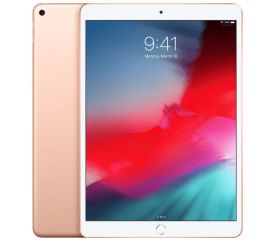
Tablet buying guide
Tablet buying guide - Find the iPad that suits you
Not looking for a tablet? Try our buying guides for laptops, desktops, monitors and smartphones for the best advice!
Which operating system do you want to use?


Which condition do you prefer?


Which iPad series do you prefer?


Which connectivity do you prefer?


What is your budget?
Why choose a refurbished tablet?
A refurbished tablet is a previously used device that has been checked and is offered again. You give existing electronics a second life and can choose an affordable tablet for home, study or on the go. Our tablet buying guide currently focuses on Apple iPads; Android tablets are not available in it. You select an iPad by condition, series, connectivity and budget. Then compare the specifications of the models found, as generation, storage capacity and screen size can differ within the same series. That way you choose based on what you actually want to do with your tablet.
Which iPad suits me?
Do you mainly use a tablet for browsing, reading email and watching videos? Then a standard iPad can be a good choice. Looking for a compact model to take with you? Have a look at the iPad mini. The iPad Air and iPad Pro can also be selected in the buying guide. Which of these suits your work or creative apps depends on the generation and specifications. So check the screen size, storage and the requirements of your favourite apps per model, rather than going by the series name alone.
View all iPads
What should you look for when choosing an iPad?
Think about where you will use the iPad. At home, at school or in the office a Wi-Fi model can be enough if a wireless network is available. With Wi-Fi + Cellular you can also use mobile data, provided the model and your mobile plan support it. Also consider how much space you need for apps, photos and downloaded files. Want to draw, take notes or use a keyboard? Then check which accessories are compatible with the specific iPad generation and whether they are included. The buying guide does not filter on storage or accessories; compare those on the product page.
View the iPad miniHow does our tablet buying guide work?
The buying guide starts with iPad and then helps you choose by condition, iPad series, Wi-Fi or Wi-Fi + Cellular, and budget. For condition, 'Excellent condition' and 'Visibly used' are available; 'Visible damage' cannot be selected here. No specific wish at a next step? Choose 'No preference' to keep that selection open. For budget, no price limits are then set. Seeing few results? Try another series or fewer filters. The products shown help you compare, but always check whether the individual model offers the features you need.
A second life for your iPad
Choosing a refurbished iPad keeps an existing device in use for longer. It can be an affordable alternative to a new tablet, as long as the model matches your needs. Besides price and cosmetic condition, also consider the generation and the software you need. Older iPads do not automatically support the same apps and iPadOS versions as more recent models. Before buying, check the product specifications, warranty and included accessories. That way you choose a tablet that suits your daily use, without paying for features you don't need.
Browse refurbished iPads:

Apple iPad 8 (2020) - 10.2 inch - 2 Year Warranty

Apple iPad Pro 6 (2022) - 12.9 inch - 2 Year Warranty
_spacegrijs_1.jpg)
Apple iPad Pro 4 (2022) - 11 inch - 2 Year Warranty
Apple iPad Pro 4 (2022) - 11 inch - 2 Year Warranty
_spacegrijs_1.jpg)
Apple iPad Pro 4 (2020) - 12.9 inch - 2 Year Warranty
_spacegrijs_1.jpg)
Apple iPad Pro 3 (2021) - 11 inch - 2 Year Warranty
_spacegrijs_1.jpg)
Apple iPad Pro 2 (2020) - 11 inch - 2 Year Warranty
Apple iPad Pro 2 (2020) - 11 inch - 2 Year Warranty
Apple iPad Pro 2 (2020) - 11 inch - 2 Year Warranty
Apple iPad Pro 4 (2022) - 11 inch - 2 Year Warranty
_spacegrijs_1.jpg)
Apple iPad Pro 1 (2016) - 9.7 inch - 2 Year Warranty
_zilver_1.jpg)
Apple iPad Pro 1 (2016) - 9.7 inch - 2 Year Warranty
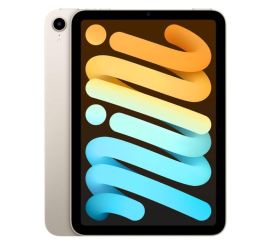
Apple iPad mini 6 (2021) - 8.3 inch - 2 Year Warranty
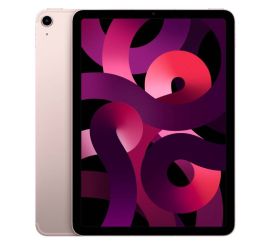
Apple iPad Air 5 (2022) - 10.9 inch - 2 Year Warranty
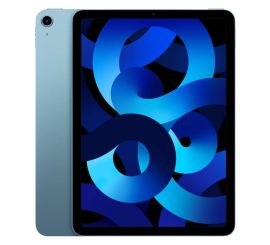
Apple iPad Air 5 (2022) - 10.9 inch - 2 Year Warranty
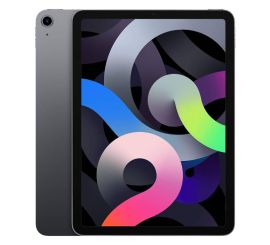
Apple iPad Air 4 (2020) - 10.9 inch - 2 Year Warranty
Apple iPad Air 4 (2020) - 10.9 inch - 2 Year Warranty
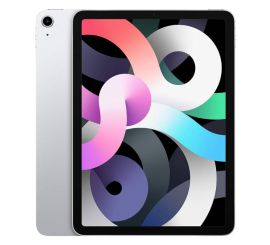
Apple iPad Air 4 (2020) - 10.9 inch - 2 Year Warranty
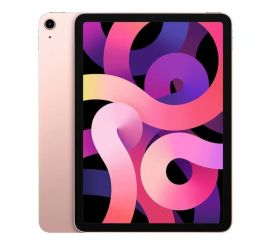
Apple iPad Air 4 (2020) - 10.9 inch - 2 Year Warranty