Understanding USB C: What Is It Actually?
What is USB-C Actually?
USB-C is a widely used connector standard known for its versatility. Unlike traditional connectors, USB-C is reversible, meaning there's no wrong way to plug it in. Additionally, it offers fast data transfer speeds and high charging capability, making it an ideal choice for a wide range of devices from smartphones to laptops. Discover the benefits of USB-C on our website now.
LaptopHere’s an overview:
- Introduction to USB C
- The Evolution of USB Standards
- Key Features of USB C
- How to Choose the Right USB C Products
- Conclusion: The Impact of USB C on Modern Devices
Introduction to USB C
USB C, also known as USB Type-C, represents a significant advancement in connectivity technology. This reversible connector type has rapidly become a standard in many modern devices, offering enhanced capabilities compared to its predecessors. It distinguishes itself through several key attributes that provide substantial benefits for users and manufacturers alike.
Features of USB C
- Symmetrical Design: USB C features a reversible connector, which allows users to plug it in either way. This symmetry eliminates the frustration commonly associated with traditional USB ports.
- Higher Data Transfer Rates: With the ability to support the USB 3.1 and USB 3.2 standards, USB C can achieve data transfer rates up to 10Gbps and 20Gbps respectively, making it ideal for tasks requiring quick data transmission.
- Increased Power Delivery: USB C can deliver up to 100 watts of power. This capability supports fast charging of devices such as smartphones, tablets, and even laptops.
- Enhanced Video Output: The USB C standard supports Alternate Mode (Alt Mode), enabling video output to HDMI, DisplayPort, and other formats. This versatility is beneficial for users needing to connect their devices to external displays.
Advantages
- Convenience: The reversible design means no more fumbling to determine the correct orientation, streamlining the user experience.
- Versatility: USB C ports can handle multiple functions, including power delivery, data transfer, and video output, reducing the need for multiple cables and ports.
- Future-Proofing: With broad adoption across various devices, USB C is poised to become a long-term standard, ensuring compatibility with future technology.
Applications
- Smartphones and Tablets: Many modern mobile devices now use USB C for charging and data transfer.
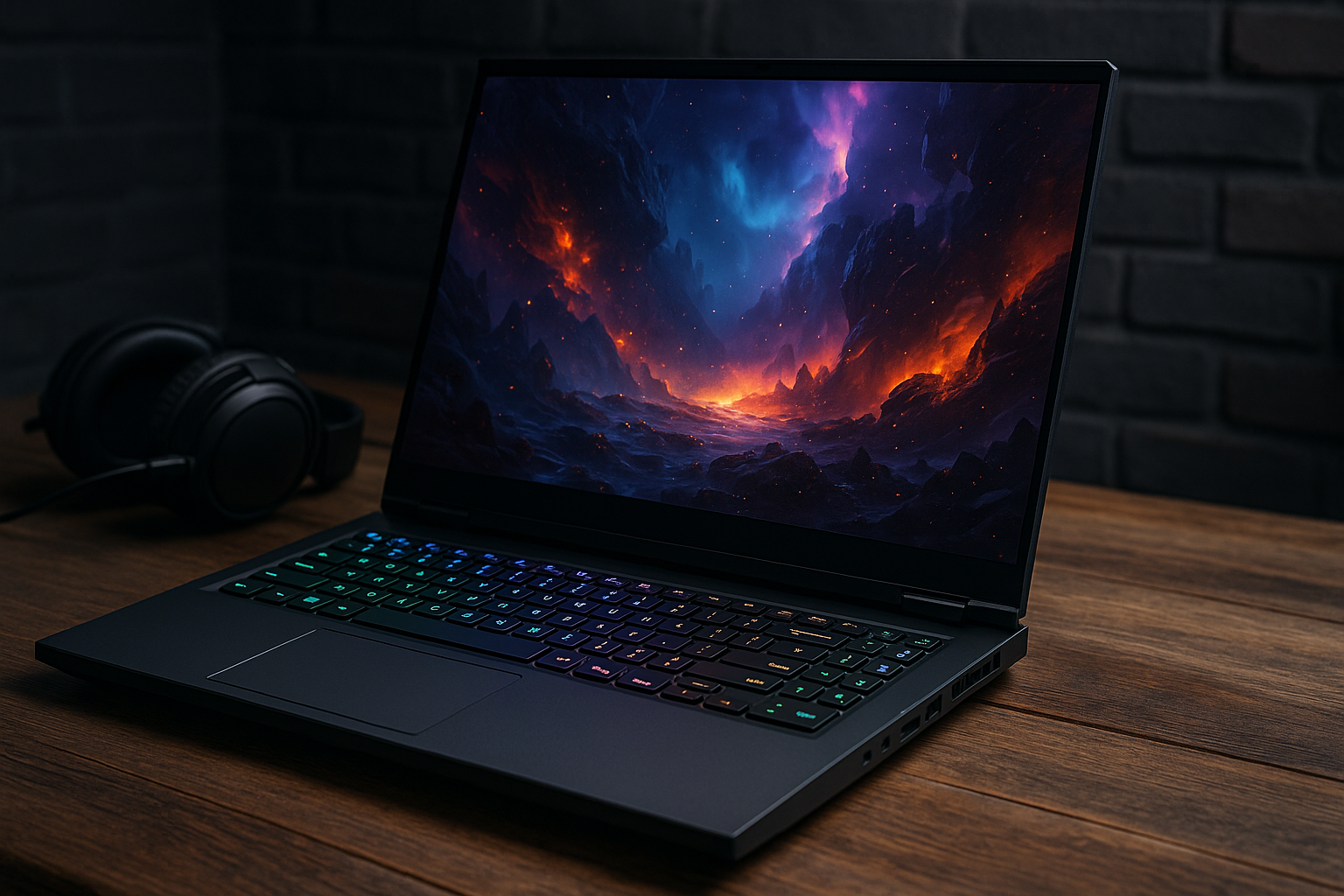
- Laptops: USB C is increasingly found in laptops, often used for charging and connecting peripherals.
- Peripheral Devices: External hard drives, docking stations, and other accessories are adopting USB C, allowing for a streamlined connection process.
This comprehensive overview showcases how USB C’s design and capabilities significantly impact the technology landscape, representing a leap forward from previous USB standards.
The Evolution of USB Standards
Since its inception, USB (Universal Serial Bus) has undergone significant transformations. USB 1.0, released in 1996, was the first iteration, offering a data transfer rate of 1.5 Mbps (low speed) and 12 Mbps (full speed). It revolutionised connectivity by providing a standardised interface for peripheral devices.
USB 2.0 arrived in 2000, enhancing data transfer rates to 480 Mbps (high speed). This improvement facilitated faster communication between computers and external devices, such as printers, scanners, and external hard drives. USB 2.0 also introduced backward compatibility, ensuring older devices could still function with newer ports.
USB 3.0, introduced in 2008, marked a significant leap forward, offering data transfer speeds up to 5 Gbps (SuperSpeed). It included enhancements like increased power supply capabilities, enabling faster charging for connected devices. USB 3.0’s backward compatibility ensured continued support for earlier USB devices.
In 2013, USB 3.1 emerged, doubling the data transfer rate to 10 Gbps (SuperSpeed+). This version also introduced the Type-C connector, which featured a reversible design for easier usage and faster, more reliable data transfer and power delivery. The Type-C connector could handle up to 100 watts of power, allowing it to charge even laptops.
USB 3.2, released in 2017, consolidated USB 3.0 and USB 3.1 under a single standard, introducing new data transfer modes up to 20 Gbps. This version further optimised power delivery and enhanced transfer speeds, providing users with more efficient connectivity solutions.
The most recent iteration, USB4, launched in 2019, builds on the capabilities of USB 3.2 and integrates Thunderbolt 3’s features. Offering transfer rates up to 40 Gbps, USB4 supports multiple data and display protocols via a single cable. This standard aims to simplify the USB ecosystem, ensuring greater compatibility and performance across various devices.
In summary, USB standards have continually evolved to meet the growing demands for speed, power delivery, and versatility, culminating in the advanced capabilities of USB4.
Key Features of USB C
The USB C standard offers a multitude of features designed to enhance the user experience, increase compatibility, and improve performance. Here are the key attributes that define USB C:
1. Reversible Connector
- Ease of Use: The USB C connector is designed to be reversible, meaning it can be plugged in either way, reducing the frustration of incorrect alignment.
- Symmetrical Design: The symmetrical, oval-shaped design facilitates seamless connections, enhancing user convenience.
2. Enhanced Power Delivery
- Power Delivery (PD) Protocol: USB C supports the PD protocol, allowing for higher power transfer rates. This enables fast charging and the ability to power more demanding devices, such as laptops.
- Up to 100W: The USB C connector can deliver up to 100 watts of power, making it suitable for various applications, from charging smartphones to powering larger electronics.
3. High-Speed Data Transfer
- Data Transfer Rates: USB C can support data transfer rates up to 10 Gbps with USB 3.1, and even higher with subsequent updates like USB 3.2 and USB4.
- Efficient Data Transfer: These high speeds facilitate quicker file transfers and more efficient data management.
4. Versatility and Compatibility
- Backward Compatibility: USB C is compatible with older USB standards, albeit with appropriate adapters. This ensures a smoother transition for users upgrading their devices.
- Universal Application: This connector type is increasingly being adopted across a wide range of devices, including smartphones, tablets, laptops, and peripheral accessories.
5. Video Output Capabilities
- Alternate Mode: USB C supports alternate modes, such as HDMI and DisplayPort, allowing video output to external displays.
- High-Resolution Support: This feature includes support for high-resolution video, including 4K and potentially 8K, making it suitable for modern display requirements.
6. Robust Build Quality
- Durability: USB C connectors are designed to be more robust compared to previous USB versions. They are rated for around 10,000 connect-disconnect cycles.
- Reduced Wear and Tear: The improved design minimises wear and tear, contributing to longer-lasting connectivity solutions.
7. Improved Security
- Authentication Protocols: USB C includes increased security measures such as optional authentication protocols to prevent unauthorised devices from drawing power or transferring data.
- Enhanced Data Protection: These features help in protecting sensitive information and ensuring that only certified devices can connect.
The comprehensive details provided ensure a thorough understanding of the various facets that make USB C a superior choice for modern connectivity needs.
## Advantages of USB C over Previous USB Versions

USB C offers various advantages over its predecessors, making it a superior choice for modern devices. These advantages span several dimensions including speed, power delivery, and design.

### Speed and Performance

1. **Higher Data Transfer Rates**: USB C supports the USB 3.1 and USB 3.2 standards, offering data transfer speeds up to 10 Gbps and 20 Gbps respectively, compared to USB 2.0’s 480 Mbps.
2. **Alternate Modes**: USB C can handle multiple protocols such as DisplayPort and HDMI, enabling a single port to transfer data, deliver video output, and provide power simultaneously.

### Power Delivery

1. **Increased Power Output**: USB C supports USB Power Delivery (USB PD) standards, allowing for power delivery up to 100 watts, significantly higher than USB 2.0’s 2.5 watts and USB 3.0’s 4.5 watts.
2. **Bidirectional Charging**: USB C ports can both send and receive power, making it possible to charge a laptop from another peripheral or vice versa.

### Design and Usability

1. **Reversible Connector**: The USB C connector is symmetrical and can be plugged in any direction, reducing the wear and tear on the port and making it more user-friendly.
2. **Smaller Form Factor**: The compact design of USB C connectors is ideal for modern slim devices, providing the same functionality without adding bulk.

### Compatibility and Future-Proofing

1. **Backward Compatibility**: USB C is designed to be backward compatible with older USB standards, ensuring that transitioning to new devices does not render existing peripherals obsolete.
2. **Universal Standard**: The adoption of USB C across various platforms and devices—from smartphones to laptops—simplifies user experience and reduces the need for multiple types of cables and connectors.

### Enhanced Versatility

1. **Adaptability**: USB C ports can be used for a range of applications such as connecting external monitors, audio interfaces, and additional storage devices.
2. **Environmental Conservation**: By consolidating various functions into a single port, USB C reduces electronic waste and the need for multiple types of adapters.

In summary, USB C represents a significant step forward in USB technology, offering numerous advantages in speed, power delivery, usability, and versatility compared to previous USB versions.
## USB C for Power Delivery

In the realm of power delivery, USB C stands out prominently. The technology is designed to support power delivery (PD) specifications, offering capabilities far beyond previous USB standards. This enhancement significantly improves the charging and power management landscape for a wide range of devices.

### Key Features of USB C Power Delivery

1. **Higher Power Capacity**: USB C can deliver up to 100 watts of power, which is sufficient to charge larger devices like laptops and monitors effectively, as well as smaller devices like phones and tablets.

2. **Bidirectional Power Flow**: Unlike previous standards, USB C allows for power to flow both ways. This means a laptop can charge a smartphone, and likewise, the smartphone can power external peripherals if needed.

3. **Flexible and Scalable**: Power delivery via USB C can be scaled to suit the power needs of different devices. The technology supports profiles with varying voltage (5V, 9V, 15V, 20V) and current (up to 5A).

4. **Fast Charging**: With the adoption of USB C PD, fast charging capabilities are significantly improved. Devices can charge at higher speeds, with proprietary fast-charging technologies built on top of the standardized USB C PD.

5. **Smart Communication**: USB C enables intelligent power negotiation between devices. This ensures optimal power levels are delivered to avoid overcharging or damaging batteries.

### Applications

#### Smartphones and Tablets

USB C has revolutionised charging in the mobile device market. With power delivery, users experience considerably quicker charge times, minimising downtime and enhancing portability.

#### Laptops and Ultrabooks

Modern laptops benefit immensely from USB C’s PD capabilities. The higher power throughput supports the energy requirements of these more powerful devices, allowing for seamless operation and charging efficiency.

#### Peripheral Devices

Peripheral devices, such as external hard drives, monitors, and docking stations, utilize USB C’s power delivery to minimise the need for separate power adapters, simplifying connectivity and power management considerably.

### Advantages Over Legacy Ports

- **Uniformity**: USB C PD consolidates multiple power and data cables into one, unifying the interface across different devices, leading to greater convenience and lower costs.
- **Safety**: Enhanced safety protocols in USB C PD ensure safe power delivery, reducing risks associated with overvoltage and overcurrent.
- **Universal Compatibility**: The advent of USB C promotes universal compatibility, enabling users to carry one cable for multiple devices.

USB C for power delivery represents a paradigm shift in how electronic devices are charged and powered, underlined by increased power capacity, flexibility, and efficiency.
## Data Transfer Capabilities of USB C

USB C, known for its versatility, offers robust data transfer capabilities, marking a significant evolution from its predecessors. This connector supports various data transfer protocols, making it an invaluable component in the modern digital landscape.

### Maximum Data Transfer Rates

- **USB 3.1 Gen 1 (SuperSpeed)**: This version supports data transfer rates of up to 5 Gbps.
- **USB 3.1 Gen 2 (SuperSpeed+):** It enhances transfer speeds to a maximum of 10 Gbps.
- **USB 3.2**: With dual-lane operation, this version can achieve speeds of up to 20 Gbps.
- **USB4**: Representing the cutting edge, USB4 incorporates Thunderbolt 3 specifications, offering blistering data transfer rates of up to 40 Gbps.

### Protocol Support

USB C's versatile architecture supports various protocols, ensuring compatibility with a myriad of devices and functions.

- **DisplayPort Alt Mode**: By leveraging DisplayPort protocol, USB C can transmit high-definition video and audio.
- **Thunderbolt 3 & 4**: Facilitates swift data transfer, powerful enough for demanding applications like 4K video editing and multiple 4K display connections.
- **HDMI Alt Mode**: Enables direct connection of HDMI devices without an adapter, crucial for streamlined multimedia setups.

### Practical Applications

1. **High-Speed Data Transfer**: Ideal for moving large files between devices, such as in video production or software development.
2. **Peripheral Connectivity**: Provides seamless connectivity for external hard drives, SSDs, and other high-speed storage solutions.
3. **Docking Stations**: One USB C port can connect multiple peripherals, powering and transferring data simultaneously, simplifying workspace setups.

### Compatibility and Future-Proofing

USB C, being highly adaptable, ensures backward compatibility with older USB standards, allowing users to leverage existing devices while obtaining the benefits of modern advancements.

> "The versatility and high data transfer rates of USB C make it a cornerstone for current and future digital ecosystems." - Industry Expert

The data transfer capabilities of USB C, encompassing speed, protocol support, and wide-ranging applications, demonstrate its critical role in both current and emerging technologies.
## Device Compatibility and Adaptation

USB-C technology has revolutionised the way users connect devices, offering unparalleled compatibility and ease of adaptation across various peripherals and platforms.

One of the significant advantages of USB-C is its universal application. Unlike its predecessors, USB-C connectors can be used across a wide range of devices, including:

- Smartphones
- Laptops
- Tablets
- Monitors
- External hard drives
- Gaming consoles

### Cross-Platform Utilisation

Multiple operating systems such as Windows, macOS, Linux, and Android support USB-C, making it a versatile choice for cross-platform users. The standardisation ensures seamless connectivity and data transfer between disparate systems, eliminating compatibility issues that plagued earlier USB versions.

### Backward Compatibility

USB-C ports and cables maintain backward compatibility with older USB standards through the use of adapters. This ensures that peripheral devices utilising USB 2.0 or 3.0 can still be connected without any functional limitations.

> "USB-C is essentially a ‘universal’ port; its compatibility transcends individual device brands, making it a unifying factor in technology."

### Adaptation in Various Sectors

#### Consumer Electronics

In the consumer electronics sector, USB-C's reversible design adds a layer of convenience. Users no longer need to worry about the correct orientation for plugging in cables.

#### Professional Applications

For professionals, USB-C's versatility extends to supporting multiple protocols, including HDMI, DisplayPort, and VGA through compatible adapters. This multi-functionality is particularly beneficial in settings requiring diverse equipment connectivity, such as corporate environments and creative industries.

### Future-Proofing

Manufacturers are increasingly adopting USB-C as the standard, thereby future-proofing devices against obsolescence. This shift is evident in the latest models of smartphones, laptops, and various other gadgets.

### Challenges

Despite its numerous advantages, the adoption of USB-C does present challenges:

1. **Cost Implications:** Initial costs for USB-C cables and adapters are higher compared to older USB versions.
2. **Confusion With Standards:** A myriad of standards within USB-C, such as USB 3.1, USB Power Delivery, and Thunderbolt 3, can cause confusion among users regarding the specific capabilities of their USB-C ports and cables.

In conclusion, the multifaceted nature of USB-C proves advantageous for both consumers and professionals, although it necessitates a degree of awareness about its varying standards and potential initial costs.
## Comparing USB C to Other Connectors

### USB A

USB A remains the most commonly used connector for traditional USB connections. While it is well-suited for standard data transmission and peripheral connectivity, it lacks many advanced features that USB C offers. USB A is larger, non-reversible, and has lower data transfer and power delivery capabilities compared to USB C.

### Micro USB

Micro USB connectors, often used in older smartphones and small devices, offer a compact solution for data transfer and charging. However, Micro USB lacks the durability and reversibility of USB C. Additionally, it cannot match the data transfer speeds and power delivery capabilities that USB C supports.

### Lightning

Apple’s proprietary Lightning connector is frequently used in iPhones, iPads, and other Apple devices. While it shares some similarities with USB C in terms of reversibility and size, Lightning is less universally adopted. The data transfer rates and fast charging capabilities of USB C widely surpass those of the Lightning connector.

### USB B

USB B connectors are mostly used for connecting printers and external hard drives. These connectors are bulky and can only fit in one orientation. USB B does not support advanced data transfer rates or power delivery, making it less versatile compared to USB C.

### Thunderbolt

Thunderbolt connectors, specifically versions 3 and later, incorporate USB C form factors but extend features to include faster data transfer speeds and enhanced video output capabilities. Thunderbolt 3 and 4 offer up to 40Gbps data transfer rates, significantly higher than standard USB C, making them ideal for high-performance computing and professional use.

### HDMI

HDMI is primarily used for audio and video transmission in consumer electronics. Though HDMI offers high-quality video and audio output, it lacks the data transfer capabilities and power delivery functions of USB C. Devices now commonly incorporate USB C for these purposes, often in combination with an adapter for HDMI compatibility.

### Ethernet

The Ethernet connector primarily facilitates wired internet connections. While it excels in providing stable and high-speed internet, Ethernet cables are bulky and lack the versatility seen in USB C. USB C can now support Ethernet through adapters, providing data transfer, charging, and internet connectivity all in one port.

### eSATA

External Serial Advanced Technology Attachment (eSATA) connectors focus on high-speed data transfer for external storage devices. However, it lacks the multifunctionality of USB C, which combines data transfer, charging, and audiovisual output in a single port, making USB C a more holistic solution.

In synthesising these comparisons, it becomes evident that USB C provides a highly versatile, efficient, and future-proof standard, addressing the limitations inherent in these older technologies while offering enhanced capabilities.
## Understanding USB C Cables and Accessories

USB C, also known as USB Type-C, is a universal connector standard integrated into numerous contemporary gadgets. USB C cables and accessories come in various configurations and performance capabilities, essential to understand for compatibility and optimal usage.

### Cables and Their Specifications

Different USB C cables offer distinct features and performance levels:

- **USB 2.0**: Supports data transfer speeds up to 480 Mbps, primarily used for charging or low-speed data transfer.
- **USB 3.2 Gen 1**: Provides data transfer speeds of up to 5 Gbps, suited for most modern data transfer needs.
- **USB 3.2 Gen 2**: Offers higher data transfer speeds of up to 10 Gbps, ideal for high-definition video streaming and large file transfers.
- **USB 4**: Capable of speeds up to 40 Gbps, supporting intensive tasks like high-resolution video outputs and rapid file transfers.

### Key Accessories

Several USB C accessories enhance the functionality of devices:

1. **Adapters**:
   - Used to connect USB C devices to older USB standards or other interface types such as HDMI, VGA, or Ethernet.
   - Common adapters include USB C to USB A, USB C to HDMI, and USB C to Ethernet.

2. **Hubs**:
   - Provide multiple ports extending the device’s connectivity options, often including HDMI, USB A, SD card slots, and more.
   - Useful for laptops with limited port availability, offering expanded functionality.

3. **Docking Stations**:
   - More sophisticated than hubs, providing additional features like power delivery, multiple display outputs, and improved device compatibility.
   - Enables a workstation-like experience for laptops, with connections to monitors, keyboards, and other peripherals.

4. **Chargers**:
   - USB C chargers vary significantly in power delivery, with PD (Power Delivery) chargers capable of delivering up to 100W.
   - Essential for fast charging of compatible devices, selected based on device power requirements and cable capability.

### Compatibility Considerations

Compatibility aspects are vital for seamless functionality:

- **Backward Compatibility**: USB C ports and cables can be used with older USB standards through appropriate adapters, maintaining usability across generations.
- **Power Delivery**: Ensure both device and charger support PD for optimal charging speed and efficiency.
- **Alternate Modes**: USB C supports alternate modes like Thunderbolt 3 or DisplayPort, requiring specific compatible cables and devices for full functionality.

Understanding the specifications, accessories, and compatibility considerations of USB C cables ensures optimal usage and maximises device performance.
## Common Misconceptions about USB C

While USB-C is gaining prominence, several misconceptions still surround it. These misunderstandings can hinder users from fully leveraging the benefits of this versatile technology.

### All USB-C Cables Are the Same

Not all USB-C cables are created equal. Some can carry more power while others have higher data transfer rates. Users should note:
- **Power Delivery (PD):** Some cables support higher power delivery levels, essential for charging larger devices like laptops.
- **Data Transfer Rates:** USB-C cables can support different USB standards, such as USB 2.0, 3.0, and 3.1. Higher standards offer faster transfer rates.

### USB-C and Thunderbolt are Identical

USB-C and Thunderbolt use the same port, but they are not the same technology. Key differences include:
- **Data Transfer Speeds:** Thunderbolt 3 supports up to 40 Gbps, whereas USB 3.1 tops out at 10 Gbps.
- **Capabilities:** Thunderbolt supports features like daisy-chaining multiple devices and dual 4K displays, which USB-C might not.

### All USB-C Ports Support Every Feature

Not every USB-C port on a device supports the complete array of USB-C features, such as:
- **Video Output:** Some ports support only data transfer and power delivery, not video output.
- **Power Delivery:** While many USB-C ports support power delivery, the amount of wattage can vary.

### USB-C Is Exclusively for Portable Devices

USB-C is often seen on portable devices; however, it's also suitable for various applications including:
- **Desktops:** Some modern motherboards and desktops also feature USB-C ports.
- **Other Electronics:** Varying electronics such as cameras and peripherals are increasingly adopting USB-C interfaces.

### Backwards Compatibility Means Universal Compatibility

While USB-C ports can adapt to many older USB connectors via adapters, this does not imply full functionality. Users should consider:
- **Functionality:** The adapters may not support all USB-C features like power delivery or video output.
- **Performance:** Using adapters can sometimes limit the performance capabilities of the devices connected.

### USB-C Will Replace Every Port

USB-C is versatile but is unlikely to singularly replace all other ports. For instance:
- **Specialised Ports:** Certain specialised ports like HDMI or network ports often provide functionalities more efficiently.
- **Legacy Systems:** Many older systems and peripherals still rely on traditional USB ports and other connectors.

Understanding these common misconceptions can help users make well-informed decisions about their tech acquisitions and maximise the capabilities of their USB-C devices.
## Future Developments and Trends in USB C Technology

USB C technology continues to evolve at a rapid pace, driven by the need for greater speed, power efficiency, and versatility. Several key trends and developments are shaping the future of this universal connection standard:

- **Increased Data Transfer Speeds**
   The USB4 specification promises to deliver higher data transfer rates, up to 40 Gbps, matching the performance of Thunderbolt 3. This increased speed will facilitate faster file transfers and smoother operation of high-resolution monitors and other peripheral devices.

- **Enhanced Power Delivery**
   The latest revisions of the USB Power Delivery (PD) specifications are pushing the boundaries of power output. Devices supporting USB PD 3.1 can deliver up to 240 watts of power, allowing more demanding devices such as gaming laptops and power-hungry peripherals to be charged efficiently through a single USB C port.

- **Broader Industry Adoption**
   USB C is becoming more ubiquitous across various types of devices, ranging from smartphones and tablets to laptops and even home appliances. The standardisation around USB C simplifies the user experience, reducing the need for multiple types of cables and chargers.

- **Improved Compatibility and Integration**
   Advancements in USB C are resulting in better interoperability with older USB standards, ensuring smooth transitions as users upgrade their devices. Enhancements like USB 3.2 and the phasing out of USB A ports are expected to reduce compatibility issues and streamline device connectivity.

- **Integration with Emerging Technologies**
   As new technologies such as 5G, augmented reality (AR), and virtual reality (VR) gain traction, USB C’s enhanced bandwidth and power capabilities make it an ideal choice for supporting these advancements. The ability to transfer large amounts of data quickly and efficiently is crucial for the performance of these emerging tech applications.

- **Standardisation and Certification**
   Efforts to improve certification and standardisation will minimize counterfeit products and ensure that all USB C devices meet stringent safety and performance standards. Governing bodies and industry groups are working towards more rigorous testing and certification processes.

```***
Staying abreast of these trends is vital for industry professionals and consumers alike, as USB C technology continues to shape how devices communicate and power themselves in an increasingly interconnected world.
How to Choose the Right USB C Products
Choosing the right USB C products requires careful consideration to ensure compatibility and functionality. Key factors to examine include:
Compatibility
- Ensure the USB C product is compatible with existing devices.
- Check for any potential compatibility issues with operating systems.
- Verify if adapters or converters are needed for legacy devices.
Power Delivery (PD)
- Assess the power delivery capabilities of the USB C product.
- Ideal for devices like laptops and tablets where fast charging is critical.
- Look for PD specifications to match the device’s wattage requirements.
Data Transfer Speeds
- Choose USB C cables and accessories that support high data transfer rates.
- USB 3.1 and USB 3.2 offer significantly faster speeds compared to USB 2.0.
- Certain cables also support Thunderbolt 3, providing even higher speeds.
Video Output
- Determine if the product supports video output for external displays.
- Look for compatibility with HDMI, DisplayPort or VGA standards.
- Consider the resolution and refresh rate support for optimal performance.
Durability and Build Quality
- Evaluate the build quality of the USB C product.
- Look for reinforced connectors, braided cables, and robust materials.
- A durable product minimises wear and tear, extending its lifespan.
Brand Reputation and Warranty
- Choose products from reputable manufacturers.
- Check customer reviews and ratings for reliability and performance.
- Warranty coverage is essential for mitigating potential defects or issues.
Price versus Performance
- Balance the cost with the performance and features provided.
- Avoid excessively cheap products that might compromise on quality.
- Invest in trusted brands or models that promise longevity and efficiency.
Additional tips include checking for certifications like USB-IF (USB Implementers Forum) which ensures compliance with USB standards. By carefully considering these aspects, choosing the right USB C products becomes a more straightforward process.
Conclusion: The Impact of USB C on Modern Devices
The integration of USB C technology has significantly impacted modern devices, contributing to advancements in connectivity, power delivery, and device versatility. The following points encapsulate the key effects:
Enhanced Connectivity
- Universal Compatibility: USB C has garnered widespread adoption, allowing compatibility across a diverse range of devices, including laptops, smartphones, tablets, and peripherals.
- Reversible Design: The reversible connector simplifies user experience, eliminating the frustration of incorrect plug orientation.
Improved Power Delivery
- Fast Charging: USB C supports higher power delivery capabilities, enabling rapid charging for devices like laptops and smartphones.
- Power Transfer: It facilitates the transfer of power between devices, allowing one device to charge another, enhancing convenience.
Data Transfer Efficiency
- High Speed: USB C utilises advanced data transfer protocols, offering speeds up to 40 Gbps with Thunderbolt 3, reducing wait times for file transfers.
- Dual Role: It supports the dual roles of data transfer and power delivery, streamlining the need for multiple cables and ports.
Versatility Across Devices
- Single Port Usage: This port can deliver video, audio, data, and power through a single interface, reducing the number of required ports and cables.
- Peripheral Support: USB C supports a range of peripherals, including external hard drives, monitors, and docking stations, enhancing device functionality.
Eco-Friendly Aspect
- Fewer Cables: By reducing the number of cables required, USB C contributes to decreased electronic waste.
- Uniform Standard: The adoption of USB C as a common standard promotes reusability and the sustainable production of devices and accessories.
Future-Ready Technology
- Adoption and Evolution: Continuous development of USB C technology promises further enhancements in speed, power delivery, and versatility, ensuring its relevance in future technological advancements.
- Broad Acceptance: Its widespread acceptance across major tech companies solidifies its position as a standard interface for modern devices.
The omnipresence of USB C underscores its pivotal role in shaping the landscape of connectivity, power efficiency, and device interoperability in the current and future technological ecosystem.