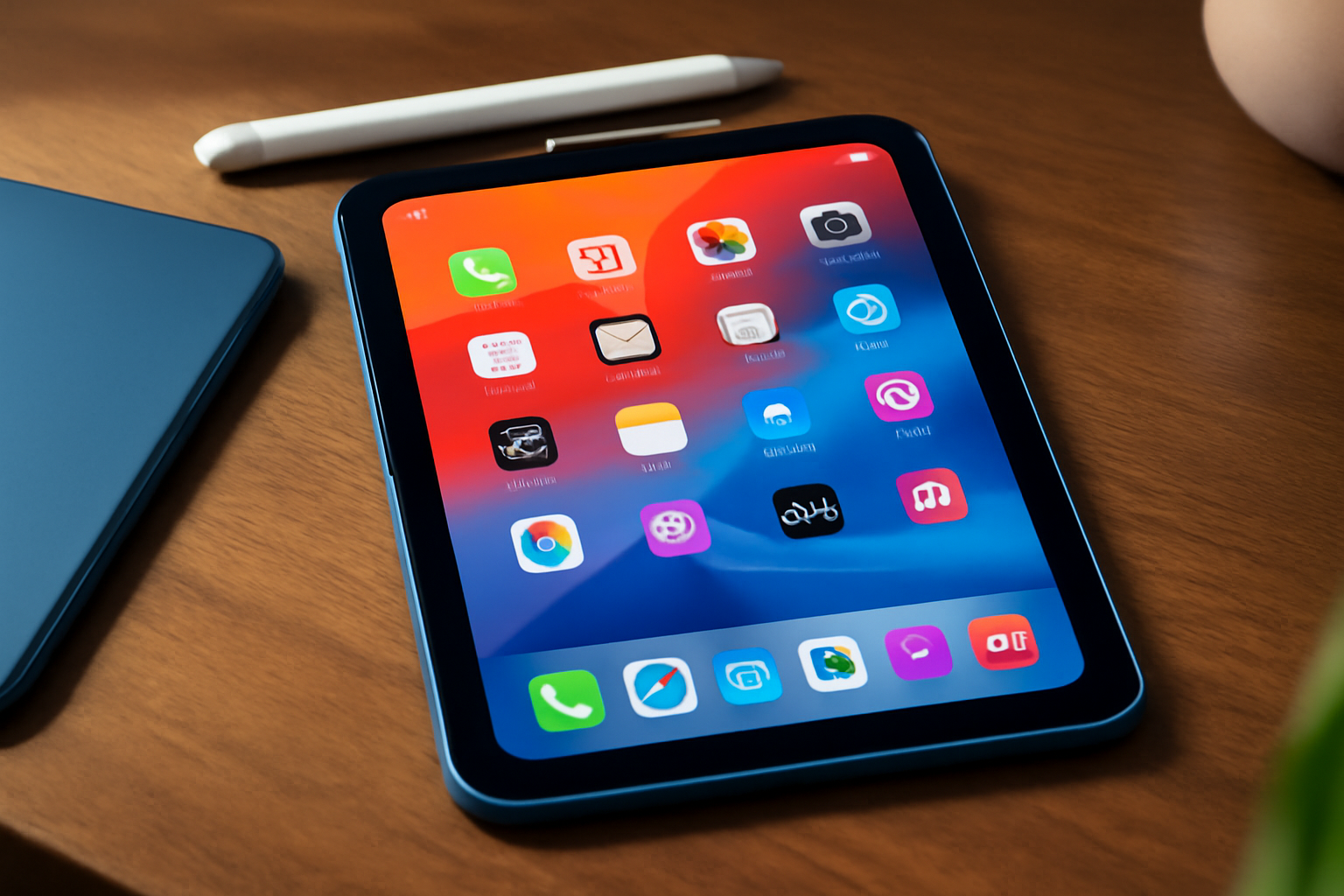
Top Reasons Why a Lenovo Tablet is a Great Choice
A Lenovo Tablet: Why it's a Good Choice
A Lenovo tablet offers an excellent combination of performance, reliability, and versatility. With powerful hardware, user-friendly interface, and a wide range of available apps, a Lenovo tablet is perfect for both entertainment and productivity. Discover why a Lenovo tablet is a good choice on our website.
Here’s an overview:
- Innovative Design and Build Quality
- Superior Display Technology
- Powerful Performance and Processor
- User-Friendly Interface and Software
- Long Battery Life
- Enhanced Security Features
- Versatile Connectivity Options
- Rich Multimedia Experience
- Wide Range of Models and Pricing
- Excellent Customer Support and Service
- Strong Brand Reputation and Trustworthiness
- Customisability and Accessories
- Frequent Software Updates
- Eco-Friendly and Sustainable Practices
- User Reviews and Testimonials
Innovative Design and Build Quality
Lenovo tablets stand out for their innovative design and build quality. Users can expect a sleek, modern aesthetic and robust construction, making them both visually appealing and durable. The attention to detail in each component ensures a premium experience.
Sleek and Sophisticated Design
- Minimalist Aesthetics: Lenovo tablets boast a minimalist look, emphasising clean lines and subtle curves. This design simplicity contributes to the device’s modern and professional appearance.
- Material Choices: High-quality materials such as aluminium and durable plastics are employed, providing a premium feel without compromising on sturdiness.
- Ergonomics: Thoughtful ergonomic features make Lenovo tablets comfortable to hold and use for extended periods, reducing strain on the user’s hand and wrist.
Durability and Build Quality
- Robust Construction: Lenovo meticulously engineers their tablets for longevity. Solid and precise manufacturing ensures that each device can withstand daily wear and tear, making them ideal for both personal and professional uses.
- Resilient Components: Components such as the screen and chassis are designed to resist scratches and impacts. Reinforced glass and sturdy frames help maintain the device’s integrity even under tough conditions.
- Quality Control: Rigorous quality control processes are in place to catch any defects or weaknesses. Each tablet undergoes stringent testing before reaching the consumer, ensuring reliability.
Innovative Features
- Flexible Convertibles: Many Lenovo tablets offer convertible designs, allowing users to switch effortlessly between tablet and laptop mode. This flexibility suits various tasks, from casual browsing to intensive work.
- Integrated Kickstands: Certain models include built-in kickstands, providing stability during presentations or media consumption without needing additional accessories.
- Smart Pen Integration: Enhanced with smart pen technology, Lenovo tablets offer precise input options for drawing, note-taking, and more. The pens are ergonomically designed and deliver an authentic writing experience akin to pen on paper.
Advanced Display Technology
- High-Resolution Screens: Lenovo equips its tablets with high-resolution screens, ensuring vibrant colours and crisp details. This enhances the overall viewing experience, making it ideal for multimedia consumption and graphic design.
- Touch Sensitivity: Advanced touch sensitivity and responsiveness ensure that users experience smooth interactions. From scrolling to pinch-zooming, every touch gesture is accurately registered.
- Eye Comfort: Lenovo includes eye comfort modes, designed to reduce blue light emissions and minimise eye strain during prolonged use.
In conclusion, Lenovo’s attention to design and build quality place their tablets at the forefront of the market, offering a compelling combination of style, substance, and practicality.
Superior Display Technology
Lenovo tablets are celebrated for their superior display technology, which significantly enhances the user experience across various applications. Utilizing both IPS (In-Plane Switching) and OLED (Organic Light Emitting Diode) technologies, Lenovo ensures vivid and precise colour reproduction, wide viewing angles, and strong contrast levels.
Key Features
- High Resolution: Lenovo tablets offer high-definition displays, with some models featuring up to 4K resolution, delivering incredibly sharp and detailed visuals.
- IPS Panels: IPS technology provides consistent colour and brightness levels, ensuring that the tablet’s screen is easily viewable from multiple angles without any significant drop in quality.
- OLED Displays: Select Lenovo tablets utilise OLED screens, which offer deeper blacks and more vibrant colours thanks to their ability to completely turn off individual pixels. This results in improved contrast ratios and overall visual impact.
- Touch Sensitivity: The touchscreens on Lenovo tablets are highly responsive, supporting multi-touch gestures that make navigation and interaction seamless and intuitive.
- Colour Accuracy: The displays are calibrated for high colour accuracy, which is essential for professional image and video editing applications, as well as for those who demand precision in colour representation.
- Anti-Glare Technology: Anti-glare coatings and technologies are employed to reduce reflections and improve visibility in bright lighting conditions, making it easier to use the tablet outdoors or under strong artificial light.
- HDR Support: Many Lenovo tablets support HDR (High Dynamic Range), allowing for a broader range of colours and greater detail in both the brightest and darkest parts of an image.
Advantages for Different Use Cases
- Media Consumption: The vivid displays enhance the experience of watching films, streaming shows, or enjoying videos with true-to-life colours and sharp details.
- Gaming: High refresh rates and vibrant visuals create a more immersive gaming experience, allowing users to fully appreciate the graphical capabilities of their games.
- Productivity: Crystal-clear text and accurate colours aid in document editing, creative projects, and presentations, making tasks easier and more efficient.
- E-reading: Anti-glare technology and IPS panels make reading e-books or long articles comfortable, reducing eye strain over extended periods.
In summary, Lenovo’s superior display technology ensures an optimal experience for a variety of functions, from entertainment to productivity, making their tablets a compelling choice for discerning users.
Powerful Performance and Processor
Lenovo tablets are designed to offer powerful performance and seamless multitasking capabilities, which are primarily driven by their advanced processors. These tablets incorporate cutting-edge technology to ensure that even the most demanding applications and tasks run smoothly and efficiently.
High-Performance Processors: Lenovo tablets are equipped with high-performance processors, including the latest Qualcomm Snapdragon and Intel Core chips. These processors provide remarkable speed and efficiency, enabling users to perform a range of tasks from simple browsing to complex data processing with ease.
Multi-core Technology: Many Lenovo tablets feature multi-core technology, which allows for simultaneous processing of multiple tasks. This results in a smoother user experience and faster application loading times, making them ideal for both professional and personal use.
Enhanced Graphics Processing: The inclusion of advanced GPU (Graphics Processing Units) in Lenovo tablets ensures superior graphics rendering and visual performance. This is particularly beneficial for gaming, video editing, and other graphics-intensive applications, providing users with a visually engaging experience.
Optimised Power Consumption: Efficient power management is another standout feature of Lenovo tablets. The processors are designed to balance high performance with low energy consumption, extending battery life without compromising on the device’s speed and efficiency.
Seamless Multitasking: With ample RAM and high-speed processors, Lenovo tablets support seamless multitasking. Users can switch between different applications effortlessly without experiencing lags or slowdowns.
AI-Enhanced Performance: Many Lenovo tablets are integrated with AI (Artificial Intelligence) enhancements that optimise performance. AI algorithms help in predictive loading, smart task management, and resource allocation, which further enhance the overall performance of the device.
Lenovo’s commitment to integrating powerful processors and optimising performance is evident in the smooth and efficient user experience their tablets provide. These attributes make Lenovo tablets a compelling choice for consumers seeking reliability and high performance in a versatile mobile device.
User-Friendly Interface and Software
A Lenovo tablet excels in providing a user-friendly interface, making it an excellent choice for both tech-savvy individuals and those less familiar with technology. The Android OS, synonymous with Lenovo tablets, brings a host of advantages tailored to enhance user experience.
Intuitive Layout and Design
Lenovo’s interface stands out for its intuitive layout and design:
- Simplified Navigation: Users can effortlessly navigate through apps and settings with well-organised menus.
- Customisable Home Screens: Personalisation is straightforward, allowing the arrangement of widgets and shortcuts to match user preferences.
- Responsive Touchscreen: The touch interface is highly responsive, providing a seamless and enjoyable tactile interaction.
Pre-Installed Utility Apps
Lenovo tablets come with a range of pre-installed utility applications designed to improve productivity and entertainment:
- Productivity Apps: Apps like Microsoft Office Suite, Google Docs, and a native note-taking app.
- Entertainment Options: Pre-loaded with apps for streaming, reading, and gaming such as Netflix, Kindle, and popular gaming platforms.
- System Utilities: Built-in calculators, calendar apps, and weather forecasting tools contribute to everyday convenience.
Regular Software Updates
The commitment to regular software updates ensures the device remains secure and up-to-date:
- Security Patches: Frequent updates to protect against new threats.
- New Features: Introduction of new functionalities and improvements over time.
- Bug Fixes: Continuous refinement for a smoother user experience.
Multi-User Support
Multi-user support allows multiple users to have their distinct space on the same device:
- Separate Profiles: Unique settings, apps, and files per user, promoting privacy.
- Easy Switching: Users can switch profiles easily within a few taps.
- Parental Controls: Enhanced control features for child users, ensuring a safe digital environment.
Integration with Other Devices
Seamless integration with other Lenovo devices enhances versatility:
- Sync with Laptops/PCs: Effortlessly synchronises data, making it easy to access files across devices.
- Peripheral Compatibility: Supports various peripherals such as keyboards, mice, and other accessories.
- Smart Features: Supports interactions with Lenovo’s smart home products, creating a cohesive technological ecosystem.
In summary, the user-friendly interface and software package of Lenovo tablets offer a blend of simplicity, functionality, and flexibility, making them a stellar choice for an array of users.
Long Battery Life
One of the standout features of Lenovo tablets is their long battery life, making them ideal for both professional and personal use. Users can benefit from extended hours of operation without the constant need to recharge, allowing for greater flexibility and convenience.
Main benefits:
Uninterrupted Productivity: Lenovo tablets offer a robust battery life that supports uninterrupted work sessions, whether for business meetings, remote work, or on-the-go tasks. Professionals can rely on their tablets for a full day of productivity without worrying about finding the nearest power outlet.
Enhanced Portability: The extended battery life enhances the portability of Lenovo tablets. Users can engage in prolonged activities, such as watching movies, playing games, or reading e-books during commutes or travels, with confidence that their device will last.
Energy Efficiency: Lenovo’s commitment to energy efficiency ensures that their tablets maximise battery usage. Features such as power-saving modes and efficient processors help optimise performance while conserving energy, thereby extending the longevity of each charge.
Versatility for Varied Tasks: Whether users are browsing the internet, streaming videos, or using intensive applications, Lenovo tablets deliver consistent performance over extended periods. This versatility assures users that their device will support diverse needs throughout the day.
Technical Specifications:
High-Capacity Batteries: Lenovo tablets are often equipped with high-capacity batteries, ranging from 5000mAh to 7000mAh or more, depending on the model. This substantial capacity is a key factor in ensuring prolonged usage.
Adaptive Charging Technology: Advanced charging technologies in Lenovo tablets, such as Rapid Charge, allow for quick charging times. This feature is particularly beneficial for users with limited time to charge their devices between uses.
Operating System Optimisation: Lenovo collaborates with OS developers to ensure that the software running on their tablets is optimised for better battery performance. This includes background app management and system resource allocation to prevent unnecessary battery drain.
Battery Health Management: Lenovo provides tools and applications to monitor and maintain battery health, ensuring optimal performance over the lifespan of the tablet. Users can check battery usage statistics and receive recommendations on best practices to extend battery life.
Lenovo’s focus on long battery life elevates the user experience, providing reliability and convenience for various applications and scenarios.
Enhanced Security Features
Lenovo tablets offer a robust set of security features designed to safeguard users’ data and provide peace of mind. Here are some key aspects that set them apart:
Biometric Authentication
- Fingerprint Sensors: Many Lenovo tablets come equipped with fingerprint sensors, allowing users to unlock their devices quickly and securely. This technology ensures that only authorised individuals can access sensitive information.
- Face Recognition: Advanced models feature facial recognition technology powered by front-facing cameras. This enables users to unlock their devices simply by looking at them, adding an extra layer of convenience and security.
Data Encryption
Lenovo tablets support comprehensive data encryption protocols. This ensures that even if the device is lost or stolen, any stored information remains inaccessible to unauthorised users. Encrypting data at rest and in transit further enhances privacy and security.
Secure Boot
Lenovo tablets implement a secure boot process that verifies the integrity of the device’s firmware each time it powers on. This prevents unauthorised tampering and ensures that the tablet starts with legitimate firmware only.
Remote Management
- Device Tracking: In case of loss or theft, Lenovo provides remote tracking capabilities. This helps users locate their devices and take appropriate action to secure their data.
- Remote Wipe: If recovery isn’t possible, authorised users can remotely wipe the device. This feature ensures that sensitive information doesn’t fall into the wrong hands.
Privacy Settings
Lenovo tablets offer extensive privacy settings, allowing users to control app permissions and data sharing. Users can:
- Manage App Permissions: Easily review and adjust which apps have access to personal data and device features.
- Camera and Microphone Control: Enable or disable camera and microphone access for specific applications, adding another layer of privacy.
Regular Security Updates
Lenovo is committed to keeping devices secure through regular security updates. These updates patch vulnerabilities, ensuring the latest protection against new threats. This commitment to timely updates helps safeguard user data continuously.
Business-Grade Security Tools
For professional use, Lenovo tablets provide business-grade security tools including:
- VPN Support: Built-in VPN capabilities allow secure access to corporate networks, protecting data during remote work.
- Enterprise Mobility Management (EMM): EMM solutions enable IT departments to manage, secure, and deploy Lenovo tablets efficiently.
These enhanced security features make Lenovo tablets an excellent choice for both personal and professional use, ensuring a secure and reliable user experience.
Versatile Connectivity Options
Lenovo tablets are designed with a wide array of connectivity options to enhance functionality and user experience. These connectivity features cater to different needs, providing substantial flexibility for users whether for work, study, or entertainment.
Wi-Fi Connectivity
- Lenovo tablets typically include robust Wi-Fi capabilities, supporting both 2.4GHz and 5GHz frequencies.
- The latest models often come with Wi-Fi 6, ensuring faster speeds and more stable connections.
Bluetooth Connectivity
- Equipped with Bluetooth 5.0 or later, Lenovo tablets enable quick and reliable pairing with various accessories such as headphones, keyboards, or mice.
- Enhanced data transfer rates and broader connection ranges are notable advantages of these Bluetooth versions.
USB-C Ports
- Modern Lenovo tablets usually offer USB-C ports, which facilitate faster data transfer and charging times.
- The USB-C ports allow compatibility with a range of peripherals, including external storage devices, monitors, and docking stations.
LTE/5G Support
- Selected models feature optional LTE or 5G capabilities, allowing for seamless Internet connectivity on the go.
- This feature is invaluable for users who need reliable Internet access while travelling or working remotely.
MicroSD Card Slot
- For expandable storage, many Lenovo tablets include a MicroSD card slot, supporting additional memory cards.
- This allows users to significantly increase storage capacity for apps, media files, and documents.
SIM Card Support
- Lenovo’s range includes tablets with SIM card slots, making it easy to stay connected via cellular networks without relying exclusively on Wi-Fi.
- This feature is particularly beneficial for professionals who require constant, dependable Internet access.
HDMI Support
- Some models come with micro HDMI ports or offer HDMI connectivity through USB-C adapters.
- HDMI support is crucial for connecting the tablet to external displays and projectors, useful for presentations and extended screen setups.
Audio Jack
- Despite many devices shifting away from 3.5mm audio jacks, Lenovo tablets frequently retain this feature.
- It provides an uncomplicated option for connecting traditional headphones and audio devices without the need for adapters.
With such a variety of connectivity options, Lenovo tablets deliver a blend of convenience and enhanced user versatility, covering the needs of diverse consumers effectively.
Rich Multimedia Experience
Lenovo tablets offer an unparalleled multimedia experience, catering to both casual users and dedicated media enthusiasts. Equipped with high-resolution displays, they provide sharp, vibrant visuals that make movie-watching and gaming truly immersive. These displays also support a wide colour gamut, enabling users to enjoy richer and more accurate colours.
Crisp Visuals
- High-Resolution Displays: Lenovo tablets come with Full HD or even 4K screens that make images and videos pop.
- IPS Technology: In-plane switching (IPS) screens ensure consistent colour and clarity from multiple viewing angles.
- HDR Support: High Dynamic Range (HDR) technology delivers a broader range of colours and contrasts, enhancing the visual experience further.
Superior Audio
- Dolby Atmos: Many Lenovo tablets incorporate Dolby Atmos technology, offering 3-dimensional surround sound that pulls users into the action.
- Quad Speaker Systems: Some models are fitted with quad speakers to deliver loud, clear audio without distortion.
- Smart Amplifiers: Integrated smart amplifiers provide a more dynamic range, ensuring both delicate and booming sounds are represented accurately.
Enhanced Gaming
- Powerful Graphics: With integrated advanced GPU capabilities, Lenovo tablets handle graphic-intensive games effortlessly.
- Gaming Modes: Special gaming modes allocate system resources to ensure smoother gameplay, minimal lag, and reduced interruptions.
- Adaptive Refresh Rates: Adaptive refresh rates range up to 120Hz for responsive and fluid motion in games.
Versatile Content Consumption
- Streaming Services Compatibility: Lenovo tablets support a variety of streaming services, allowing users to enjoy Netflix, Hulu, Disney+, and more at the highest possible quality.
- Reading and Browsing: With sharp text rendering and adjustable brightness settings, reading eBooks or browsing the internet becomes a more pleasant and strain-free experience.
Interactive Features
- Touch Sensitivity: High touch sensitivity ensures that swiping, scrolling, and tapping are smooth and responsive.
- Stylus Support: Many Lenovo tablets support stylus input, making it easier for users to draw, write, or navigate with precision.
- Augmented Reality (AR): Select Lenovo tablets are AR-capable, enabling users to interact with AR apps for learning, gaming, and more immersive experiences.
Lenovo tablets deliver a comprehensive multimedia experience that is designed to meet the high expectations of modern users, thanks to their high-quality visuals, superior audio, and robust gaming capabilities.
Wide Range of Models and Pricing
Lenovo offers a diverse array of tablet models, catering to various user requirements and budgets. This extensive range positions Lenovo as a compelling choice for both individual and business needs, offering versatility and value.
Model Options
Lenovo’s tablet lineup includes:
- Low-end Tablets: Ideal for basic tasks such as web browsing, e-reading, and media consumption. These models offer essential features at an affordable price.
- Mid-range Tablets: Suitable for users seeking a balance between performance and cost. They offer enhanced processing power, better display quality, and additional storage capacity.
- High-end Tablets: Designed for professional use and advanced multimedia applications. These models boast premium features such as high-resolution displays, superior performance, and extended battery life.
- 2-in-1 Tablets: Combining the portability of a tablet with the functionality of a laptop. These devices often include detachable keyboards and come with robust hardware configurations to support intensive tasks.
Pricing Structure
Lenovo’s pricing strategy ensures that there is a tablet for everyone, regardless of budget constraints. Below is a breakdown of the typical pricing categories:
- Entry-level Tablets
- Price Range: £100 - £200
- Target Audience: Casual users, students
- Mid-tier Tablets
- Price Range: £200 - £400
- Target Audience: Professionals, multitaskers
- Premium Tablets
- Price Range: £400 and above
- Target Audience: Business professionals, creative artists
Customisation and Configurations
Lenovo also provides options for customisation, allowing users to tailor their tablets with additional features and upgrades:
- Processor Upgrades: Enhanced performance for demanding applications.
- Storage Options: Multiple storage configurations to accommodate varying data requirements.
- Accessory Bundles: Including styluses, keyboard attachments, and protective cases.
Value for Money
Regardless of the model chosen, Lenovo tablets consistently offer exceptional value for money. Features such as long battery life, robust build quality, and comprehensive customer support contribute to a reliable and enjoyable user experience.
In conclusion, Lenovo’s wide range of models and flexible pricing structures make it an attractive option for a diverse audience, further bolstered by customisation possibilities and strong value propositions.
Excellent Customer Support and Service
One of the standout features of choosing a Lenovo tablet is the company’s commitment to exceptional customer support and service. Lenovo is renowned for offering extensive and reliable support options that ensure smooth user experiences.
Comprehensive Support Channels
- 24⁄7 Technical Support: Lenovo provides round-the-clock technical support to address any issues or queries that customers may encounter. Whether through phone, email, or live chat, assistance is always available.
- Knowledge Base: A robust online knowledge base is accessible, offering a wealth of information including troubleshooting guides, FAQs, and user manuals. This resource empowers users to solve minor issues independently.
- Community Forums: Lenovo’s active community forums provide a platform for users to share experiences and find solutions. Participation in these forums offers peer support and insights into common tablet issues.
Warranty and Repair Services
- Standard Warranty: Every Lenovo tablet comes with a standard warranty that covers hardware defects for a specified period, offering peace of mind right from the purchase date.
- Extended Warranty Options: For additional coverage, Lenovo offers extended warranty plans. These plans provide prolonged protection, accommodating the needs of various users and extending the life of the device.
- Accidental Damage Protection: Optional plans for accidental damage protection cover unforeseen incidents like drops, spills, and screen cracks. This ensures users are safeguarded against unexpected costs.
Customer-Focused Policies
- Easy Return Policy: Lenovo’s return policy is designed with the customer in mind. If users are not satisfied with their purchase or encounter issues, they can return the device within a specified period subject to terms and conditions.
- Device Exchange Programs: Lenovo offers device exchange programs, enabling users to upgrade their tablets seamlessly. These programs contribute to customer satisfaction by providing flexibility and value.
Efficient Repair Processes
- Authorised Service Centres: Lenovo has a network of authorised service centres globally, ensuring prompt and efficient repairs. These centres are staffed by trained professionals who utilise genuine Lenovo parts.
- Onsite Support: For business customers, Lenovo provides onsite support services. Technicians visit the user’s location to conduct repairs, minimising downtime and enhancing convenience.
- Repair Tracking: Customers can track their repair status online, offering transparency and peace of mind during the repair process.
Customer Engagement
- Customer Feedback: Lenovo actively seeks and values customer feedback to improve its products and services continuously. This engagement fosters a better understanding of customer needs and expectations.
- User-Centric Innovations: Insights gained from customer interactions guide Lenovo’s innovations, ensuring that future tablets meet and exceed user demands.
By maintaining high standards in customer support and service, Lenovo underscores its commitment to excellence and customer satisfaction.
Strong Brand Reputation and Trustworthiness
Lenovo, a global technology leader, has crafted a sterling reputation over the decades. Owing to their commitment to innovation and quality, Lenovo has earned the trust of millions worldwide. Several factors contribute to Lenovo’s strong brand reputation and trustworthiness:
Innovative Legacy: Lenovo’s continuous investment in research and development demonstrates their dedication to pushing technological boundaries. The brand’s products often introduce pioneering features that set industry standards.
Quality Assurance: Lenovo tablets undergo rigorous testing and quality checks. Their adherence to high manufacturing standards guarantees robust and long-lasting devices, reducing the risk of early failures.
Customer Satisfaction: Users frequently praise Lenovo’s commitment to delivering superior customer service. The company’s consistent efforts to address user feedback and service requests have fostered a loyal customer base.
Global Recognition: As a market leader, Lenovo has received numerous accolades and awards from prestigious organisations. This recognition serves as further validation of the company’s excellence and innovation.
Security Protocols: Lenovo is dedicated to ensuring their devices are secure. Pre-installed security features and regular software updates help protect users from cyber threats, reinforcing trust in the brand.
Sustainability Initiatives: Lenovo has built a reputation for responsible environmental practices. From energy-efficient products to sustainable manufacturing processes, the company’s commitment to the environment resonates with eco-conscious consumers.
Wide-Ranging Product Support: Lenovo offers extensive support options, including customer service hotlines, online troubleshooting guides, and authorised service centres. This support network ensures users can resolve issues promptly and efficiently.
Transparency: The company maintains a transparent approach to its business operations. Whether liaising with partners or communicating with customers, Lenovo’s honesty strengthens its trustworthy reputation.
Industry Partnerships: Lenovo collaborates with leading technology firms to deliver high-performance products. These strategic alliances bolster the brand’s credibility and enhance product reliability.
In summary, Lenovo’s unparalleled dedication to quality, innovation, and customer satisfaction underpins its strong brand reputation and trustworthiness.
Customisability and Accessories
Lenovo tablets offer an impressive range of customisability options, allowing users to tailor their experience to their specific needs and preferences.
Operating System Choices
- Lenovo tablets come with the option of several operating systems including Android, Windows, and Chrome OS. This diverse range of OS options enables users to select the most suitable platform for their usage requirements, be it for work, entertainment, or education.
Hardware Configurations
- Lenovo provides multiple hardware configurations to match diverse performance needs. From entry-level models suited for casual browsing and streaming, to high-performance variants equipped for gaming and intensive applications, users can choose the optimal hardware settings.
Software Customisation
- The tablets support a wide array of customisable software settings. Advanced users can tweak system settings, personalise their dashboards, and benefit from Lenovo’s proprietary tools and widgets designed to enhance productivity and user experience.
Expanded Storage Solutions
- Lenovo tablets often come with expandable storage options via microSD cards. This feature is particularly beneficial for users requiring additional space for media, applications, and documents beyond the built-in storage capacity.
Stylus and Input Devices
- The compatibility with styluses and input pens, like the Lenovo Active Pen, is advantageous for users involved in creative work such as drawing, note-taking, and editing. These accessories enhance the precision and usability of the tablets significantly.
Keyboard Attachments
- Convertible models and detachable keyboards transform tablets into highly functional 2-in-1 devices. This flexibility is ideal for professionals needing a portable workstation or students who prefer typing over touchscreen inputs during lectures.
Protective Gear and Stands
- Lenovo offers a range of protective cases and stands to suit different use cases. These accessories not only safeguard the device but also provide practical solutions like adjustable viewing angles for a comfortable work or entertainment experience.
Connectivity Add-ons
- Diverse connectivity add-ons such as USB hubs, HDMI adapters, and Ethernet ports expand the functional capabilities of the tablets. These accessories are perfect for users who require seamless integration with other devices and networks.
In summary, Lenovo tablets excel with their broad customisability and extensive accessory options, ensuring a comprehensive and adaptable user experience.
Frequent Software Updates
One of the standout features of Lenovo tablets is the provision of regular and frequent software updates. These updates are integral in maintaining the device’s performance, security, and functionality. Lenovo’s commitment to providing timely updates ensures that users always have access to the latest advancements and protections.
Benefits of Frequent Software Updates
Enhanced Security:
- Regular updates help protect the tablet from vulnerabilities.
- Security patches address potential threats swiftly.
- Ensures data protection and privacy through updated security protocols.
Improved Performance:
- Software updates optimise the device’s speed and efficiency.
- Reduction of bugs and glitches that can hinder performance.
- Enhanced battery life management through refined software.
Access to New Features:
- Introduction of new and improved functionalities.
- Updates often include user interface improvements for better user experience.
- Integration with new applications and services.
Compatibility:
- Ensures compatibility with the latest apps and software.
- Keeps the operating system in sync with the newest hardware standards.
- Allows seamless integration with peripheral devices and accessories.
Lenovo’s Update Policy
Lenovo adheres to a structured update policy to cater to the diverse needs of its tablet users. Here are some key points:
Regular Cycle:
- Lenovo commits to a regular update cycle to provide the latest features and security measures.
User Notifications:
- Users receive timely notifications about upcoming updates to plan installations conveniently.
Customisation Options:
- Users can customise update settings to suit their preferences, including scheduling updates at their convenience.
Lenovo’s dedication to frequent software updates highlights the company’s commitment to a superior user experience. By continually enhancing the tablet’s software, Lenovo ensures that their devices remain at the forefront of technology and user satisfaction.
Eco-Friendly and Sustainable Practices
Choosing a Lenovo tablet supports eco-friendly and sustainable practices. Lenovo is committed to reducing its environmental footprint and ensuring sustainable production processes. Their practices include:
Materials and Manufacturing
- Recycled Materials: Lenovo employs recycled plastic and other sustainable materials in the production of their tablets, reducing resource consumption and promoting the reuse of materials.
- Energy-Efficient Manufacturing: The manufacturing processes are designed to be energy-efficient, lowering carbon emissions and conserving resources.
Packaging
- Minimal Packaging: Lenovo uses minimal, eco-friendly, and recyclable packaging for their tablets, cutting down on waste and environmental impact.
- Soy-Based Inks: The packaging often utilises soy-based inks, which are a more sustainable alternative to traditional ink, reducing the release of volatile organic compounds (VOCs).
Energy Efficiency
- Energy Star Certification: Many Lenovo tablets come with Energy Star certification, indicating that they meet strict energy efficiency guidelines set by the U.S. Environmental Protection Agency.
- Battery Efficiency: The tablets are designed with energy-efficient batteries that provide longer usage on a single charge, reducing the frequency of recharging and energy consumption.
Recycling Programs
- Product Take-Back: Lenovo offers product take-back and recycling programs, allowing customers to return their old devices for proper recycling, ensuring that electronic waste is managed responsibly.
- Corporate Initiatives: Lenovo is involved in various environmental initiatives and partnerships aimed at promoting a circular economy and reducing electronic waste globally.
Commitment to Sustainability
- Environmental Goals: Lenovo is dedicated to achieving ambitious environmental goals, such as reducing greenhouse gas emissions and minimising waste from their operations.
- Transparency: The company maintains transparency in its sustainability reporting, providing updates on their progress towards environmental targets in annual sustainability reports.
Eco-Certifications
- EPEAT Ratings: Lenovo tablets often achieve high Electronic Product Environmental Assessment Tool (EPEAT) ratings, a globally recognised standard for evaluating the environmental impact of electronics.
- ROHS Compliance: The tablets comply with the Restriction of Hazardous Substances (RoHS) directive, limiting harmful substances like lead, mercury, and cadmium in their products.
Customers choosing Lenovo tablets are not only investing in advanced technology but also supporting environmentally responsible practices.
User Reviews and Testimonials
Lenovo tablets have garnered widespread acclaim from users across various demographics. The following user reviews and testimonials provide insight into why these tablets are highly recommended:
Versatility: Many users appreciate the versatility of Lenovo tablets. One user highlighted, “This tablet can easily switch between being a productive tool and an entertainment device, making it indispensable.”
Battery Life: Long battery life is a common point of praise. A review stated, “The tablet has impressive battery life, lasting me through a full day of heavy use without needing a charge.”
Performance: Users frequently commend the performance capabilities. One testimonial notes, “The responsiveness and speed are exceptional, even with multiple apps running simultaneously.”
Display Quality: The high-definition display also receives positive feedback. A user mentioned, “The crisp, vibrant display enhances my experience whether I am reading, watching movies, or editing photos.”
Portability: The portability of Lenovo tablets is another highlighted feature. According to a satisfied customer, “Its sleek design and lightweight structure make it perfect for travel and commuting.”
Exemplary Support
Customer Service: Users frequently praise Lenovo’s customer service. One user recounted, “I had an issue with my tablet, and Lenovo’s customer service was prompt and efficient in resolving it.”
Updates and Security: Regular software updates contribute positively to user experiences. A testimonial reads, “Timely updates ensure my tablet stays current and secure, which I appreciate.”
Additional Features
Customisability: Users find the ability to customise the tablet’s interface highly beneficial. As one person noted, “I love how I can tailor the home screens and app settings to suit my preferences.”
Compatibility: There is also commendation for the tablet’s compatibility with various accessories and applications. A review pointed out, “Works seamlessly with my other devices and easily supports all the apps I need for work and play.”
The above user reviews and testimonials collectively illustrate the well-rounded performance and reliability of Lenovo tablets. They provide potential buyers with vital insights into the product’s benefits from a user perspective.