Understanding Chromebooks: A Comprehensive Guide to Google’s Cloud-Centric Laptops
What is a Chromebook?
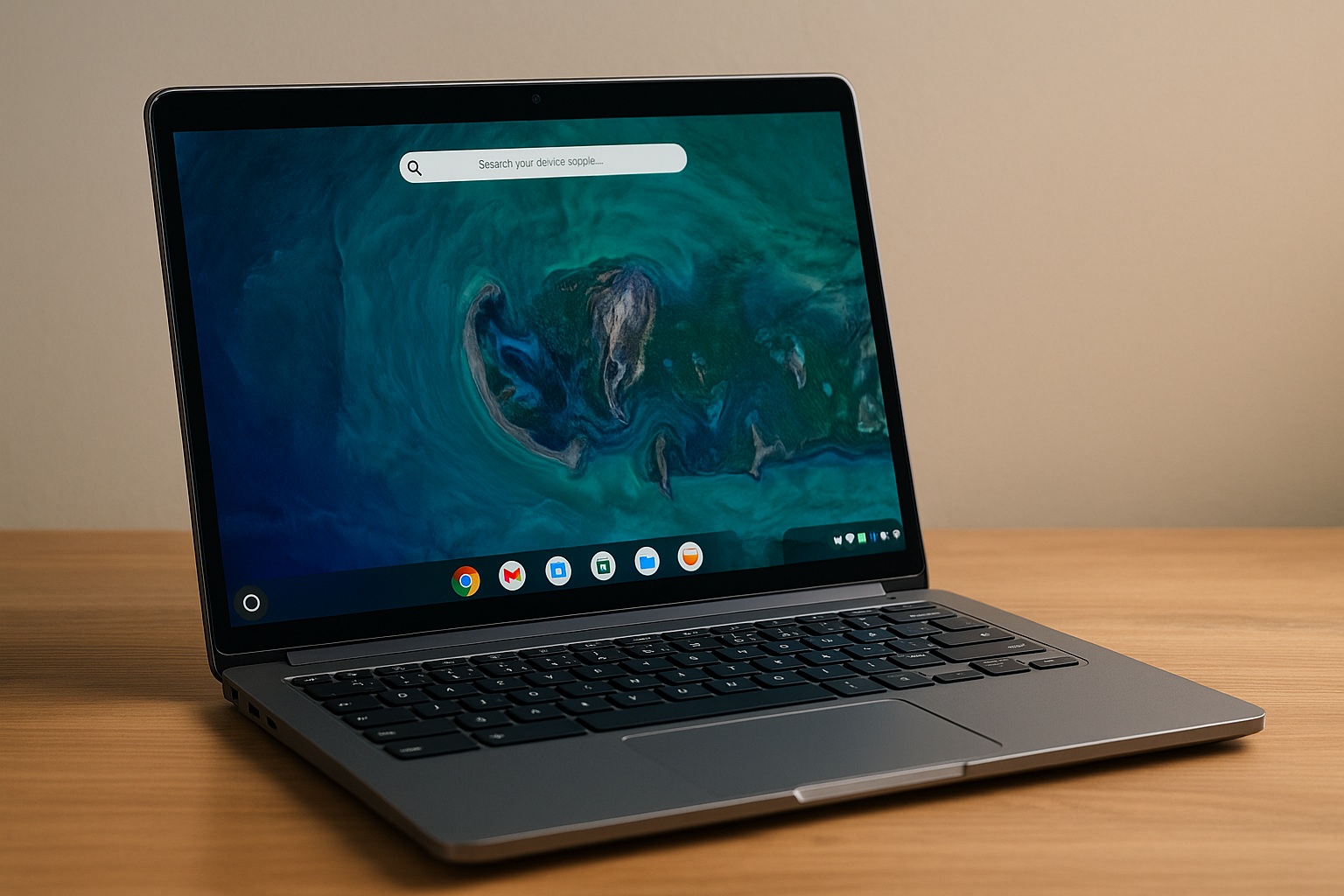
A Chromebook is a type of laptop that runs on the Chrome OS operating system developed by Google. It is primarily designed to work in the cloud, meaning that most applications and files are stored online. Chromebooks are known for their speed, simplicity, and security, making them ideal for tasks such as web browsing, email, document work, and multimedia consumption. Explore our selection of Chromebooks to find the right device for your needs.
Here’s an overview:
- Introduction to Chromebooks: The New Era of Computing
- Decoding the Chrome OS: What Sets it Apart?
- The Evolution of Chromebooks: From Concept to Classroom
- Design and Build: A Peek into Chromebook Aesthetics
- Chromebook Performance: Understanding the Specs
- The App Ecosystem: Optimising Your Chromebook Experience
- Security and Updates: How Chromebooks Keep You Safe
- Chromebook Connectivity: The Import of Cloud Integration
- Battery Life and Portability: Chromebooks on the Go
- Comparing Chromebooks: The Top Contenders on the Market
- Is a Chromebook Right for You? Evaluating Use Cases
- Troubleshooting Common Chromebook Issues
- The Future of Chromebooks: Trends and Predictions
- Conclusion: Summing Up the Chromebook Experience
Introduction to Chromebooks: The New Era of Computing
The advent of Chromebooks marks a significant shift in the paradigm of personal computing, stepping away from traditional operating systems and embracing a cloud-centric approach that is fast becoming a staple in the technology world. Developed by Google, Chromebooks run on Chrome OS, an operating system based on the Chrome web browser that is designed for efficiency and ease of use, especially in an increasingly web-focused society.
- Chromebooks prioritise speed, security, and simplicity, providing a seamless user experience.
- They leverage cloud storage rather than relying primarily on internal hard drives, which promotes mobility and collaboration.
- With automatic updates and virus protection built-in, Chromebooks are maintained with minimal user intervention.
Chromebooks have emerged as a popular choice in educational settings due to their affordability and the robust suite of Google services available at the users’ fingertips, such as Google Classroom, Drive, and Docs. Their appeal, however, extends beyond the classroom, as they offer versatile computing solutions for users ranging from casual surfers and media consumers to business professionals who require reliable access to cloud-based resources.
- The integration with Android apps via the Google Play Store has expanded the functionality of Chromebooks, making them more akin to traditional laptops.
- Battery life has been a point of emphasis, with many Chromebooks offering all-day usage on a single charge.
Chromebooks embody a new era of computing, where access and connectivity take precedence over raw processing power and storage capacity, aligning perfectly with the needs of a growing cohort of users who live and work on the go.
Decoding the Chrome OS: What Sets it Apart?
Chrome OS distinguishes itself as a unique operating system centred around the core tenets of simplicity, security, and speed. This Google-developed OS is fundamentally different from traditional systems like Windows or macOS in several ways:
- Cloud-First Ecosystem: Chrome OS integrates deeply with Google’s cloud services. User data and applications primarily reside in the cloud, allowing for minimal local storage requirements and facilitating a seamless experience across devices.
- Web-Centric Applications: It relies heavily on web applications rather than installing software locally. The Google Play Store and Linux apps have expanded its capabilities, but the OS remains oriented towards online usage.
- Fast Updates: With Chrome OS, users receive swift, automatic updates that run in the background, ensuring the system stays current with minimal user intervention.
- Enhanced Security: Security is a cornerstone of Chrome OS, featuring built-in virus protection and sandboxing technology. Every web page and application runs in a restricted environment to prevent malware from affecting the system.
- Optimized Performance: Chromebooks are designed to be lightweight and fast. The operating system demands fewer resources, resulting in faster start-up times and responsive performance even on less powerful hardware.
- Simplified Interface: The user interface of Chrome OS is straightforward, reducing complexity and making it easily navigable for users of all proficiency levels.
These characteristics make Chrome OS distinct in the landscape of operating systems, appealing particularly to those who favour a streamlined, secure computing environment that leverages the full potential of cloud connectivity and web-based productivity.
The Evolution of Chromebooks: From Concept to Classroom
When the idea of a streamlined, cloud-centric laptop was first broached by Google, the technology landscape was ripe for evolution. Google’s vision hinged on capitalising on its robust cloud services, creating a laptop - the Chromebook - that booted quickly, was easy to use, affordable, and relied heavily on the internet for functionality.
The Birth of Chromebooks
Initially, Chromebooks faced scepticism due to their reliance on a constant internet connection and limited offline capabilities. However, Google’s gamble paid off as enhancements in cloud technology and ubiquitous Wi-Fi coverage made Chromebooks more practical.
Rise in Education Market
Chromebooks experienced an upsurge in the education sector, where their simple interface and low maintenance dovetailed with the needs of schools. The necessity to facilitate digital literacy at a young age cemented Chromebooks as the go-to device for numerous educational institutions. Google’s suite of productivity tools, known as G Suite for Education, provided an integrated experience that enhanced collaborative learning.
Development Over Time
With each generational iteration, Chromebooks have become more powerful and versatile. Hardware improvements coupled with software advances, such as the ability to run Android and Linux apps, have expanded their capabilities beyond the initial cloud-only concept.
The Modern Chromebook
Today, Chromebooks are not just fixtures in classrooms but have also permeated the consumer market, reflecting the shift towards cloud computing and mobile app integration. Their low-cost, security features, and rapid development cycle continue to fuel their popularity.
In essence, Chromebooks have transformed from a niche product into a mainstream educational tool, reflecting the growing interdependency between technology and learning in the digital age.
Design and Build: A Peek into Chromebook Aesthetics
The physical framework of Chromebooks is an embodiment of minimalism and functionality, tailored for users who appreciate sleek, no-fuss design infused with practicality. Balancing affordability with build quality, various brands offer differing design philosophies within the Chromebook market, yet a common thread of simplicity and portability runs through them all.
Material Selection: Manufacturers typically utilise a mix of materials, including plastic for cost-effectiveness and aluminium for a premium finish. The consideration of materials influences both the aesthetics and the durability of Chromebooks.
Colours and Finishes: Chromebook designs often feature neutral or muted colour palettes, with occasional splashes of colour for a youthful touch. Matte and satin finishes prevail, reducing fingerprints and smudges, maintaining a clean and professional appearance.
Form Factors: Diversity in form factors is evident with choices ranging from traditional clamshell models to convertibles with 360-degree hinges, allowing for use as a tablet. This versatility underlines Chromebooks’ commitment to adaptability in both function and style.
Display Quality: While HD screens are standard, higher-end models boast Full HD or even 4K displays for crisp and vivid visuals. Narrow bezels are increasingly common, offering a modern, expansive viewing experience.
Keyboard and Trackpad: The design extends to the quality of input devices - chiclet-style keyboards with well-spaced keys and decent travel are the norms. Trackpads are generally spacious and responsive, underlining the value of user interaction ergonomics.
Portability: Slim profiles and lightweight designs remain a priority, ensuring that Chromebooks cater to the mobile lifestyle of students and professionals alike, without sacrificing the structural integrity or performance.
The finesse of Chromebooks lies in their unassuming presence, meticulously crafted to merge aesthetics with the cloud-driven technology that characterises the platform.
Chromebook Performance: Understanding the Specs
When assessing a Chromebook’s performance, it’s crucial to understand the technical specifications that dictate how well it will handle tasks. Below are the key factors to consider:
Processor (CPU)
The central processing unit (CPU) is the brain of the Chromebook, responsible for executing instructions. Chromebooks typically come with Intel or ARM-based processors. More powerful CPUs with higher clock speeds and additional cores will enable faster multitasking and more efficient running of apps. Look for terms like Intel Core i3, i5, i7 for mainstream performance, or ARM-based processors in lower-cost models.
RAM
Random Access Memory (RAM) is critical for multitasking. It is the workspace the CPU uses to run programs and process data. Chromebooks generally come with 4GB, 8GB, or 16GB of RAM. More RAM allows for more applications to run simultaneously and improved performance with demanding tasks.
Storage
Chromebooks are cloud-centric but still offer onboard storage, typically in the form of eMMC or SSD drives. While eMMC is more cost-effective and found in budget models, SSDs are faster and more robust. Storage options usually range from 32GB to 256GB. Chrome OS and most applications are lightweight, so large amounts of storage are less crucial than with traditional laptops.
Graphics
The Graphics Processing Unit (GPU) manages visual tasks. While Chromebooks aren’t known for high-end gaming performance, a good GPU is still important for video playback, web browsing, and Android apps. Integrated graphics, like Intel HD or UHD graphics, are common but suffice for everyday usage.
Display
Display quality affects the overall experience. A higher resolution (Full HD or 4K) offers sharper images and text, while IPS panels provide better viewing angles and colour accuracy.
Battery Life
Look for a Chromebook with long battery life. Due to their energy-efficient components, Chromebooks can often last an entire day on a single charge, which is ideal for on-the-go usage.
Connectivity
USB ports, HDMI, and SD card slots provide physical connections, while Wi-Fi and Bluetooth are essential for wireless connectivity. Newer Chromebooks also include USB-C ports, which support charging, data transfer, and external displays.
In summary, Chromebook performance depends on balancing these specifications to suit your needs. Less intensive users will find basic models adequate, while power users should look for higher-end specs.
The App Ecosystem: Optimising Your Chromebook Experience
The Chromebook ecosystem is powered by a series of applications designed to enhance productivity, entertainment, and overall user experience. Leveraging the Google Play Store, users have access to countless apps initially developed for Android devices, which are now compatible with Chromebooks. It is crucial to understand app compatibility, as not all mobile apps are optimised for the Chromebook’s interface.
To optimise one’s Chromebook experience:
Research and Install Compatible Apps: Before downloading, check if the app is designed for Chromebook use. Apps optimised for Chromebook will offer a more seamless and integrated user experience.
Utilise Chrome Extensions: The Chrome Web Store offers a wide array of extensions that can augment your browser’s capabilities, from productivity boosters to security tools.
Take Advantage of Google’s Suite: Google’s suite of productivity tools, like Docs, Sheets, and Slides, is natively integrated, ensuring a smooth workflow.
Stay Synced: With a Google account, users enjoy a synchronised experience across all devices. This ensures that work on a Chromebook continues effortlessly on a smartphone or tablet.
Explore Cross-platform Apps: Look for cross-platform applications that work on both Chrome OS and other operating systems, such as Microsoft Office, ensuring compatibility and flexibility in file formats and workflows.
Maintain Security Practices: Regularly update applications and review permissions, as apps on Chromebooks can access personal data and affect system performance.
Optimising the app ecosystem on Chromebook allows users to customise their device according to specific needs and preferences, tapping into the full potential of Google’s cloud-centric laptops. With the right applications, the Chromebook becomes a powerful tool for both professional and personal use.
Security and Updates: How Chromebooks Keep You Safe
Chromebooks are designed with security at their core, providing users with a secure experience right out of the box. To maintain this security posture, Chromebooks use several integrated features:
- Automatic Updates: Chromebooks automatically download and install security and software updates, ensuring the system is protected against the latest threats without user intervention.
- Verified Boot: Every time a Chromebook starts up, it executes a process called Verified Boot, which checks if the operating system is tamper-free and secure. If integrity issues are detected, the OS reverts to a secure version.
- Data Encryption: User data is encrypted by default, helping to protect sensitive information in case of device theft or loss.
- Recovery Mode: In the event of software issues, a Chromebook can be easily restored to its original state using Recovery Mode, which eliminates potential security risks from corrupted files or malicious software.
- Sandboxing: Chromebooks use sandboxing to isolate websites and applications, preventing malware from spreading to the rest of the machine.
- Google Play Protect: With support for Android apps, Chromebooks benefit from Google Play Protect, which scans apps for malware before and after they’re installed.
- Restricted User Mode: Administrators can control user access, enforcing policies that increase security for managed devices, such as those used in educational or enterprise environments.
Constantly evolving, Chromebooks integrate these security measures to ensure users have a defensive shield against cybersecurity risks. Through automatic updates, robust built-in security features, and streamlined recovery processes, Chromebooks keep their users’ data and experience secure, providing peace of mind in an increasingly connected world.
Chromebook Connectivity: The Import of Cloud Integration
Chromebooks are intrinsically designed to flourish within a world dominated by cloud technology. These devices integrate seamlessly with a multitude of cloud-based services, which is central to their functionality and appeal. For users, this means access to files and applications is not bound to a single piece of hardware, but rather available anywhere, provided there is an internet connection.
The reliance on cloud services such as Google Drive, Docs, Sheets, and Slides ensures that all data is constantly synced and backed up automatically, providing peace of mind and facilitating real-time collaboration with ease. This infrastructure is particularly beneficial for educational institutions and businesses where sharing and collective input are routine.
Moreover, cloud integration leads to a significant reduction in the device’s storage requirements, as hefty on-device memory is no longer a necessity. Consequently, Chromebooks can maintain a lightweight operating system, Chrome OS, which bolsters start-up speeds and optimizes overall performance.
Additionally, this connectivity extends to peripheral components and services:
- Automatic Updates: Chrome OS updates are delivered over the cloud, keeping the system secure without user intervention.
- Google Play Store: Provides access to millions of Android apps, expanding the Chromebook’s capabilities beyond the web browser.
- Cross-Device Synchronisation: User preferences, history, bookmarks, and extensions are synced across devices, streamlining the user experience.
By anchoring on cloud integration, Chromebooks underscore a continuous evolution towards a more interconnected and accessible computing paradigm. The result is a device that proves ideal for users with an always-online lifestyle, underscoring the Chromebook’s position as the epitome of cloud-centric computing.
Battery Life and Portability: Chromebooks on the Go
One of the most compelling features of Chromebooks is their exceptional battery life. Designed to be energy-efficient, many models offer between 10 to 12 hours of usage on a single charge, catering to users who prioritize mobility and ease of access throughout their day. This long battery life ensures that individuals can work remotely, attend virtual meetings, or enjoy media content without the constant need to recharge.
Portability is another key advantage of Chromebooks. They are typically lightweight and compact, making them an ideal choice for those who are always on the move. With sleek designs that prioritize thinness and weight reduction, users find that carrying a Chromebook from one location to another is a seamless experience. This portable nature extends to various scenarios, from bustling coffee shops to tranquil park benches, where the cloud-centric capabilities of Chromebooks shine.
Several factors contribute to the extended battery life and portability of Chromebooks:
High-Efficiency Processors: Many Chromebooks are equipped with processors optimized for low power consumption.
Solid State Drives (SSDs): The usage of SSDs not only provides quick access to data but also contributes to lower battery drain.
Optimized Operating System: Chrome OS is streamlined for cloud-based applications, reducing the processing load on the device itself.
Lightweight Build Materials: The construction of Chromebooks often involves materials that are both durable and light, striking a balance between resilience and ease of transport.
This combination of battery longevity and portability positions Chromebooks as a dependable option for users who value flexibility, travel frequently, or need a device that can last throughout the work or school day without tethering to a power outlet.
Comparing Chromebooks: The Top Contenders on the Market
When exploring the variety of Chromebooks available, several models stand out for their superior performance, design, and value proposition. Here’s a closer look at some top contenders in the current market:
Google Pixelbook Go: Google’s flagship Chromebook combines premium build quality with impressive battery life. It features a 13.3-inch high-resolution touch screen, up to 12 hours of battery life, and a light and slim design, making it highly portable. It’s suitable for professionals who prioritize simplicity and reliability in their workflow.
ASUS Chromebook Flip C434: With a 14-inch Full HD 4-way NanoEdge display and a 360-degree hinge, this versatile device can switch between laptop, tablet, stand, and tent modes. Solid performance, courtesy of its Intel Core processors, and an all-metal body makes it a strong contender for users seeking flexibility and durability.
Acer Chromebook Spin 713: Acer’s offering is well-recognized for its sharp 3:2 aspect ratio display, which is great for productivity. It also boasts an Intel Core i5 processor, making it one of the most powerful Chromebooks on the market. It’s an excellent choice for power users who are after high performance in a versatile package.
Samsung Galaxy Chromebook: This eye-catching Chromebook stands out with its stunning AMOLED display and ultra-sleek design. It’s equipped with an Intel Core i5 processor, 256GB SSD, and built-in pen, making it a creative’s best friend. Despite its higher price tag, it’s a strong option for those who want a high-end Chromebook experience.
HP Chromebook x360 14: A solid contender for budget-conscious consumers, this model from HP offers decent performance with its Intel Core i3 processor and a flexible 2-in-1 design. Its sturdy build and good battery life provide excellent value for those needing a practical Chromebook for everyday tasks.
While the right Chromebook depends on individual needs and preferences, these models illustrate the diversity and capability of Chromebooks currently leading the market. From premium models to cost-effective workhorses, there is a Chromebook designed to fit virtually any requirement.
Is a Chromebook Right for You? Evaluating Use Cases
When considering the purchase of a Chromebook, it’s essential to assess how well it aligns with your computing requirements. Chromebooks have made a name for themselves by being efficient, low-maintenance, portable, and affordable. They leverage the power of cloud computing, offering a suite of applications and services through Google’s Chrome OS.
Students and Educators: Chromebooks have become a staple in the education sector. The lightweight design, long battery life, and seamless integration with Google Classroom and G Suite for Education make them ideal for students who primarily rely on web-based research and online collaboration tools.
Casual Users: For those who primarily use a computer to browse the internet, watch videos, or access social media, Chromebooks can be an excellent choice. The simplicity of Chrome OS means there’s less to manage, and the system is less prone to viruses, which appeals to users who value ease of use and security.
Professionals on the Go: Professionals who travel frequently or work remotely may find the portability and quick startup time of Chromebooks advantageous. Essential productivity tools like Google Docs, Sheets, and Slides are readily accessible, but those requiring specialized software might encounter limitations.
Developers: With support for Linux and Android apps, Chromebooks can accommodate a developer’s environment to some extent. However, the hardware may not meet the demands of heavy-duty compiling or running complex development tools.
In summary, Chromebooks are well-suited for users heavily invested in the Google ecosystem and those whose activities are predominantly cloud-based or internet-centric. Before opting for a Chromebook, it’s crucial to consider the compatibility of required software and whether the device’s capabilities align with your specific use case.
Troubleshooting Common Chromebook Issues
Like any other device, Chromebooks may encounter issues from time to time. Addressing common problems often involves simple fixes that users can perform themselves.
Wi-Fi connectivity problems: To troubleshoot connectivity issues, users should begin by checking the Wi-Fi is switched on both on the device and the router. If other devices connect, the issue may lie with the Chromebook. Users can try turning off Wi-Fi and then on again, forgetting the network and rejoining, or performing a hard reset.
Unresponsive or freezing system: An unresponsive Chromebook can often be resolved by performing a hard restart. Users should hold down the power button for a few seconds until the device shuts off, then turn it back on. For recurring issues, checking for and applying system updates is recommended.
Login troubles: Should users experience problems signing in to their Chromebooks, it’s advisable to ensure the correct Google account details are being entered. If the problem persists, the device should be restarted, and the login attempted again.
Battery or charging issues: First, verify the charger is correctly plugged in and the power source is functioning. Users can also try a different charger if available. If the device still doesn’t charge, a hardware issue might be present, in which case contacting customer support or visiting a professional is necessary.
App crashes or errors: Clearing the app cache can resolve crashes. This action is performed in the settings menu under the ‘Apps’ section. If this does not work, users can try updating the app or the Chromebook’s operating system.
Dealing with these issues promptly can enhance the longevity of the device and ensure a smooth user experience. It’s worth noting that if problems persist after troubleshooting, seeking professional assistance or contacting Google support may be the next best step.
The Future of Chromebooks: Trends and Predictions
As technology advances, Chromebooks are expected to continue their growth trajectory, bolstered by a couple of key trends and forward-looking predictions:
Enhanced Hardware Capabilities: To keep up with demanding applications and users’ expectations, future Chromebooks are likely to boast more powerful processors, higher RAM capacities, and improved graphics processing. Expect to see sleeker and more versatile designs, including detachable and foldable models that suit various modes of usage.
Greater App Ecosystem: The integration of Chrome OS with Android and Linux has expanded the range of available applications. In the future, the Google Play Store and Linux app support will likely become more robust, providing users with an even wider array of software options to choose from.
AI and Machine Learning Integration: With Google’s strong interest in AI, future Chromebooks might come equipped with more advanced AI capabilities. This technology could lead to improvements in user experience, such as predictive text and smarter voice assistance.
Improved Offline Functionality: As Chromebooks rely on cloud connectivity, enhancing offline capabilities will be a key aspect. Future models could offer better storage options and offline access to cloud services, making Chromebooks more functional without a constant internet connection.
Education Market Expansion: Chromebooks have been well-received in the education sector due to their simplicity and low cost. Predictions suggest that this trend will continue, with Chromebooks becoming even more tailored to educational needs through specialized applications and improved classroom management tools.
Sustainability Focus: In line with global sustainability efforts, upcoming Chromebooks may focus on more environmentally friendly materials, energy-efficient designs, and easier reparability.
These trends and predictions indicate that Chromebooks are likely to evolve into more powerful, versatile, and user-friendly devices in the future, with an expanding role in both personal and professional settings.
Conclusion: Summing Up the Chromebook Experience
Chromebooks represent a significant shift in personal computing, capitalizing on the ubiquity of cloud services and the growing trend towards online collaboration and efficiency. They are designed with specific users in mind, particularly those who require a device that is affordable, secure, and simple to operate, with fast access to the internet and web-based applications.
Key points that encapsulate the Chromebook experience include:
Cloud-Centric Design: Chromebooks integrate seamlessly with Google’s suite of applications and encourage cloud storage, ensuring that the user’s data is always accessible and up-to-date across all devices.
Speed and Simplicity: These devices are known for their quick boot-up times and easy-to-use interface, allowing for a straightforward user experience without the complexities often associated with traditional operating systems.
Security and Updates: Google’s Chrome OS is considered highly secure with built-in virus protection and automatic updates, reducing the need for manual maintenance and providing peace of mind for users regarding their data’s security.
Affordability: With a range of options available, Chromebooks offer accessible pricing for consumers, making them an appealing choice for education sectors, businesses, and personal use.
Application Ecosystem: While Chromebooks have traditionally been seen as limited in terms of available applications, recent updates have expanded their capabilities, including support for Android and Linux applications, increasing their versatility.
Connectivity Requirements: The reliance on internet connectivity can be a limiting factor for some users; however, offline capabilities have been improving, and for those with consistent access to Wi-Fi or mobile data, this is less of an issue.
Chromebooks may not be suitable for all computing needs, particularly where high-end processing power or specialised software is required. Nevertheless, for those whose activities are primed for a web environment, Chromebooks offer a streamlined, efficient, and modern computing solution that aligns with the movement towards cloud-based workflows and ubiquitous internet access.