Everything You Need to Know About the Playstation 5
All information about the Playstation 5
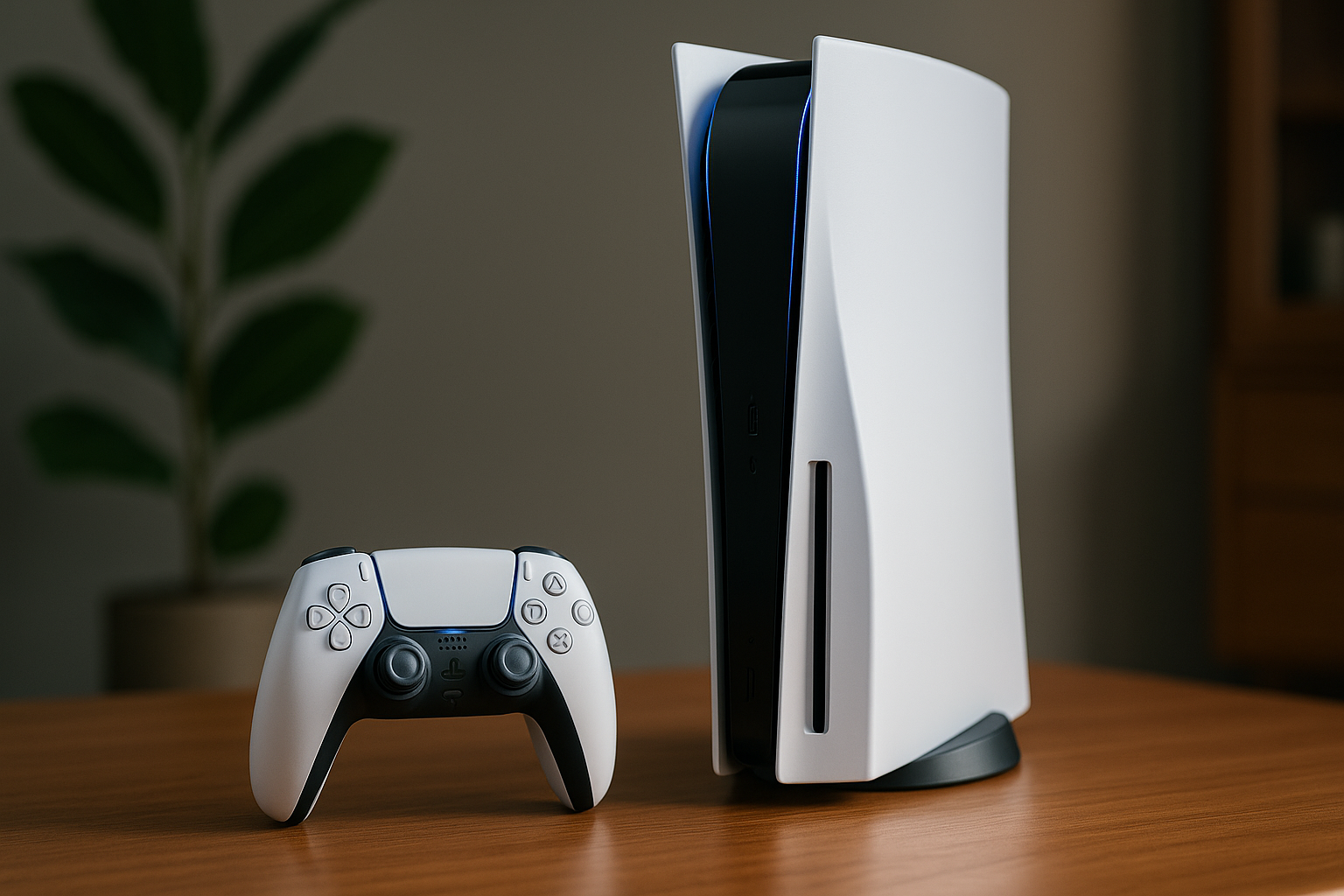
The Playstation 5 is Sony's latest console, offering cutting-edge graphics, an immersive gaming experience, and a wide range of exclusive titles. To complement your gaming experience, consider exploring our selection of laptops to find the perfect device for your gaming needs.
Here’s an overview:
- Introduction to the PlayStation 5
- PlayStation 5 Versions: Standard vs Digital Edition
- Technical Specifications and Hardware Features
- User Interface and Experience
- Backward Compatibility and Game Library
- PlayStation 5 Accessories and Peripherals
- Exclusive Games and Titles
- PlayStation Plus and Other Subscription Services
- Setting Up and Customising Your PlayStation 5
- Tips and Tricks for Maximising PS5 Performance
- Common Issues and Troubleshooting
- Future Updates and Upcoming Features
- Conclusion: Is the PlayStation 5 Worth It?
Introduction to the PlayStation 5
The PlayStation 5 (PS5), developed by Sony Interactive Entertainment, represents a significant leap in gaming technology, promising to redefine the user’s experience with its powerful hardware, innovative features, and extensive game library. Launched in November 2020, the console has set new benchmarks in the gaming industry.
Key Hardware Specifications
The PS5 hardware has been meticulously designed to achieve high performance and speed. Key specifications include:
- CPU: Custom AMD Ryzen “Zen 2” with 8 cores and 16 threads at 3.5GHz.
- GPU: Custom RDNA 2 architecture, offering 10.28 TFLOPs with 36 compute units at 2.23GHz.
- Memory: 16GB GDDR6 RAM, ensuring swift data handling and seamless gameplay.
- Storage: 825GB SSD, providing ultra-fast load times and a significant reduction in in-game wait times.
- Optical Drive: 4K UHD Blu-ray Drive, enhancing the multimedia experience.
Notable Features
The PS5 introduces several groundbreaking features designed to improve gameplay and user interaction:
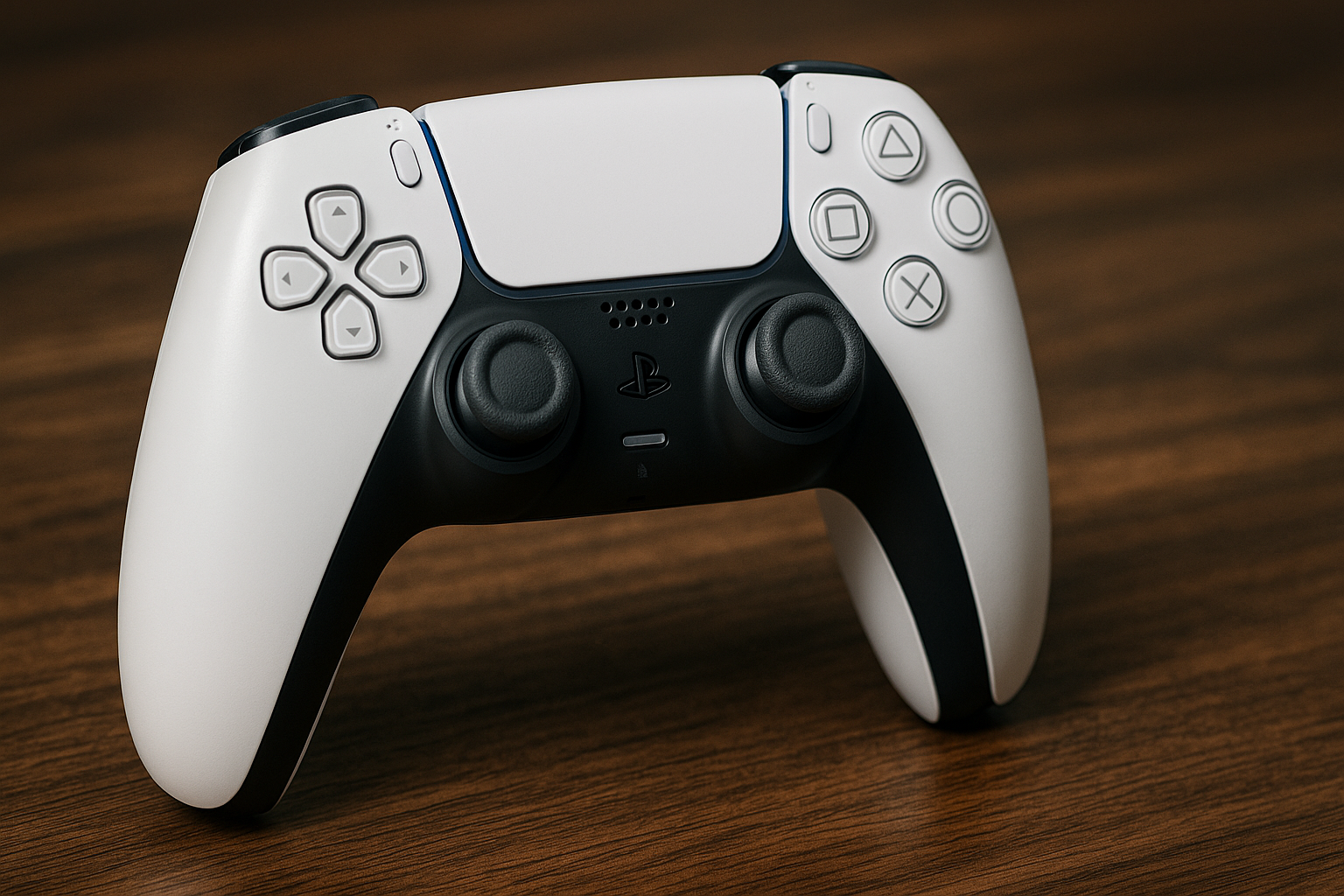
DualSense Controller:
- Haptic Feedback: Provides nuanced vibrations, enhancing immersion.
- Adaptive Triggers: Offers varying resistance levels, adding physical feedback to in-game actions.
- Built-in Microphone: Allows players to communicate without additional peripherals.
3D Audio Technology:
- Supports spatial audio, delivering a more immersive sound experience with compatible headsets.
Backward Compatibility:
- Supports a vast library of PS4 games, allowing gamers to continue enjoying their previous titles with improved performance.
User Interface:
- Redesigned to be faster and more intuitive, offering quick access to games, media, and social features.
Games and Exclusives
The PS5 boasts an impressive line-up of exclusive titles and highly anticipated games:
- Demon’s Souls: A complete remake showcasing the console’s graphical capabilities.
- Marvel’s Spider-Man: Miles Morales: Expands on the successful Spider-Man franchise with stunning visuals.
- Ratchet & Clank: Rift Apart: Demonstrates the PS5’s ability to handle real-time dimensional shifts.
- Horizon Forbidden West: Continues the popular Horizon series with expansive open-world exploration.
This combination of powerful hardware, innovative features, and an impressive game library positions the PS5 as a premier choice for gamers seeking a cutting-edge experience.
PlayStation 5 Versions: Standard vs Digital Edition
The PlayStation 5 is available in two main versions: Standard Edition and Digital Edition. Understanding the differences can help users make a well-informed decision when selecting the best model for their gaming needs.
Standard Edition
The Standard Edition PS5 includes a physical disc drive, allowing users to:
- Play Ultra HD Blu-ray discs
- Access physical copies of PS4 and PS5 games
- Watch Blu-ray movies
- Use pre-owned games
Noteworthy features:
- Physical media support provides flexibility.
- Larger storage for physical games reduces dependency on digital downloads.
- Collectors may prefer boxed editions with exclusive content not available digitally.
Digital Edition
The Digital Edition lacks a physical disc drive, which offers:
- Lower initial cost due to the absence of the drive
- Sleeker, symmetrical design
Considerations for this version:
- Requires stable, high-speed internet for downloading games.
- Limits access to digital-only or downloadable games.
- Digital purchases are non-transferable and tied to the user’s PlayStation Network account.
Key Differences
- Price: The Digital Edition is typically cheaper than the Standard Edition.
- Media Compatibility: The Standard Edition can play physical discs, which is not possible with the Digital Edition.
- Aesthetic and Weight: The absence of the disc drive in the Digital Edition results in a lighter, more streamlined design.
- Storage Utilisation: Digital Edition users fully utilise their console’s SSD storage since all purchased games are downloads.
Performance and Features
Despite their differences, both versions share identical internal components:
- Custom AMD Ryzen™ Zen 2 CPU and RDNA 2 GPU
- Ultra-fast SSD for quick load times
- Backward compatibility with a wide range of PS4 titles
- Support for 3D audio and ray tracing
In summary, selecting between the Standard Edition and Digital Edition depends on the user’s preference for physical media versus digital downloads, as well as their budget. The performance and gameplay experience on both remain consistent.
Technical Specifications and Hardware Features
The PlayStation 5 boasts cutting-edge specifications designed to deliver an immersive gaming experience. Below are its key technical specifications and hardware features:
Processor and Performance
- CPU: Custom AMD Ryzen™ Zen 2, 8 cores/16 threads, up to 3.5 GHz
- GPU: Custom RDNA 2, 10.28 TFLOPs, 36 CUs at 2.23 GHz
- Memory Interface: 16 GB GDDR6, 256-bit
- Memory Bandwidth: 448 GB/s
Storage and Speed
- Internal Storage: Custom 825 GB SSD
- Expandable Storage: NVMe SSD Slot
- External Storage: USB HDD Compatibility
- IO Throughput: 5.5 GB/s (Raw), Typical 8-9 GB/s (Compressed)
Multimedia and Output
- Resolution: 4K UHD (3840 x 2160 pixels), 8K support
- Refresh Rate: 120 Hz support
- HDR Support: Yes, HDR10
- Ray Tracing: Hardware-accelerated ray tracing
Audio and Sound
- Tempest 3D AudioTech: > The custom-built system allows for advanced 3D audio in supported games.
- Audio Output: Supports 5.1, 7.1 surround sound, and virtual surround sound via compatible HDMI devices
Disc Drive and Compatibility
- Optical Drive: Ultra HD Blu-ray (4K) drive
- Backward Compatibility: Compatible with most PlayStation 4 games
- Game Media: Ultra HD Blu-ray, Digital download
Connectivity
- Wi-Fi: IEEE 802.11ax (Wi-Fi 6)
- Bluetooth: Bluetooth® 5.1
- USB Ports: 2 x USB 3.1, 1 x USB-C on front
- HDMI: HDMI 2.1 support
Design and Dimensions
- Dimensions: Approximately 390mm x 104mm x 260mm (width x height x depth)
- Weight: Approximately 4.5 kg
Controller Features
- DualSense™ Wireless Controller:
- Haptic Feedback: Advanced vibration motors for tactile feedback
- Adaptive Triggers: L2 and R2 trigger buttons featuring varying levels of resistance
- Built-in Microphone: Enables voice chatting without the need for a headset
- Battery Life: Approx. 10-12 hours per charge
Additional Features
- User Interface: New PS5 UI with fast load times and seamless integration with the PlayStation Network
- Power Consumption: Supports energy-saving modes, lower than previous models
The PlayStation 5’s feature set signifies a generation leap, offering robust performance, quicker loading times, and a more immersive gaming experience. Game developers can harness these specifications to create richer and more detailed game worlds.
User Interface and Experience
The PlayStation 5 (PS5) features a redesigned user interface (UI) that enhances the gaming experience. The new UI is designed to provide quick access to essential functions, minimise downtime, and ensure gamers can dive into their games seamlessly.
Key Elements of the PS5 UI:
Control Centre:
- Quickly accessible by pressing the PS button on the DualSense controller.
- Provides access to fundamental features like notifications, game-related information, settings, and music controls without leaving the game.
- Allows players to check on friends, manage downloads, and access other essential features instantly.
Activity Cards:
- Offer a revolutionary way to engage with games.
- Provide specific information about in-game objectives, progress, and achievements.
- Players can resume paused activities directly from these cards, streamlining gameplay and reducing transition times.
- Certain activity cards feature built-in walkthroughs and hints to assist players in challenging sections.
Game Hub:
- Serves as the central point for all game-related information.
- Displays recent news, updates, and downloadable content for installed games.
- Offers quick access to game-specific community features and social interactions.
User Profiles:
- Enhanced to be more informative and personalised.
- Show the user’s recent activity, trophies, and preferred titles.
- Allow players to compare progress and achievements with friends seamlessly.
Enhanced Store Integration:
- The PlayStation Store is integrated directly into the UI, removing the need for a separate app.
- Provides a unified browsing and purchasing experience.
- Streamlined navigation helps users find new games, add-ons, and special offers efficiently.
Visual Design and Performance:
- The PS5 UI features a clean and responsive design with high-definition visuals.
- Animations are smooth, providing a sense of fluidity when navigating through menus.
- The layout prioritises user convenience, reducing the number of steps required to perform common actions.
- The system leverages the PS5’s hardware capabilities, ensuring near-instant loading times for most UI functions.
Overall, the user interface and experience of the PS5 are designed to be intuitive, responsive, and visually appealing, significantly enhancing the overall gaming experience.
Backward Compatibility and Game Library
The PlayStation 5 (PS5) provides extensive backward compatibility features with a majority of PlayStation 4 (PS4) titles, enabling users to enjoy their existing game libraries without necessitating the preservation of older hardware. This capability significantly enhances user experience and broadens the PS5’s game offerings from the outset.
Backward Compatibility
- PS4 Games: The PS5 supports over 99% of PS4 games, both physical discs and digital titles purchased through the PlayStation Store. This allows players to continue enjoying their favourite titles from the previous generation.
- Enhanced Performance: Many PS4 games benefit from the advanced hardware of the PS5, experiencing enhancements such as higher frame rates, improved resolution, and faster load times.
- Save Data Transfer: Players can transfer save data from their PS4 to PS5, ensuring seamless progression. This can be achieved through multiple methods:
- Cloud storage via PlayStation Plus.
- External USB devices.
- Network transfer directly from the PS4 to the PS5.
Game Library
- Launch Titles: The PS5 launched with a variety of exclusive games, showcasing the capabilities of the new hardware. Titles such as “Demon’s Souls” and “Marvel’s Spider-Man: Miles Morales” highlight graphical advancements and innovative gameplay.
- Exclusive Titles: Sony continues to invest in exclusive franchises, ensuring a steady stream of high-quality games that are unavailable on other platforms. Upcoming releases promise to push the boundaries of what the console can achieve.
- Third-Party Titles: The PS5 benefits from strong support from third-party developers. Popular franchises, including “Call of Duty,” “Assassin’s Creed,” and “FIFA,” consistently release new editions, optimised for the PS5’s capabilities.
- PlayStation Plus Collection: PlayStation Plus members gain access to a curated library of classic PS4 games, playable on the PS5. This collection includes critically acclaimed titles such as “God of War,” “The Last of Us Remastered,” and “Uncharted 4: A Thief’s End.”
Overall, backward compatibility combined with a growing library of games ensures that the PS5 offers a robust and engaging gaming experience right from its release, catering to both new and returning players alike.
PlayStation 5 Accessories and Peripherals
The PlayStation 5 offers an array of accessories and peripherals that enhance the gaming experience. These add-ons are designed to deliver superior performance, immersive experiences, and comfort during gameplay.
DualSense Wireless Controller
The DualSense Wireless Controller is a significant upgrade from its predecessor. It features haptic feedback, adaptive triggers, and a built-in microphone. Key improvements:
- Haptic Feedback: Provides realistic vibrations matching the in-game actions.
- Adaptive Triggers: Offer varying levels of resistance to replicate the physical sensation of in-game activities.
- Built-In Microphone: Enables voice chat without the need for a headset.
Pulse 3D Wireless Headset
The Pulse 3D Wireless Headset is designed for the PS5’s Tempest 3D AudioTech, which provides a spatial audio experience. Features include:
- 3D Audio Support: Delivers immersive and realistic sound.
- Noise-Canceling Microphones: Ensure clear communication.
- Wireless Connectivity: Offers freedom of movement without compromising sound quality.
Media Remote
The Media Remote provides easy navigation and control over the PS5’s media content. It allows users to:
- Streamlined Media Playback: Control streaming services and media playback.
- Dedicated Buttons: Pre-programmed for popular streaming services.
- Intuitive Layout: Simplifies the navigation of media content.
HD Camera
The HD Camera is an accessory tailored for gamers interested in streaming or video conferencing. It includes:
- 1080p Capture: Ensures high-definition video quality.
- Integrated Stand: Adjustable for optimal positioning.
- Background Removal Tools: Tailored for picture-in-picture presentations during live gameplay streaming.
DualSense Charging Station
The DualSense Charging Station enhances convenience by allowing users to charge up to two controllers simultaneously. Features include:
- Charge Two Controllers: Simultaneously replenish the battery life of two DualSense controllers.
- Effortless Docking: Easy-to-use drop-and-go functionality.
- Tidy Setup: Minimises cable clutter.
PlayStation 5 Console Covers
Available in various colours, PlayStation 5 Console Covers offer a way to personalise and protect the console. Specifications include:
- Customisability: Available in multiple colours, including red, purple, black, blue, and pink.
- Durable Material: Designed to fit securely and protect the console.
Each of these accessories is designed to maximise the PS5’s capabilities, offering a more immersive and enjoyable user experience.
Exclusive Games and Titles
The PlayStation 5 (PS5) boasts a remarkable range of exclusive games and titles that enhance its appeal. These exclusives are tailored to utilise the advanced capabilities of the PS5, ensuring immersive experiences for gamers.
Notable Exclusive Titles
Demon’s Souls
- A remake of the 2009 classic. This action RPG is known for its challenging gameplay and stunning visual overhaul.
Ratchet & Clank: Rift Apart
- An excellent showcase of the PS5’s graphical prowess and fast load times. It features dynamic worlds and innovative gameplay mechanics.
Returnal
- A third-person shooter with roguelike elements. It offers a unique narrative and fast-paced, challenging combat.
Spider-Man: Miles Morales
- A continuation of the Spider-Man franchise. It features a new protagonist, improved mechanics, and a captivating storyline.
Astro’s Playroom
- Pre-installed on every PS5, this platformer is a perfect introduction to the console’s features, particularly the DualSense controller.
Upcoming Titles
Horizon Forbidden West
- The sequel to Horizon Zero Dawn. It promises enhanced graphics, a deeper narrative, and expanded exploration options.
Gran Turismo 7
- The new instalment of the acclaimed racing series. Anticipated for its realism and extensive car collection.
God of War: Ragnarok
- A follow-up to the critically acclaimed God of War (2018). Known for its enhanced storytelling and combat mechanics.
Advantages of PS5 Exclusives
- Optimised Performance: Exclusives are designed to take full advantage of the PS5’s hardware, ensuring seamless gameplay and superior graphics.
- Innovative Use of the DualSense Controller: Many exclusives integrate the DualSense’s haptic feedback and adaptive triggers, offering a more immersive experience.
- Expansive Worlds and Narratives: These games typically feature rich storylines and expansive worlds, providing gamers with hours of engagement.
Impact on the Gaming Landscape
PS5 exclusives set a high standard for next-gen console gaming. They not only showcase the technical capabilities of the console but also push the boundaries of interactive storytelling and gameplay innovation. As developers continue to explore and exploit the PS5’s hardware, the quality and diversity of exclusive titles are expected to grow, solidifying the PS5’s position as a leading gaming platform.
PlayStation Plus and Other Subscription Services
PlayStation Plus is a critical service for any serious PlayStation 5 user. It grants access to online multiplayer, exclusive discounts, and a collection of free monthly games. There are different tiers such as PlayStation Plus Essential, Extra, and Premium, each offering varying degrees of benefits and access to a more extensive library of games.
PlayStation Plus
- PlayStation Plus Essential: The basic tier provides online multiplayer access, two monthly free games, exclusive discounts, and cloud storage for game saves.
- PlayStation Plus Extra: Builds on the Essential benefits with a library of up to 400 downloadable PS4 and PS5 games, including blockbuster hits and favourites.
- PlayStation Plus Premium: Offers everything in the Essential and Extra tiers, plus up to 340 additional games, including PS3 titles available via cloud streaming, and classics from PS1, PS2, and PSP generations. Premium members also get time-limited game trials.
PlayStation Now
PlayStation Now integrates into PlayStation Plus, particularly at the Extra and Premium tiers, providing access to a vast streaming library. It permits users to stream or download a selection of titles from various PlayStation generations.
Other Subscription Services
EA Play
EA Play offers PS5 users a curated selection of Electronic Arts games. Subscribers gain:
- Early access to new releases.
- Member-only challenges and rewards.
- A collection of top EA games for unlimited play.
Ubisoft+
Ubisoft+ is expected to become available on PlayStation 5, expanding the subscription ecosystem. It provides access to new and classic Ubisoft titles, additional content, and in-game rewards.
Netflix, Amazon Prime, Hulu
While not gaming-focused, these services are accessible on PS5, broadening its utility as a home entertainment system.
Integration and Usability
The integration of these services into the PS5 dashboard enhances usability, offering seamless access through a unified interface. The automatic updates and personalised recommendations improve the gaming experience. Features like Share Play allow users to share their games and co-op across distances.
Overall, the subscription services available on PlayStation 5 cater to various gaming and entertainment preferences, making the console a versatile and indispensable part of modern entertainment setups.
Setting Up and Customising Your PlayStation 5
Unboxing and Initial Setup
Upon unboxing the PlayStation 5, users will find the following components:
- PlayStation 5 console
- DualSense wireless controller
- HDMI cable
- AC power cord
- USB-C to USB-A charging cable
- Base (for vertical or horizontal orientation)
- Quick start guide and safety guide
Users should begin by securely connecting the HDMI cable to their TV and the console. Next, plug in the AC power cord to the back of the PS5 and connect it to a power outlet. To power on the console, press the power button located on the front.
Initial Configuration
Following the hardware setup, users will need to:
- Select language preferences: Upon starting the console, users will be prompted to choose their preferred language.
- Connect to Wi-Fi: The console will search for available Wi-Fi networks. Select the preferred network and enter the password.
- Sign in to PlayStation Network (PSN): Users must sign in using their existing PSN account or create a new one.
- System software updates: The PS5 may prompt users to install the latest system software update to ensure optimal performance and access to new features.
Customising Settings
Personalising the console settings improves the user experience. Customisation options include:
- Display settings: Navigate to Settings > Screen and Video to adjust resolution, HDR, and other display features.
- Sound settings: Access Settings > Sound to configure audio output, including TV speakers, headphones, and home theatre systems.
- Privacy settings: Modify who can see your online status, sent friend requests, and view gameplay broadcasts under Settings > Users and Accounts > Privacy.
- Controller settings: Adjust the DualSense controller settings under Settings > Accessories > Controllers, including haptic feedback and adaptive trigger intensity.
Setting Up Parental Controls
For households with children, PS5 offers comprehensive parental controls:
- Go to Settings > Family and Parental Controls.
- Create child accounts with appropriate restrictions.
- Set spending limits, screen time limits, and restrict communication with other players.
- Review and adjust content filters based on age appropriateness.
Personalising the Home Screen
Further, users may:
- Install themes: Enhance the UI by installing custom or default themes available in the PlayStation Store.
- Organise game library: Arrange installed games and applications using folders for a streamlined experience.
- Set up game presets: In Settings > Saved Data > Game Presets, customise default difficulty levels, performance modes, and subtitles for supported games.
By following these steps, users will fully set up and customise their PlayStation 5, ensuring optimal performance and personalised use.
Tips and Tricks for Maximising PS5 Performance
To get the most out of the PlayStation 5, users can follow several best practices to enhance gaming experience and system efficiency. Here’s a comprehensive list of strategies:
System Updates
- Regular Updates: Ensure the PS5 system software is always up to date with the latest updates from Sony. This can include vital performance enhancements and bug fixes.
- Automatic Updates: Enable automatic updates to ensure the console always has the latest software without requiring manual intervention.
Storage Optimisation
- External SSD: Use a compatible external SSD for additional storage to reduce load times and enhance performance.
- Game Organisation: Organise and uninstall games no longer in use to free up system storage, preventing slowdowns.
- Data Management: Regularly check for and delete unnecessary game data and cache.
Power Settings
- Rest Mode: Enable Rest Mode to prevent wear and tear and to keep the console updated while not in use.
- Energy Saver: Opt for energy-saving settings to ensure optimal performance without excessive power consumption.
Network Settings
- Wired Connection: For online gaming, utilise a wired Ethernet connection rather than Wi-Fi to reduce lag and ensure a stable connection.
- Network Configuration: Use advanced network settings such as custom DNS to improve download speeds and online performance.
Cooling Management
- Ventilation: Place the PS5 in a well-ventilated area to prevent overheating, ensuring proper air flow around the console.
- Cleaning: Periodically clean the vents and fans to remove dust build-up, which can hinder cooling efficiency.
Performance Settings
- Performance Mode: Set games to performance mode in the game settings to prioritise higher frame rates over graphical fidelity.
- Resolution Settings: Adjust the resolution settings to match the capabilities of the display unit, maintaining a balance between visual quality and performance.
Peripheral Settings
- Controller Updates: Keep the DualSense controller firmware updated to the latest version for optimal compatibility and performance.
- Accessory Management: Disconnect unused accessories to minimise power drain and interference with system resources.
Regular Maintenance
- System Reboots: Regularly reboot the console to clear the cache and refresh system processes.
- Factory Reset: Consider a factory reset periodically or when experiencing ongoing issues to clear out system files and restore optimal performance.
These tips will ensure gamers can enjoy a seamless and responsive experience with their PS5 console.
Common Issues and Troubleshooting
Power Issues
- Ensure the power cable is securely connected.
- Verify the outlet by testing another device.
- Perform a power cycle by holding the power button for 10 seconds.
Connectivity Problems
- Check internet speed and stability.
- Reboot the router and modem.
- Reset the network settings on the PS5 through:
- Settings > Network > Settings > Set Up Internet Connection > Reset
Freezing and Crashing
- Update the system software via:
- Settings > System Software > System Software Update and Settings
- Rebuild the database in Safe Mode:
- Turn off the console > Hold the power button until two beeps > Connect the controller with a USB cable > Press the PS button > Select “Rebuild Database”
Controller Issues
- If the DualSense controller is not charging:
- Try another USB cable or port.
- Reset the controller by pressing the small button on the back with a pin.
- If the controller is unresponsive:
- Connect the controller with a USB cable to the console and press the PS button.
Disk Read Errors
- Ensure the disk is clean and free from scratches.
- Try another disk to determine if the issue persists.
- Restart the console and reinsert the disk.
Audio and Video Glitches
- Check HDMI cable connections and try a different HDMI port.
- Verify TV or monitor settings match the PS5’s output.
- Adjust the video output settings through:
- Settings > Screen and Video > Video Output
Storage Issues
- Clear temporary data through:
- Settings > Storage > Console Storage > Temporary Data
- External storage issues can be resolved by:
- Disconnecting and reconnecting the external drive.
Software Bugs
- Always keep the system and games up to date.
- Report persistent bugs through the PlayStation Support page.
Overheating
- Ensure the console has 10 cm of clearance on all sides.
- Clean any dust from vents using compressed air.
- Move the console to a well-ventilated area.
Warranty and Repairs
If hardware issues persist, contact Sony’s customer support for further assistance.
Registered products may be eligible for repair or replacement.
Future Updates and Upcoming Features
As technology evolves, so does the Playstation 5. Sony has an impressive roadmap outlined that underscores their commitment to enhancing the gaming experience. Here are the most anticipated updates and upcoming features for the PS5:
Firmware Updates
Sony constantly works on firmware updates to enhance performance, security, and user experience:
- User Interface (UI) Enhancements: Expect streamlined navigation and customisable UI themes.
- Improved Game Loading Times: Firmware updates may include optimisations reducing game load times further.
- Enhanced Remote Play: More stable remote play connectivity, allowing for seamless gaming across various devices.
New Game Releases
Several high-profile game titles are set for release, each promising to leverage the PS5’s hardware capabilities:
- Final Fantasy XVI: Stunning graphics and immersive gameplay designed exclusively for the PS5 architecture.
- Horizon Forbidden West: Utilising the PS5’s GPU to deliver expansive, open-world environments.
- Gran Turismo 7: Emphasis on real-time ray tracing and enhanced car physics.
Backwards Compatibility
Sony aims to broaden the library of PS4 titles playable on the PS5:
- Extended Game Support: More PS4 classics will become compatible over time.
- Performance Enhancements: Select PS4 games will receive patches to optimise performance on the PS5.
Virtual Reality (VR)
Next-generation VR is a key focus area:
- PlayStation VR2: Launching with higher resolution displays and improved motion tracking.
- Exclusive VR Titles: New innovative games designed to exploit the capabilities of PS VR2.
Storage Expansion
The PS5 supports M.2 SSDs, and Sony aims to simplify this process:
- Certified SSDs: A growing list of Sony-endorsed compatible M.2 SSDs.
- Enhanced Storage Management: Firmware updates facilitating easier SSD installations and transfers.
Cloud Gaming
Sony’s cloud gaming service, PlayStation Now, will see significant improvements:
- Reduced Latency: Enhancements to minimised lag for a smoother gaming experience.
- Expanded Game Library: Inclusion of newer titles to its already extensive catalog.
Accessibility Features
Inclusion and accessibility are vital:
- Voice Command Capabilities: System navigation using voice commands.
- Custom Controller Mapping: Tailored controls to suit diverse gaming needs.
Cross-Platform Gaming
Sony focuses on bridging the gap between platforms:
- Extended Cross-Play: Greater interoperability with other consoles and PC platforms.
- Unified Accounts: Effortless transition and continuity between PS4, PS5, and other devices.
These anticipated updates and features reflect Sony’s commitment to pushing the boundaries of gaming technology whilst ensuring a rich and immersive user experience for Playstation 5 owners.
Conclusion: Is the PlayStation 5 Worth It?
The PlayStation 5 stands out as a powerhouse among modern gaming consoles. Its hardware advancements offer significant improvements over its predecessors. Among its most noteworthy features is the custom-designed solid-state drive (SSD), minimising load times and enhancing overall user experience. The console also supports up to 8K resolution, making it future-proof as more 8K content becomes available.
Developers are leveraging its GPU capabilities to provide more detailed and immersive environments. The backward compatibility feature means users can enjoy their PlayStation 4 library without hassle. Its enhanced DualSense controller offers haptic feedback and adaptive triggers, providing a more tactile gaming experience.
Hardware and Performance
- SSD: Improved load times and quicker data retrieval.
- 8K Support: Future-proof for upcoming content.
- GPU: Enhanced graphics leading to visually stunning games.
Games Library
The PlayStation 5 boasts a robust and expanding games library. Exclusive titles such as “Demon’s Souls” and “Ratchet & Clank: Rift Apart” display the console’s potential. Third-party support also ensures popular franchises continue to thrive on this platform.
- Exclusive Titles: Engaging and visually impressive.
- Third-party Support: Strong backing from major game developers.
User Experience
The new user interface is intuitive and offers seamless navigation between applications and games. Additionally, the PlayStation Plus Collection grants access to a variety of acclaimed PlayStation 4 games.
- Intuitive UI: Easier navigation for users.
- PlayStation Plus Collection: Added value for subscribers.
Multimedia Capabilities
The PS5 is not merely a gaming console; its multimedia functionalities include streaming services and 4K Blu-ray playback. These features make it a multifunctional entertainment hub for households.
- Streaming Services: Access to Netflix, Disney+, and more.
- 4K Blu-ray: High-quality video playback.
In conclusion, with its substantial improvement in hardware, expansive game library, and added multimedia functionalities, the PlayStation 5 offers an unmatched gaming experience.